Chris_24
Members
-
Joined
-
Last visited
Everything posted by Chris_24
-
-
Hello, im writing this because the manual transmission on my 2014 1.2 TSI yeti stopped working, the service center opened it up and found a lot of damaged, and the parts in the transmission were not original ? ( And some aluminum parts were found too )I mean, noone ever opened my transmission, and now i need to replace it, spending 6500 euros-ish ( 5500 for the new transmission and 1000 of work time ) AND possibly even more due to the clutch being burned, the car has 140k km and is 10 years old, i dont think it is normal, now my question is, is it really worth spending this kind of money on a yeti this old or is It better trading it in for a 1 year old montecarlo kamiq with a 1.0 TSI 7-DSG?costing around 20k? It has 22k km ( That the service center and dealer have on their lot? )
-
-
-
-
-
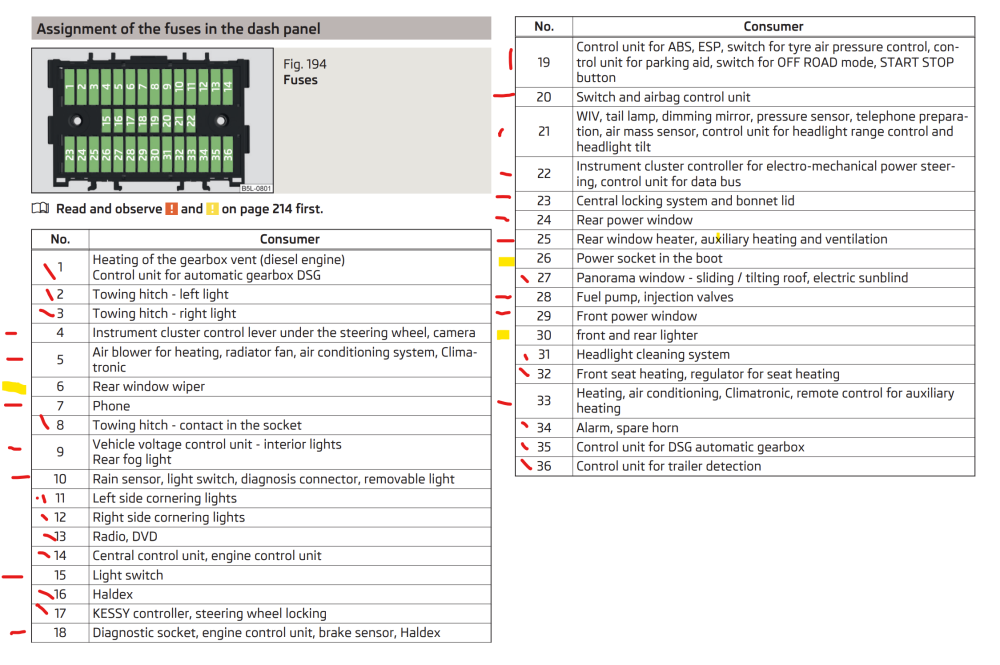
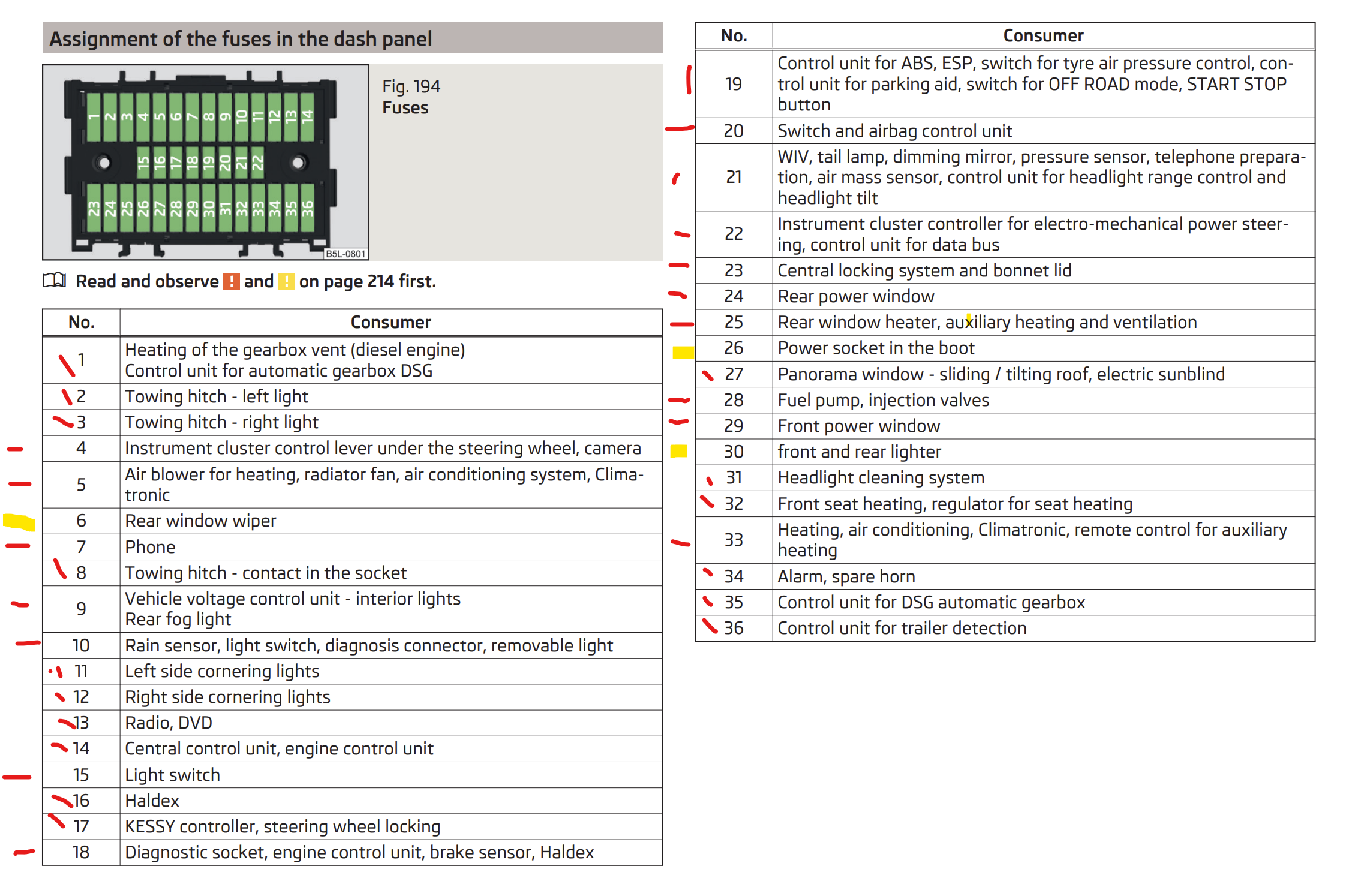
Hello, i would like to know how to neatly secretly hide cables for my hardwired dashcam ( 1 in front and 1 on the rear ) i know i gotta take off some trims but i dont know how ( A pillar for example, ) and how to tap the fuses for both accessory and battery power, im gonna attach the fuse mapping i made today, in red are the fuses that CANNOT or are not avaiable to be tapped, in yellow are the preffered ones