arovbukay
Members
-
Joined
-
Last visited
Everything posted by arovbukay
-
which model? do you have front and rear if so, how are you powering the rear cam?
-
I ordered mine in Sept, arrived end of Nov. This is for the UK though
-
ah man.....what did insurance have to say about that?
-
I understand it’s there to protect you, but does seem a bit too aggressive
-
is there a way to turn down the sensitivity for Front assist? I'm starting to get annoyed when the car is "too clever" and warns me when driving normally and it thinks I'm not going to break Usually get a jolt too when reversing out of my driveway and a car is passing, even though i've seen it and i'm edging slowly it will kick in and give everyone a fright (including me - as the brake pedal goes all the way in)
-
yeh always weary using it on small roads. Keep thinking what if the lack of or poor road markings cause the car to swerve suddenly in the wrong direction
-
thanks - will check it out for sure
-
argh...was hoping to avoid this. Were you able to route it without it being too noticeable? Do you have any pictures of it at all?
-
what do you mean "The rear camera usb comes from the camera" - you need to power it from the front camera?
-
will take a look at this, thanks. Is there a USB-c for the rear camera?
-
not able to log in. so does that mean we are waiting for a software update?
-
tried this morning, turned on car - clicked on P on dash and it said "activate indicator to leave parking spot" and when I did, it moved back 1 meter and said completed lol def don't have this option "yet" on the Kodiaq
-
thats what I thought from the manual but it doesn't for me. So if i've parked using a saved trained parking, the next time I turn the car on, I should get a prompt when clicking on the parking icon? or do I need to do something else?
-
No, from the car itself. lol 1 meter. how did you tell it to unpark?
-
have you worked out how to use trained parking to get out of a saved parking spot?
-
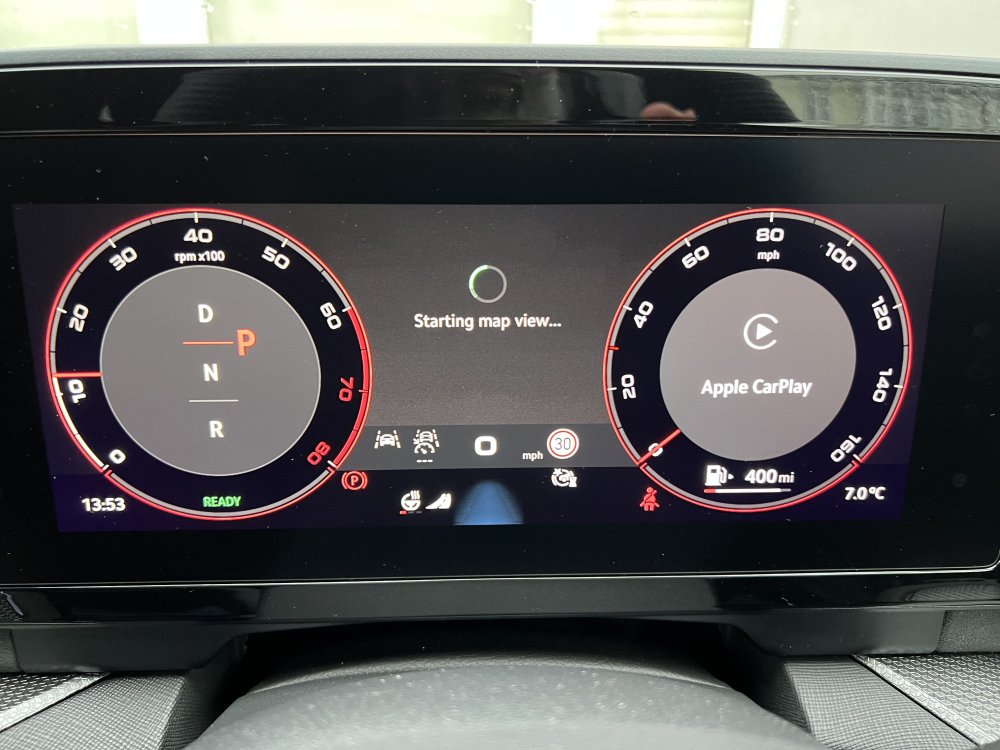
Anyone else seen this when changing to map view on the dash? remains on “starting map view”
-
Remote Park Assist was an option included in the Park Assist Plus package I bought for my Sportline, so it "should" be available.
-
No luck, can unlock the car and see the status of the windows and boots, but option to “park” the car
-
interesting. I ordered my Sportline end of September - will check if I have it when I get home
-
with the car locked and keys present, use the app to unlock and you should then get the option to "park" car, and then use the remote function from within the app.
-
ah just checked, its called Remote Park assist, and is included in the Park Assist plus package and should be controllable via the app - will have to try it later
-
oh, i've got park assist plus package would have thought that would have been included? can it be added on?
-
yeh think they have missed a trick with being able to move the car when you are not in it, like tight garage parking or driveways. Does park well in tight spaces, but as you said can be a little slow, so as long as there isn't anyone waiting behind you it's fine.
-
Wait what? Traffic jam assist is not travel assist? How do you enable traffic jam assist? I only see options for lane, Acc, and travel assist
-
that's pants. How do you check what version you are on and if you are affected? What are they giving you in return whilst they "fix" it?