Jacque_Lucque
Finding my way
-
Joined
-
Last visited
-
In the process of servicing my 2016 Fabia SE, I managed to spill oil all over the foam-y cover over the sump (lesson learned, I shouldn't have been lazy and removed this!). The car passed its MOT last month with an oil leak advisory, which I'm 90% certain is just residual oil sitting in the saturated cover. I would like to replace this cover – if nothing else, so I can monitor a potential leak – but the OE part is frightfully expensive: https://www.skoda-parts.com/spare-part/04b103660c-oil-pan-lid-skoda-48047.html Does anyone know of a cheaper alternative? Or does a sump tray typically come with this cover? Or do you reckon it would survive a good cleaning? Sage advice much appreciated.
-
Yes I did, thanks. I just needed to follow the trip reset procedure with the key in the ignition etc.
-
This link was very helpful. We used an oil pump to get the majority out, and transferred the waste oil into another container so it was pretty easy to replace the volume like-for-like. The final figure wasn’t a million miles off the 4.1L quoted by MPM. The rest of the service was very easy. I took great pleasure in the seconds it took to sort the fuel filter versus the mission on my pal’s XC70, which we sorted at the same time.
-
Thanks, this is really helpful. I had a look but couldn't see that list of oil capacities. Would you mind sharing?
-
Evening all, I’m about to service my 2016 1.4 TDI Fabia SE and would appreciate a quick sanity check. My car’s boot sticker shows QI6, which (as I understand it) means it’s on the fixed 10,000-mile / 365-day service regime – correct? The infotainment countdown seems to back this up, but I’d like confirmation. The manual specifies VW 507.00 oil, but I can’t find an exact fill volume anywhere. From what I gather, it takes around 4.0 litres with a filter change, with the final amount to be confirmed using the dipstick procedure after filling. Assuming that’s right, I’m planning to use Castrol EDGE 5W-30 LL, which is on VW’s 507.00 approval list and seems like the best value option. Do these details tally with your experience? Any sage nods of approval would be much appreciated!
-
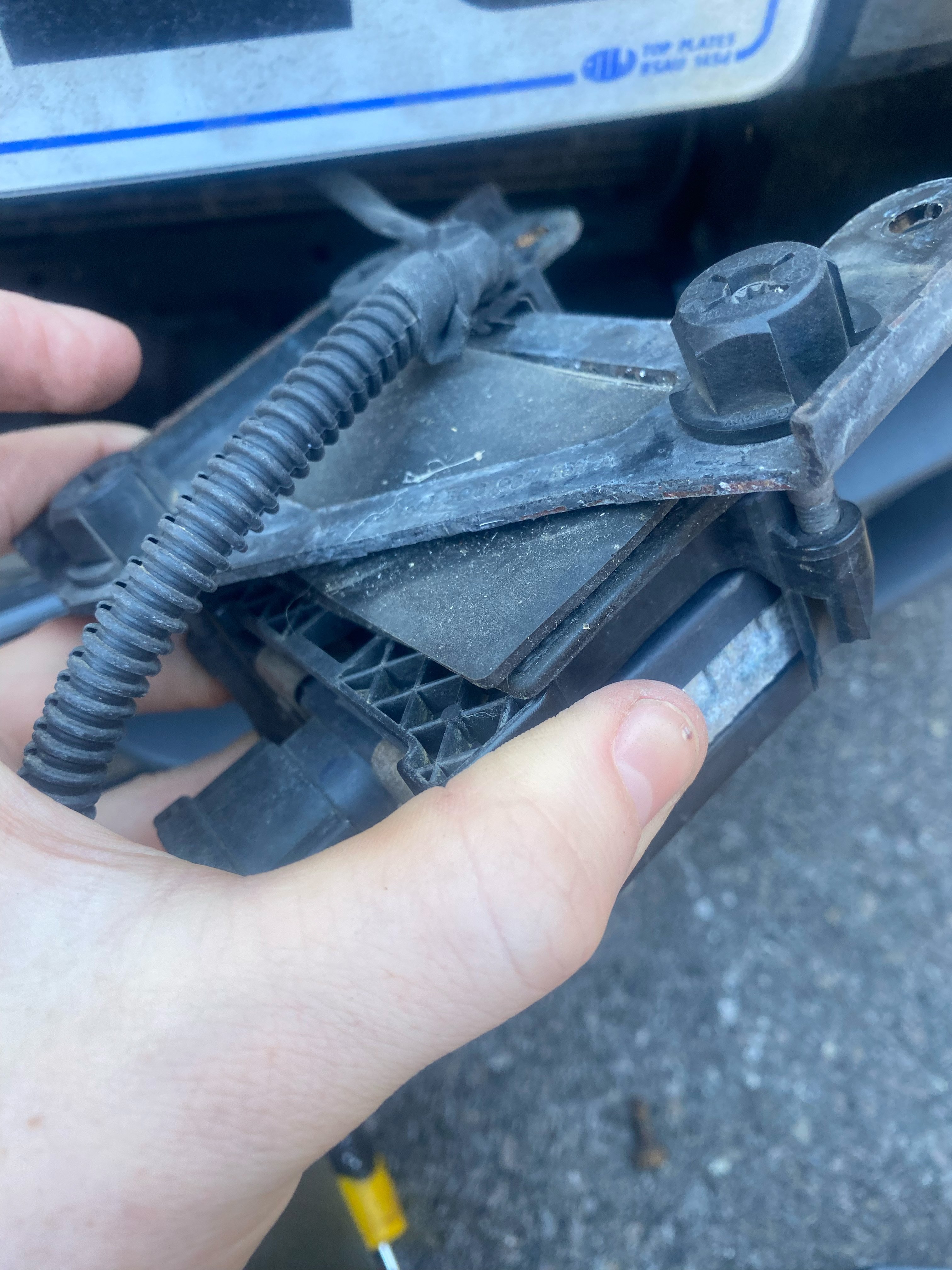
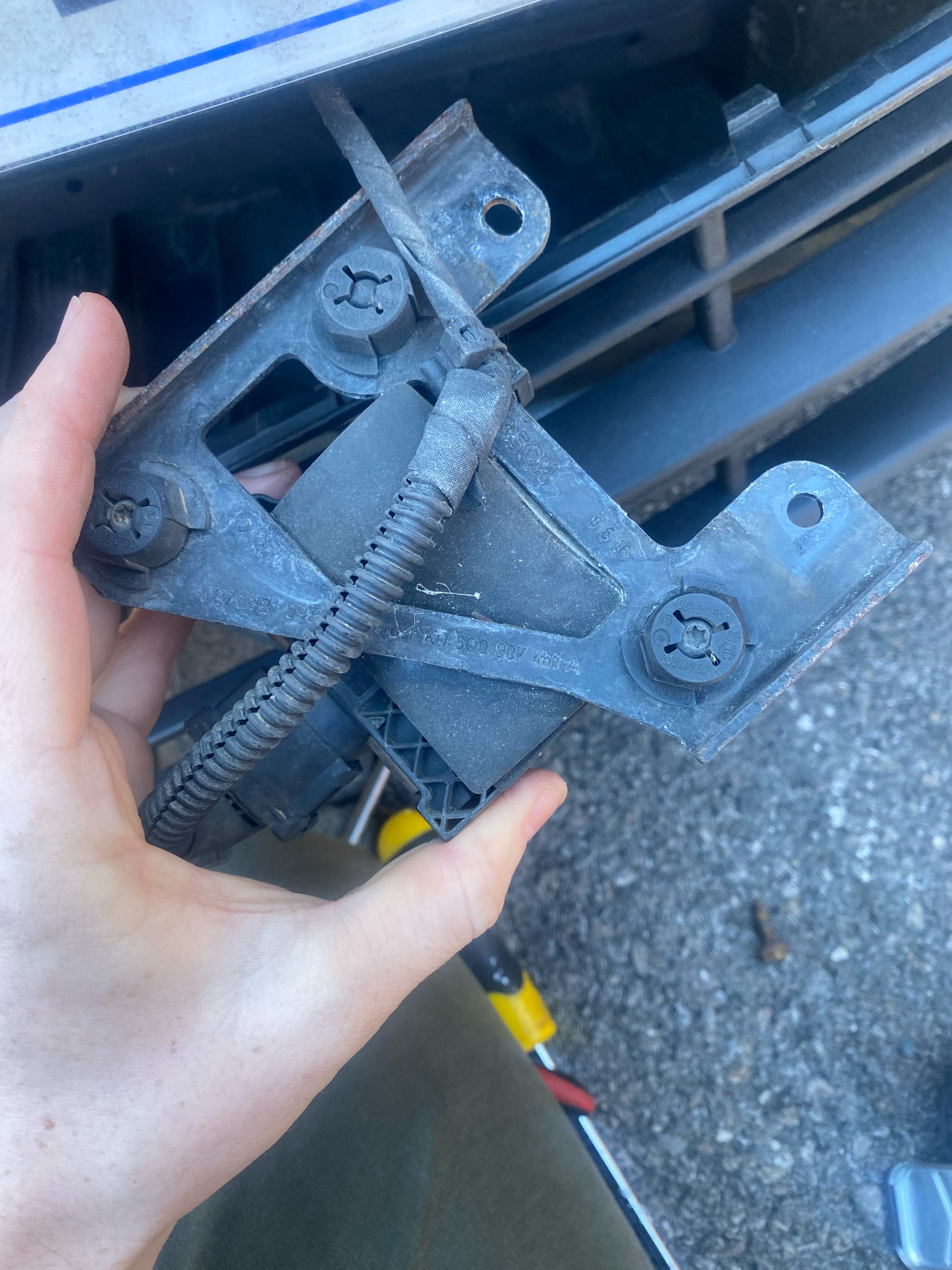
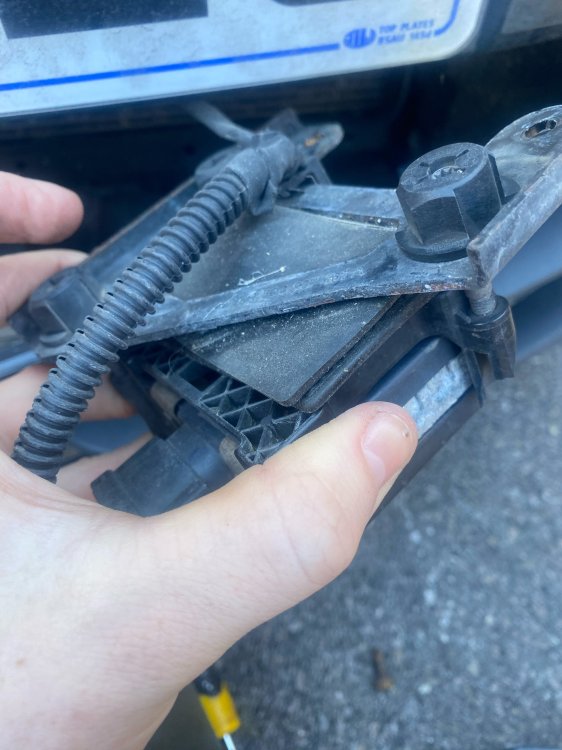
I think it looks odd because I've pulled the sensor out of the body and didn't undo the guide clip to the righthand side of the sensor, so the cable is pulled taut. I couldn't see any exposed core or wiring, so hopefully it's all fine! I will definitely report back on how I get on. I also have my doubts about the efficacy of these systems but I'd rather not have to disable the system every time I start the car. Though reports conflict, it's not beyond the realms of possibility that a mechanic could fail the car's MOT because a critical safety warning is present. I'm inclined to believe someone wouldn't, but that's a stress I'd like to avoid if possible!
-
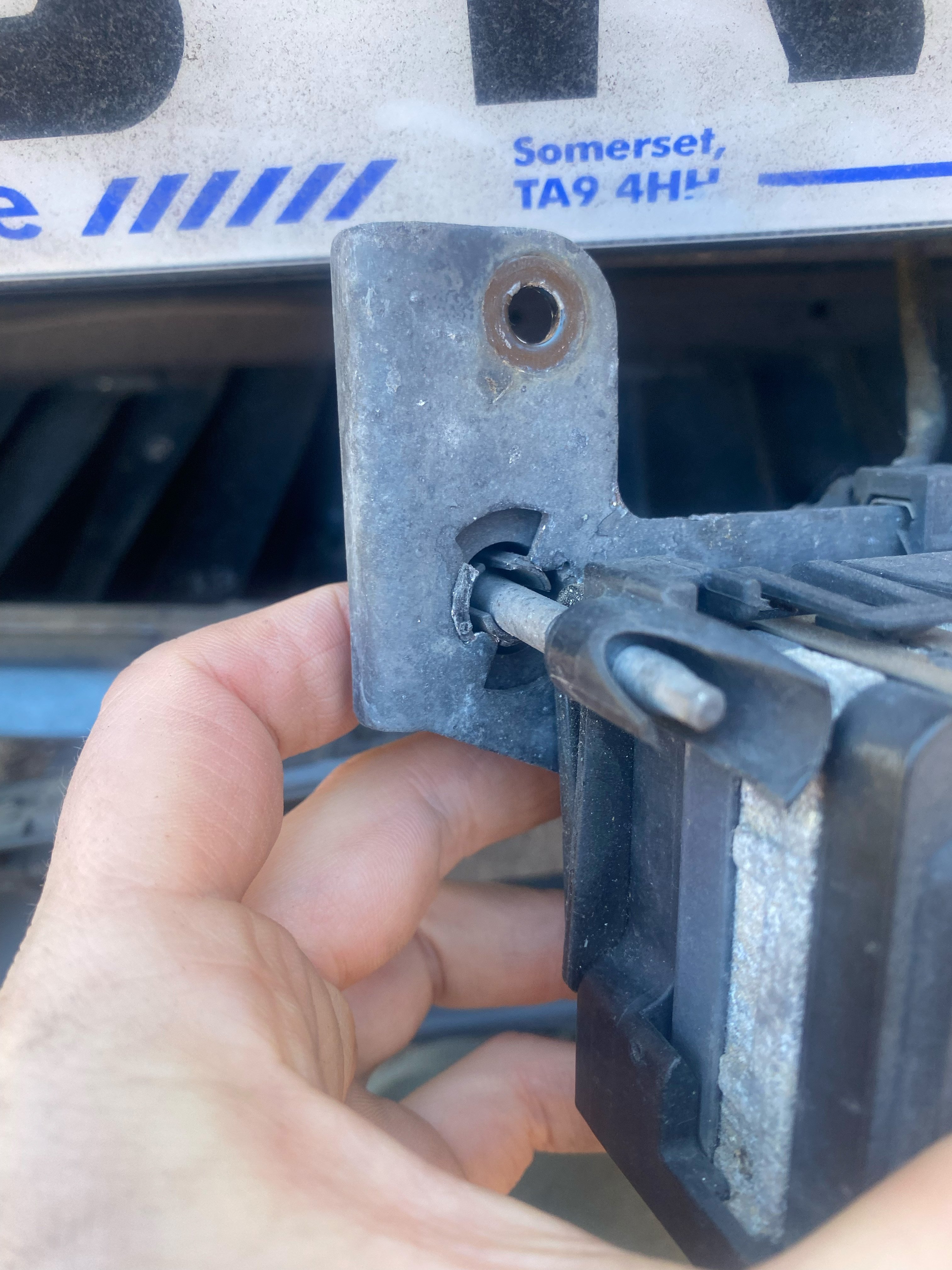
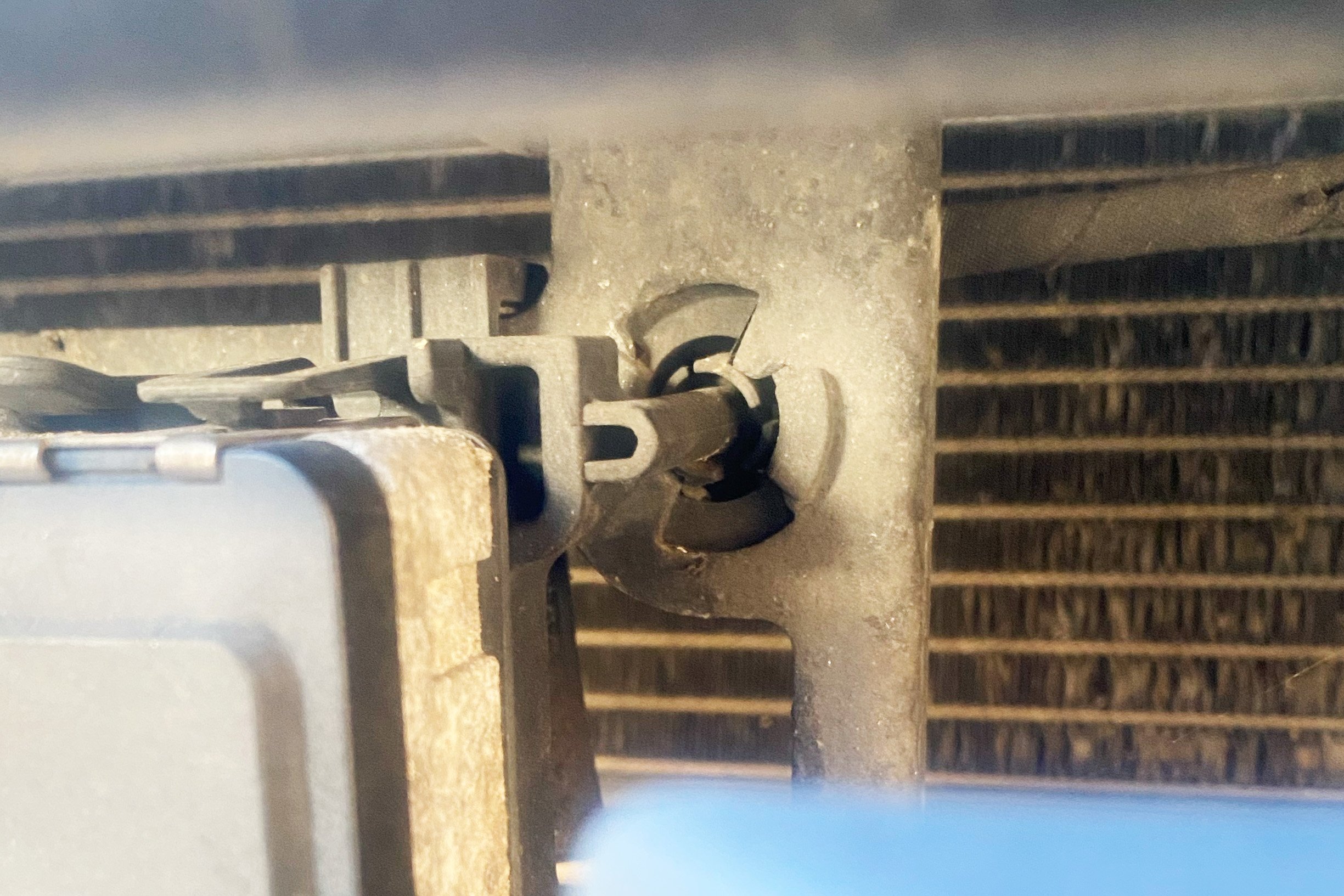
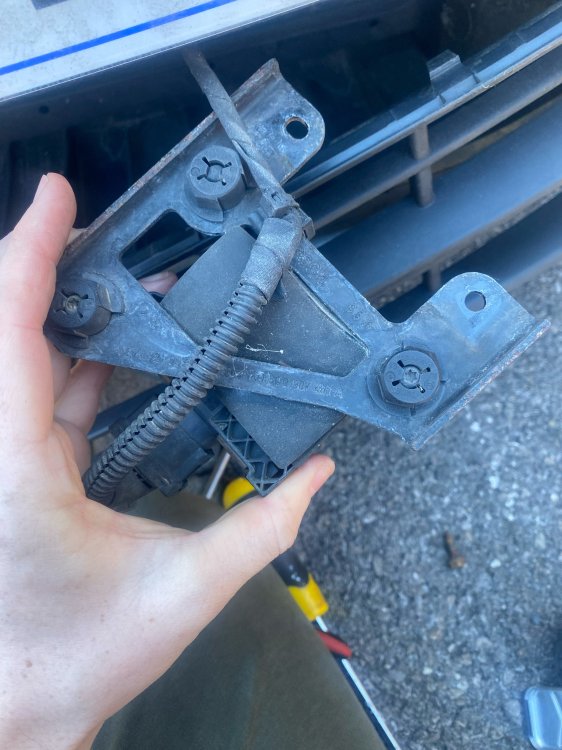
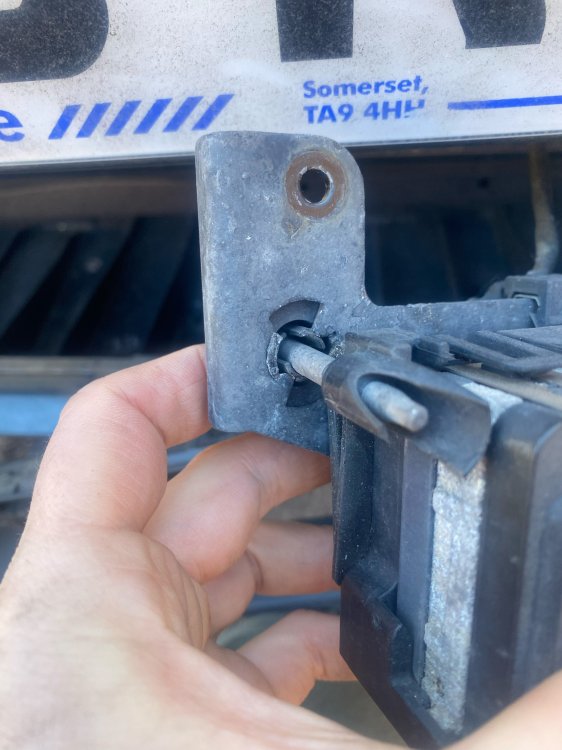
I suspect you're right. Looking behind the lower vent grill – which itself is a little damaged – a section of EPS foam is missing. No matter, none of it looks especially serious. I've removed the sensor and someone has already tried to fix this issue by stuffing a rubber anti-slip mat behind the unit to push it forward. High-tech calibration! I tried twisting the clip into the right orientation but unfortunately – and perhaps unsurprisingly – that didn't solve the problem. I'll wait until the new mounting bracket comes and have the unit recalibrated.
-
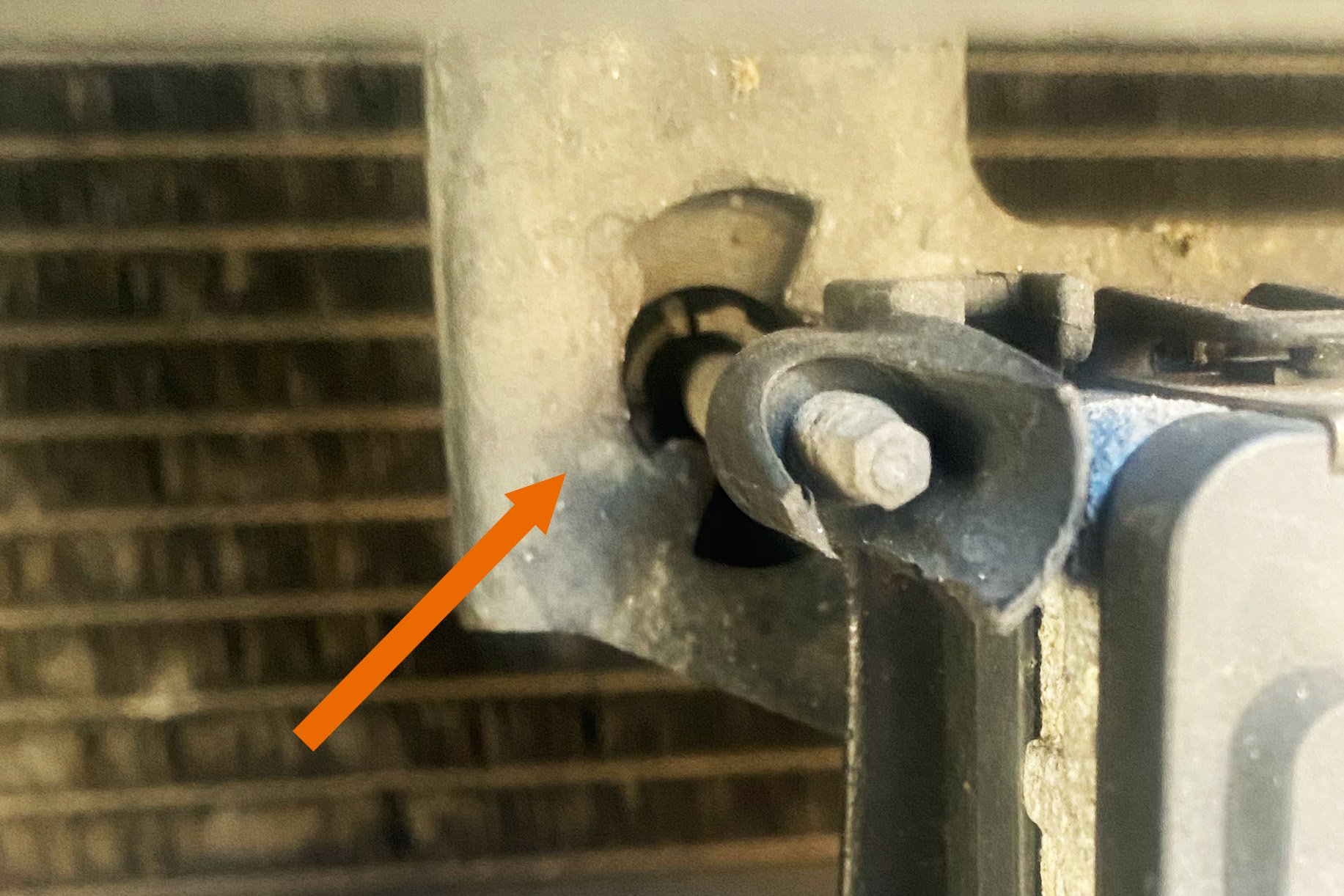
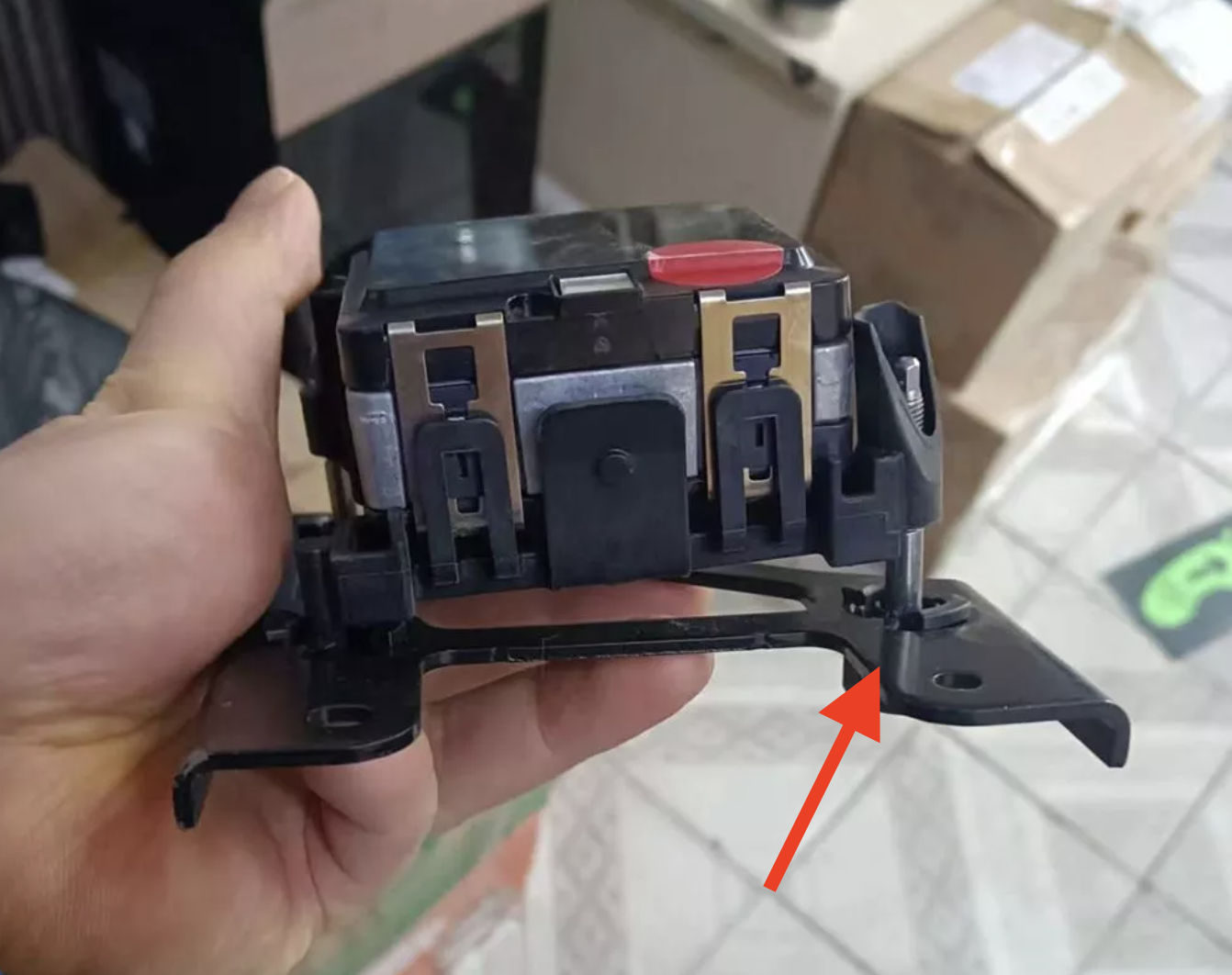
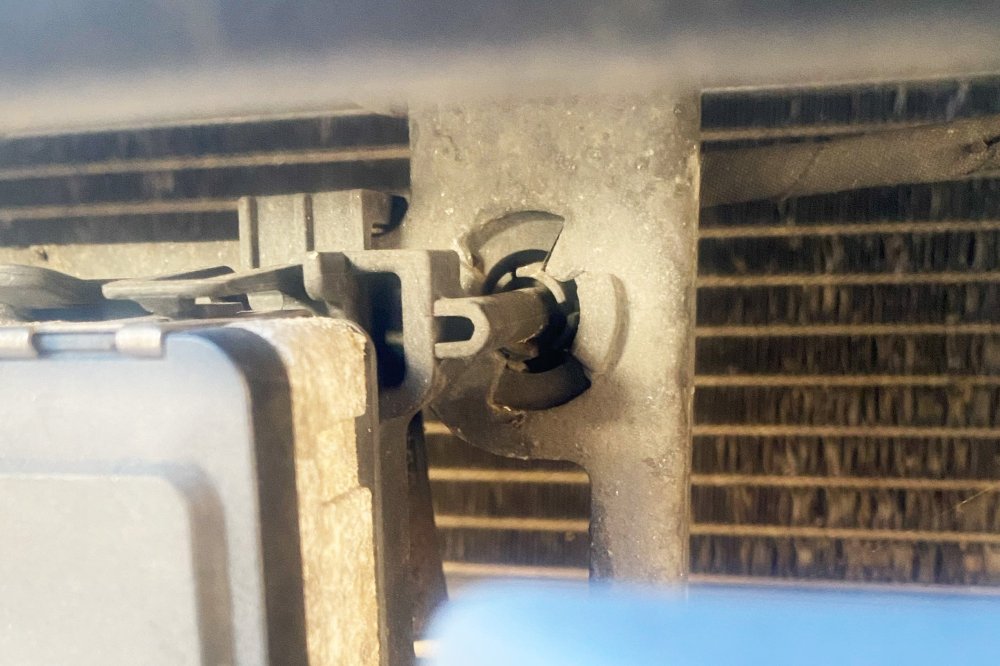
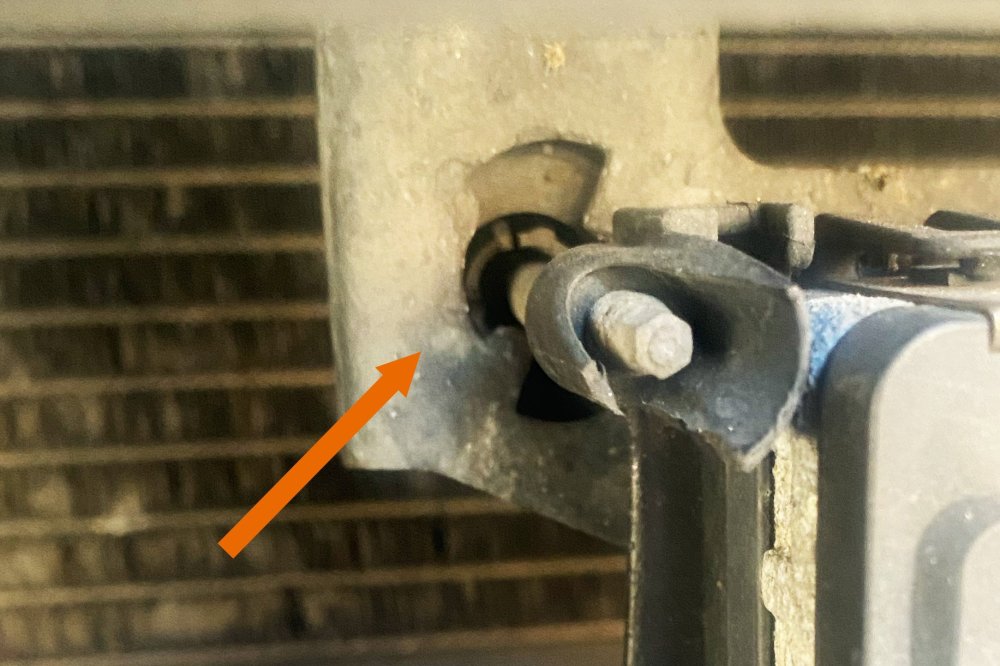
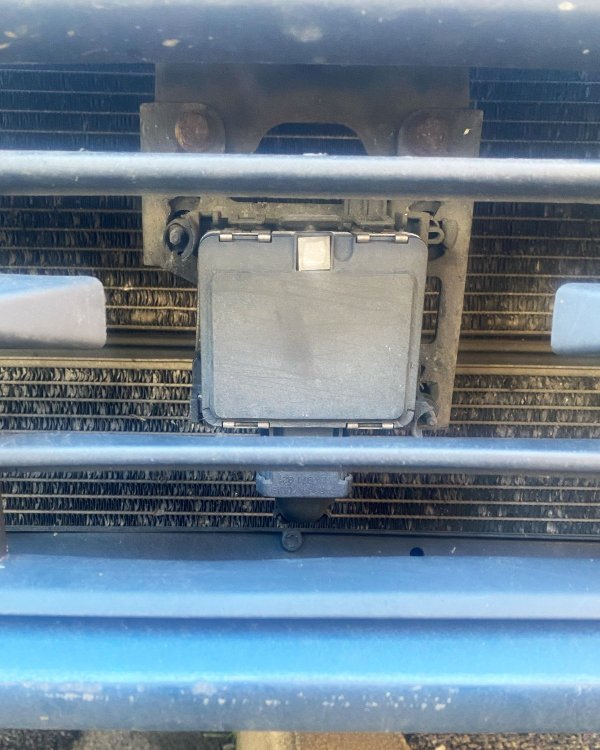
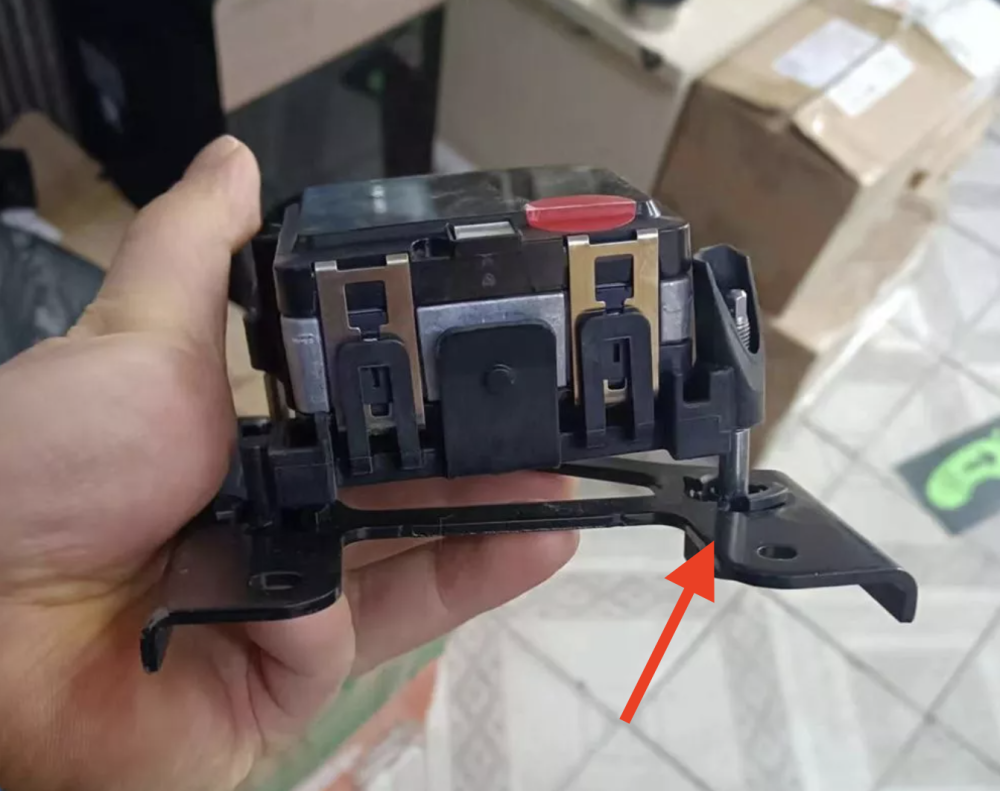
I've had a good look at the mount in the cold light of day. The top left plastic pin/mount is sitting behind the metal mounting bracket. Comparing this to images of mounts on eBay, it appears this is broken, or has been pushed behind the bracket. Likewise, the right-hand mounts on the bracket of my car look as per the eBay image. Otherwise, the mount and radar system look fine to my untrained eye. Maybe I'm talking absolute nonsense but given there's no visible front-end damage, does this and the deformed radiator fins suggest an over-vigorous jetwash? I will remove the grille and see if I can re-fit the mount. If not, hopefully, a replacement mount and recalibration will solve the issue. Any further thoughts? I'm sure I can work it out, but tips, tricks and guidance on how to remove the vent grille would be welcomed!
-
Thank you for such a prompt reply! I will get a video of the mount in the morning and share it here.
-
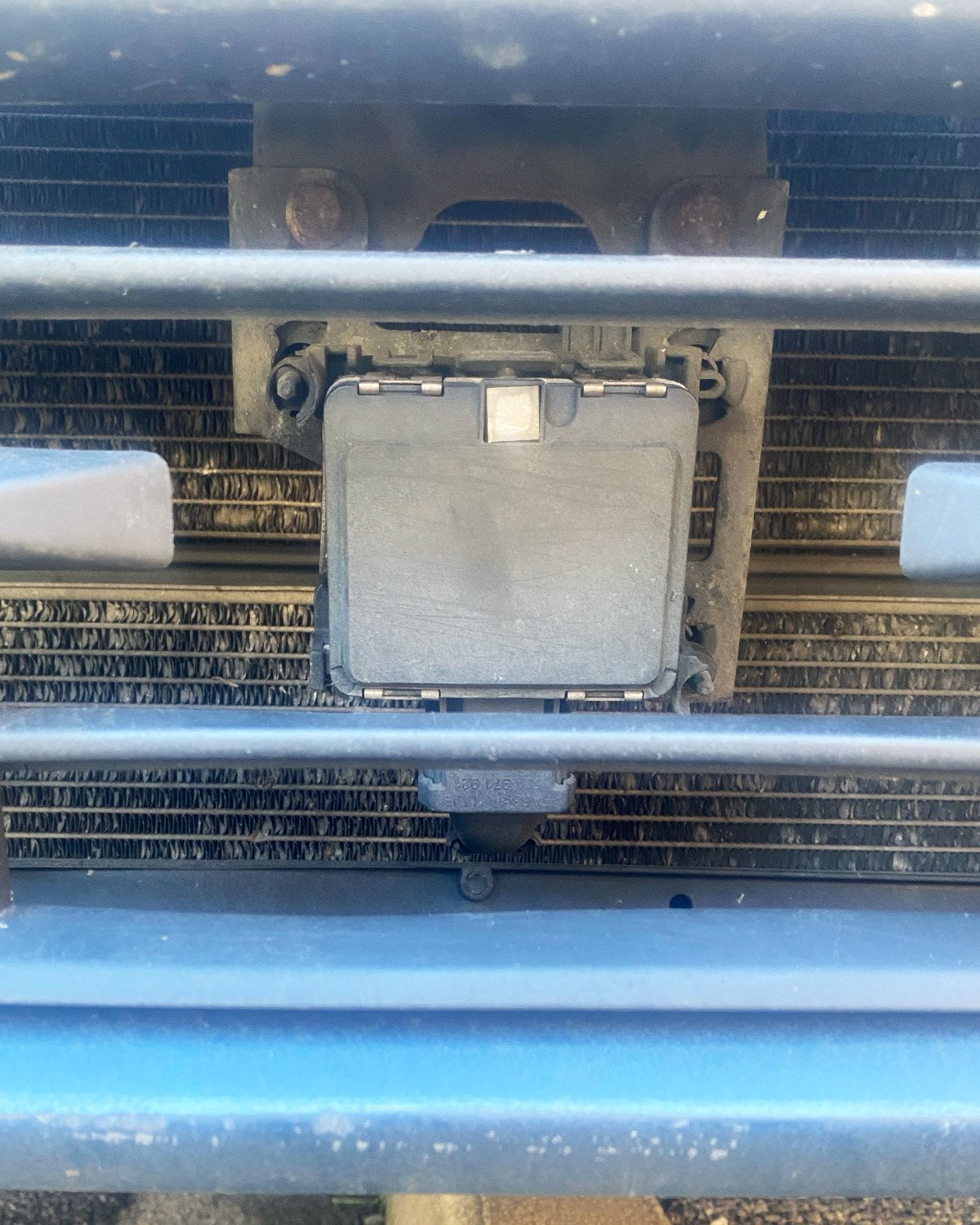
I've recently bought a nice 1.4 TDI SE. What an excellent wee car – I'm really enjoying it. I got the car for a decent price, partly because I knew of a potential front assist sensor issue. Lo and behold – the Front Assist: sensor impaired warning appears on most journeys, typically five to 15 minutes into setting off. I've cleaned out a bit of loose detritus from behind the grille and lightly wiped down the front of the sensor. Unfortunately, this hasn't resolved it. I've read a few threads on this issue, but I'm yet to see a step-by-step guide on the best way to troubleshoot this issue. What steps would you recommend a competent home mechanic take to resolve this? A few notes and questions: Eyeballing it, the face of the sensor doesn't appear to sit perpendicular to the road surface. This may well be by design – I only mention it because I saw someone reference this in another thread The top lift leg of the mount wiggles back and forth easily. Is this normal? Someone else mentioned this exact issue in another thread so, again, this may be by design On that note, any pictures of a working setup would be appreciated so I can compare it to mine This sounds daft, but how clean does the sensor need to be? Do I need to treat it to a gentle bubble bath, or is a light wipe sufficient? I'm a little out of my depth here, but would a code reader reveal anything meaningful about what's going wrong? I may be a competent home mechanic but this is my first truly modern car! The car has been well looked after and came with extensive service history. I have no reason to believe it's been involved in an accident. I expect the sensor just needs to be recalibrated, but I'd like to establish that with as much confidence as I can before committing cash and time to the issue. Should repair or replacement be required, recommendations for specialists around Bristol would be warmly welcomed. Cheers!