Skip to content

judge13

Finding my way
  • Joined

  • Last visited

  1. I thought it was something like that, just looks a bit like something is missing now I've noticed it.
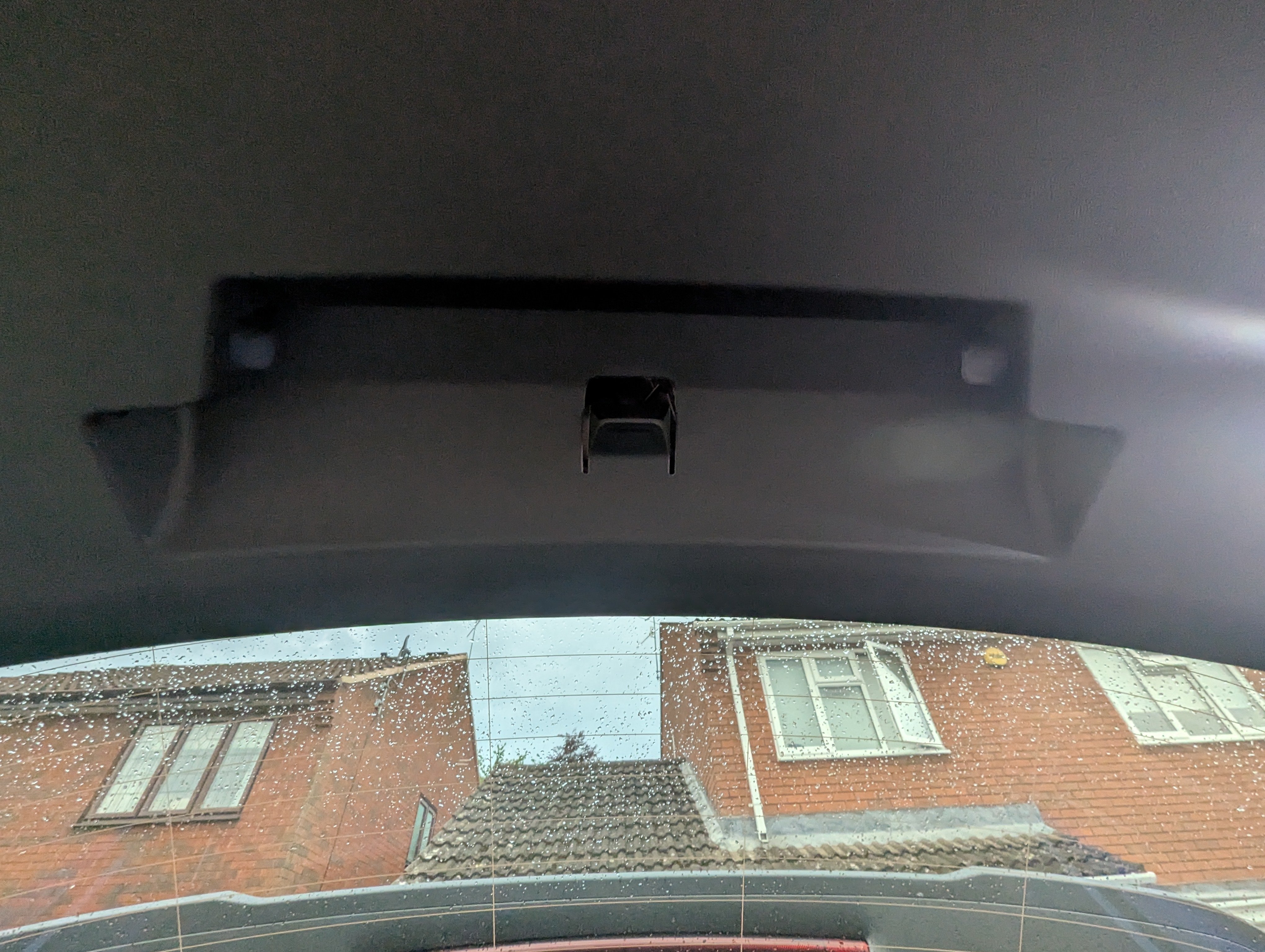
  2. No, sorry the ice scraper is on one side, that is right in the middle of the inside of the boot lid, for a warning triangle or something similar in other cars I've had.
  3. Does anyone know what should be here, inside the boot lid, there seems to be something missing but I don't know what?
  4. Finally got ours delivered today. Ordered from Tusker, due end of March then moved to end of April...delivered 30th April.
  5. The variable boot floor is part of the transport package or the advanced package upwards, so I don't believe you get it otherwise.
  6. Automatic locking when leaving the car If the vehicle is equipped with this function, it will automatically lock when the key is removed from the car. The direction indicator lights flash once to confirm that the car is locked. If the car is not locked, an audible signal will sound twice. If there are people in the locked car and they open the door from the inside 30 seconds after locking it, the alarm is triggered. This applies to cars equipped with the SAFE function: After automatic locking, when the key is removed from the car, the SAFE function is deactivated. A beep sounds once to confirm that the car is locked and the SAFE function is deactivated. This is from the Elroq manual
  7. I can now see a licence plate number on Tusker, that must mean it's not too much longer right?
  8. Have you checked whether there is a Cocharger host near you? Might be handy.
  9. Hi, yes, it was an Edition 85 with no packs, ordered 3rd March with estimated date to dealer as 'late March'.
  10. I ordered an 'in stock' car via Tusker and just been emailed to say it's been delayed until the end of April due to "transport issues"...

Important Information

Welcome to BRISKODA. Please note the following important links Terms of Use. We have a comprehensive Privacy Policy. We have placed cookies on your device to help make this website better. You can adjust your cookie settings, otherwise we'll assume you're okay to continue.

Account

Navigation

Configure browser push notifications

Chrome (Android)
  1. Tap the lock icon next to the address bar.
  2. Tap Permissions → Notifications.
  3. Adjust your preference.
Chrome (Desktop)
  1. Click the padlock icon in the address bar.
  2. Select Site settings.
  3. Find Notifications and adjust your preference.