




Arch1
Finding my way
-
Joined
-
Last visited
Everything posted by Arch1
-
As you describe, this is certainly the frightening truth. Nevertheless, everyone's dashboard lights will certainly light up ;-). Some of them will only go out when you have recoded. Ultimately, you won't have any problems if you use the same size L1 or L2 on the Scala. But with the start-stop function, an EFB is installed ex works. For whatever reason! In any case, as far as I know, it should now be an AGM, as most people here install. I bought one from the DIY store when I was in need, without ordering on the internet. Luckily he had some from Bosch, which is ultimately like the corresponding Varta Dynamic. But without correct recoding EFB to AGM etc., the service life of your (technically & physically) battery will certainly be shortened. Also the charging times from L1->L4 (as in my case) are definitely different from the control unit, with an increase in capacity of almost 20%. Greetz
-
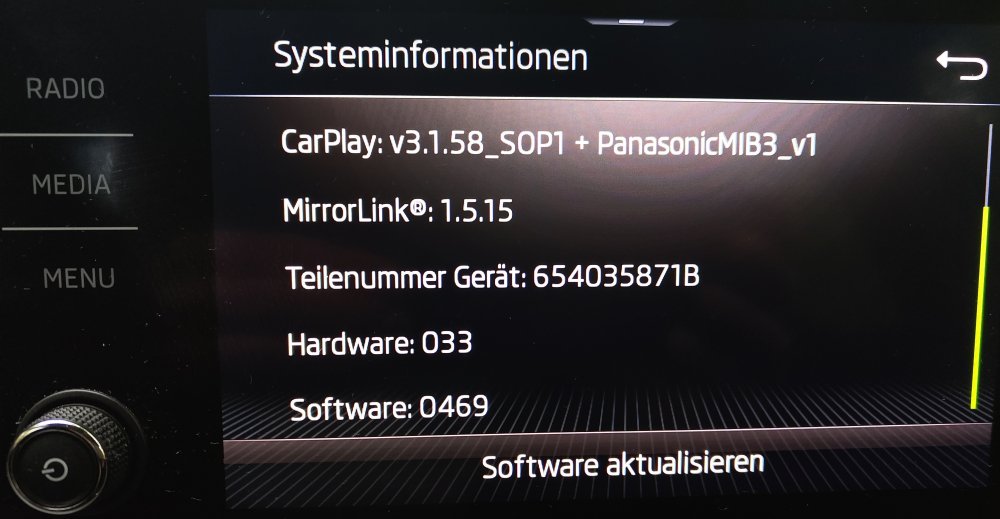
Can someone give me also a note where to get it? I think that Software 0472 is the latest version, isn it?
-
Yes. It is totally correct. Start-Stop has to be disabled. If you change from EFB to AGM with the same capacity(!)/ 59 Ah in my case, i would change the battery type. Cause AGM (Absorbent Glass Mat) is different (lifetime etc) from EFB..... Yes, I think so to like you. But i wanted to make it correctly. In my case i have nearly 20 Ah more. 59 Ah are too small. EFB batteries are not used/ should not be used with cars which use Start-Stop-function (VAG has also wrote it down in their technical documentation-> no joke :-)!). You can search in the internet. This is because of the electrical starter impulse (high current in A!)....and so on..... . (e.g. source for AGM https://www.rbbattery.com/articles-knowledge-base/how-do-start-stop-agm-batteries-work-beginner-breakdown)
-
I would not say totally unimportant. I am not the manufacturer of the ECU-unit/ battery monitoring control unit J367 (;-)) in my model...... . new: AGM-> vlies old: EFB -> efb (see picture below.)
_AGM-Batterytypen_WechselVartaEFBnachBoschAGM_20250327-1631h.thumb.png.41ebad3f40c2a5c84ddba60ea18d5da6.png)
-
Not really :-) See my picture of vendor list codes. A lot of vendor codes are listed with my software (VARTA, Exice, Akuma, JCI/JCB, Moll, JFF, Banner, EPN). I bought an aftermarket BOSCH Battery. For this one there was no code listed. So I have read that you can take VAO/Varta for this one. (source for example for further reading: https://wiki.ross-tech.com/wiki/index.php/Battery_Replacement).... In my case I have bought/tried different OBD-II types. In the end i was a bit frustrated and bought a product from Ancel to let it work correctly. This Tablet/Software (graphical surface) with OBD-II pin has done the job a bit easier than VCDS-Software. But in the end it does nearly the same as it is described from the guys of VCDS-community (cmd/terminal-based)...... . As you described before: 1) Important is -> the Nominal capacity: XX Ah (in my case 80 Ah) 2) -> Battery technology (NEW) / (vlies NOT binary AGM!!!) = vlies (!!!) 3) -> VAG coded JCB in my car (!!!), but this is wrong! It was a VARTA/VAO build in from the beginning. 4) -> + 1 digit for serial number (Scala (2019) / Kamiq (2019) & Octavia 2018) For the change of the battery module i have read the maintanance (e.g.) documents of Skoda (Scala). Cause i had also different faults before. I had also to change the air filter and so on cause the car repair shop (Skoda) have not found the correct faults before. So I took matters into my own hands and got it the right way...... Sorry for the mass of information. I hope this helps.... Best regards....
-
Thanks for your short explanation. 👌. My battery is a S05 (BOSCH)/PA011. On VCDS-Forum i read that the same as you said: (I) AGM-> fleece (engl.) / vlies (german)). (II) 59 Ah (EFB/Varta) -> 80 Ah (AGM/BOSCH) (III) +1 digit -> 10th position. In my Case. The problem was the code for the battery producer for me. I read that you can take VAO (Varta) for the aftermarket variant from Bosch. But since the battery parameter is made up of numbers, I wanted to know what the number for the Bosch batteries is and how it is made up. My guess is that the number is possibly derived from the UK part no.! In my case I found the UK part no. 115 (battery type: Bosch Power AGM S05 / Short code: PA011). Does anyone have a precise idea?
_ParameterbeschreibungBatterietausch_20250327-1644h.thumb.png.9fe3f48cd242d0f132dc64ee6d9cc895.png)
-
FYI (source: VARTA - Battery replacement) The right code of the BEM for Battery replacement _ VARTA Automotive Batteries_20250327.pdf
-
FYI (source: Ross-Tech Wiki - VCDS) Battery Replacement - Ross-Tech Wiki.pdf
-
agm_battery_flyer.pdf Datasheet Bosch AGM PA011 80Ah with 800A.pdf
_MainScreen_AuslieferungScala_20250327-1618h.thumb.png.df9b734068d9e0ab0697f0505be41c1c.png)
_Batterietausch-CodierungECUBOSCHPA0110AGM80Ah-20250327-1649h.thumb.png.8f92797ee821c995b0c223872986efdd.png)
-
I had the problem with the battery after nearly 5 years of having my Scala 1.0 TSI (Start-Stop Function) with Base Hold Down B3. (1) EFB (old - VARTA/ VAO was installed not JCB (!) as VAG coded) - (see picture no. 1) (2) New installation & coding to -> AGM/vlies (NEW! - BOSCH) -> LN4 installed (800 Ah) but LN3 (760 Ah) should be enough :-) - (see picture no. 2) (3) Coding was made with Ancel-Tablet. I figured out different methods to get the fine way. VCDS is one variant. But it is very expensive and only usable as software on windows PC. As a Linux user i wanted to get a universal variant (e.g. with a virtual machine). The ordered a product from Autophix. The product is not recommended. It is cheaply and bad programmed and you have to install the .exe-file (interface to use autophix). So i send it back after nearly one day as i saw the misery. -> Final Product (Tablet with OBD-II pin) was from ANCEL website.
-
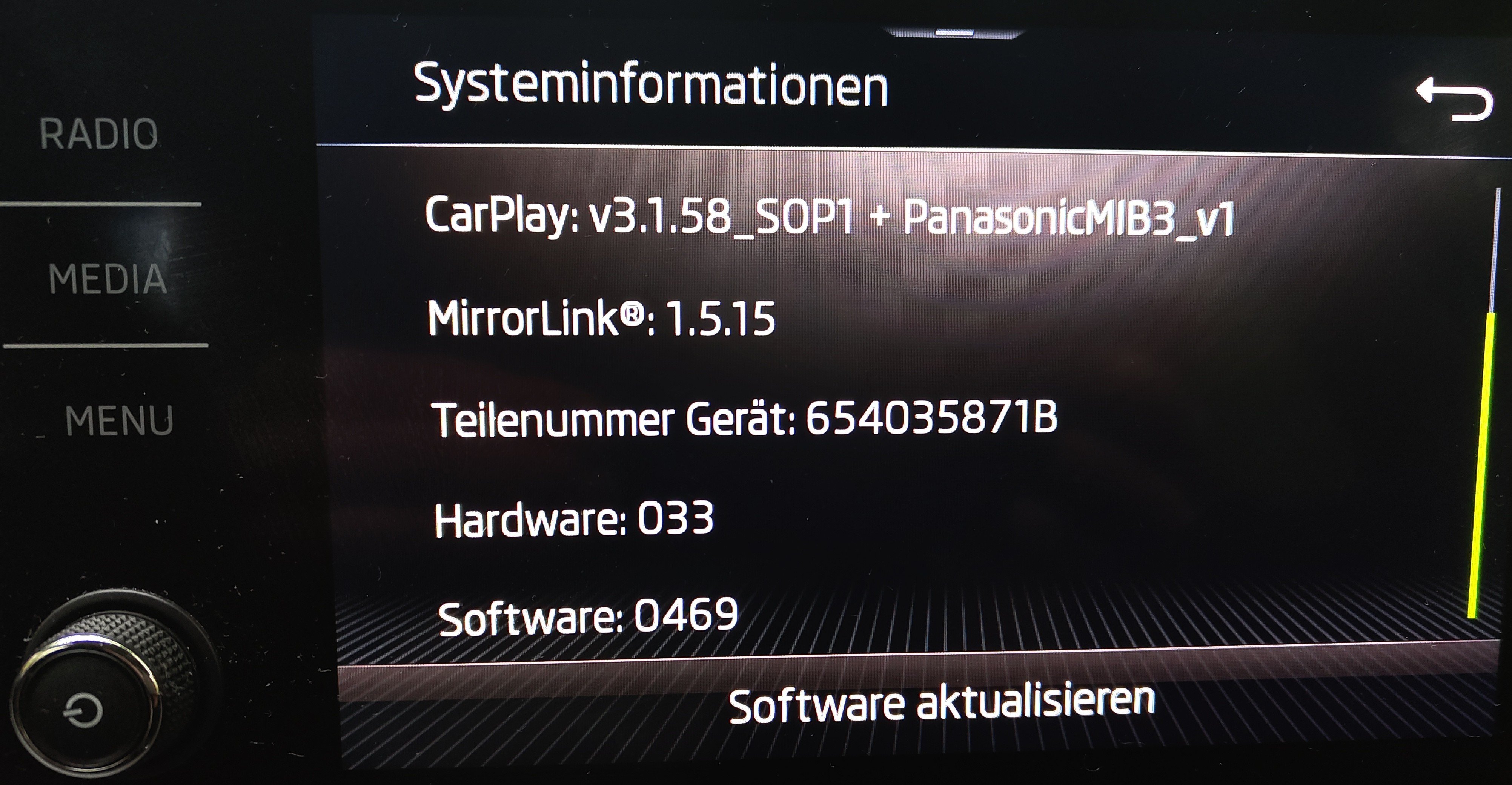
Hallo, i would also update my software from 0469 to the latest available version (ambition). Where can i find those FW? I saw that you got it in the forum here. My connection issues (cable and bluetooth) with android smartphones are there from the beginning (2019) where i got the Scala (1.0 TSI 85 kW/ DKRF). In android auto (see smartphone) you are able to activate developer options. In former times i used software from AAAD/ Android Auto Apps Downloader. There i was able to use different navigation-software. Do you know Fermata-Auto from XDA? Are you using an OBD II-Scanner??? Best regards Arch1

_AGM-Batterytypen_WechselVartaEFBnachBoschAGM_20250327-1631h.png.3100bc53d2ff8a5af1acbb6236625054.png)
_ParameterbeschreibungBatterietausch_20250327-1644h.png.b90c8f46f5593b77d09ef9bccf07f777.png)
_MainScreen_AuslieferungScala_20250327-1618h.png.1cc0f2127bc57470ded14ec1eac00805.png)
_Batterietausch-CodierungECUBOSCHPA0110AGM80Ah-20250327-1649h.png.49be7263ec7f7185577a42b87981bc1b.png)