bsilver
Finding my way
-
Joined
-
Last visited
Everything posted by bsilver
-
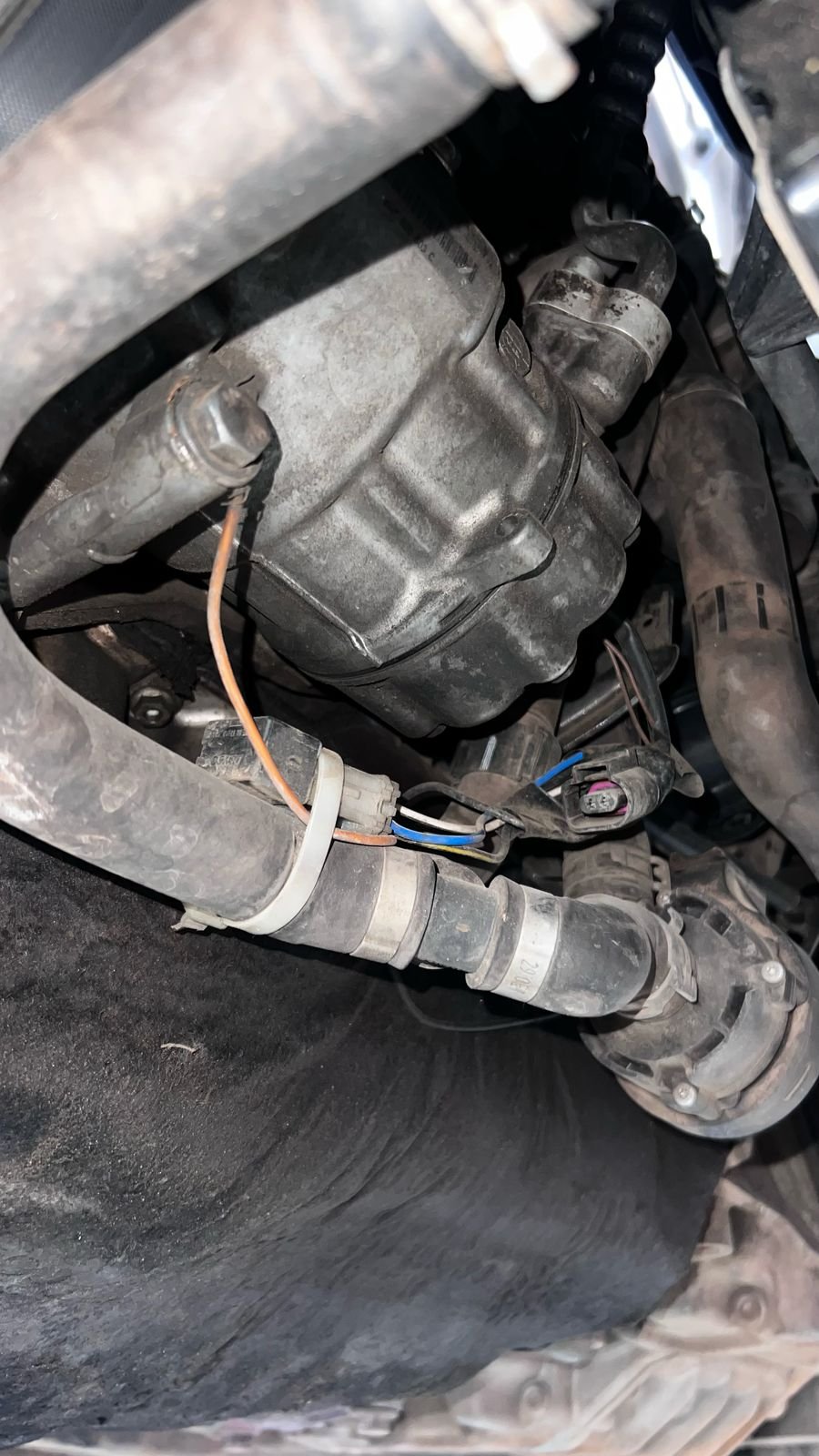
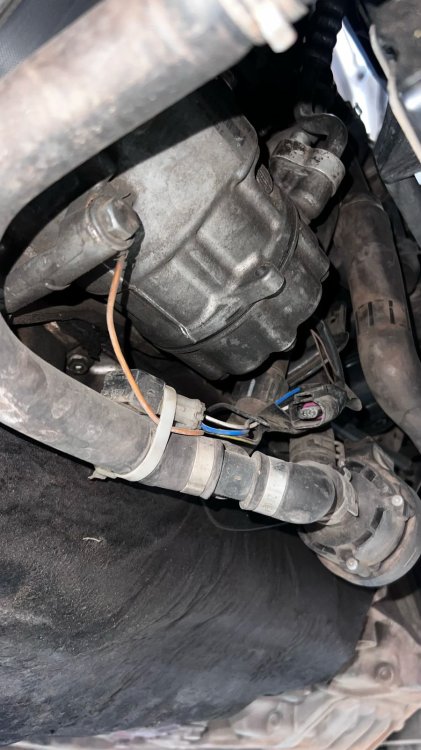
Hello all, I have an heater support pump issue on the Octavia mk3 2.0 TDI DSG. The wiring seems to be bypassed from the connector side and the engine takes a lot of time to warm up. This heater support pump is one responsible for the heating of the engine, as per the circuit of the vehicle. Yet to do a VCDS output test. Does anyone have verified wiring diagram for the support pump? Would be of great help, need to sort out the wiring first. A picture of the same is attached. Happy Motoring!
-
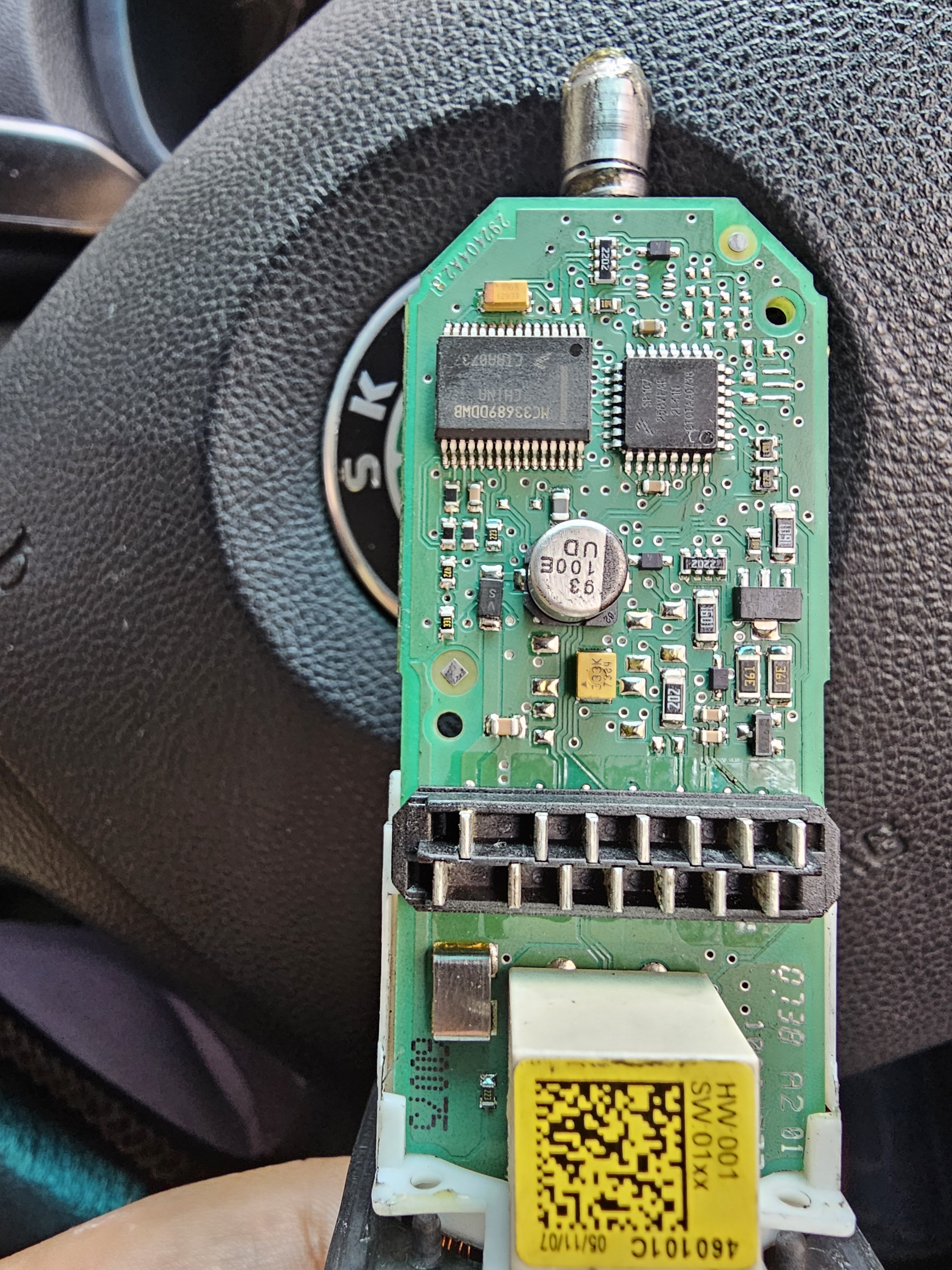
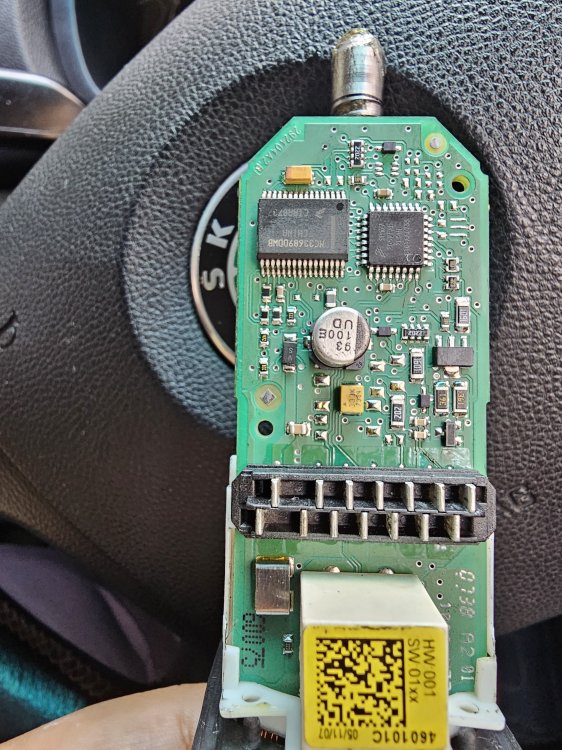
Just removed the motor to check, the PCB came apart with the motor housing. A picture for understanding. Couldn't see anything bad with the PCB.
-
A video as well. 20250523_161047.mp4
-
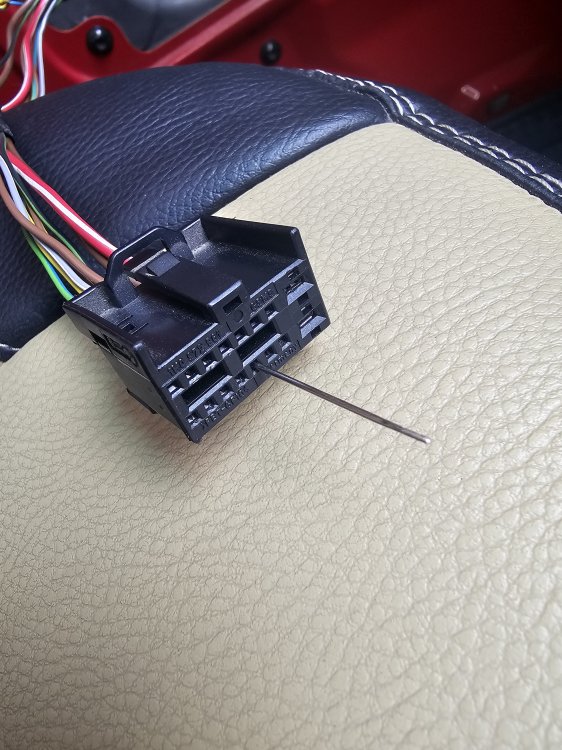
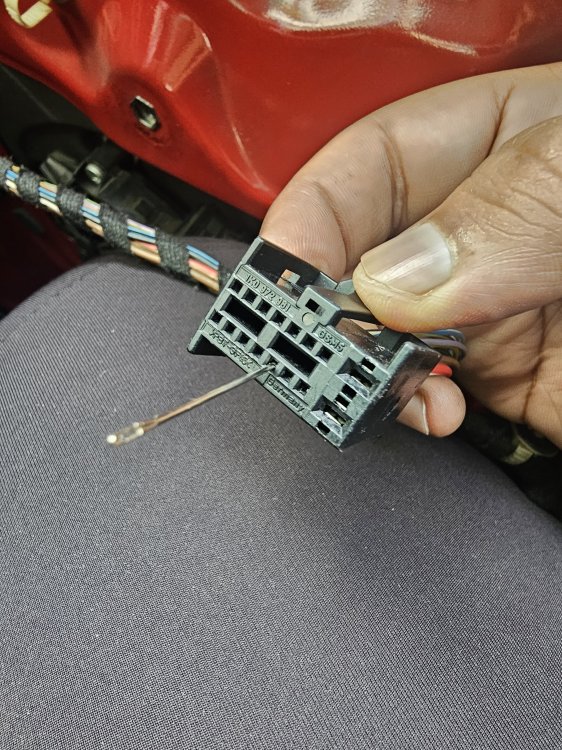
Pictures of LIN.
-
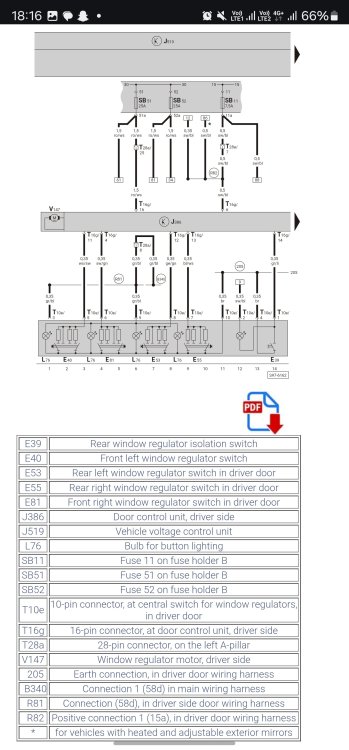
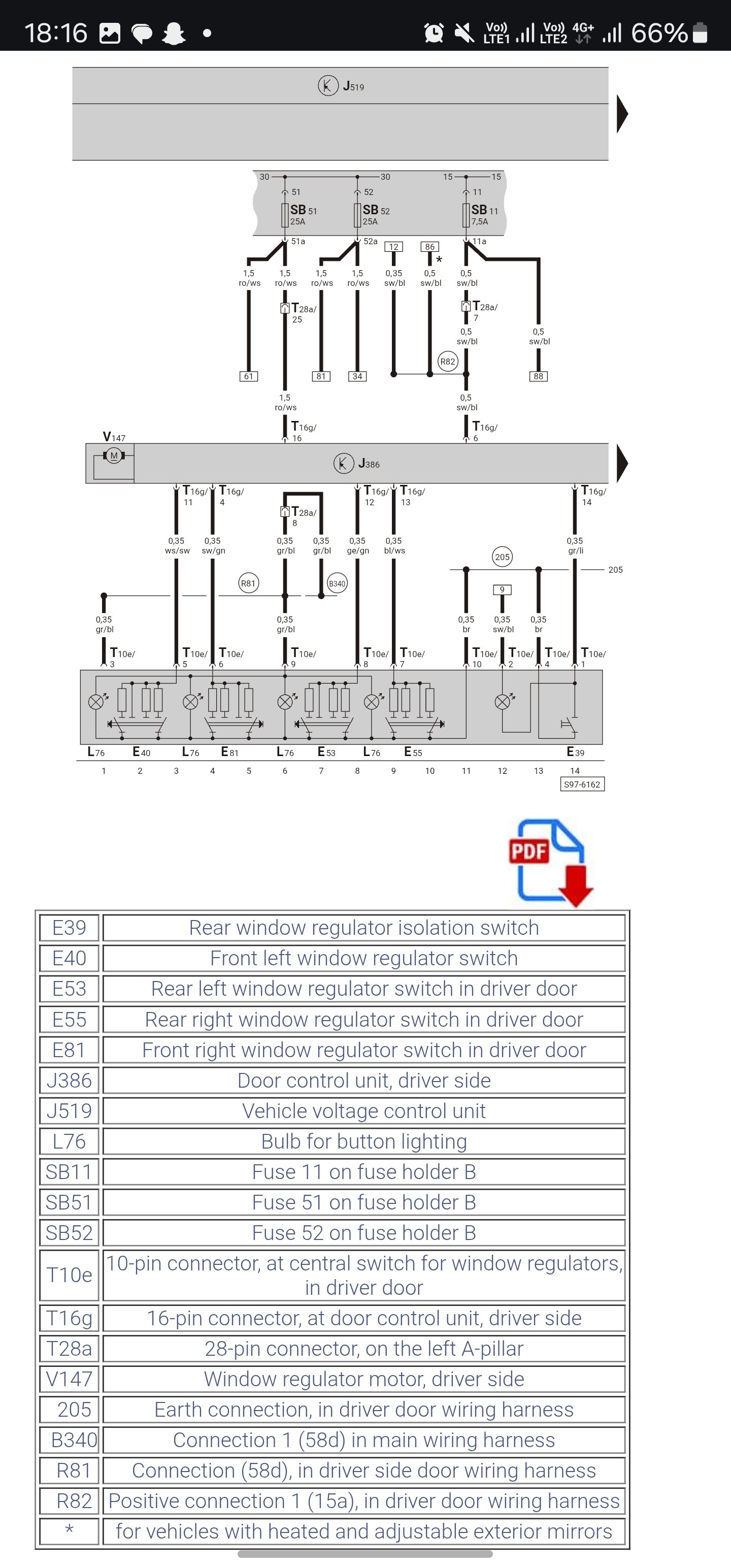
I swapped the rear left motor to the front passenger( front left) and the same issue persists. The main switch is unable to communicate with the passenger side. I even tried to jump the terminal 5 and terminal 10 on the connector of the main switch, which should essentially power the passenger, as per the above diagram, that too doesn't work, this again proves that the main switch is fine, if jumping is not working either.
-
Passenger door not responding to the main switch (driver). Motor works fine when bench tested. LIN communication and continuity is there in all doors, verified by checking the continuity between driver and all other doors. Main switch was tested using multimeter, when switch pressed and corresponding terminals were tested, it would show continuity and a closed loop for all the 4. But when plugged in then the passenger window doesn't work from the drivers main switch. Works from its own switch perfectly. Not able to understand, LIN is OK, 12V to motor is OK, motor is working from it's own switch, main switch is OK. Then where else does the problem lie? Any suggestions and help is of great value. Happy Motoring!
-
Mine is a 8 way door lock module, as opposed to the 10 way. After all testing I gathered the info: The driver door window switch( all 4, and the rear locking switch) is OK. Tested via multimeter. Gives a closed loop at the terminals for up/down when the switches are operated. Out of 3 other switches, 2 operational and 1 faulty (now discarded). Window motor for the passenger side is shot, confirmed with bench testing 12V and ground at the terminals. Others are working. LIN from driver to passenger, driver to RR is giving a closed loop continuity. Did not check for the RL (will do it tomorrow). I have gone through the PM, and can only confirm all circuits when the passenger motor is replaced. Problems faced now: Door open status for the driver and RR (behind driver) is faulty. Found out RR lock connector is broken, replaced with a known good, and it works. Now only driver door open/close status is faulty. Need to check the wiring for that now. Key hole present on the passenger side, did not check the working of windows from there. Key hole on driver side, as told opens/closes to rear windows ONLY, and not to front, can only confirm this post motor (passenger) is replaced. Currently checking the rear wiper motor, which again seems to be faulty. Did not bench test it yet. Connector is fine, returning 12V at 1 and 4, and also 12V at brown and red/green when indicator set to wiper position. All 4 motors are factory fitted. Happy Motoring!
-
Okay, got it now. All 4 doors connected via a common LIN BUS for the window motors which is grey/white. Thanks a bunch. I'll check continuity of this one at all doors and report here. My VIN: TMBAEM5J87A500877 MY 2007 ( through the window print ). Also which is the wire which controls the windows via the lock cylinder. Mine is a NO button key. The rear windows open and close with the key held in lock/unlock position, but not the front. The wire which may command the window motor to roll up/down from the lock module might be bad at the front doors. Could you also point out this wire? Thanks a lot, will report findings here in a short while. Happy Motoring!
-
The problem is intermittent. The main switch in the driver door which controls all the 4 windows, is not controlling the left windows (mine is a RHD, steering on right side of dash) . So I checked the switch with a multimeter for continuity when switches are operational, and all the switches(in the main module at driver side) are working, but when plugged in, only the driver side, and RR side work. Have also removed each doors wiring and checked for breaks thoroughly, meaning the problem is in the 28 pin connectors on the inside of the vehicle. Do you mean the grey/white LIN wire is like a connection between all the door motors and switches, and is bypassing the BCM? If so I can check for continuity between the driver main module and all other motors. If this could be confirmed with a wiring diagram, it would be of great help. Then I would check the continuity from pillar to pillar, and to the rear as well. Happy Motoring!
-
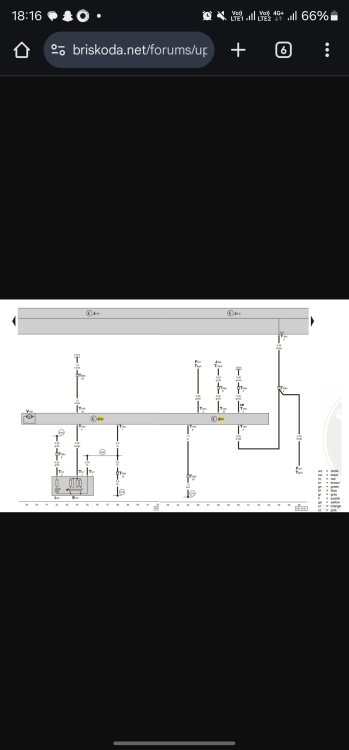
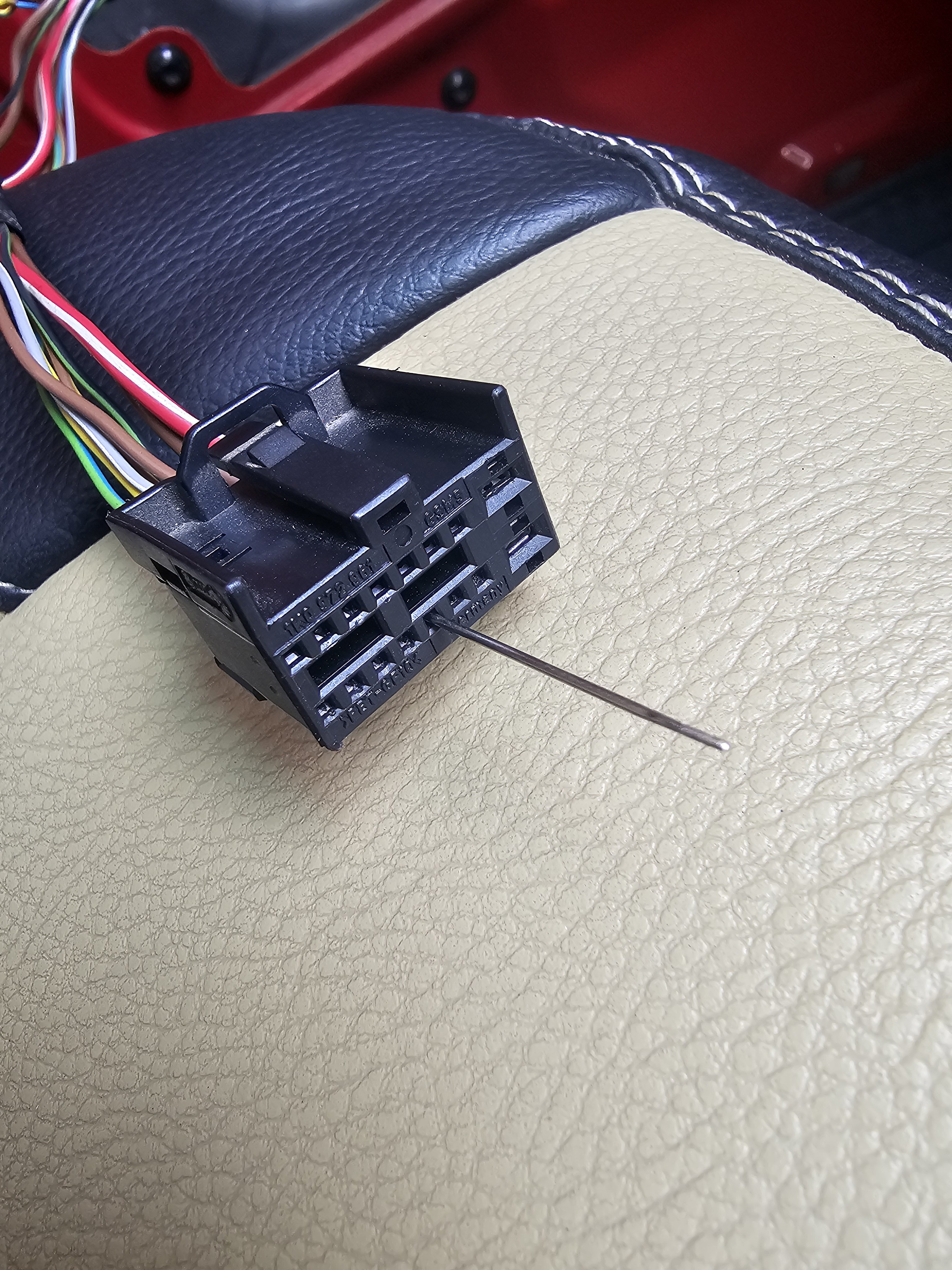
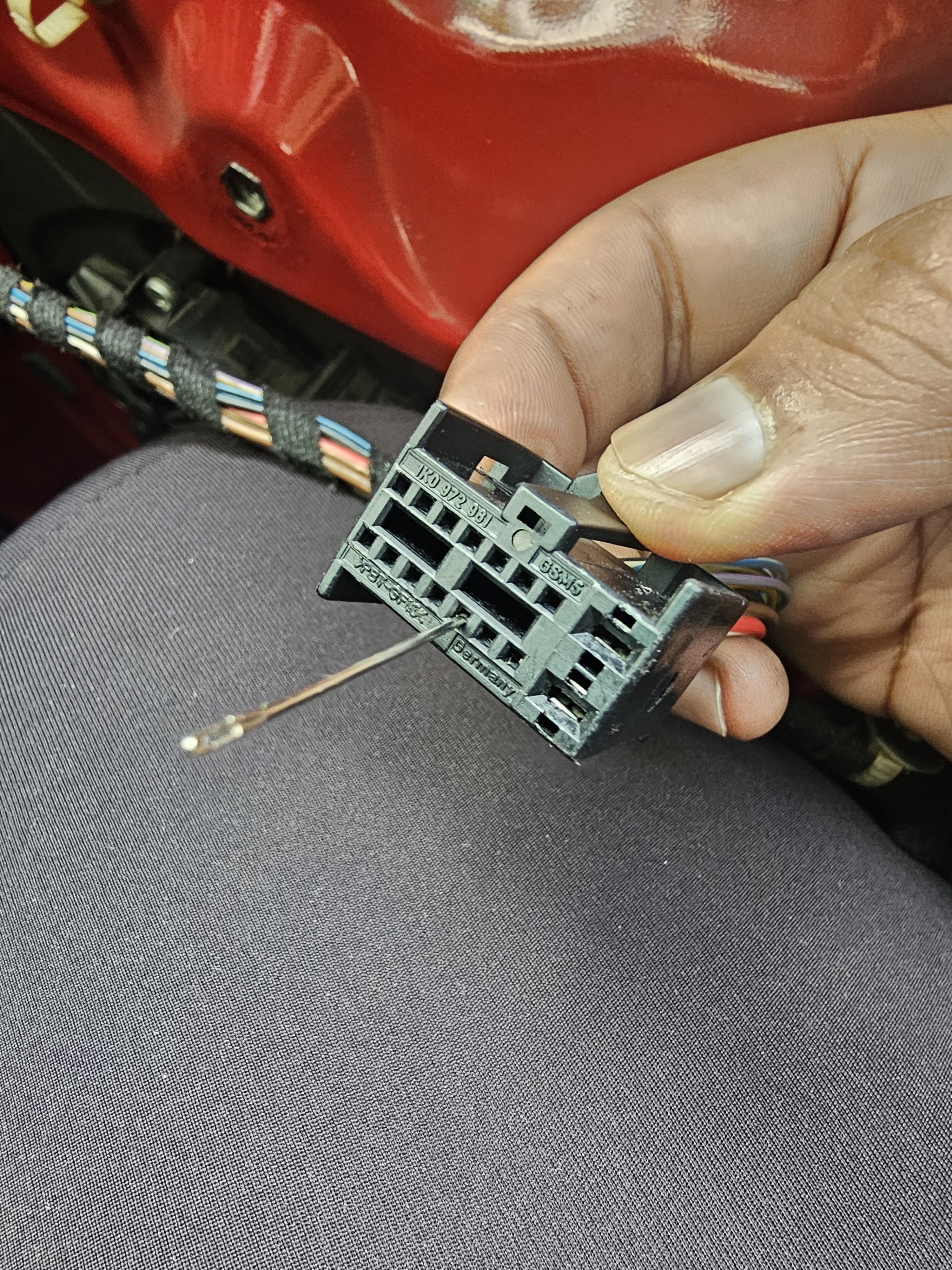
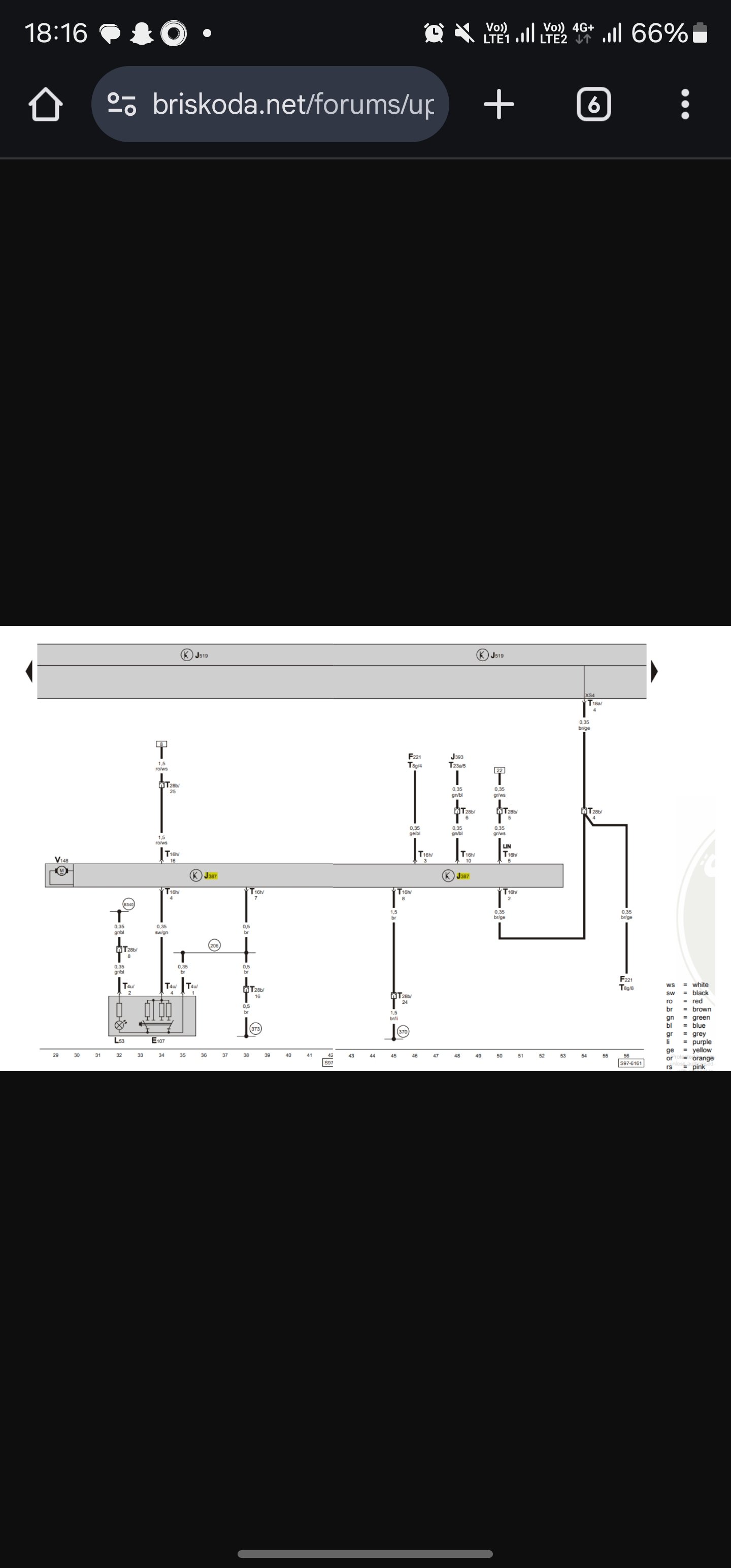
Hello there, my first post on the forum. Hope you all are well. I have been trying to fix the window motors problem on my 2008 Fabia. I've found 2 wiring diagrams for the front windows, but they are not accurate on where the ends meet and the wiring in between. Say that the wiring of the driver door ends in a module, from there where is the next connection and the data line for the the other doors like passenger, rear doors. Would like to have inputs and the wiring diagram for all the 4 doors, if someone could upload it, it would be helpful. The motor connections are 16 pins for me. Will share a picture as a guiding for someone to upload. The pictures match the wiring for my car, and are for the front doors. Any suggestions regarding the data lines is highly appreciated.