Tarle18
New here
-
Joined
-
Last visited
-
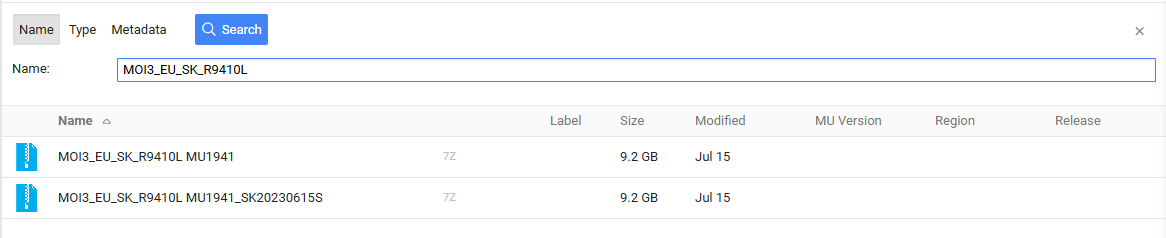
Hi @Wabbelbabbel, Few questions regarding your instruction: 1) Which exactly files you used for updating to 1941 version because I found two files for this version on mibsolution: 2) Where exactly did you find VW part number related to your Skoda part number for radio software? Because I couldn't find anything similar (my Skoda part number - 5E3035816G). Thank you for your help in advance!
-
Hi @kevhart100! Could you please share files of 1941 and 1985 versions?
-
Hello, fellow sufferers. I've finally found a place where this problem is being discussed - I was starting to think I was the only one so unlucky. Huge thanks for all the information in this section and the update instructions. I have a 2020 Skoda Octavia with a glitchy multimedia system whose constant reboots are really getting on my nerves. The installed software version is 1810. I tried connecting to Wi-Fi and searching for updates through the system - it finds nothing, so I want to update it manually. I already found the update instructions on page 26 of this section, but I have several questions: 1) Can I update directly from version 1810 to version 1941? 2) Which version should I better update to - 1941 or 1985 (since I saw messages that version 1985 has already been released and seems to be stable too)? 3) I also saw messages that you first need to update to version 1896, then replace some unit, and only after that update to version 1941. Could you please explain what this means and what kind of unit it is, and whether this applies to my case? @varooom and @TheWanderer , please help with advice if you have time. Thanks in advance for your help!