mikzzz
New here
-
Joined
-
Last visited
Everything posted by mikzzz
-
The problem was with the clock spring, issue with open circuit (291136). I replaced it with a spare one and now it heats. Maybe it will be useful to someone. The same problem described in https://forums.ross-tech.com/index.php?threads/35795/
-
Hi, I’ve started the heated steering wheel retrofit (Octavia 3 FL 2018) following the procedure @Purpletom described at the beginning of this thread and I’m now at the final stage where I’m stuck. What has been done so far: Replaced the steering wheel with a heated version Replaced the clock spring from 549 F → 549 D Added power supply Hardware should be complete and correctly connected Coding performed in: 08 – HVAC Byte 11 – bit 2 and 3 (active, active) Byte 13 – bit 2 and 3 (outside temp) Byte 14 – bit 6 and 7 (LRH gen2 mod) After coding, the heated steering wheel button appears in the infotainment menu, but it cannot be activated. According to several comments in this thread, it might be necessary to: “remove the coding then recode” – but it’s not clear in which module and how exactly, or perform a CAN Gateway reset – but I’m not sure about the correct procedure. I believe the hardware and basic coding are correct and that I’m missing just one final initialization/reset step. Any guidance would be greatly appreciated. Thanks in advance.
-
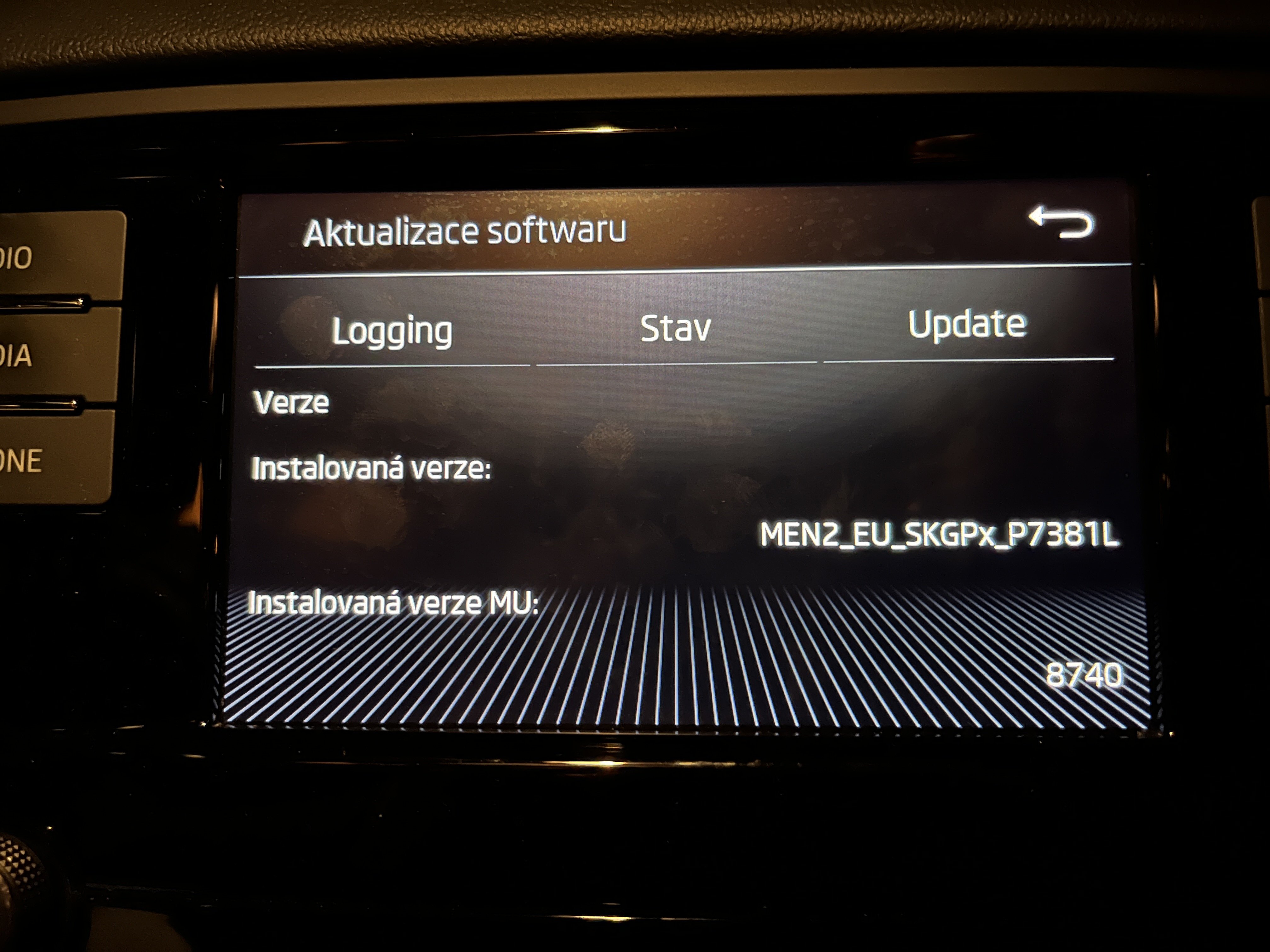
I want to share my recent experience updating the Skoda Octavia 3 FL Swing unit (LG MEN2), because a lot of details are not clearly documented anywhere, or I did not find that. Hopefully this helps someone avoid problems during FW update. My unit configuration Head unit: Swing (MEN2, LG) HW number: 5E0 035 869 D Original firmware: MEN2_EU_SKGPx_P7381L / MU 8740 Modules present: MU‑CPU, MU‑PIC, MU‑DAB, BT, SmartLink Modules NOT presented: MU‑TNR, ENGECU - This is very important later, because missing modules must be unchecked manually. Why I updated? After updating my iPhone to iOS 26.1, CarPlay stopped working. A factory reset solved the issue, but I decided to update the firmware to 8755 for stability. Update procedure - Use SD card, FAT32 (USB should also work, but SD is more reliable). Copy the content (not the folder) of the firmware package MEN2_EU_SKGPx_P0080L_8755 to the root of the SD card. Thanks to @pab567 for providing that. You can also download the package here, the *_working one: https://mibsolution.one/#/1/9/MEN2%20-%20LG - Insert the SD card - Hold SETUP for ~10 seconds to enter UPDATE MENU. - Choose UPDATE. The unit automatically selects modules to update → uncheck everything that does NOT exist in your unit (It has an empty number of application version). In my case, I had to uncheck MU‑TNR and ENGECU, otherwise update failed. - Start update. - Ignition does not need to be ON, but make sure the battery is not weak (keep charger connected if unsure). What happened during my update. The head unit attempted to update all modules including the ones that are physically missing. This resulted in: MU‑CPU and MU‑PIC → updated successfully (8740 → 8755) SmartLink → updated successfully (0072 → 0074) MU‑TNR → update attempted even though module is not present → signature error ENGECU → attempted but does not physically exist → failure Even though the update ended with “Software update failed”, all real modules were actually updated and the system is working. Important advice 1. Always uncheck modules you don’t have. If a module shows “empty” as previous version, you must uncheck it before updating. Otherwise you will get errors like: “33 – Source signature cannot be confirmed. System will restart…” 2. Swing MEN2 (LG) does not show all modules correctly in UPDATE MENU and missing modules may appear in the list → just uncheck them. 3. No downgrade possible. Once updated to 8755, you cannot return to 8740 (cryptographic signature prevents it). Hope this helps future Swing users!
-
Hi, I have a Swing infotainment unit in my Octavia 3 FL with part number 5E0 035 869 D. Recently, CarPlay stopped working for me, so I’m trying to update the firmware in hopes that it will fix the issue. Could you please check if you have a newer firmware version available for this unit, or share a download link if you do? Thanks a lot!