

CrazySkoda
FREEDOMLite
-
Joined
-
Last visited
-
https://mib-helper.com/index.php?train=men3_eu_sk370_p0314l#details
-
No coding needed, camera did automatically
-
Yes, its best to not mess if there is limit. Youre welcome. In my case i had this path: But thats different story
-
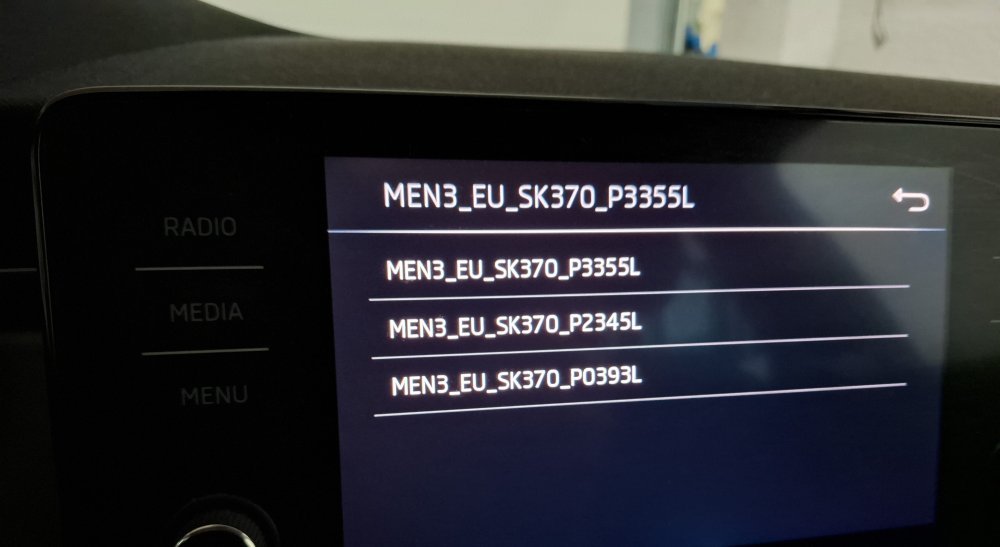
Picked this up from russian forums, they seems to know alot better about this stuff: – MEN3_EU_SK370_P0113P_0469; – MEN3_EU_SK370_P2131P_0741; – MEN3_EU_SK370_P2135P_0742; – MEN3_EU_SK370_P0314L_1233; – MEN3_EU_SK370_P0393L_1310; – MEN3_EU_SK370_P1185L_1760; – MEN3_EU_SK370_P2345L_1790; – MEN3_EU_SK370_P3225L_1798; — MEN3_U_SK370_P3355L_1800. Based on the metadata of firmware, the following transitions are permissible: 0464 => 0469 => 0741/0742 => 1233/1310/1760/1790/1798/1800
-
Go with P2345L and then to P3355L P3355L is the latest v (1800) maybe there is newer. But on mibsolution that is latest one. And there is no newer one available on the internet afaik. You can put both unzipped folder inside the root of the usb drive. And then follow the instructions: https://youtu.be/o0RIdpKQ2b8?is=Yn6CeyB0U3i_uPQ1
-
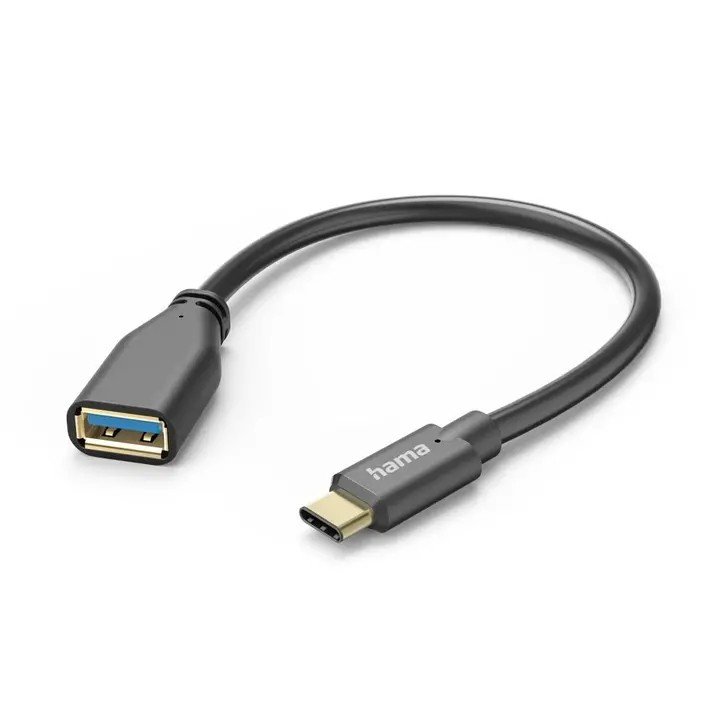
Version should match if its same SK370 Try different usb drive or buy cheap usb c to usb a otg adapter. Thats how i did mine.
-
P3355L is 1800v and its latest on mibsolution You can go middle one, and then download the 1800 if you want, or stick to 3225l which is 1798v
-
I dont think so, havent run my engine when updating. But i know that i needed to buy USB OTG, normal usb a to usb c didnt work. Is there difference or it was just bad cable. I dont know. Try other cables or usb drives if you have?
-
Check this out if you havent already. Thats the correct steps to update: https://youtu.be/o0RIdpKQ2b8?is=Yn6CeyB0U3i_uPQ1
-
Please try to unzip the content from the folder to the root of usb instead?
-
Hi, i think that you need to use USB C OTG adapter instead,
-
How did you connect it to the car?
-
I have contacted the seller, and let him know about everything. Camera, compatibility with scala and mib unit. Seller was really helpfull with solving the case and fast at the conversation (you know that sometimes it takes days for response) so i will just let it rest. To conclude, i have just installed camera. Handle (boot opener) fits ok. Image is ok for the price. Now i know why they charge so much to fit oem one in the shops 🤣
-
Update on the topic! Seller sent me a new camera, i had to pay for a cheapest item in the seller's shop.(8€ for some cable) And guess what? Camera works. That answers the questions why there was no trajectory and black and white image only. Thanks everyone who helped in my case!
-
That means that there is no newer version of that part in firmware. Had the same thing when i was updating fw. You can update without problems!