frankolett
New here
-
Joined
-
Last visited
Everything posted by frankolett
-
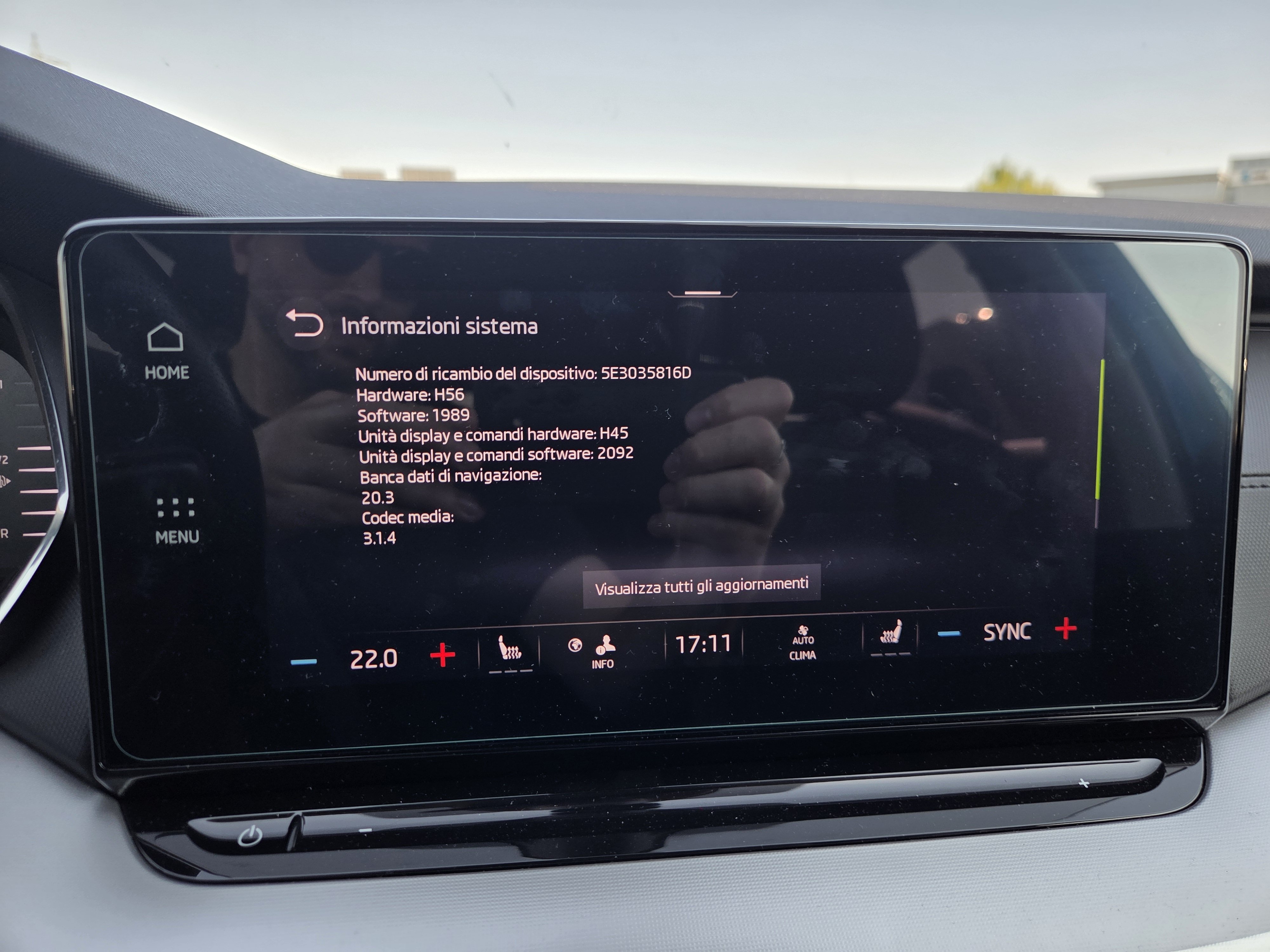
Good morning, everyone, One more questionquestion... Given the issues with the 1989 software, do you think it’s possible to downgrade to the 1985 version?
-
Good morning everyone, In November, I carried out several updates to the Columbus infotainment system in my 2021 Skoda Octavia. I’ve attached a photo of the latest update (software version 1989). The last update was carried out by myself in February or March without encountering any issues such as screens freezing, the volume turning up on its own, the infotainment system refreshing automatically, etc., until three weeks ago, when, after getting into the car, the home button and settings button stopped working after a few minutes... basically, only the physical buttons (climate control, car settings) were working I noticed that this problem occurred at the same time as the software update on my Samsung S25... just to be on the safe side, I tried using my partner’s mobile, an iPhone 17, but the problem persisted in that case too... Today I tried resetting the settings to their defaults and I must say that during a journey lasting an hour and a half, I didn’t encounter any problems. Has this happened to any of you??? Have you found any other solutions? P.S. Also, with the latest update, I’ve noticed that when I listen to WhatsApp voice messages, I used to be able to hear them through the car’s audio system, but now it won’t let me do that anymore and I have to listen to the audio through the phone... Has anyone else experienced this? Many thanks
-
Good morning to the whole community, I’m franklett from Italy. Since November, I’ve been the proud owner of a 2021 Octavia G-tec… the Elegance trim with metallic blue paint! It’s absolutely stunning. Thank you for welcoming me into this wonderful community