Heber
New here
-
Joined
-
Last visited
-
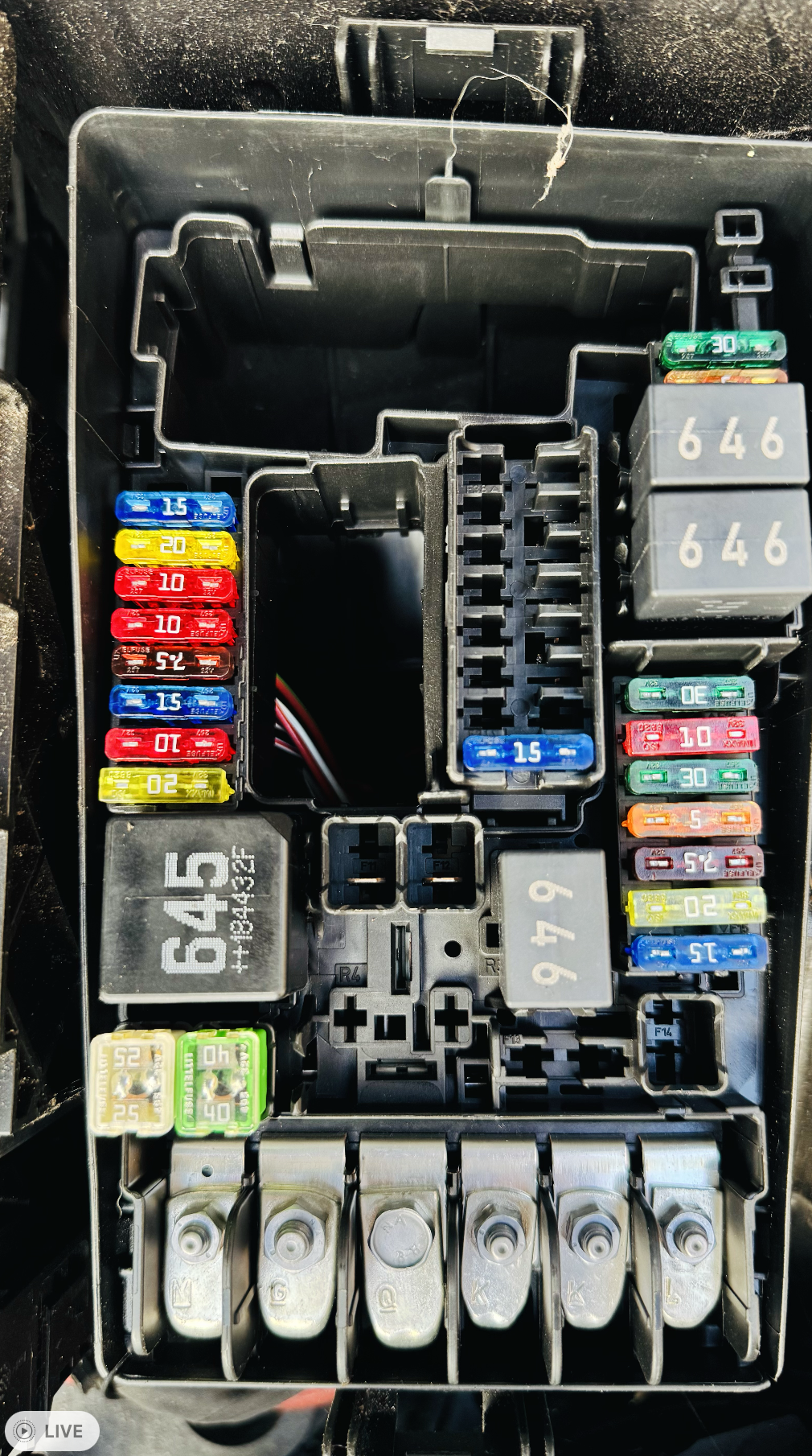
@Morph I dont have 458. I have 646 and 645 if I am not mistaken. (3x 646 and 1x 645) It is a Skoda octavia mk3. On the fuse box on the inside of the car there is 1 x 645 and 1 x 646.
-
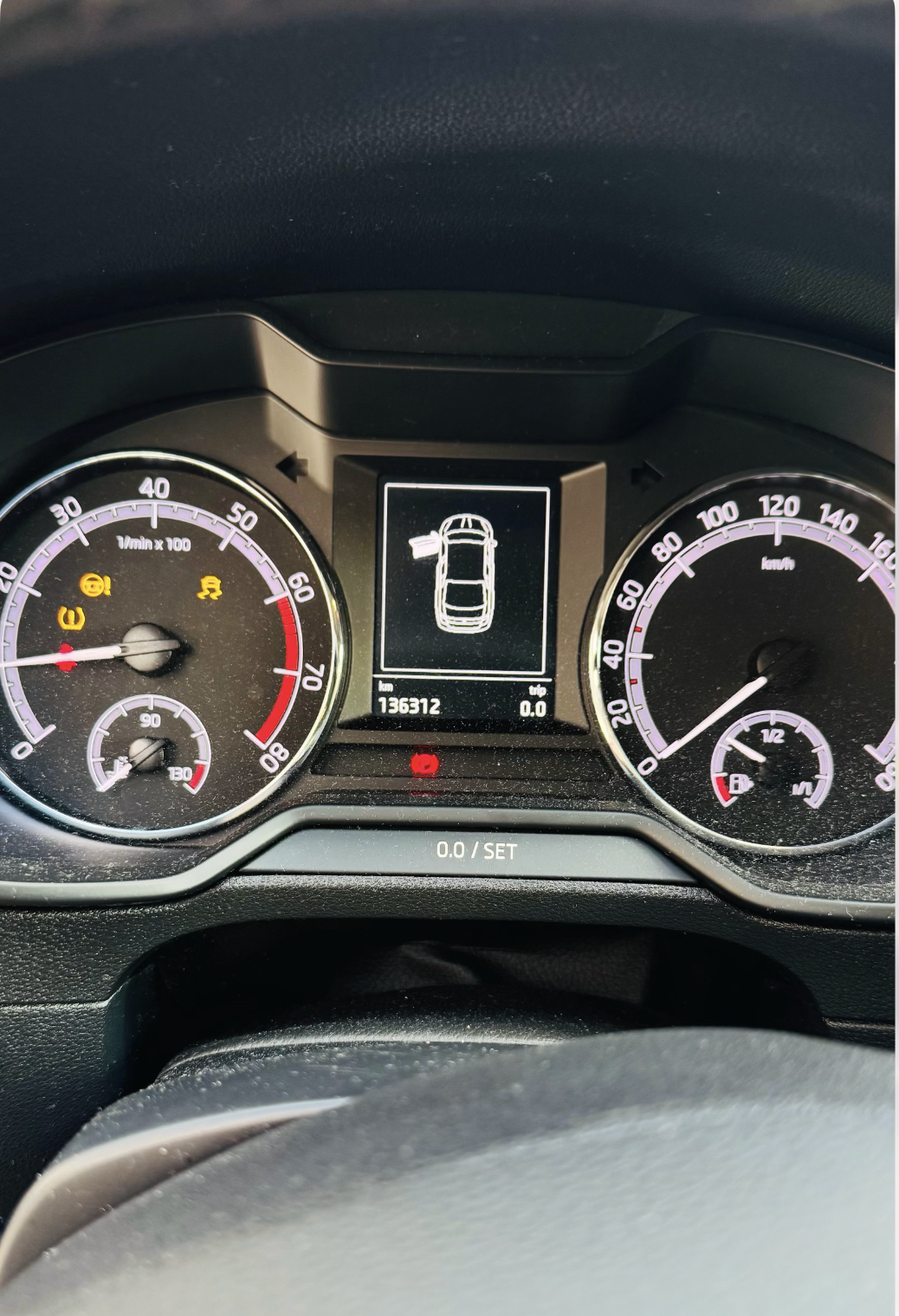
anybody found the solution? I read in another thread that the issue @SkodaLada had, was solved with a relay change. However I dont know which relay to change. I am having exactly the same issue. Already changed battery, checked all the ground cables, fuses and all seems ok. It is an intermittent issue, is happens when driving, sometimes when starting the car. The errors goes away by itself. I have an OBDeleven, I cleared the codes and it comes back.
-
@SkodaLada @CnrNGCJ i am facing the same issue. Did you manage to solve the problem? I changed the battery already, even a new ECU was put on the car and the same issue as you described is happening. Thank you
-
@Alasdair1 I checked it now and it is around the range you mentioned. It is around 12.3 and 14.5 when running. I read a lot of comments that also the ABS sensor causes this issue, but what I noticed it, I could be wrong but when I use the rear wiper washer, or when wash the car or a lot of rain. I removed the rear cover to find a little leak which was fixed, but still the problem persisted. I already had the ECU changed 6 months ago. I ordered the ABS sensors and I will change to see what happens.
- 23 replies
-
- mk3
- octavia
- start failure
- tdi
-
Tagged with:
-
Hello, I am encountering the same issue with my Octavia 2019. While ago the car would not start and somehow the mechanic had to change the ECU. Now the car starts but from time to time all kinds of alerts show up. ABS, Parking sensor, Hand break Tire pressure.... Did you find the issue? I see in other forums people saying it is related to the ABS sensor. I am not sure.
- 23 replies
-
- mk3
- octavia
- start failure
- tdi
-
Tagged with: