ReadingBeast0701
New here
-
Joined
-
Last visited
Everything posted by ReadingBeast0701
-
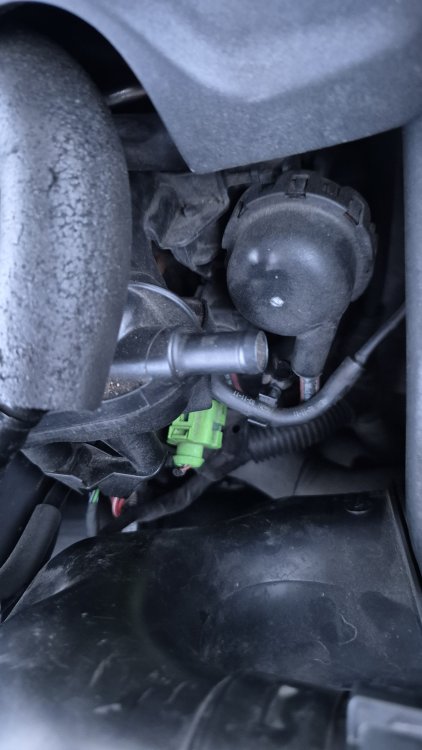
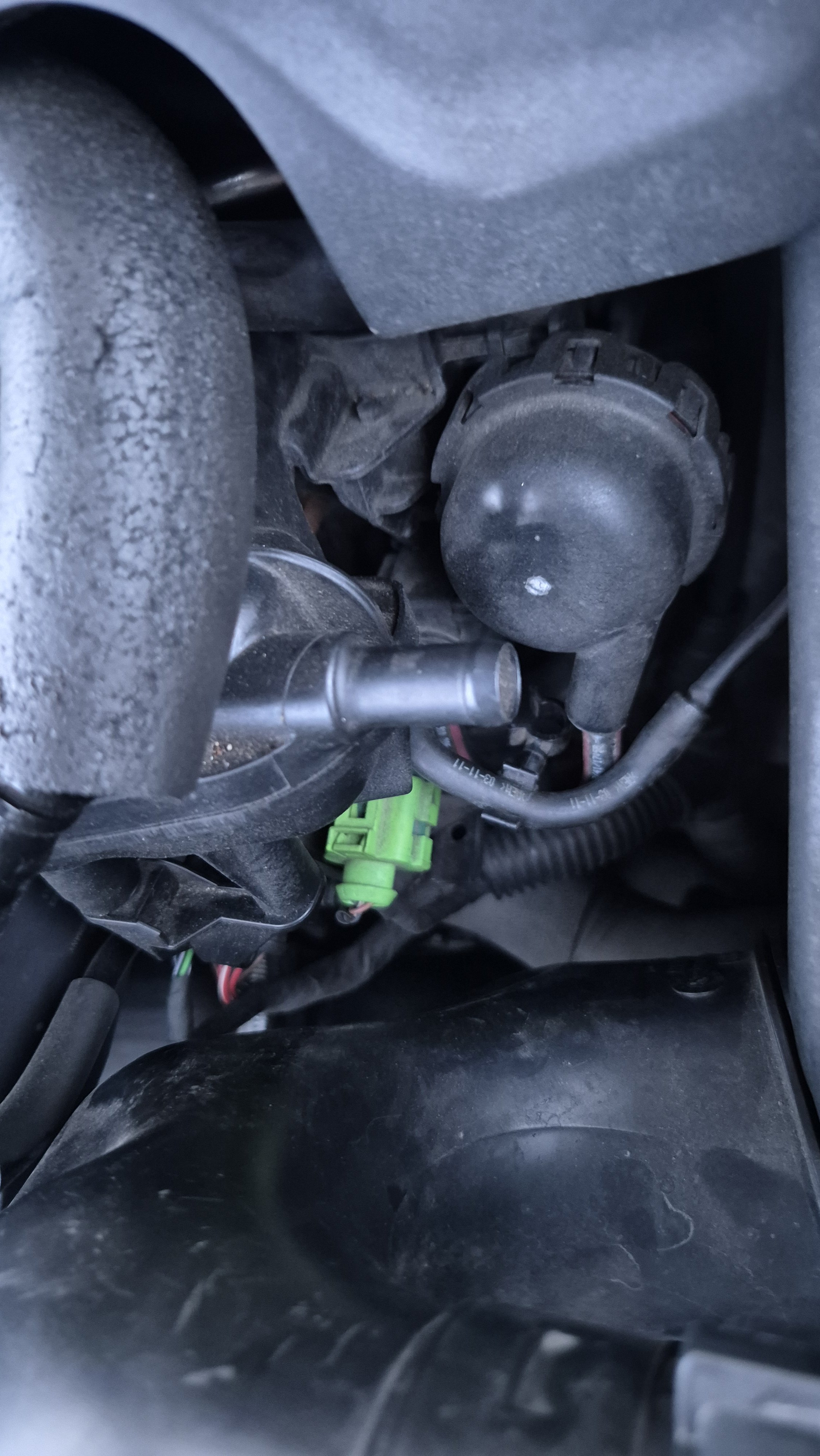
On my EA888/CCZA Gen 2 engine, I have very rough idle and I get a persistent check engine light with a P0441 code, for incorrect EVAP purge flow. When I bought the car in January this year, the error appeared then disappeared after a longer drive, but then came back. The original N80 valve was clicking, and read it should be replaced. 5 months ago, I bought this aftermarket valve which, at the time, was the only unit I could find which had the plastic tubing already sealed onto it: https://www.ebay.co.uk/itm/168055772718 The original OEM valve had similar plastic tubing and the same connections. I fitted the new assembly and reset the code, but the same code keeps re-appearing after about 500 miles. I check the lines between the intake manifold, purge vavle, charcoal canister and fuel tank line are secure and reset the code, but it still re-appears. My friend noticed this port on the right of the intake manifold is open, as shown in the photo. Someone on this thread: https://www.briskoda.net/forums/topic/516628-swirl-flap-solenoid-pic/ suggests that this port is usually blanked off from factory, but I can't find a source to back this up. There's a suggestion from Google AI that the open port means the vacuum pressure is being vented to atmosphere and this affects the EVAP flow, but again there's no source, though it would explain the rough idle if there's a vacuum leak. There are bungs available for blanking off open ports but I'm unsure if this will worsen the issue. There's no vacuum pressure when you put a finger over the port. I checked PCV pressure by loosening the oil filler cover and there's a gentle suction. I don't have VCDS so can't test the purge actuator or read further codes beyond what my basic OBD reader can see. Can anyone suggest further troubleshooting steps? Suggestions include replacing the charcoal canister or the fuel cap. The mechanic wanted about £200 to replace just the purge valve.