mooragerx7
Members
-
Joined
-
Last visited
Everything posted by mooragerx7
-
Finally worked out what the issue was the throttle body was at fault
-
Hi has anyone come across this at all it's a 2011 1.2tsi. Ecp light and limp mode but not from cold (left over night) Codes that come up when scanned state low voltage to throttle position sensor. Original pedal always in limp mode clear code and on again after 5seconds. Replaced the peddle with a second hand one and was better will do about 10 miles before going into limp mode Normally only from cold but occasionally it will reset when warm. Bought a brand new peddle from skoda and normally when cold it will run fine till the blue temp light goes out (anything from 1 to 3 miles) puts the epc light on and will either completely loose all throttle response (turn key off and on again 9 times out of 10 will just put into limp) or put the car into limp mode with reduced throttle. When the car has no throttle it Revs high about 1500rpm and if you put your foot on the brake it drops to 850-900rpm then as soon as you release the brake it climbs back to 1500. Video of fault Has anyone had anything similar or any ideas on a fix? Hope all that makes sense to someone.
-
-
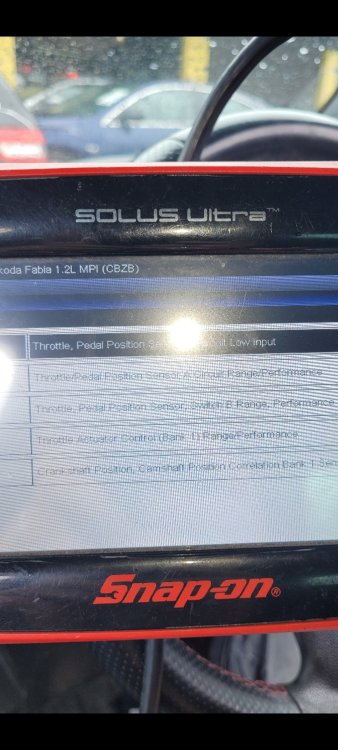
Ecp light is on and the codes are related to throttle pedal car is in limp mode and is Jerky clear codes and is fine for 1 to 10 minutes ignore the timing collation, timing chain has now been done.
-
So I need to be looking for a 6r2 does the end letter have any significant meaning?
-
As it happens it does need to fit a red one. I have edited the post cheers
-
Hi guys/gals, Does anyone know if the throttle pedal from other fabias will be fine in a 1.2tsi cbzb engine code monte carlo I know they look different but I cannot find a replacement for mine with the correct part numbers unless it has been superceded mine is 6r2721503d most I can find are 6q1721530a though m Will one of these work? Cheers