kgrise54
Finding my way
-
Joined
-
Last visited
Everything posted by kgrise54
-
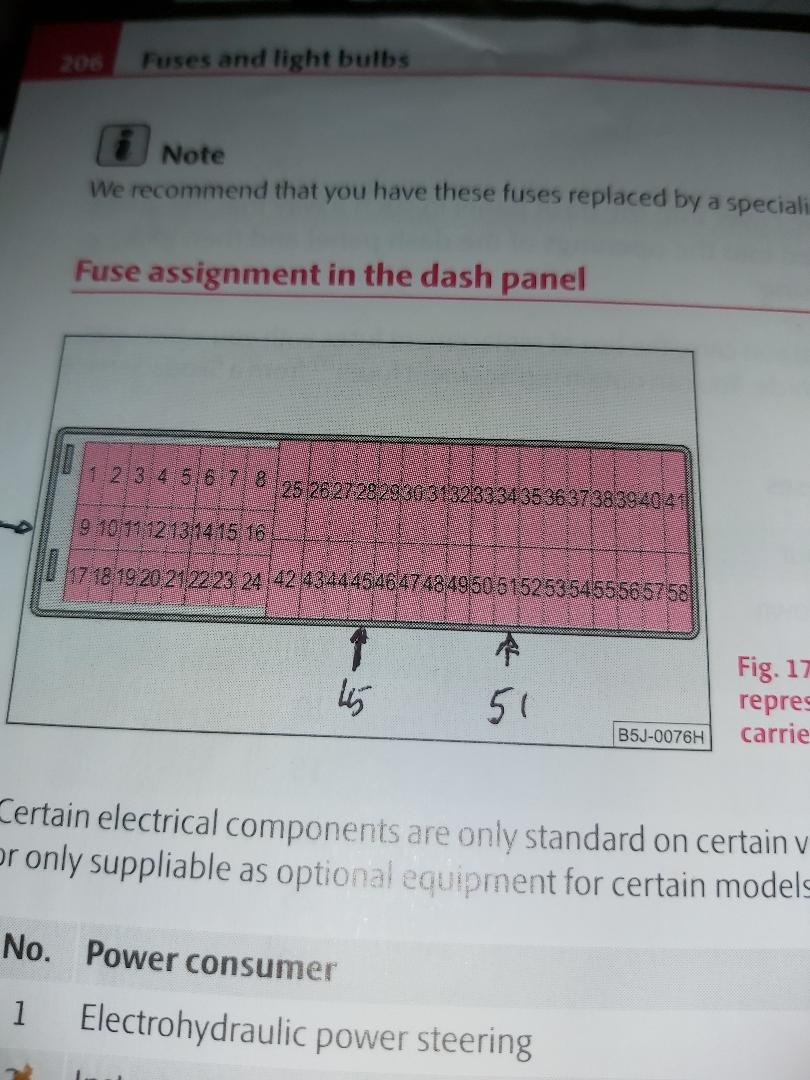
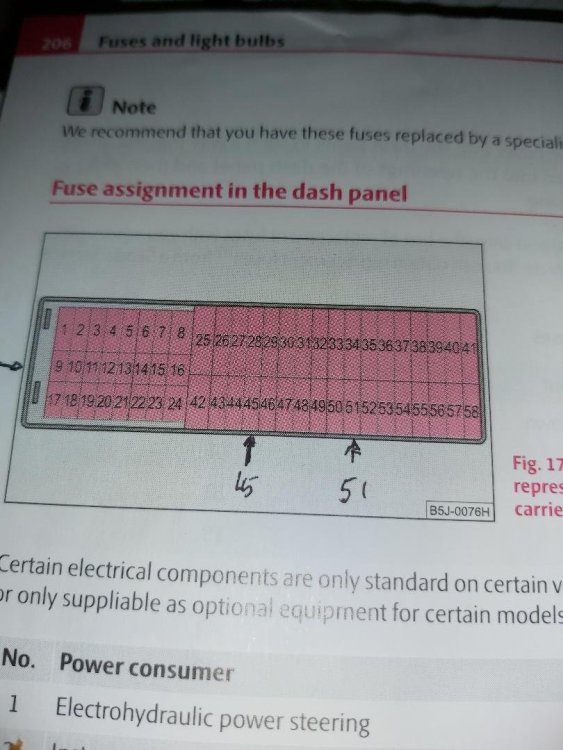
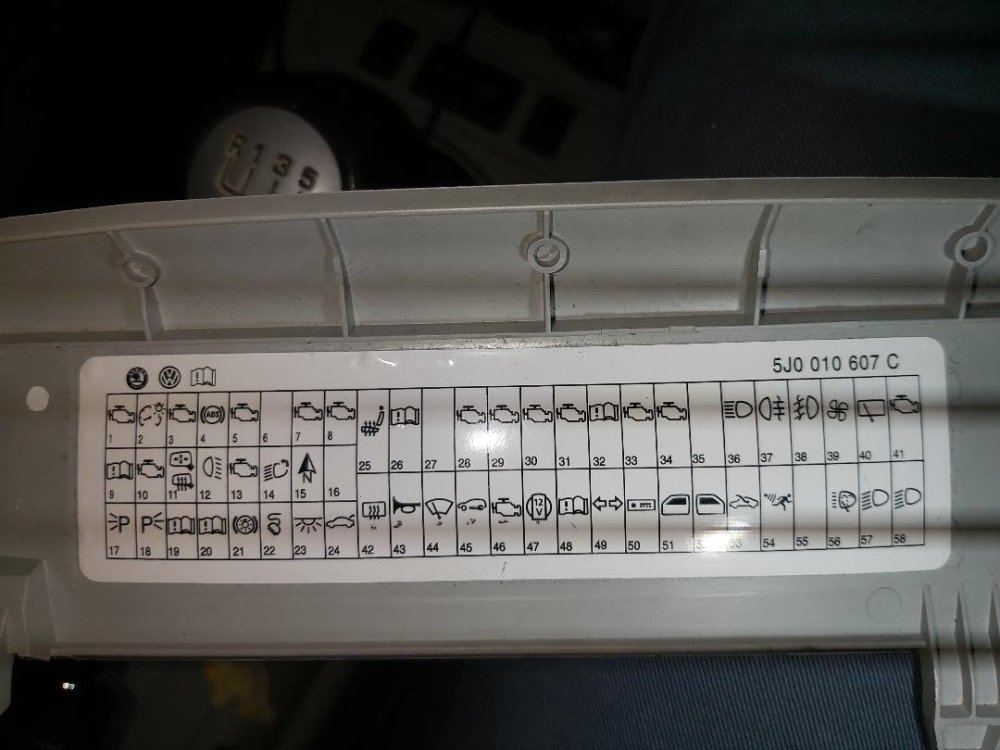
I spent 44 years as an aircraft engineer and fully used to diagnostic procedures. Wiring diagrams provided should be able to be read, work and help in the diagnostic process. are essential. That a fuse location chart diagram is misleading is inexcusable esp when you have to check a particular fuse to start the process of finding out where the fault lies. I did a con check on the fuses in situ and didn't find any faults. Similarly VCSD scan showing everything in order. Because the horn fuse was tested and not 26, a fault didn't show up. That was going by the fuse location charts on the cover and the OM. It was only by chance that I decided to check I had the right fuse, using a strong light and magnifying glass did the error show up. A lot of time had been wasted. Still the good news is it's fixed, Lesson learnt about the fuse locations being wrong and best of all the price of a fuse being the only cost! Thanks for pushing me back to recheck fuse 26.
-
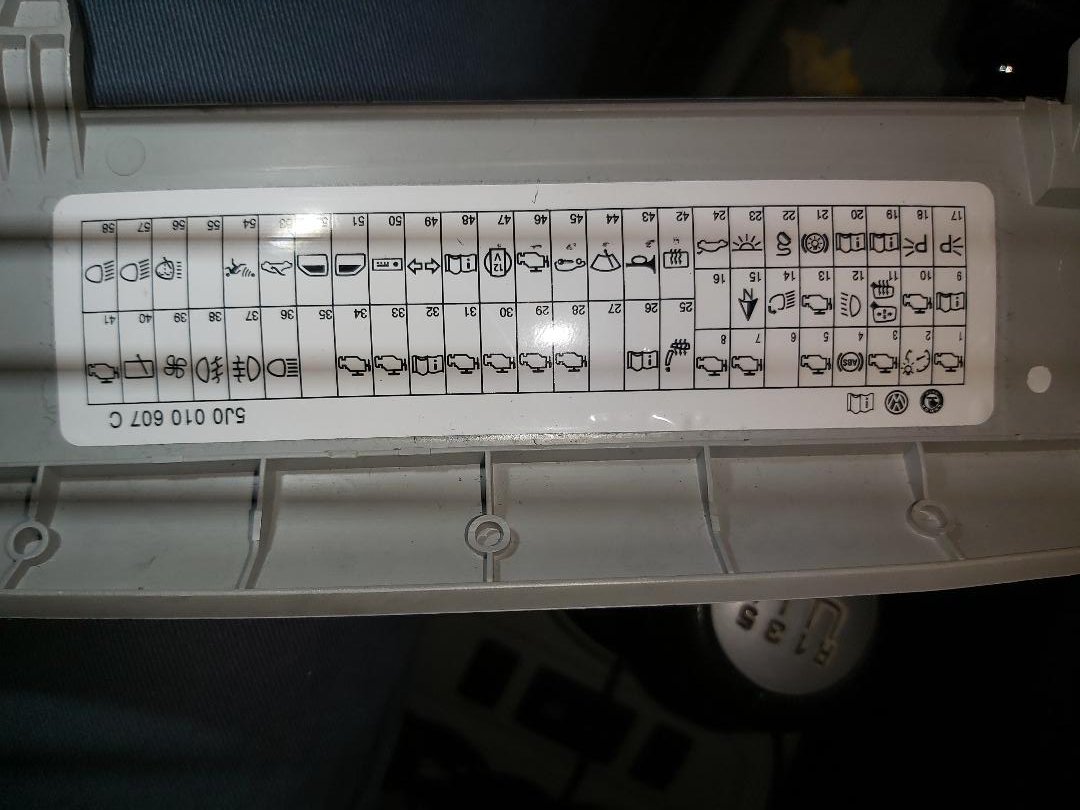
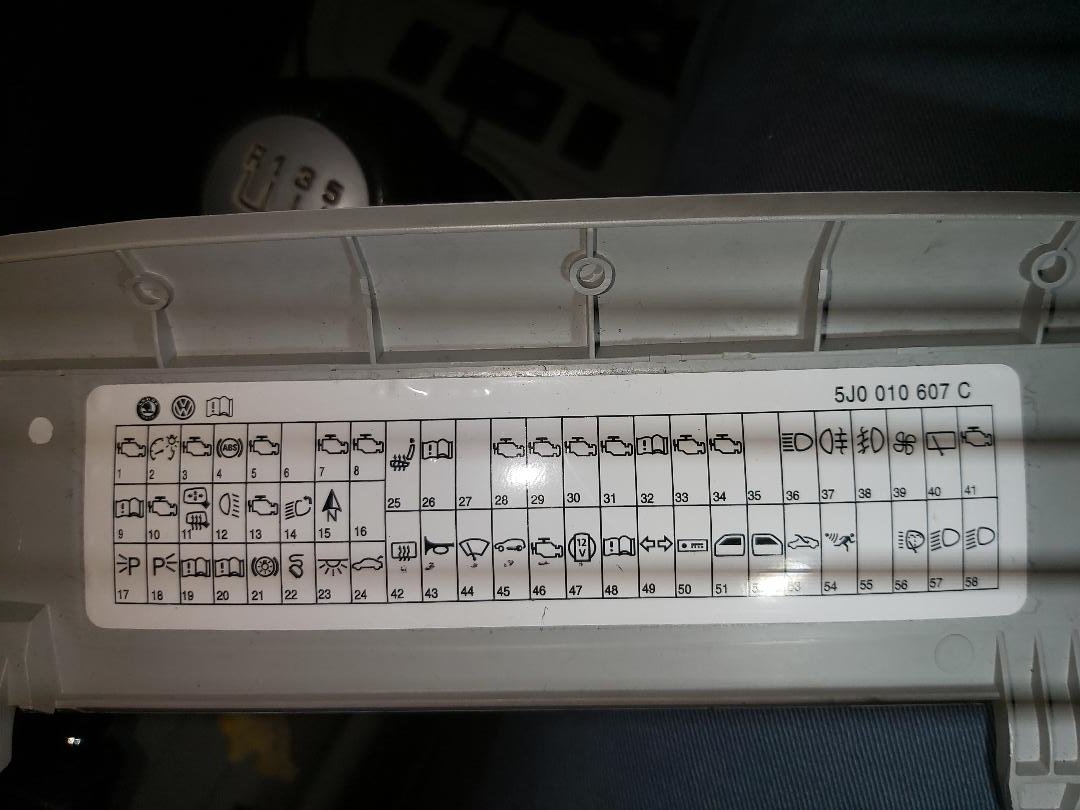
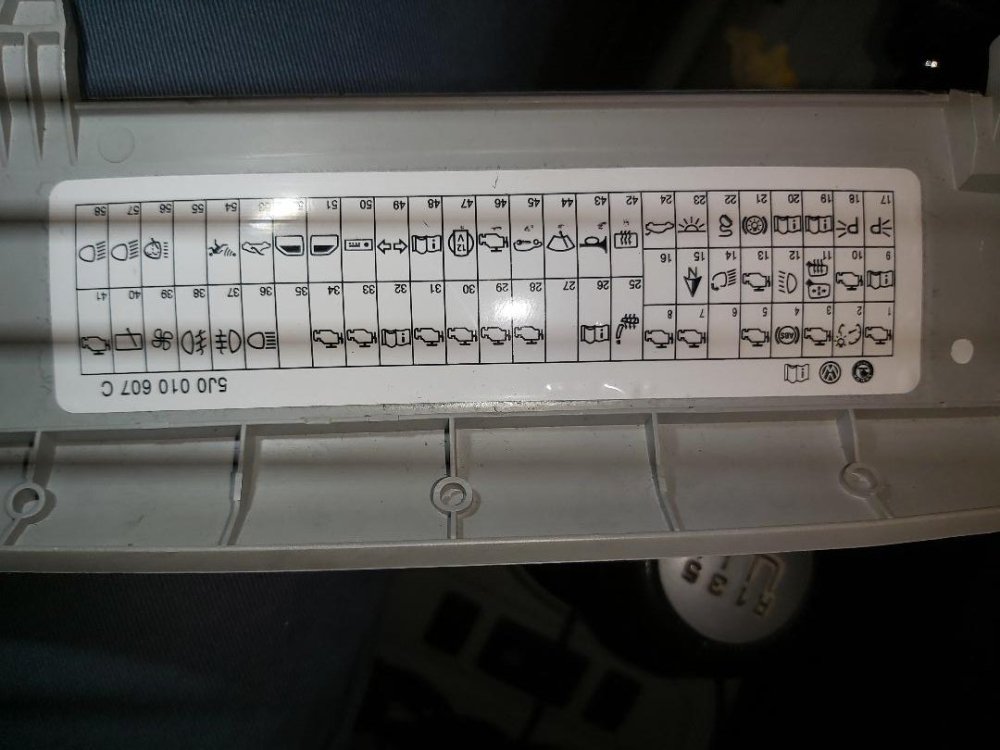
Hi Pete, There's a strange anomaly with my car, the fuse box, the owners manual and the fuse box cover. It's no wonder I couldn't make sense of the fuses. The actual fuse locations are as per the diagram on the fusebox cover turned through 180degrees ,inverted. Mini fuses are actually on the right hand side, not as shown in the owners manual and on the fusebox cover. It was only by using a strong light and magnifying glass that I could read the numbers of the fuses. Fuse removed from 26, continuity checked even though it looked intact and replaced. It had a 20A fuse in that location and has been replaced with a 15A. Everything is working as it should now. Thanks Pete, it seems as though if any other owner has a similar problem, the 1st check should be this fuse. It powers the selector switches on the stalk. VCDS was a useful tool to diagnose the BCM and test the wiper motor. Wiring diagrams printed out = 5 and various scenarios to determine what does what. But something as stupid as presenting the fuse locations the wrong way round, upside down and poorly numbered is inexcusable from the manufacturer. Thanks for your help Pete.
-
Thanks Pete, will do. Checking the wiring diagram, fuse 26 supplies the power to the wiper switch, and rear window wiper. So can understand if that fuse is broken it would shout down the wiper system. I'll check the voltage across the fuse and see what I get, I should get 12v plus with ignition on.
-
Thanks Pete, will do.
-
Hi sti5300, Thanks for your post. Fabia Mk2, 1,9tdi 2007 5J hatchback The issue with mine is..... After about 1 week of not driving the car I went to start the car, and heard a chattering (continuous rapid latch-unlatch) relay, with similar pulsing lights on the dash. Engine wouldn't start. Gave up, locked the car and tried again the next day. Found battery flat. Had to open car with the key in the door lock. After charging the battery, everything seemed fine. No chattering relay and the engine started. Battery check was good. Car not driven that day. But the following day before leaving home, I started the engine and went to clean the screen No front wipers, no washers either. VCDS Mod 09 shows no fault code found, and 2 Or comments. Output test on the wipers were good with 1 and speed operation. Was the BCM relay chattering due to low battery voltage or is it to be treated as suspect. My gut reaction is to go for the wiper stalk, but still suspicious of the relay, Have never used the measuring block facility in vcds, so how would I test the stalk? Has anyone got clear directions for removing the panel to gain access to the BCM, MK 2 Any advice given will be greatly appreciated. VCDS DTC Printout-TMBBG25J983007377 Module 09.pdf