BeakerPVS
Finding my way
-
Joined
-
Last visited
Everything posted by BeakerPVS
-
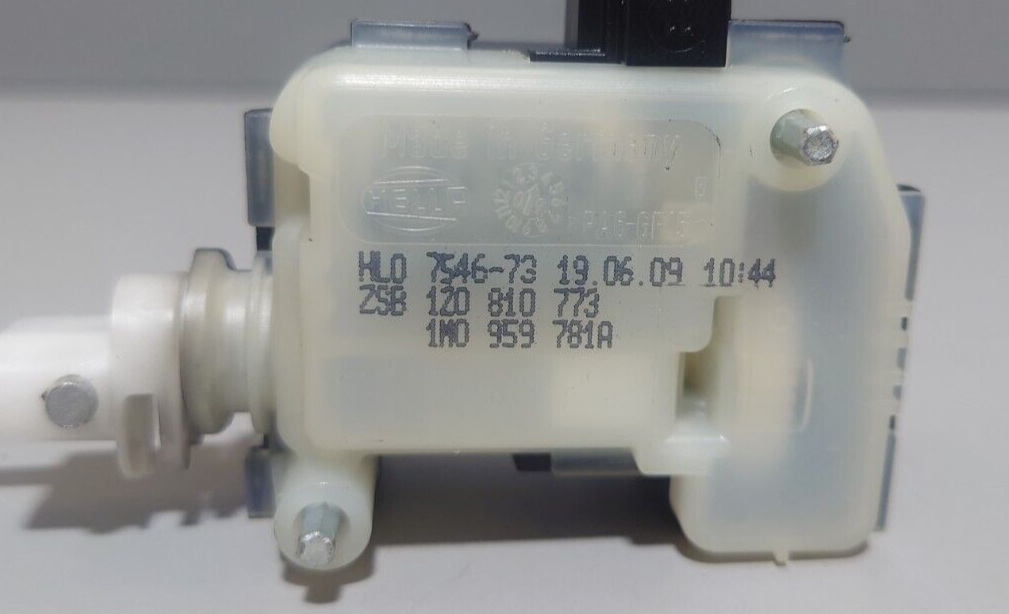
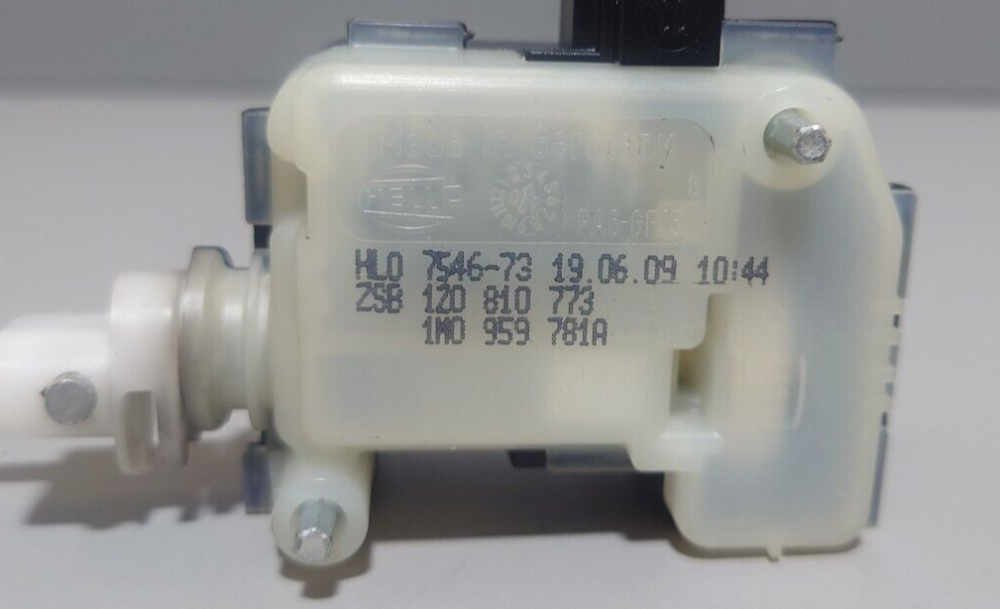
.05 OCTAVIA MkII ELEGANCE TDI PD DSG HATCHBACK, Fuel filler flap/door won't lock. The Actuator will unlock (rod wthdraws) if the the rod is extended but won't extend (to lock state) by key fob remote I have swapped Fuel Filler Door Actuator (1Z0810773 picture below) but no change. Actuator consists of an electric motor which moves locking rod in and out via worm screw wth no apparent mechanism to reverse the motor As there are only 2 wires to the Actuator, My guess is the locking action must involve a reversal of applied voltage to make the motor push the rod out, problem is i don't know how it is done. Does anyone have any ideas?
-
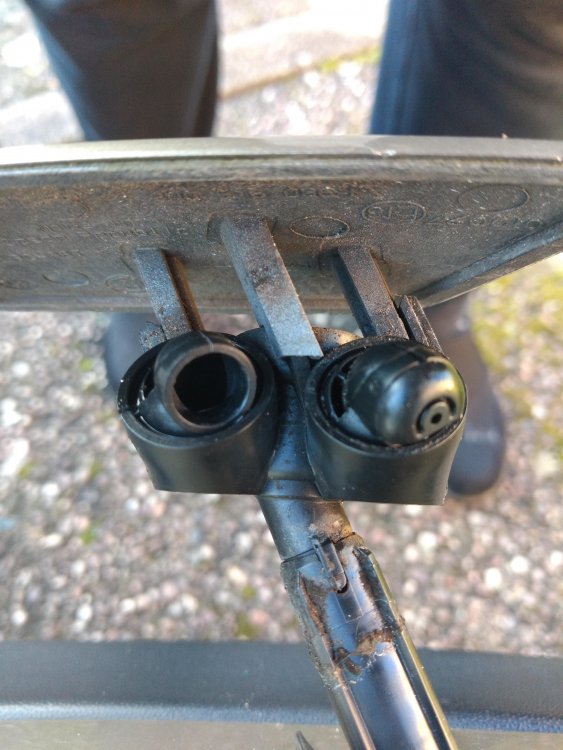
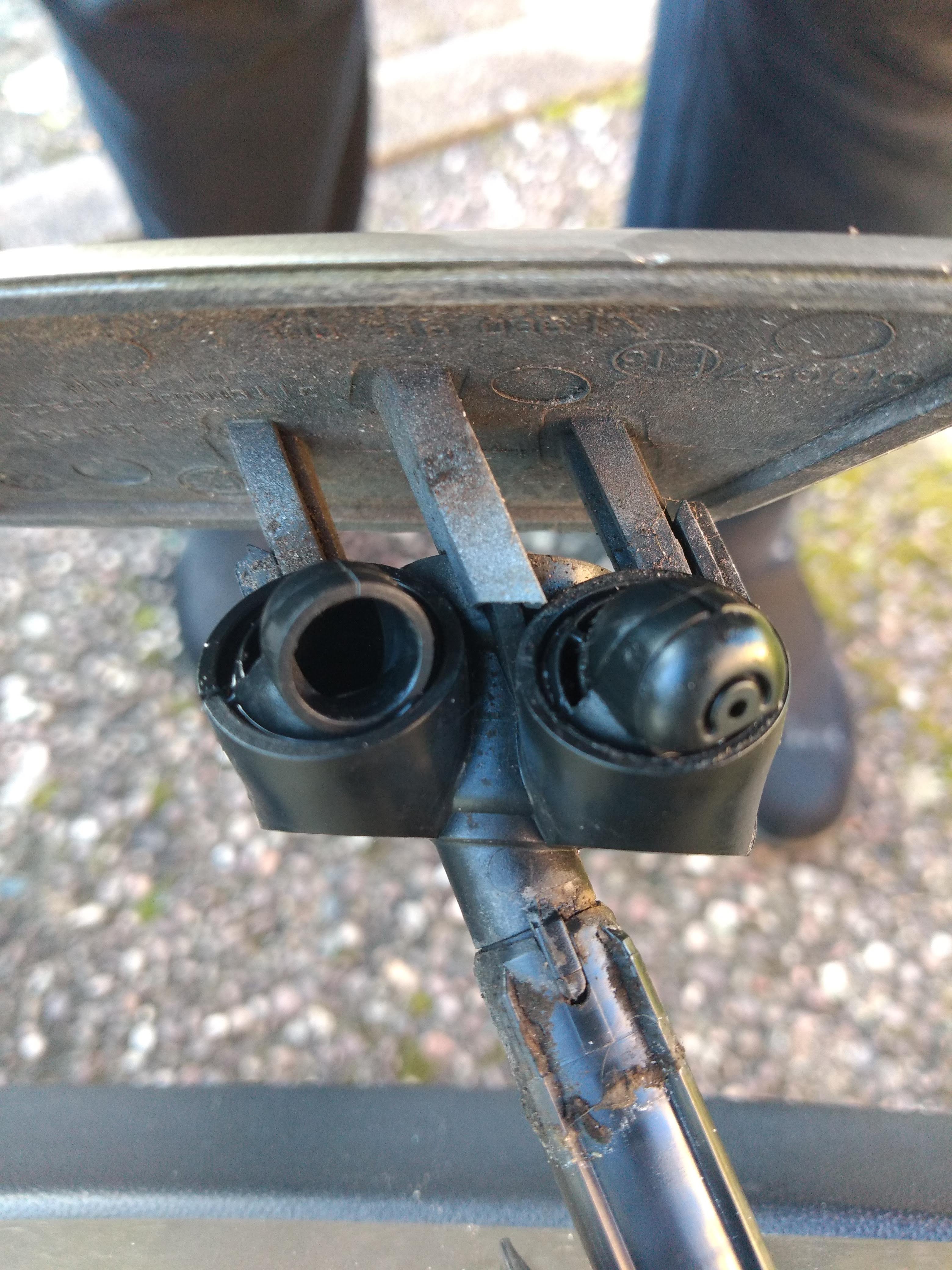
I have not had my '05 Octy Mk2 DSG long (March 2019) and don't usually drive at night. On Xmas Eve night was the first time I remember that I used the windscreen washers with the lights on, I must have used the screen washers a number of times on this occasion because the Headlight Washers operated. The spray action did not look the same as I remember it on my previous '05 Octy Mk2 (not DSG version - the reason I swapped it) The next opportunity to do so I pulled them out to look at them. (Picture below) Both of my headlamp washer units appear to have lost one of their two nozzles, . At least it looks like they are missing as they don't look the same as replacement items I have seen on websites. Which I suppose explains the unusual spray action. Do I have to replace the whole washer unit to get the nozzles/jets?