



Skip to content

Show me your.........
Featured Replies

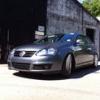
I'm on holiday for about 2 weeks now before I start a new job! So i've decided to spend a bit of my holiday building a decent stereo into the VRS. I already have a decent Headunit - I'm going to upgrade the front door speakers - inc amp them. And fit everything into the boot inc the 2 Amps & a 12" Infinity 1240W Sub.

I'm pretty good at all this stuff - But I just wanted to see what other people have accomplished - either themselves or paid for installs!

Easy to put in and out off the car

bguvbt.jpg

6 channel amp calibre

dls

7x10” oval speakers

and sub

Edited by --GT--

Here what i done

My link

Has the amp hidden under the false floor, there is full access to the spare wheel without removing the floor/box 2x pc fans keep things cool under there

link doesnt work

I had a nice install back in the day. :)

Becker head unit with iPod interface - very OEM looking.

HU.jpg

IMG_0456.jpg

Rainbow 265 SE speakers in the front doors - was a tight squeeze though!

DSC00054.jpg

Fuse holder hidden under the battery cover.

f2d6a323.jpg

False floor built with access to the spare in mind.

d5a8aadf.jpg

IMG_0353-1.jpg

IMG_0351-1.jpg

IMG_0026.jpg

The finished boot! (Never did get around to rotating the sub in the box!!

IMG_0354-2.jpg

IMG_0353-2.jpg

Sounded bloody good!! :)

That looks really nice. Nice way to cover everything. Keep up the clean and nice look

That looks really nice. Nice way to cover everything. Keep up the clean and nice look

Thanks. :)

Create an account or sign in to comment

Recently Browsing 0

  • No registered users viewing this page.

Important Information

Welcome to BRISKODA. Please note the following important links Terms of Use. We have a comprehensive Privacy Policy. We have placed cookies on your device to help make this website better. You can adjust your cookie settings, otherwise we'll assume you're okay to continue.

Account

Navigation

Configure browser push notifications

Chrome (Android)
  1. Tap the lock icon next to the address bar.
  2. Tap Permissions → Notifications.
  3. Adjust your preference.
Chrome (Desktop)
  1. Click the padlock icon in the address bar.
  2. Select Site settings.
  3. Find Notifications and adjust your preference.
