



Skip to content

Fabia VRS DRL on Octavia VRS II
Featured Replies

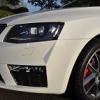
The new Foglight positioned (LED) DRL on Fabia VRS - would they be a straight swap onto a New Octavia VRS.

This would look good , I'm assuming some wiring issues would need to be over come but.......

I don't think they would.

You would need the ones that go in the Scout instead i think for a straight swap.

I will have a look at ETKA later when i get home from work as i have the part no.s for the Scout ones (iirc they were about £60 each) and i can compare it then to the Fabia ones.

Quite like the idea of replacing my fogs with these.. I've looked at LED fog light bulbs but they just give out a bright white light as opposed to a oem DRL look.

From what I can see the pre FL octy can have fog lights turned on as DRLs with vag com so aslong as the cabling is right then it should be an easy swap.

The new Foglight positioned (LED) DRL on Fabia VRS - would they be a straight swap onto a New Octavia VRS.

This would look good , I'm assuming some wiring issues would need to be over come but.......

To use as additional DRL's or to use as actual fog lights?

Nope. That's a lousy idea IMO.

It'll just look like you have your fog lights on.

Your vrs will already have drls, so why add more? :S

why would u want to replace the foglights on the octavia vrs with drls, when it already has drls fitted?

u don't like the drl strip on the ocatavia vrs? prefer round ones instead?

wouldn't it b better to have both drls & foglights!?!?

Perhaps the OP means the octavia 2 pre FL when he says new octavia?!

Thats why I'm looking at replacing the fogs with DRL since the pre FL doesn't have them.

Create an account or sign in to comment

Recently Browsing 0

  • No registered users viewing this page.

Important Information

Welcome to BRISKODA. Please note the following important links Terms of Use. We have a comprehensive Privacy Policy. We have placed cookies on your device to help make this website better. You can adjust your cookie settings, otherwise we'll assume you're okay to continue.

Account

Navigation

Configure browser push notifications

Chrome (Android)
  1. Tap the lock icon next to the address bar.
  2. Tap Permissions → Notifications.
  3. Adjust your preference.
Chrome (Desktop)
  1. Click the padlock icon in the address bar.
  2. Select Site settings.
  3. Find Notifications and adjust your preference.
