JR RS
FREEDOMLite
-
Joined
-
Last visited
-
@Adr85 - I've got a MY17 Superb liftback with the following electric boot:- 6D Deck Lid Control System description: HDSG-Modul Software number: 5Q0959107L Software version: 0261 Hardware number: 5Q0959107J Hardware version: H13 Serial number: 31249117700000 ODX name: EV_DeckLidCONTIAU736 ODX version: 001014 Long coding: 1008 Tis the exact same as urs. I should b able to get the admaps and blockmaps for u in the next day or two.
-
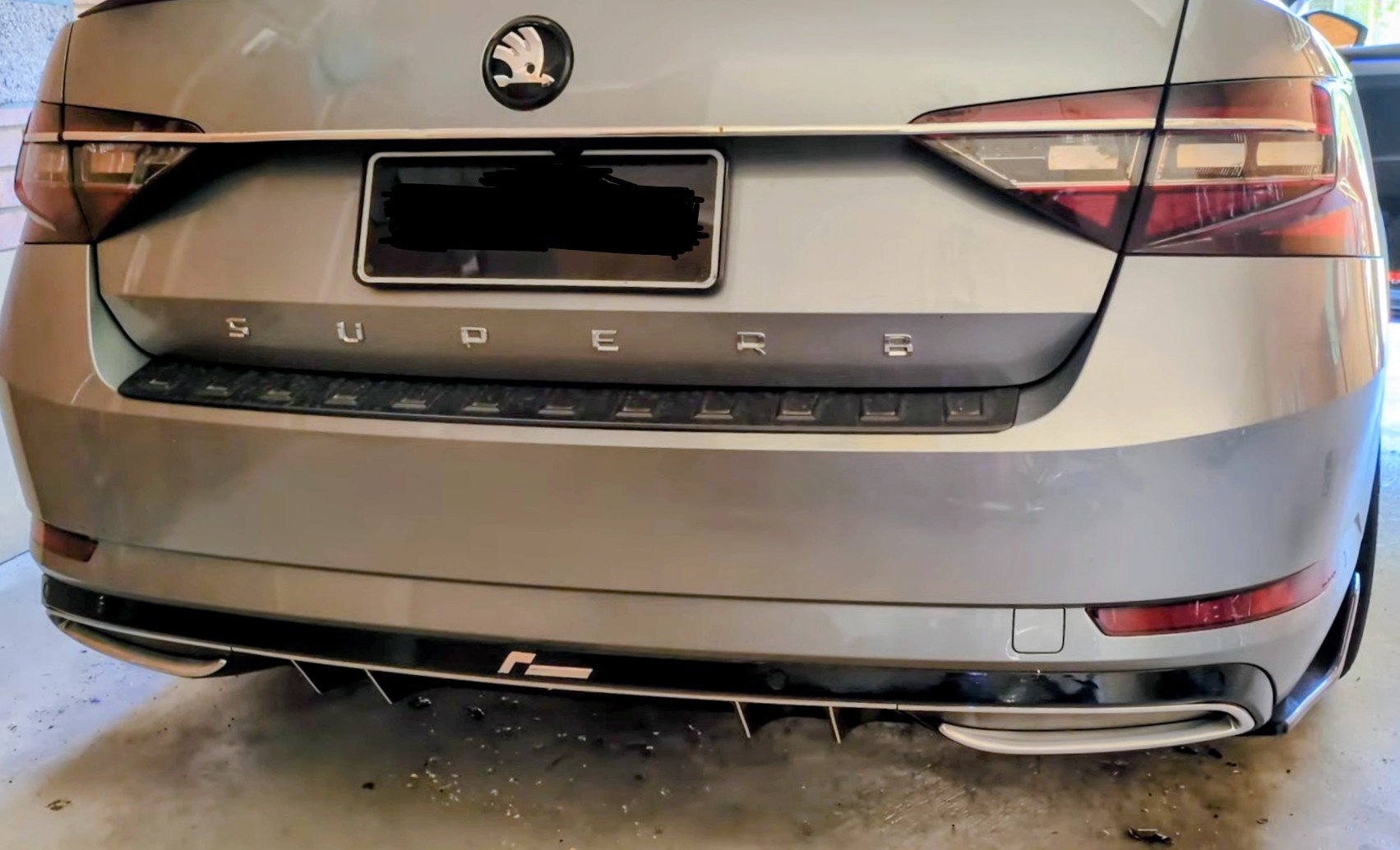
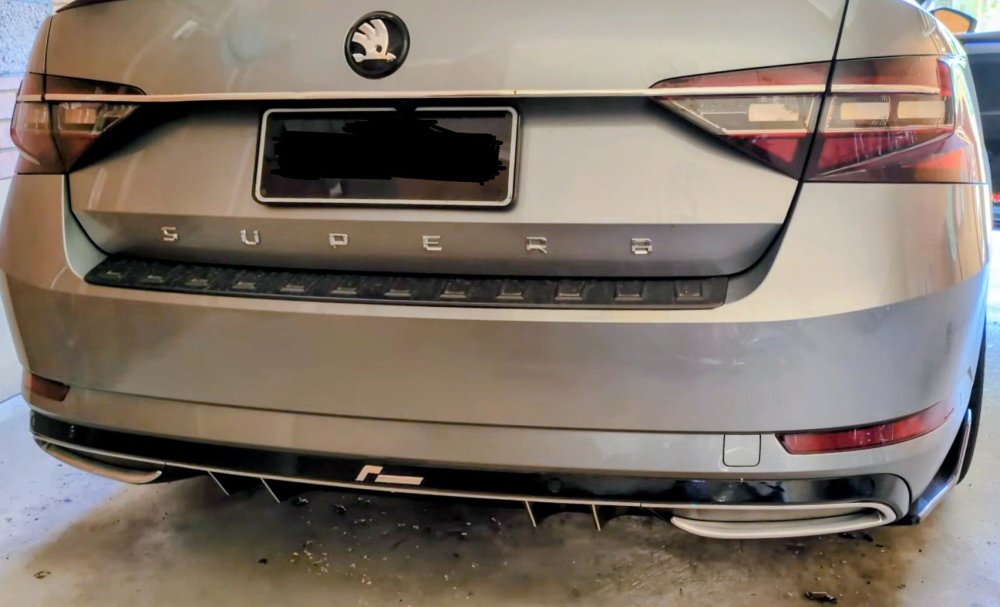
This type of rear diffuser, known as the Sportline diffuser does not come with exhaust cutouts. It comes with or without towball cutouts, and it comes in chrome or black trims. I changed my basic non-Sportline diffuser with no exhaust cutout on my 220 to a Sportline diffuser with no exhaust cutout, bout 7 yrs ago. The Sportline 280 4x4 and non-Sportline 4x4 both get a different diffuser, which has the exhaust cutout. They don't get a Sportline diffuser. Also, it's the same diffuser regardless of wagon or sedan. The bumper itself though IS different between wagon and sedan.
-
yes, u can fit the mufflers off a 280 on to ur 220, but u'll need to either cut out ur rear diffuser so the exhaust tip can stick out, or u need to change the rear diffuser to the 280 version. the centre exhaust pipe and rear pipes leading to the mufflers r different between the 280 and 220. the 280 having the AWD haldex routes different under the back half the car compared to the 220 without a haldex. the mufflers on the 220 point downwards. the mufflers on the 280 r straight out. BUT.....more importantly - u gain NOTHING by fitting the mufflers from a 280 on to a 220. ur better off getting sports mufflers, or resonator delete pipe and/or downpipe.
-
mine originally came with LED lights for the interior. only the boot had halogen versions, which i replaced with LED ones from Kopacek. perhaps u can look at Kopacek for interior "OEM" versions?
-
based on the hardware part number - u have a MIB2 Amundsen unit. the guide i created is for a MIB2 Columbus. hence i would refrain from using the how-to-guide i created. i don't know wat the firmware upgrade process is for Amundsen unit.
-
if u can find someone who can do the DCC Slider Mod for you, that will make the suspension perfect!! sadly its not easy to find someone who can do it, globally. firmer/lowering springs alone doesn't do it perfectly as the car can still bottom out. stiffer swaybars help to an extent with keeping the car flatter, but again, not perfect. performing a DCC Re-calibration helps a good deal, but on BIG bumps, it can still bottom out. the DCC Slider Mod on the other hand is a game changer. essentially the DCC module is loaded/flashed with the parameter file (suspension algorithm) from a VW Arteon. no hardware change. after doing this, the car is so so so much more composed over bumpy road, speed humps, corners, potholes and no more bottoming out!! as added bonus, ur DCC settings go to 15 levels, ranging from Comfort+ to Sport+ i had this done a couple of years ago now. i'm also running Eibach Pro-Kit springs, with front & rear swaybars, and i've also done the DCC Re-calibration.
-
NEVER EVER use standard bolts with spacers!! always get longer bolts, to compensate for the spacer thickness. also, make sure u get hub-centric spacers if ur going to get spacers.
-
Definitely not the case - these DQ250 gearboxes can take up 600Nm with the stock clutch, but needs a TCU tune to cope with additional power. Any higher n u'll need to start changing clutch hardware.
-
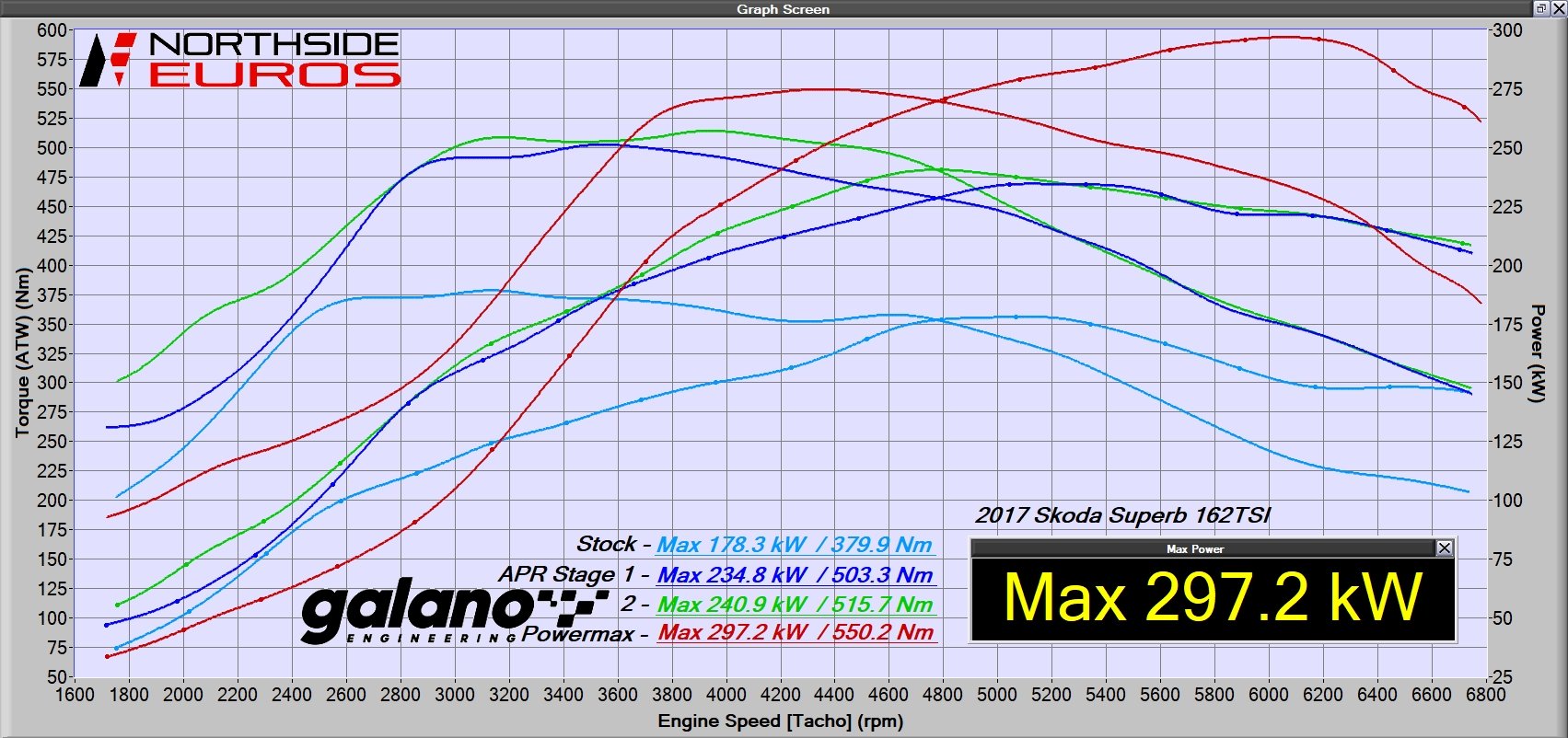
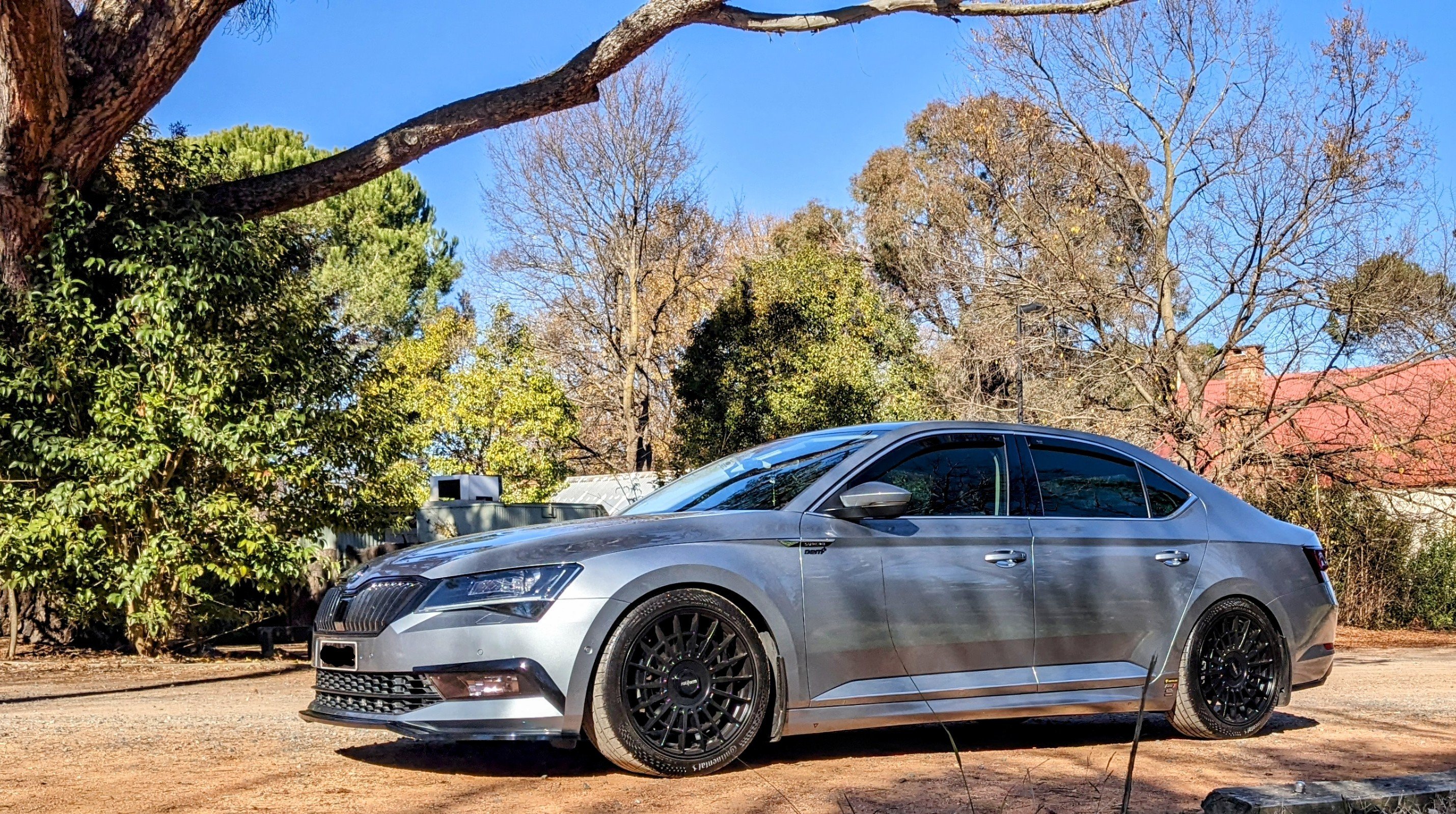
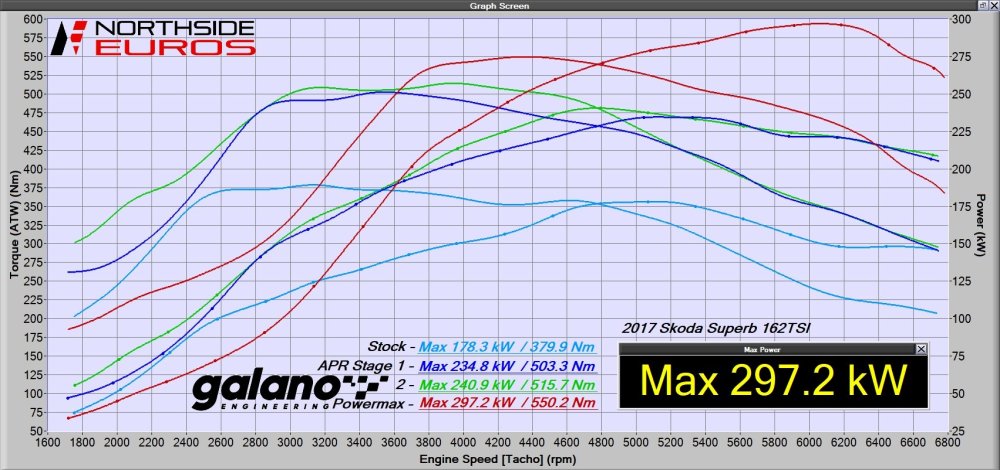
Gandalf (MY17 Superb 220 FWD) is currently on Stg 3, producing 400 hp 550 Nm at the wheels. Previously I ran Stg 1 for approx 5 yrs before going to Stg 2 briefly then Stg 3 last year. I've had no issues with any of the stock hardware over the many years. The Stg 1 was an APR Hi-torque tune producing 300 hp 540 Nm at the wheels. Supporting mods then were R600 intake, turbo inlet pipe and elbow. I also had a TCU tune, which made a big difference. Now I've got an IE intercooler & downpipe, Garrett Powermaxx Turbo with stronger injectors. The Galano TCU tune has a Boost-by-Gear function that is specific for the FWD, that does an impressive job putting the power down through the front wheels without wheel spin.
-
Pg 8 of my how-to-guide says to make sure the car is connected to a battery charger prior to commencing with the firmware install!! Anyways, all the best with the final few steps and that it successfully completes.
-
Send me a message with ur email address - I'll email u the 4B parameter file
-
It's so frustrating dealing with companies like that!! They're either easy to deal with or a major pain in the bottom!! Hope ur able to get a resolution soon and get the right springs sent ur way.
-
Hopefully it's all sorted soon and u can get back to enjoying the car again.
-
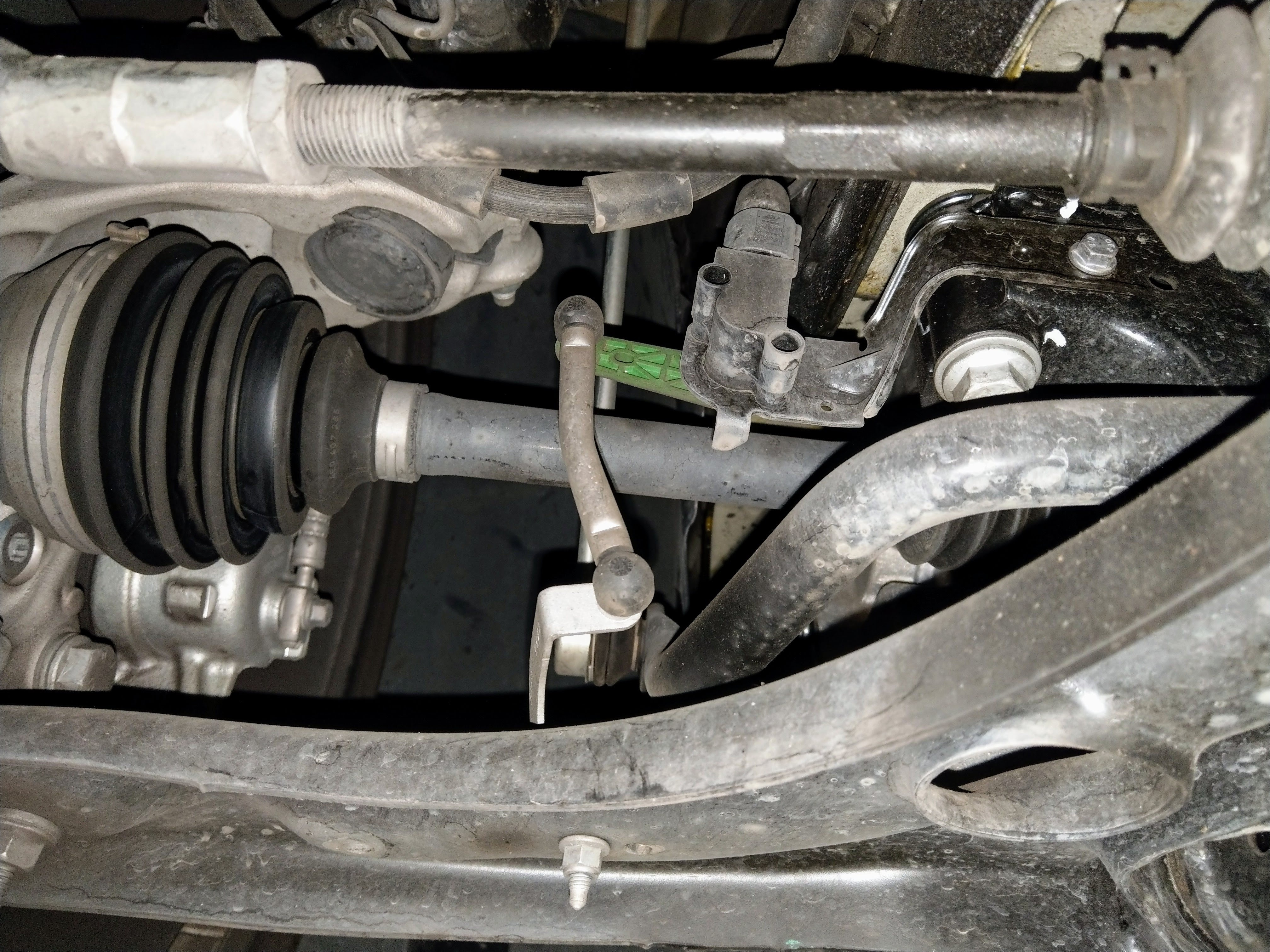
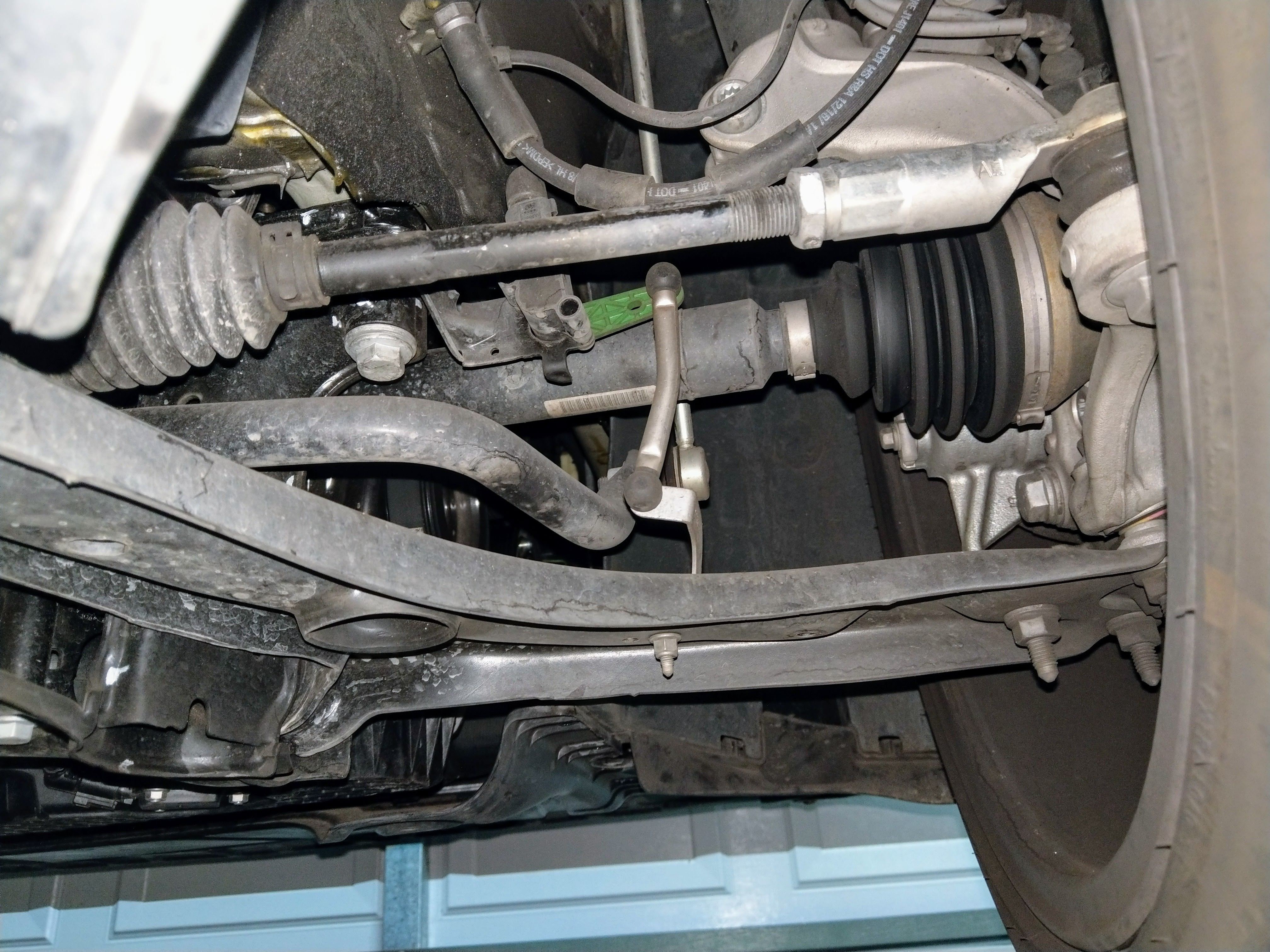
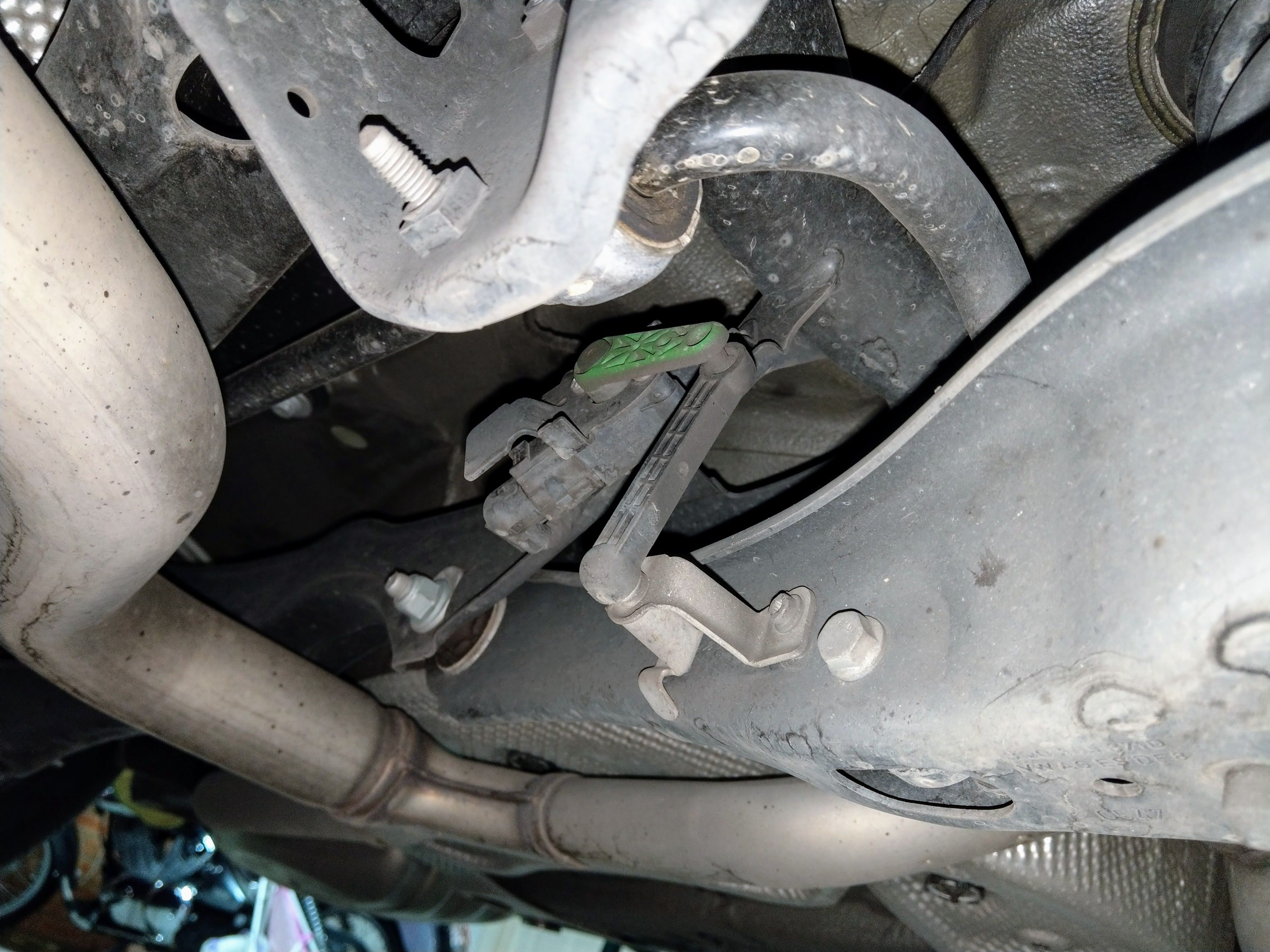
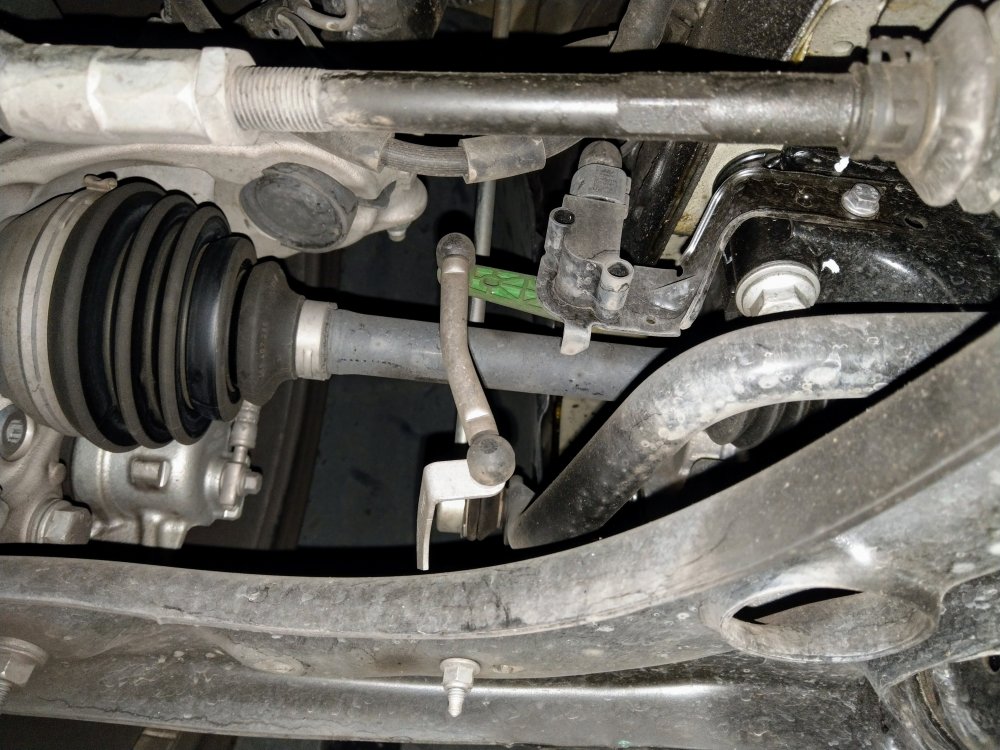
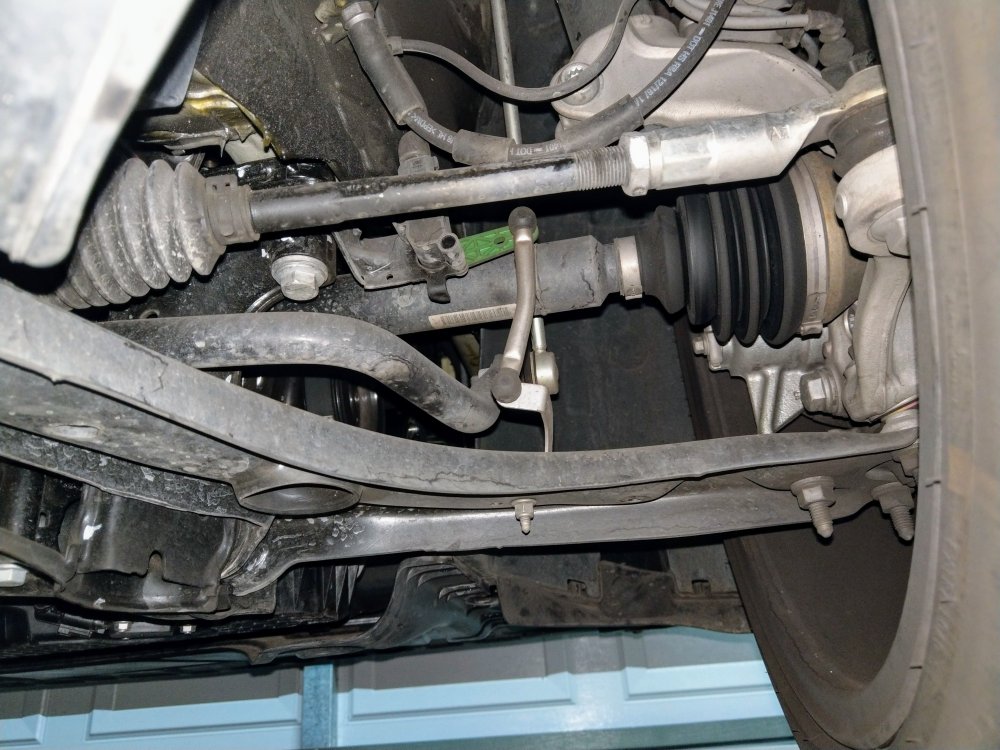
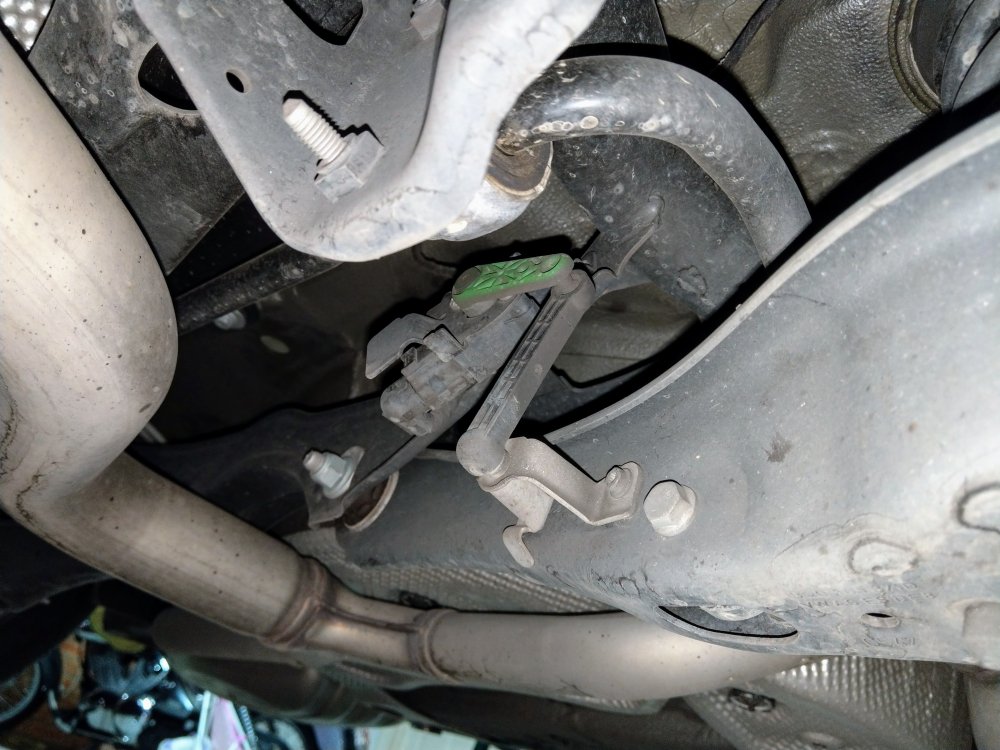
Did u check the leveling sensors on the front LCAs? Usually when u remove or lower the LCA, u need to disconnect the leveling sensors so they don't snap or break. If they do break, or the wrong way round, the suspension (DCC), headlights, ABS and steering will b upset. There r two on each front LCA, and one on the rear left arm. Looks like this...... Rear...
-
Crikey.....it's all broken. Have u done a wheel alignment after mucking around with ur suspension? That's rule #1. As for the other errors - makes no sense, given u checked ur battery n it seems good.