Skip to content

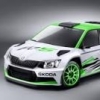
Would this be your choice of company car?

Featured Replies

Latest addition to the Air Ambulance fleet. :thumbup:

post-81922-0-32308000-1328890588_thumb.jpg

post-81922-0-67848600-1328890570_thumb.jpg

Proudly keeping our emergency services on the road.

Very nice, very nice indeed.

Nice car but doesn't look like it could fly very well!?

Very nice :thumbup:

Very nice :)

One small niggle.... Missing an apostrophe ;)

  • Author

Apologies?

Apologies'?

Apologie's?

.......... The first one.

Nice roof lights :thumbup:

Hawwwwwwwwwwwwwww, want :D

Why did they go for Race Blue though and not white, the graphics would have stood out better on white surely?

  • Author

Hawwwwwwwwwwwwwww, want :D

Why did they go for Race Blue though and not white, the graphics would have stood out better on white surely?

All of the current vrs' that they are running are Race Blue, why? I do not know, maybe it would look too much like 'old bill'? Better re-sale value I would have thought.

I saw this in the metal yesterday and I have to say it looks great in Race Blue. :thumbup:

  • Author

I saw this in the metal yesterday and I have to say it looks great in Race Blue. :thumbup:

Part exchange against the Nissan or vRS?

Looks good ! :thumbup:

Nice car but doesn't look like it could fly very well!?

Remap..? :D

We have a couple of these as responders' cars down here as well, though ours are silver.

Create an account or sign in to comment

Recently Browsing 0

  • No registered users viewing this page.

Important Information

Welcome to BRISKODA. Please note the following important links Terms of Use. We have a comprehensive Privacy Policy. We have placed cookies on your device to help make this website better. You can adjust your cookie settings, otherwise we'll assume you're okay to continue.


Account

Navigation

Configure browser push notifications

Chrome (Android)
  1. Tap the lock icon next to the address bar.
  2. Tap Permissions → Notifications.
  3. Adjust your preference.
Chrome (Desktop)
  1. Click the padlock icon in the address bar.
  2. Select Site settings.
  3. Find Notifications and adjust your preference.