



Skip to content

ANYONE NEAR STOKE-ON-TRENT WITH A VAG-COM.
Featured Replies

Im new to this site as you can can prob see,

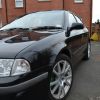
I was wondering if there is anyone in the stoke-on-trent area with a Vag-Com, and do me a hughe favour and run me a Diagnostics as i would like to find out if and what faults my VRS may have.

Obviously id travel to you and throw a few golden nuggets your way,

Would be great if someone could help

cheers

Edited by drew_smith

Click on the link in my signature for a map of the VCDS owners on Briskoda.

There is also PSI tuning mate, I think they charge £40 for scan and delete of codes.

Welcome by the way.

Buy a ebay OBD cable and down load vcds lite which is free, allows you to check all sorts on the car

Sent from my Galaxy S2 not a Crapple!

I'm in Market Drayton, only got VCDS lite though.

I live in Burton on Trent but work in Rocester and Cheadle. Could maybe meet up this weekend or next Friday afternoon.

cheers lads, So if i buy a cable from the web, and download vcds lite, can i also delete error codes,

Iv also seen this cable on ebay http://cgi.ebay.co.u...#ht_5686wt_1165

cheers

For information, that version uses VCDS lite, which will have limited functionality until a license is purchased from Ross Tech, it is also not suitable for cars which use CAN for the diagnostics.

I'm in Shrewsbury if that's any help

3 miles from M6--J16 if that's any use cheers Nic

  • Author

yeah that would be fantastic nic, would you be willing to run Vagcom on my octavia as would like to find out if there are any faults with it.

Mail me if thats ok.

thanx Nick

Create an account or sign in to comment

Recently Browsing 0

  • No registered users viewing this page.

Important Information

Welcome to BRISKODA. Please note the following important links Terms of Use. We have a comprehensive Privacy Policy. We have placed cookies on your device to help make this website better. You can adjust your cookie settings, otherwise we'll assume you're okay to continue.

Account

Navigation

Configure browser push notifications

Chrome (Android)
  1. Tap the lock icon next to the address bar.
  2. Tap Permissions → Notifications.
  3. Adjust your preference.
Chrome (Desktop)
  1. Click the padlock icon in the address bar.
  2. Select Site settings.
  3. Find Notifications and adjust your preference.
