



Skip to content

CityGo 60ps or 75ps; what have I got?
Featured Replies

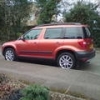
I've managed to borrow a CityGo from my local dealer for 48 hours, whilst my wife's Roomster is in for its annual service.

Driven it home, 9 miles, and it really is a very pleasant, nippy, light car with bags of room; even at 6'3" I don't need the driver's seat all the way back. Handling is quite tidy too.

I've worked out, from reference to the brochure, that I've got an SE Greentech with Apus alloys and Convenience pack. However, I can't work out whether I've got the 60 or 75 engine - how do I tell?

If it's an SE it's the 60PS.

Only the Elegance comes with the option of a 75PS engine, and the Elegance has front fog lights.

floor it and post the top speed using GPS!

  • Author

Thanks. I now remember looking at a brochure two weeks ago and thinking - have to get an Elegance for the 75ps engine.

So, 60ps SE Greentech; what a lovely little car. Cruised quite happily on the M'way at 'ahem'; a nice speed. ;)

  • Author

floor it and post the top speed using GPS!

I'd like to keep my licence, thanks; but I think the BMW 118i I was following wondered what on earth is that little green car behind me?

Like you, I drive a Yeti every day.

The first thing I noticed when I got out of the Citygo after two days was how heavy the Yeti felt in comparison even though it handles well.

The Citygo is so light it really does have entertaining handling and feels quite nippy.

I never noticed the same when going from the Fabia to the Yeti. But the Citygo is around 400kg lighter than my Fabia was!

  • Author

floor it and post the top speed using GPS!

Any suggestion for an Android AP?

I've used in the past seems to work alright

Create an account or sign in to comment

Recently Browsing 0

  • No registered users viewing this page.

Important Information

Welcome to BRISKODA. Please note the following important links Terms of Use. We have a comprehensive Privacy Policy. We have placed cookies on your device to help make this website better. You can adjust your cookie settings, otherwise we'll assume you're okay to continue.

Account

Navigation

Configure browser push notifications

Chrome (Android)
  1. Tap the lock icon next to the address bar.
  2. Tap Permissions → Notifications.
  3. Adjust your preference.
Chrome (Desktop)
  1. Click the padlock icon in the address bar.
  2. Select Site settings.
  3. Find Notifications and adjust your preference.
