



Skip to content

2006/06 Octavia Mk2 VRS TFSI
Featured Replies

Really sad to have to do this, but need the money for other things

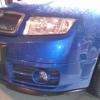
2006 (06) Skoda Octavia VRS TFSI

Race Blue

46910 miles - will rise slightly as used everyday

4 previous owners

HPI clear - with paperwork

Recently had a full service and MOT - no advisories

Also 4 brand new tyres - Continental sport contact2 - cost over £700

All the basic VRS refinements including

MFD2 Sat Nav

6 disc changer

Jumbo box

Dual climate control

Xenons

18inch zeniths

Only a couple of modifications including

Milltek cat-back exhaust

Uprated diverter valve

FL Rear light clusters

Tinted rear side windows only

Professionally powder coated alloys, finished in gloss black

Looking for £6000

Any questions, feel free to PM me

Thanks

IMAG0357.jpg

IMG_1049.jpg

IMG_1051.jpg

IMAG0346.jpg

IMAG0078.jpg

Nice car mate, wish I had the funds.

Techincally, on an 06 plate, the jumbo box, dual zone climate, 18" wheels and rear leccy windows are all options. The sat nav and the xenons are too whatever the age......

where abouts are you located my friend?

where abouts are you located my friend?

where abouts are you located mate?

where abouts are you located mate?

Damn it, why did it double post everything?

  • Author

Winchester/Southampton area mate

**** New battery fitted ****

  • 3 weeks later...

Bump

Anyone looking for a really clean vrs I saw this in the flesh today as lee came to pick something up off me

Really.nice low mileage examples getting hard to find

Yes the market is struggling but firm believer what u get is what u pay for

Glws lee

Atb Pete.

Create an account or sign in to comment

Recently Browsing 0

  • No registered users viewing this page.

Important Information

Welcome to BRISKODA. Please note the following important links Terms of Use. We have a comprehensive Privacy Policy. We have placed cookies on your device to help make this website better. You can adjust your cookie settings, otherwise we'll assume you're okay to continue.

Account

Navigation

Configure browser push notifications

Chrome (Android)
  1. Tap the lock icon next to the address bar.
  2. Tap Permissions → Notifications.
  3. Adjust your preference.
Chrome (Desktop)
  1. Click the padlock icon in the address bar.
  2. Select Site settings.
  3. Find Notifications and adjust your preference.
