



Skip to content

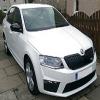
Just Bought a new Monte Carlo TDI !
Featured Replies

Hi

Been a member for a while, but now back !

I was wondering if anyones knows about tuningboxes at all, I have access to a DTUK box which works fine on a 2011 Golf TDI 105.

Will this work on my Fabia as well or are the ECUs on the the VWs different ? I know they used to be Bosch, but now seem to be Siemens.

On a side note I was talked into the GAP insurance, but now I am having second thoughts as you can get for a third of the price online for the same cover, I am not tied into a finance agreement, so if I cancel it will they try to give me hassle ??

From looking online it seems there is a 14 day cool off period.

PS. Merry Crimbo to all ! :-)

Cheers

JJ

Edited by Jack Jumpin

best call DTUK , I wouldn't know if its the same engine, there are so many differences!

TMC do a box for your car :) well used and reliable company. I've tried one on a fabia II vRS, and the results were impressive.

Always buy it online than from the dealer its the biggest con.

I have used Click4gap dealer quoted £300 and the website was £120, a friend had his car covered and when the car was stolen he claimed on it without a problem.

  • Author

Thanks for the replies, I have bought GAP insurance twice before for £200 each time which wasn't really to bad compared to internet GAP cover.

But now I think about it £320 is far to much to the point where I feel i am being ripped off. If they give any crap when I go to collect the car I will just cancel

the direct debt as it is payable over 12 months interest free.

On the car the only thing I don't like is the black wheel arches, i think I will have to have them color coded white with the front bumper spoiler, Unless I can buy them pre-coded white from Skoda ?

Is there also an exhaust available for the 1.6 TDI engine, think I would have to change the rear diffuser as well at the same time perhaps to the VRS one if it fits that is..

Cheers JJ

Create an account or sign in to comment

Recently Browsing 0

  • No registered users viewing this page.

Important Information

Welcome to BRISKODA. Please note the following important links Terms of Use. We have a comprehensive Privacy Policy. We have placed cookies on your device to help make this website better. You can adjust your cookie settings, otherwise we'll assume you're okay to continue.

Account

Navigation

Configure browser push notifications

Chrome (Android)
  1. Tap the lock icon next to the address bar.
  2. Tap Permissions → Notifications.
  3. Adjust your preference.
Chrome (Desktop)
  1. Click the padlock icon in the address bar.
  2. Select Site settings.
  3. Find Notifications and adjust your preference.
