



Skip to content

massive thanks to cn tuning !
Featured Replies

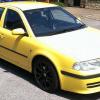
although i have done a review of cntuning of my mates vw passat before i decided to take the plunge and have my octavia vrs remapped. so i left the house at half 6 to get there for 9 i got stuck in some annoying traffic and ended up abit late. unphased by this clive got straight to work and got my stock map sent to shark. once sent clive got on with some boost leak testing and happy to report no boost leaks :D!! then it was a waiting game for shark to send my stage 1 map we then sat down and had a chat and waited then the message came threw that the map was ready. once clive uploaded the map happy that all was running and working well i paid the money and drove home. then came the fun part driving home unfortunately with the weather it wasnt easy to get the feeling of the stage 1 from pulling away. but once on the motorway i managed to do some testing and WOW!!! its simply amazing the pull is very strong and also found you didnt have to use the gearbox so much just keep it in 5th 50-70 it has very good pull. once you explore the potential of the map threw the gears its just in another world the car feels the way it should of.

so overall to sum it up better pulling power from low down all the way threw the revs. much easier to drive as you don't need to keep dropping down the gears to find the right gear and just pure fun. only problem is it does seem to be eating abit more fuel but thats to be expected as its just soo much fun to care

many thanks to clive aka cntuning for providing the maps but also a great service top bloke and knows what he is talking about!!

Create an account or sign in to comment

Recently Browsing 0

  • No registered users viewing this page.

Important Information

Welcome to BRISKODA. Please note the following important links Terms of Use. We have a comprehensive Privacy Policy. We have placed cookies on your device to help make this website better. You can adjust your cookie settings, otherwise we'll assume you're okay to continue.

Account

Navigation

Configure browser push notifications

Chrome (Android)
  1. Tap the lock icon next to the address bar.
  2. Tap Permissions → Notifications.
  3. Adjust your preference.
Chrome (Desktop)
  1. Click the padlock icon in the address bar.
  2. Select Site settings.
  3. Find Notifications and adjust your preference.
