



Skip to content

Yellow Octy Mk1 Cleaned
Featured Replies

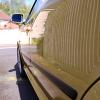
Gave it a little clean a couple of weeks ago, thought Id put some pics up:


DSC_0010_zpse4366323.jpg

DSC_0006_zpseb8d31d2.jpg

DSC_0005_zps973f27ad.jpg

DSC_0188_zps107267f3.jpg

DSC_0184_zps91bdac1b.jpg


^ Impressive & what did you use out of interest, as I'm always looking for new ideas for the Fun  :)

  • Author

Well, Here is order and products used


pre wash with snow foam (tried out the Demon Shine stuff)

Washed with 2 Bucket method Chemical Guys Citrus Wash and Gloss

De Tarred with Autosmarts Tardis

Dragons Breath Used for Iron fallout removal

Bilt Hamber Clay

2 Bucket wash again just to remove all remaining contaminants and flies that decide they like yellow

2 Layers of zaino Z3 for regular paint which also Bought my slightly faded spoiler up a treat

Well, Here is order and products used


pre wash with snow foam (tried out the Demon Shine stuff)

Washed with 2 Bucket method Chemical Guys Citrus Wash and Gloss

De Tarred with Autosmarts Tardis

Dragons Breath Used for Iron fallout removal

Bilt Hamber Clay

2 Bucket wash again just to remove all remaining contaminants and flies that decide they like yellow

2 Layers of zaino Z3 for regular paint which also Bought my slightly faded spoiler up a treat


Cheers for that. I found yellow can be difficult to restore, especially when it's had 14 years of uv exposure etc like mine! :)

Create an account or sign in to comment

Recently Browsing 0

  • No registered users viewing this page.

Important Information

Welcome to BRISKODA. Please note the following important links Terms of Use. We have a comprehensive Privacy Policy. We have placed cookies on your device to help make this website better. You can adjust your cookie settings, otherwise we'll assume you're okay to continue.

Account

Navigation

Configure browser push notifications

Chrome (Android)
  1. Tap the lock icon next to the address bar.
  2. Tap Permissions → Notifications.
  3. Adjust your preference.
Chrome (Desktop)
  1. Click the padlock icon in the address bar.
  2. Select Site settings.
  3. Find Notifications and adjust your preference.
