



Skip to content

Mk1 Fabia vrs Wheels with Bridgestone Tyres
Featured Replies

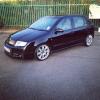
I'm selling my Mk1 Fabia vrs wheels which are fitted with Bridgestone Turenza 205/45/16 Tyres.


The wheels themselves all run straight and true, no buckles, major kerb marks or air leaks. They do have some kerb marks and other defects however as an original set of wheels that are now 9 years old they havent done too bad. I clean the wheels with Bilt Hamber Auto wheel which removes contamination like iron fall out which can often make wheels look pitted.


The tyres do have more uneven wear on the front due to tracking issues. The other 7/8's of the tyre profile do have around 4mm of tread remaining. The rear tyres are in great condition throughout the profile and have around 6-7mm of tread remaining. All Tyres are 205/45/16 Bridgestone Turenza's. Only selling as I now have new wheels.


Here are some pics of the wheels I have, some of the cleaning process I use every week to keep them looking nice.


0639F7E2-2D15-47AB-AF4B-5E4685ADCC6E_zps

CB8BA957-3BC5-4213-8AF0-EEEFAB7E2541_zps

1E58DE2A-E037-4EEA-8710-08353F66BB1B_zps

BFA8DCEB-EBE7-4DFA-BEA7-54471C8C76B3_zps

1864921B-CF48-4E69-B42A-9A9D5744665A_zps


I will get close up's of the passenger side wheels when I get chance. They're in the same condition as the drivers side, some minor kerbing and other chips on the paintwork which can be expected over time.


So thats Wheels, tyres and centre caps. I'm asking £230 collected or £265 delivered via paisley freight.


Where do you live for collecting these mate?

PM sent.

  • Author

Location: middlesbrough

Create an account or sign in to comment

Recently Browsing 0

  • No registered users viewing this page.

Important Information

Welcome to BRISKODA. Please note the following important links Terms of Use. We have a comprehensive Privacy Policy. We have placed cookies on your device to help make this website better. You can adjust your cookie settings, otherwise we'll assume you're okay to continue.

Account

Navigation

Configure browser push notifications

Chrome (Android)
  1. Tap the lock icon next to the address bar.
  2. Tap Permissions → Notifications.
  3. Adjust your preference.
Chrome (Desktop)
  1. Click the padlock icon in the address bar.
  2. Select Site settings.
  3. Find Notifications and adjust your preference.
