grajay
Members
-
Joined
-
Last visited
-
Sorry - in addition to the above I meant to ask the question if whether or not you tied it down to the air conditioning? I would have thought that after a week of non use there wouldn't be any water. I ask a mechanic today what he thought and he just shrugged his shoulders and said that it could be anything and not to worry. I've just booked it in for a service in a moths with a garage that specialise in Yetis and other Skodas. Hopefully he might come up with something.
-
Thanks for that. Interesting - much the same as mine. The strange thing is that my Yeti has been parked in the same garage overnight ever since we brought her home brand new from the dealership and this has only started happening within the last 2 weeks. Showing her age or perhaps she has a secret little place.
-
Thanks. When we get some dryer weather I'll pour water onto the windscreen and see the result. There isn't any water in the gulley at the base of the windscreen, but I agree that this MUST be rainwater as there isn't a source of "ordinary" clear water elsewhere.
-
Thanks for the ideas. I too thought it might be rainwater and I checked the drain hole on the offside but that was perfectly clear, and the car hasn't been out of the garage in any rain for 4 days. It's not the washer bottle either as I have a washer fluid additive and the water is blue and not clear. Once I find out what it is I shall certainly report back.
-
Aircon has not been used in the last 4 days. No sunroof. fos = front-off-side
-
For the last week or so, most mornings I've found a small puddle of water just inside the line of the fos wheel on the garage floor. I'd say that it amounts to about 2 or 3 tablespoonfuls. I've tasted the water and it certainly isn't coolant, and in any event the water level in the expansion tank hasn't changed. I'm sure it's not aircon derived as I've not used it for about. the same period. I thought it was rainwater being held with somewhere below the windscreen but I've no idea where to look. To sum up, I don't think this is serious to take the car off the road, but it niggles me that I cannot find a solution. Hopefully one of you might be able to suggest something. Thanks
-
Thanks. Doesn't seem to list Skoda though.
-
Thanks for replying. I don't know either of these companies. COuld you supply links please?
-
Thanks for the link. I've tried one of the ready cut PPFs for the Yeti in the past, but they're very flimsy indeed and formed little protection.
-
Has anyone come across a good source of the Paint Protective Film (PPF) for the rear wheel arches please? Following some minor damage I now need to replace one side. Thanks
-
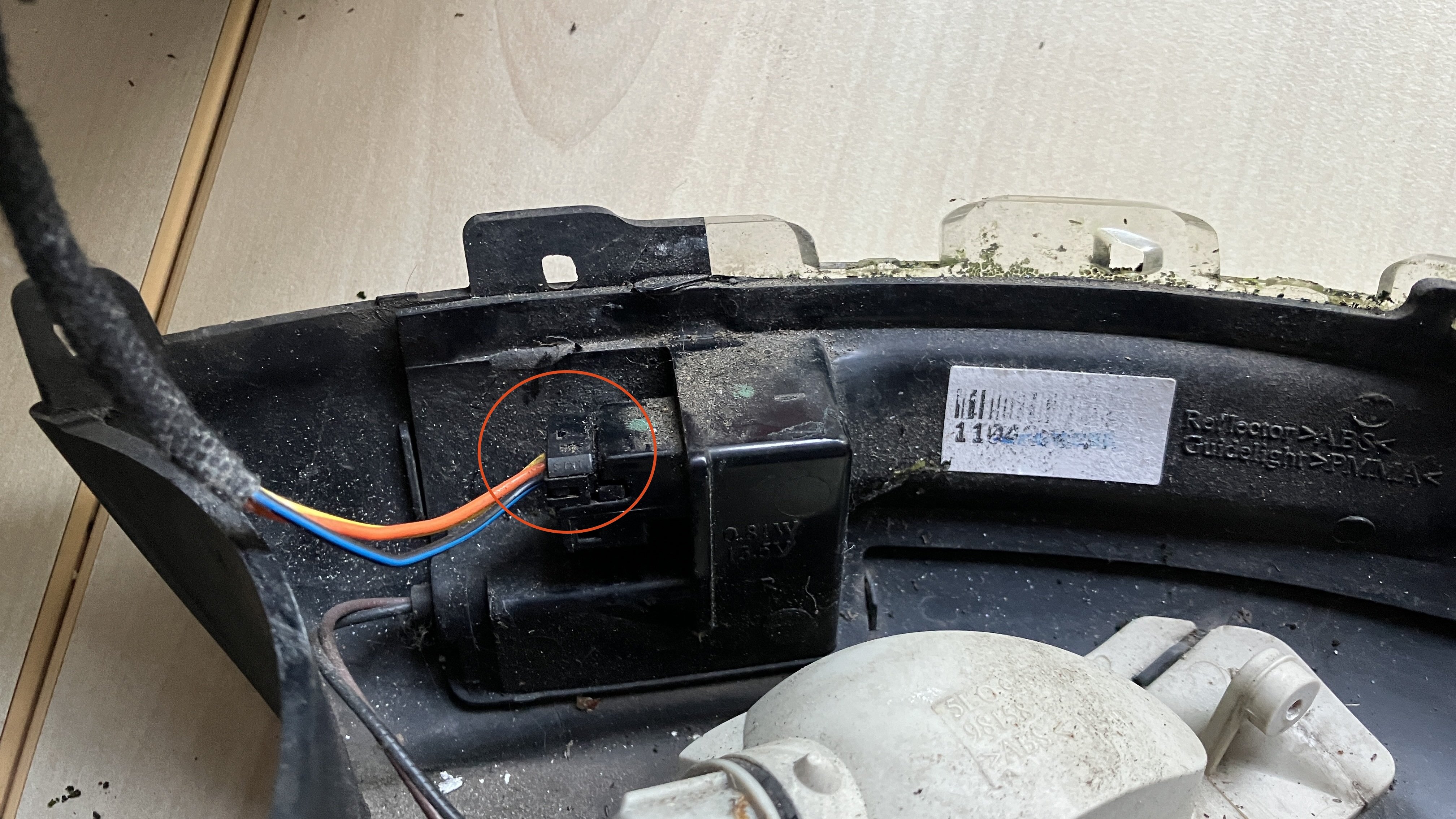
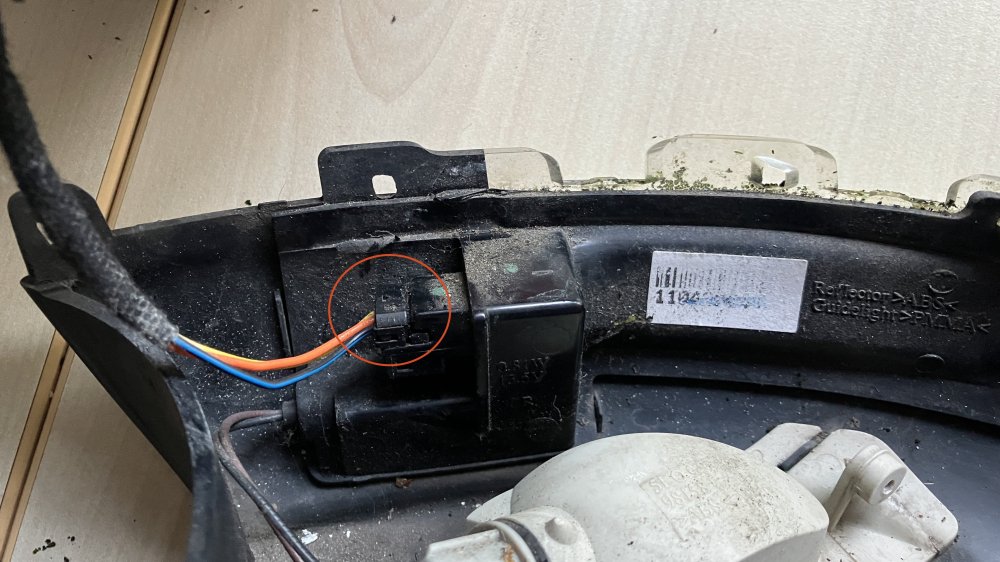
Thanks for that. As it happens I noticed that on the side of the connector plug there was a hole. Ever hopeful, I got a watchmakers screwdriver which I inserted into the said orifice and the connector parted company with the socket as easy as that. I hope others facing the same dilema might benefit from this tip.
-
I need to replace the unit containing the puddle light and indicator unit courtesy of a stone wall I nudled against whilst on holiday. I have a replacement unit which I have separated from the mirror housing but I cannot for the life of me remember how to undo the connector plug. Please can some kind person take pity on an old fella and tell me how this is done please? Thanks
-
Yes it is and used too.
-
Thanks everyone for your helpful replies. I shall get the battery checked out as soon as possible. @nta16 In the last 10 yeaers I've not had any need to charge the battery other than run the engine on a journey.
-
Thanks guys. Looks like I may be on borrowed time. I'll look to getting it changed soonest.