



Skip to content

New clutch pack Needed
Featured Replies

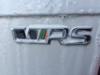
So long time lurker odd post now and again long term Member. I've had my car since new and its the best car i've owned and is a keeper even though reading on. recently the car was juddering in 1st and 2nd and now again in reverse My car 2011 Fabia Vrs requires a new clutch pack which covers reverse and 2nd gear, now the car has had gearbox oil change back in June last year (sticker in boot) plus spark plugs changed at 22k as recommended on here. The warranty ran out in June and I was umming and arrring for months about extending it and decided in December to purchase an addition 2 year skoda approved warranty with the advice from George (goneoffski) which will now pay dividends so thankyou George [emoji106]

How much is that job all incl. out of curiosity?

  • Author

Not too sure the dealer asked me if I have warranty and that was it, a big sigh of relief .

£1,200 the Dealership might be wanting to charge Car Care ltd,  

But then Skoda might end up paying for it, since it a an Issue with a known cause.

No trouble really, because Skoda UK will probably just Assume the Position.


Check and see what is being said about 'Approval on the Warranty Repair', cost to diagnose etc etc.

Tell them to sort all that rubbish out PDQ and get the car back fixed.

  • 2 weeks later...
  • Author

So a quick update the car is in today a full day or maybe 2 for the new clutch pack fingers crossed all is good, ps loan car 1..6 diesel manual fab just awful to drive [emoji106]

Has somebody been practising for Santa pod and burned out there clutch?

  • Author

Has somebody been practising for Santa pod and burned out there clutch?

Erm no but the missus has been driving it lol [emoji106]

Pmsl

  • Author

The Furby is back and it's all good new clutch pack fitted with very smooth gear changes [emoji106][emoji106][emoji106]

Create an account or sign in to comment

Recently Browsing 0

  • No registered users viewing this page.

Important Information

Welcome to BRISKODA. Please note the following important links Terms of Use. We have a comprehensive Privacy Policy. We have placed cookies on your device to help make this website better. You can adjust your cookie settings, otherwise we'll assume you're okay to continue.

Account

Navigation

Configure browser push notifications

Chrome (Android)
  1. Tap the lock icon next to the address bar.
  2. Tap Permissions → Notifications.
  3. Adjust your preference.
Chrome (Desktop)
  1. Click the padlock icon in the address bar.
  2. Select Site settings.
  3. Find Notifications and adjust your preference.
