Skip to content

Godovic

Finding my way
  • Joined

  • Last visited

  1. EDIT: https://www.tiktok.com/@bassreflexsystemauto16/video/7472008842839149846
  2. I cannot remove the multimedia :( I used the tool provided in the first post, but cannot manage to remove. I found only two openings at the top of the multimedia. Are we talking about MEN2 LG model?
  3. There is also in Belgrade in local store... (yeey) Can be error https://mib-helper.com/im-so-xory/?key=01555 solved somehow with this programmer?
  4. Thank you for the instructions. The USB programmer can be found on amazon easy but where can I find the flat cable, clamp and adapters? tnx EDIT: https://www.amazon.com/XLX-Motherboard-Universal-Connector-Programmer/dp/B081495VY7
  5. You have to buy wireless adapter, maybe from ali? How did you activate smartlink?
  6. I am still confused about numbers in file names? How can be lower number be an update? I got update from men2_eu_skgpx_p7381L 8740 to men2_eu_skgpx_p0080L 8755
  7. Can you PM me if you have any info or suggestion about smartlink activation? tnx
  8. Smartlink doesnt working even after factory reset Also got some signature errors
  9. So did you get new version number or?
  10. Can you send me the files I will try to install and update @Tdawber Can I get the files at godomotogodo @ gmail . com
  11. Dear all Can someone help me with MEN2_EU_SKGPx_P7381L 8740 I need an update, and solution to activate smartlink pls
  12. I read that some bad PCV valves are connected to excessive oil consumption?!?
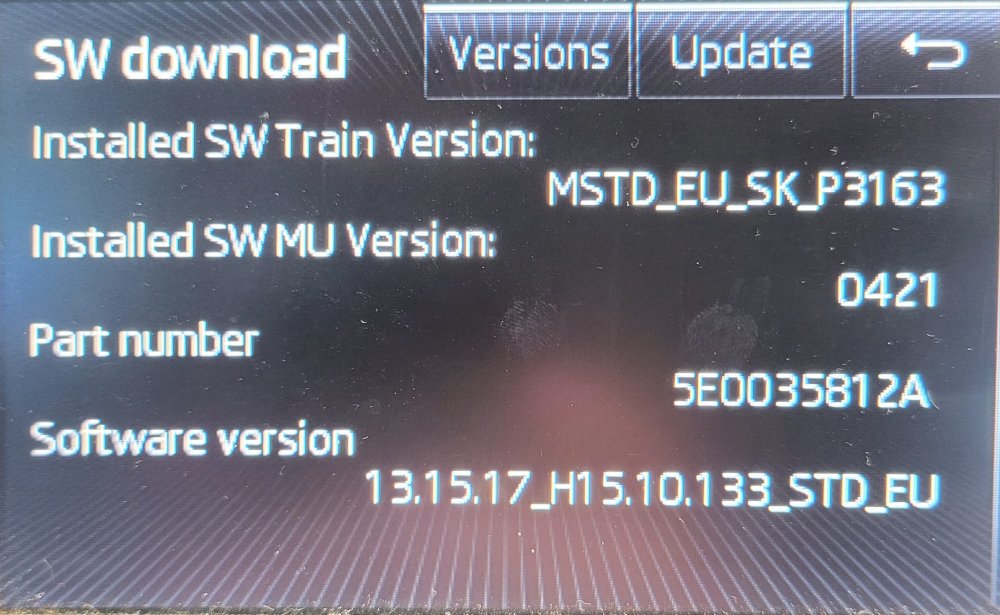
  13. Sorry about the previous post, copy paste is not working well I have never been updated my Bolero of my Octavia MK3. Can some help me where can I find firmware? is this photo enough? Thank you
  14. Any news about this issues? My 1.2 TSI CJZA 77kw started to burn oil, a little more than 1L on 2.000km 😞

Important Information

Welcome to BRISKODA. Please note the following important links Terms of Use. We have a comprehensive Privacy Policy. We have placed cookies on your device to help make this website better. You can adjust your cookie settings, otherwise we'll assume you're okay to continue.

Account

Navigation

Configure browser push notifications

Chrome (Android)
  1. Tap the lock icon next to the address bar.
  2. Tap Permissions → Notifications.
  3. Adjust your preference.
Chrome (Desktop)
  1. Click the padlock icon in the address bar.
  2. Select Site settings.
  3. Find Notifications and adjust your preference.