Shuttlebasher
Members
-
Joined
-
Last visited
-
When I change my struts from Amazon did not see any springs like that I managed to do it by pulling back the rear trim and disconnecting the wiring connector inside the back trim
-
True a different design more flexible wire in my opinion I got a pair for £355 on Amazon a lot cheaper and the quality looks good
-
I have bought a set of Amazon have not yet fitted them but they can’t be any worse that the originals I think the wire is not flexible enough, on the originals does not flex for how tight the wires. Don’t know what the wires are like on the new ones to be honest haven’t looked but they are a lot cheaper that the original parts
-
I have the new strut just getting around to do it 😂
-
I have found the issue it’s a broken wire in the rubber sleeve on the to of the boot strut! To get at the connector you can remove the lower panel and just release the bottom of the top panel and with a struggle you can get you hand in. The VW is a lot easier acces don’t know why they didn’t do the same it’s definitely a design issue with the loom
-
Thank you I will have a look!
-
Can anyone please help I need to get at the electrical connector in the side panel, to remove the electrical boot strut. but when I have read some of the manuals it looks like you need to remove all the side panels even the lower boot trim. has anyone done the to replace the strut and can give me any advice please.
-
I have an issue where my boot, I will only open about 3/4 of the way up and will not close and just beeps when I press the button. I have run a diagnostic and it say the rear hall sensor No2, looks like I need to change the strut does anyone know where the part numbers is positioned on the strut I can’t find it
-
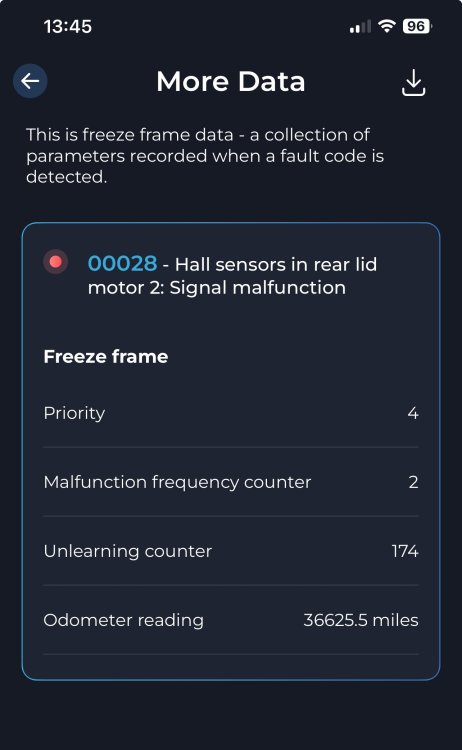
Does anyone know if it’s a big job to change the boot hall sensor just run a diagnostic and got this error and does anyone know what side the motor 2 is on ? Many thanks
-
My ŠKODA Karoq 2018 has an issue with the electric boot closure, it opens up with no issues, however when I press the button to close it, the boot closes half way then stops, if you press the button again it just beeps. I have taken it back to the top and tried to reset it by holding the button in but it just still stop half way down, and I have to push it down manually to close it. has anyone else had this issue please and how did you resolve it.
-
Mine is a 2018 model so no luck there 😂 thanks for your response
-
Thanks for the information I will try that see what happens
-
My central locking when you start to drive keeps clicking intermittently and ideas how to stop it please the light on the central locking switch doesn’t light up
-
No definitely in the right position but for some reason it’s working again unless a switch was stuck or maybe because I was driving at the time it doesn’t work not sure? But main thing it’s working again cheers for the response
-
Wondered if anyone can help please! I have noticed this morning that my heated mirrors are not working also the adjustment of the mirrors do not work either is this a fuse issue or can it be something else