BBDom
Members
-
Joined
-
Last visited
-
Cheers Pete, much appreciated.
-
2018 1.5 TSI SE Hatch with no sticker in the boot so I can't find any of the option codes people seem to be talking about. Anyone help or is it a case of grabbing the codes from a seller off eBay or similar ? Ta in advance, driveway a bit steep so don't want to be taking wheels off until I absolutely have to ....
-
This is what my first thought was but no issues with stop/start etc (although I disable it every run anyway). I'll keep an eye on it.
-
2018 1.5TSi Octavia, had this twice in two months now with the Component protection active warning on the infotainment coming up. Turned the radio off then on again and it cleared. 10 minutes later on the dual carriageway, the tyre pressure warning came on, first time I've had this on the car. Got in to work, left the car for a few hours and checked the pressures, 30.5 psi all round so not sure what it was complaining about. Wondering if it is a coincidence or something a bit more sinister ... posting in case anyone else has the same issue.
-
I've seen the switch mode power supplies for dash cams radiate interference on many frequencies. It shouldn't make much of a difference if it has GPS or not. Some of the kit we build at work kills our office DAB radio dead until I put it in a shielded container. Even then, it can radiate from the power cables if we're not careful. It might be a bit of a stab in the dark for you but certainly the first place I'd look. Even if the dash cam isn't turned on, the power supply will still potentially interfere with your DAB if hard wired.
-
Also check if you have any chargers or sat nav supplies plugged in anywhere as these can cause interference which will mess up the DAB signal
-
I had / have the same. Apparently Skoda have updated my software which seemed to help a bit but the other day it was back as bad as it had always been.
-
2018 Octavia Hatch - live in the Midlands so no real extreme conditions but on a number of occasions, my doors have all frozen solid so I've not been able to get in the car. A bit of a problem at 5:30-6am when you're trying to get in to work on time without waking up the neighbours. Last time it happened, I ended up using the keyfob to wind down the windows so I could get some leverage to open the doors but this isn't a good solution really. Is this a known issues with the Octavia model or am I just unlucky ? I've not had this problem since my 1988 Astra used to do the same (in through the boot !)
-
I had the same on my 2018 SE Hatch, driving on the dual carriageway at a steady pace and it sounded like someone had shot the car. I put it down to a glitch with the car infotainment system - I can't find anything else it could be.
-
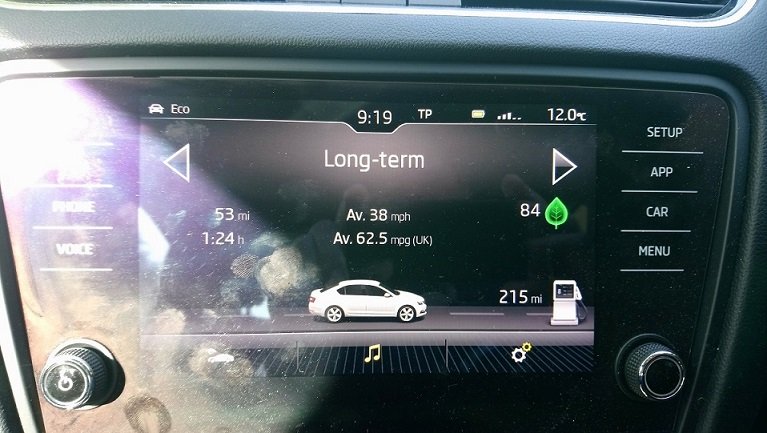
MY18 1.5Tsi Octavia SE - I've noticed this happen a few times before and reading the forums have seen others have the same issue. My long term reset a couple of days ago - it may have co-incided with the volume refusing to go up or down on the MP3s I was playing and just had the picture of the little mans head with the volume you get when turning up or down the traffic announcements ... Interestingly the long term data has been reset but not the data from last filling the car. Not bad MPG either - this lockdown really helps with the MPG and I managed 70.5MPG a couple of days ago until the last mile in to work where every traffic light was against me - still managed 68.7 for the 12 mile trip though. I'll get a better idea of the real MPG this morning though as I'll be filling the tank and doing some real calculations - I think my trip computer is being a tad optimistic but we'll see.