



Skip to content

GlitchGolder

Members
  • Joined

  • Last visited

  1. V.nice. I'm considering DRLS and maybe bigger alloys on mine above now... Just when you think you are done with the changing things 😂
  2. Thank you. They are funko bobble heads. Double sided sticky adhesive. As far as I am aware, yes. Fellow toy geek .
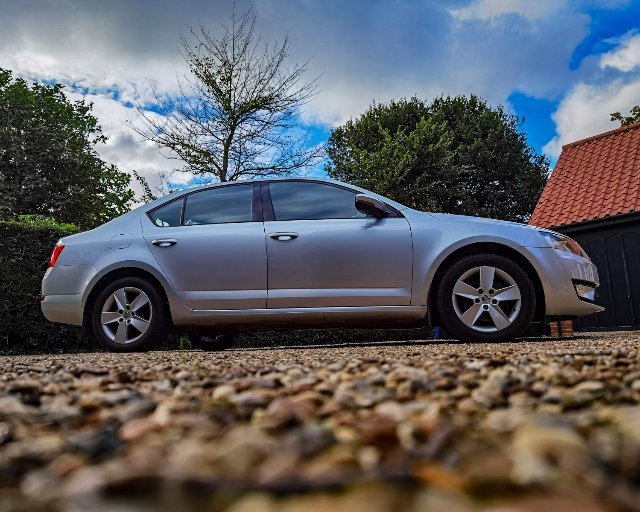
  3. Has anyone on this forum ever increased the size of their alloys? I've got the Octavia Mkiii 1.6TDi SE and I just feel the alloys would look better a bit bigger. I know this means changing the tyres and such like. What I am wanting to know is... Is it a hassle? Or is it not that much hassle?
  4. I sent you these links before, these are what you need and much cheaper.
  5. I thought we went over this before? You can buy just the led yes, but by leaving the unit in its current state it risks just happening again and other components in the headlamp risk getting damaged as well.
  6. Updated photo for you all, have got the wind deflectors fitted and the rear windows limousine tinted. Also my three star wars companions sit on the dash now
  7. Here is an update of my Octavia as promised. Wind deflectors and rear windows limousine tinted.
  8. Usually this is caused when a file on the SD card is either not supported by the hardware or if a file on the SD card was corrupted. Did you check the files before wiping them?
  9. She good at changing day time light units?
  10. I just hope you didn't get the car on a HP... purely because that opens up the sauce jokes all over again. Anyway, hope you get it sorted. Keep us posted.
  11. Sorry Wanderer, this topic just doesn't cut the mustard.
  12. Hey, come on now... Enough taking the mick out of my post... The information contained within came from a reliable sauce...
  13. Not a problem pal. Hope any of it helps.

Important Information

Welcome to BRISKODA. Please note the following important links Terms of Use. We have a comprehensive Privacy Policy. We have placed cookies on your device to help make this website better. You can adjust your cookie settings, otherwise we'll assume you're okay to continue.

Account

Navigation

Configure browser push notifications

Chrome (Android)
  1. Tap the lock icon next to the address bar.
  2. Tap Permissions → Notifications.
  3. Adjust your preference.
Chrome (Desktop)
  1. Click the padlock icon in the address bar.
  2. Select Site settings.
  3. Find Notifications and adjust your preference.