Andrei1496
Finding my way
-
Joined
-
Last visited
-
@Dave77 any news on this?
-
Imagine the LED like a different module. Until you code the new RGB module, you won't be able to adjust the brightness. It must be assigned to a group. But most important is what OEM module or part it represents. Keep in mind that the module is from China, not OEM, so we are not sure if it's the correct group from LIN slaves. You must play with these, maybe you'll find the address. Ask someone who has the door handles with RGB lights to give you the AD Map: ambient_lighting_lin_slaves_modules-pa_einzeladresse_slave_x ambient_lighting_lin_slaves_modules-pa_verbauinfo_slave_x ambient_lighting_lin_slaves_modules-pa_fehlerort_slave_x Is there any part number on the RGB module? Do you have a link from the seller or any instructions?
-
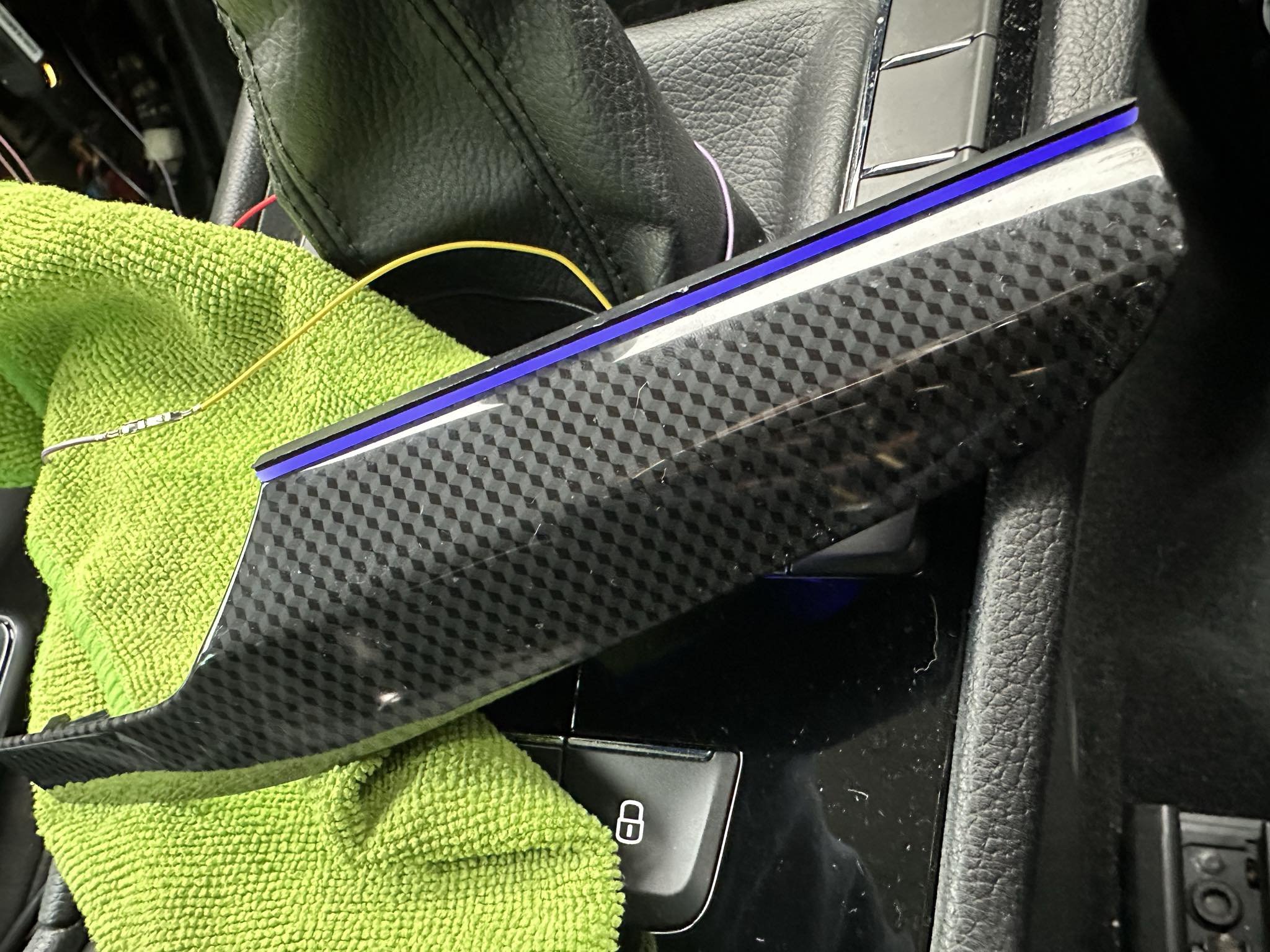
@Honza179 sure. Keep in mind that the dashboard trims is different for cars newer than 2017. Mine is 2016 so here is the list of trims with ambient lighting that I've used: Dashboard: 3V1 858 415A NF8 3V1 858 418A NF8 Doors: 3V0 867 061 D RJ9 (Front Left) 3V0 867 062 D RJ9 (Front Right) 3V0 867 067 D RJ9 (Rear Left) 3V0 867 068 D RJ9 (Rear Right) NF8 (for dash trims) and RJ9 (for door trims) represents the color code. Even if the color is the same, the code is different. So make sure you order the correct color code. Use ETKA to get the correct one.
-
-
As a solution for the problem on top, all I had to do was to change IDE11477-ENG128524-Interior lighting: parameter-p_helligkeit_entriegelt_tueren from 0% to 100% Loosely translates to "door brightness when unlocked".
-
Hello again, I got things done, all the ambient light strips are in place on the dash and on all 4 doors but I have a weird behavior. Everything works normal but when I go to the car and unlock it, without opening any door, only the dashboard ambient lights are turning on and the ones from the doors are turning on after opening one of the doors. I checked and there is constant 12V in them so what could be the problem? There might be a coding issue? I'll leave the AD MAPs here from 5F and 09. Please help, I have no other clue on what to do here, thanks in advance!😁 adpmap-5F.CSV adpmap-09.CSV
-
Hello again, I got things done, all the ambient light strips are in place on the dash and on all 4 doors but I have a weird behavior. Everything works normal but when I go to the car and unlock it, without opening any door, only the dashboard ambient lights are turning on and the ones from the doors are turning on after opening one of the doors. I checked and there is constant 12V in them so what could be the problem? There might be a coding issue? I'll leave the AD MAPs here from 5F and 09. Please help, I have no other clue on what to do here, thanks in advance!😁 adpmap-5F.CSV adpmap-09.CSV
-
@Dronzillla 1) You should check the logs with VCDS and see what's the problem or remove the door panel to check the wiring. 2) Yes, you can buy them individually. 3) Here are all the ambient light strips for all doors (these are for the brushed aluminum ones): - 3V0 867 061 D RJ9 - Front Left - 3V0 867 062 D RJ9 - Front Right - 3V0 867 067 D RJ9 - Rear Left - 3V0 867 068 D RJ9 - Rear Right As far as I know the "RJ9" part from the OEM code represents the color. You should check with ETKA what is yours, maybe you have the piano black version and so on.
-
Hello, What's the correct selection for Car_Function_List_BAP_Gen2-VPS_0x0B_msg_bus from a factory fitted camera? Is it Databus Infotainment? I saw on some threads that they use Terminal 15. I have an OEM camera retrofitted and I want to know what to select in there. Thanks in advance!
-
-
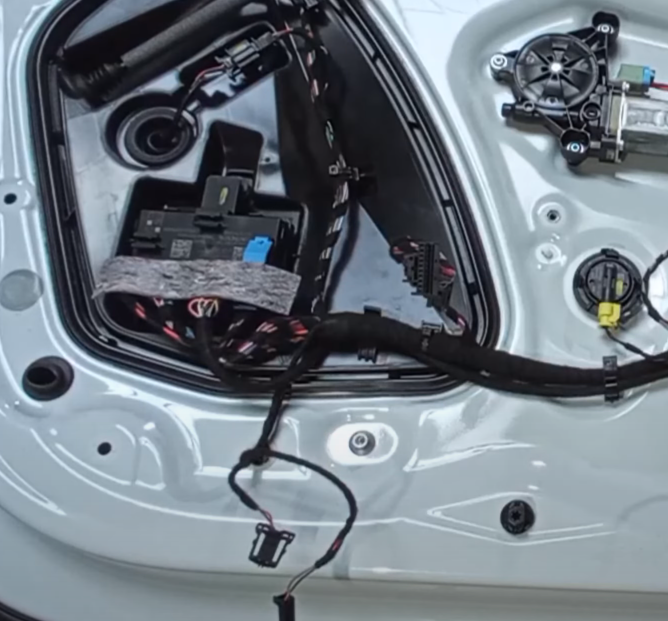
Hello, Does anyone know what are the pins in the Front Door modules for 12V+ and GND for the ambient lightning? Thanks in advance!
-
Hello there, I recently had a problem with the speakers on my Superb 3, Canton system. I took off the covers from all 4 doors and I've discovered that on the front doors the bass speakers were stuck and the mid-bass speakers on the rear doors were stuck as well and you could only hear them on a very low volume level. It looks like the first revision of the speakers had an issue with the glue from the magnets that makes the magnet off centered. Even if I tried to push the membrane of the speaker with my hand, they wouldn't move. So I've replaced all 4 speakers with the new revisions: Front door bass speakers: - OLD VERSION: 3V0 035 411 D - NEW VERSION: 3V0 035 411 K Rear mid-bass speakers: - OLD VERSION: 3V0 035 411 G - NEW VERSION: 3V0 035 411 L I'll leave this here, maybe it helps😁
-
@Rsrob how does the material of the steering wheel behave over time?
-
-
@ApertureS actually LIN is yellow, 12V is purple and GND is black