




Blackbat
Finding my way
-
Joined
-
Last visited
Everything posted by Blackbat
-
Not just a VW group problem, it seems: https://support.google.com/androidauto/thread/116871256/wrong-roundabout-direction-on-odometer?hl=en
-
Only since MY21 as far as I know. Regarding VC, I haven't got one to test, but some people report it does work and others say it doesn't!
-
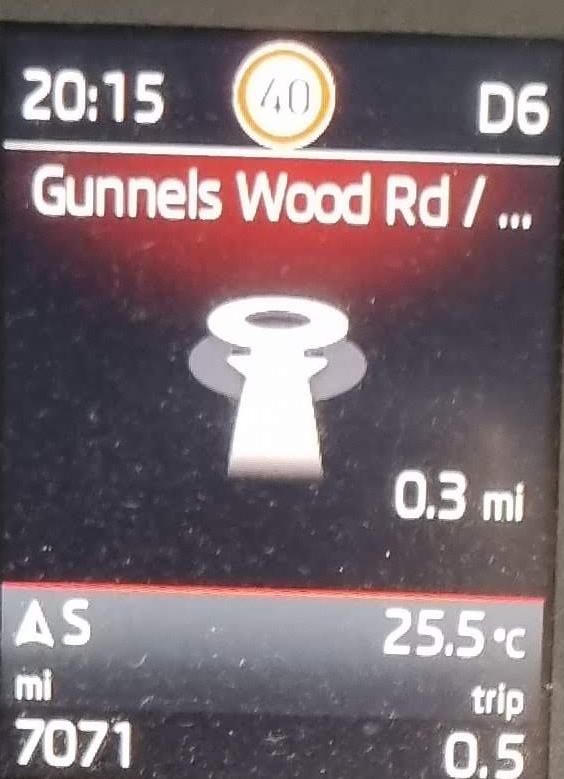
When using Android Auto and the Columbus system in my MY21 Kodiak to navigate with Google Maps, the maxidot display has started displaying a strange "next turn" instruction when the next junction is a roundabout. Until a couple of weeks ago it had worked fine for months with roundabout junctions displayed correctly but I'm guessing a Google Maps update has broken things. Now, every time the next junction is a roundabout I get the symbol on the attached displayed. If I uninstall all Google Maps updates and revert to the version that came pre-installed on my Galaxy S21 then the roundabout exit is displayed correctly, but as soon as I update maps to the latest version then the maxidot starts playing up again. Anyone else seen this, or know of a fix? Other navigation instructions on the maxidot are fine otherwise, it's just anything involving a roundabout that has an issue.
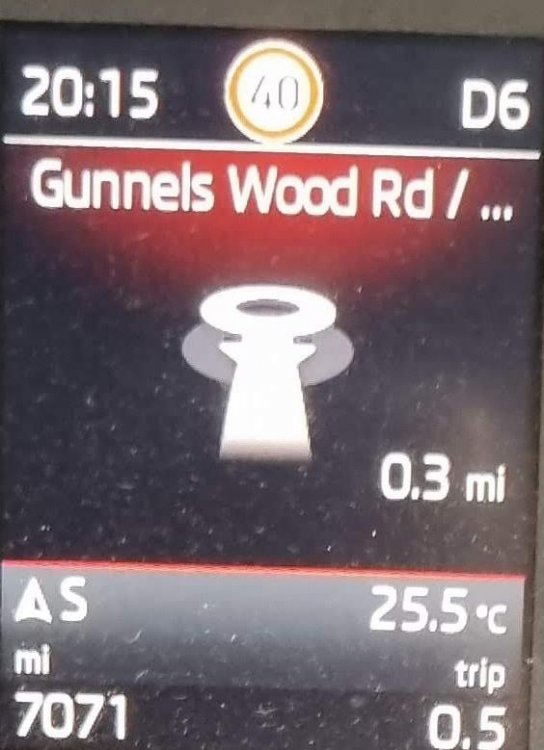
-
I've experienced this a few times recently when playing Spotify through Android Auto. I switched to the radio and the volume controls started working properly again.
-
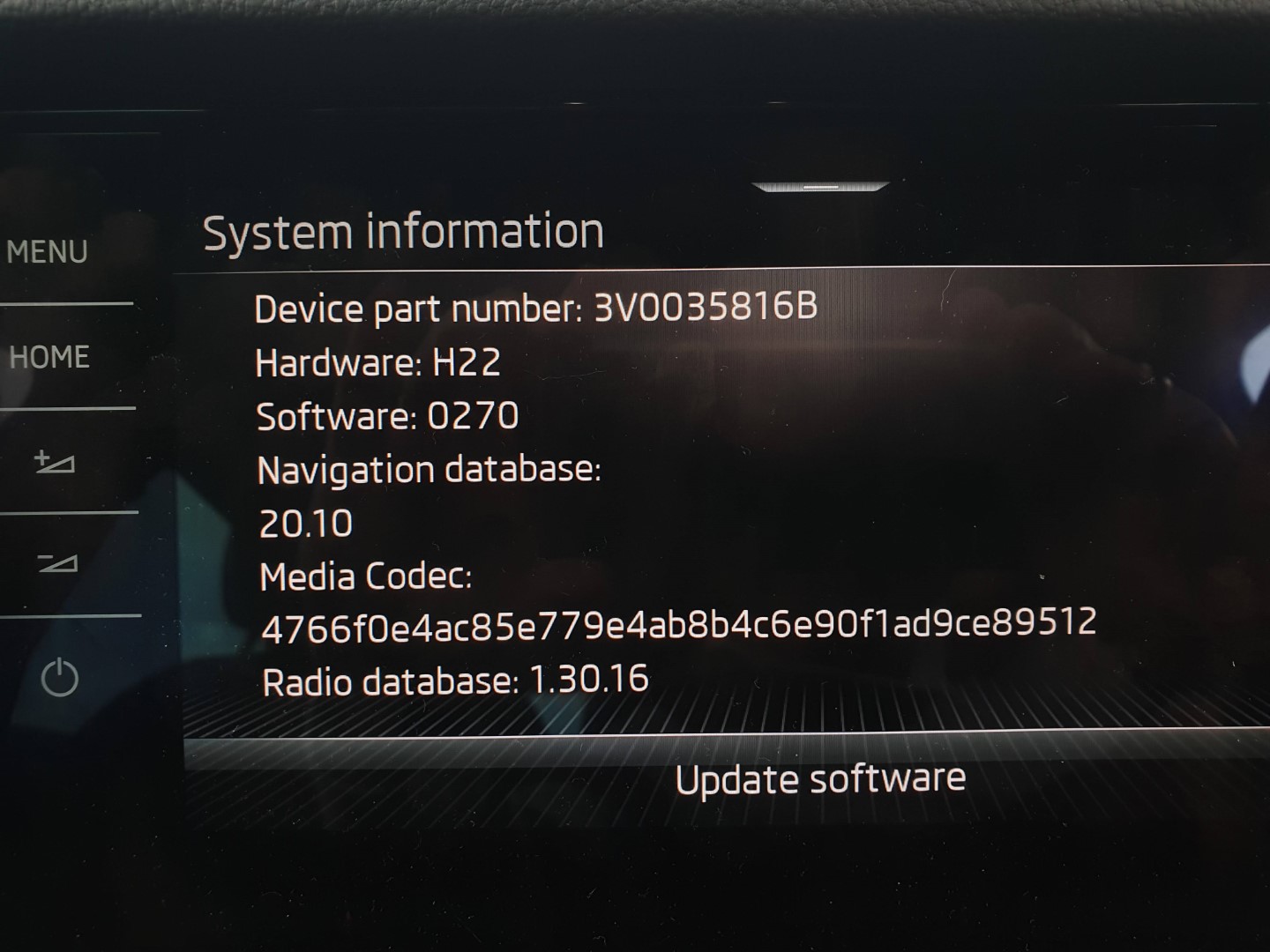
YepSure - I'm in the UK with a 2.0TDi MY21 SEL trim and a Columbus head unit, manufactured at the end of last October.Have you done a reset of the head unit by long pressing the on/off button for ~ 10s?No, they can read NTFS formatted media, and it was NTFS formatting I used when my maps updated from USB-C.Seems unlikely as hidden items are always displayed on my PC.FWIW, when unzipped my collection of map update files didn't include anything with a .sig extensionThe zip file is specific to the VIN I believe, but the one I downloaded for my MY21 Kodiaq was this: http://infotainment-cdn.skoda-auto.com/base/maps/OI_P41_EU_202025_Offline_Update.zipIt's suggested that an NTFS formatted memory stick is used, although I don't see how that can really make a difference. Did you have the map files unzipped? For my Kodiaq there are almost 700 folders named MIB31* on the root of the memory stick.Well mine has just updated. Following the advice from @batalabove (thanks!), I did a hard reset on my Columbus by holding down the power button and when it restarted the navigation version had gone from 19 11 to 20 10. The update files had been sitting on an NTFS formatted flash drive, plugged into the car, since last year but it's only now after the reboot that they appear to have been recognised.That would be great, thanks!It doesn't confirm that it's an MIB3 unit though, I think?Is that using an MIB3 head unit? With my Columbus that doesn't work, as the map update files on the flash drive are not recognised. Other people have reported the same.MY21 for me, collected mid November, and the portal shows a map update. I've had an update notification, not map related, which I installed but I'm waiting for the map to update OTA. Presumably map updates on MIB3 will have to be paid for after the car is 12 months old, as part of the subscription infotainment service.I've tried the using the USB-C port to update the maps with a stick formatted with various file systems - no joy.I don't deny that! I'm just trying to understand how a screen mirroring technology, which I thought was just used for Android Auto/Apple Carplay mirroring when a phone is in the car is used for a remote connection to Skoda's servers.How so? I'm not sure why Smartlink is required to use the app. As I understand it Smartlink is screen mirroring technology.Uninstalling MySkoda (again!) and re-installing is has sorted the vehicle recognition problem for me, and got skoda-connect.com working again.There appear to be issues today - getting a message saying that my vin is wrong. It's same on skoda-connect.com as well. Prior to today I had the new MySkoda app installed and working OK.MySkoda now updated to 3.7.0, and it no longer installs as Skoda Connect. Unfortunately it doesn't appear to have kept any of the previous MySkoda features, so the online manual and guide to warning indicators are gone.3.5.5 is the version of Skoda Connect that gets installed when installing MySkoda (with the new icon) from the App Store. 7.7.2 is the version of MySkoda (with the old icon) which gets installed from the link within Skoda Connect (the one installed by new-icon-MySkoda). I have every confidence it will all get sorted out .



Important Information
Welcome to BRISKODA. Please note the following important links Terms of Use. We have a comprehensive Privacy Policy. We have placed cookies on your device to help make this website better. You can adjust your cookie settings, otherwise we'll assume you're okay to continue.