




Paf
Finding my way
-
Joined
-
Last visited
-
My car has started doing this exact thing recently. I’ve got a new iPhone, apple cable and the only thing I’ve found to do to get it to resolve is flick a switch like then one for comfort /sport / eco modes to get that screen up then back to CarPlay and it resolves. It comes back after a bit. Doesn’t seem to do it with Spotify or messages. Just google maps. Had an android phone for 1.5 years and no issue like this at all.
-
Dealer told me they think it’s a design flaw with the glove box. Some hole somewhere that allows it to move too much and the plastic on plastic rattles. They tried packing the hole with something but say they can’t do any more so fobbed me off to Skoda. They reckon I need to go to another dealer for a 2nd opinion.
-
I think frustrated is the best word for my view on my VRS. It’s a really nice car to drive and there’s bits I love about it but in a year I’ve had climate control system that just isn’t there sometimes when the car boots up random resets of the infotainment random switching of settings 5 minutes into a drive sos system failures a rattling glove box a knocking from the boot area Relatively poor customer experience from the dealerships I’ve interacted with. Its not been the best ownership experience so far which is a shame as the car is some tighter screws and better software away from being excellent.
-
I’ve had my car a year now and this weekend it’s started doing this. I’ve had several major updates of the software both via the airwaves and in the dealers (twice). Any reason it would just start doing this? Most of the time the popping is followed by the SOS system failing.
-
Thanks. I’ll try. It’s got to go back in for some other stuff so will see what they say.
-
Still on 1788. It was with them all day as well!
-
Sorry only just seen this. Occasionally on start up my climate controls are non existent. All the temp controls are gone and when I press the clima button I just get a screen with one button that says Climate off. The vents blow cold air out but no way to control. If I switch the car off, lock it then go back in it resets and is ok. the updates didn’t fix it. It did it when I drove away from the garage!
-
Mines at the dealers for two recalls. They wrote to me saying it needed doing but non safety critical. Ones for the climate control the others a generic instrument cluster one. Hopefully it gets rid of all the annoying foibles. Mines not been as bad as some people seem to have but there’s been some odd behaviour.
-
There’s a recall out for fixes to the climate control. Mines in the dealers today to get it fixed.
-
Averaging 37mpg over 700 miles. Short journeys in the cold weather it’s about 30. As above a longer steady cruise on the motorway sees mid 40’s.
-
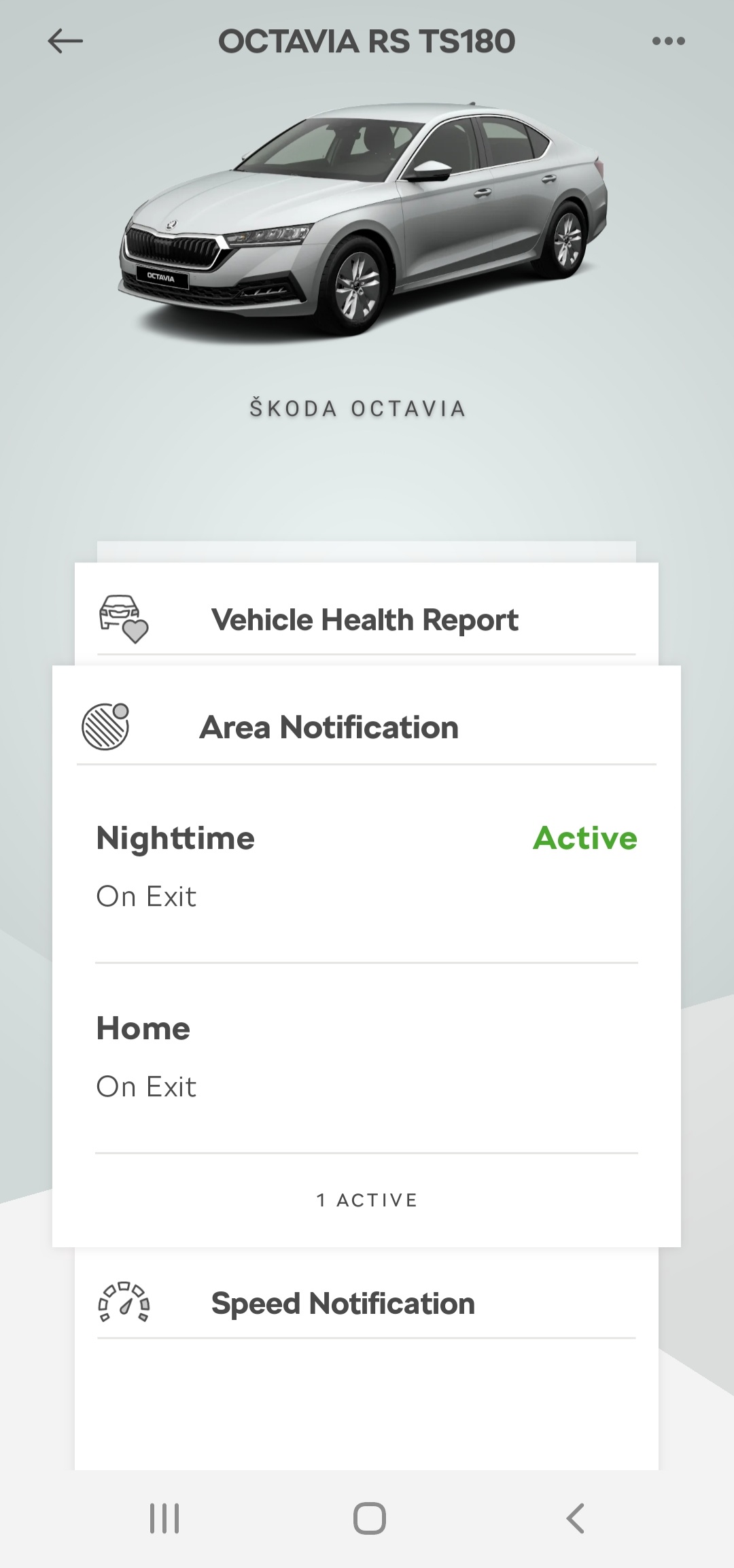
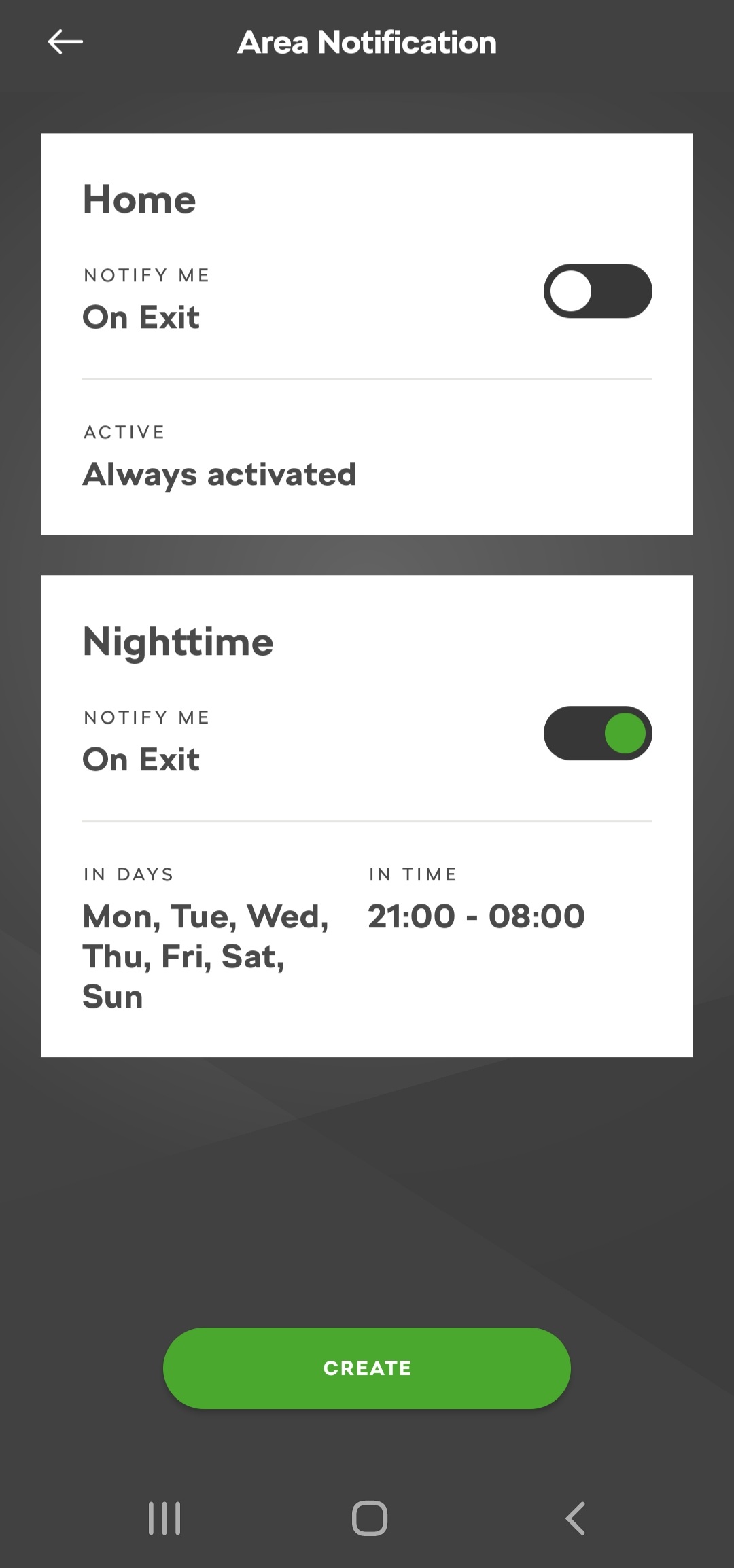
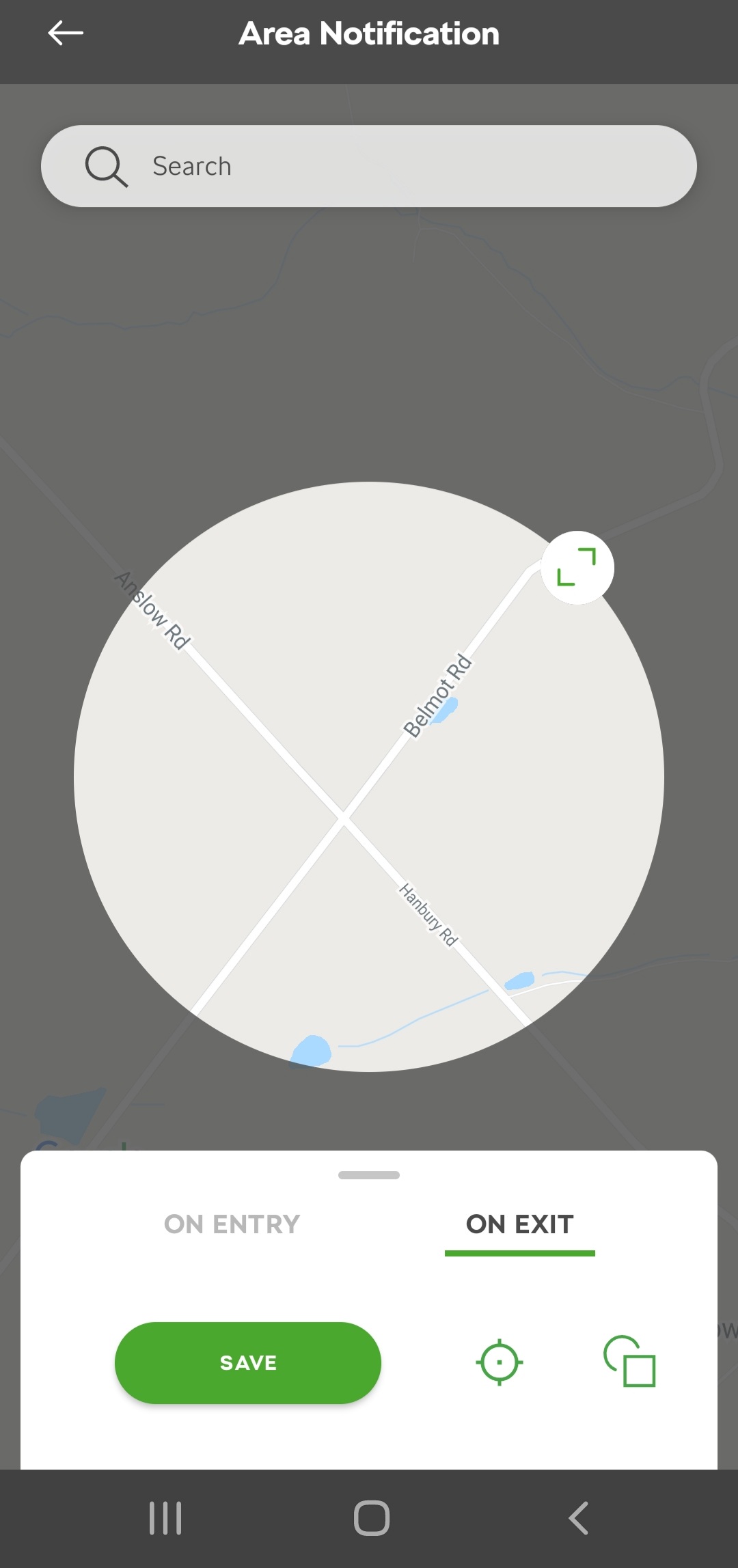
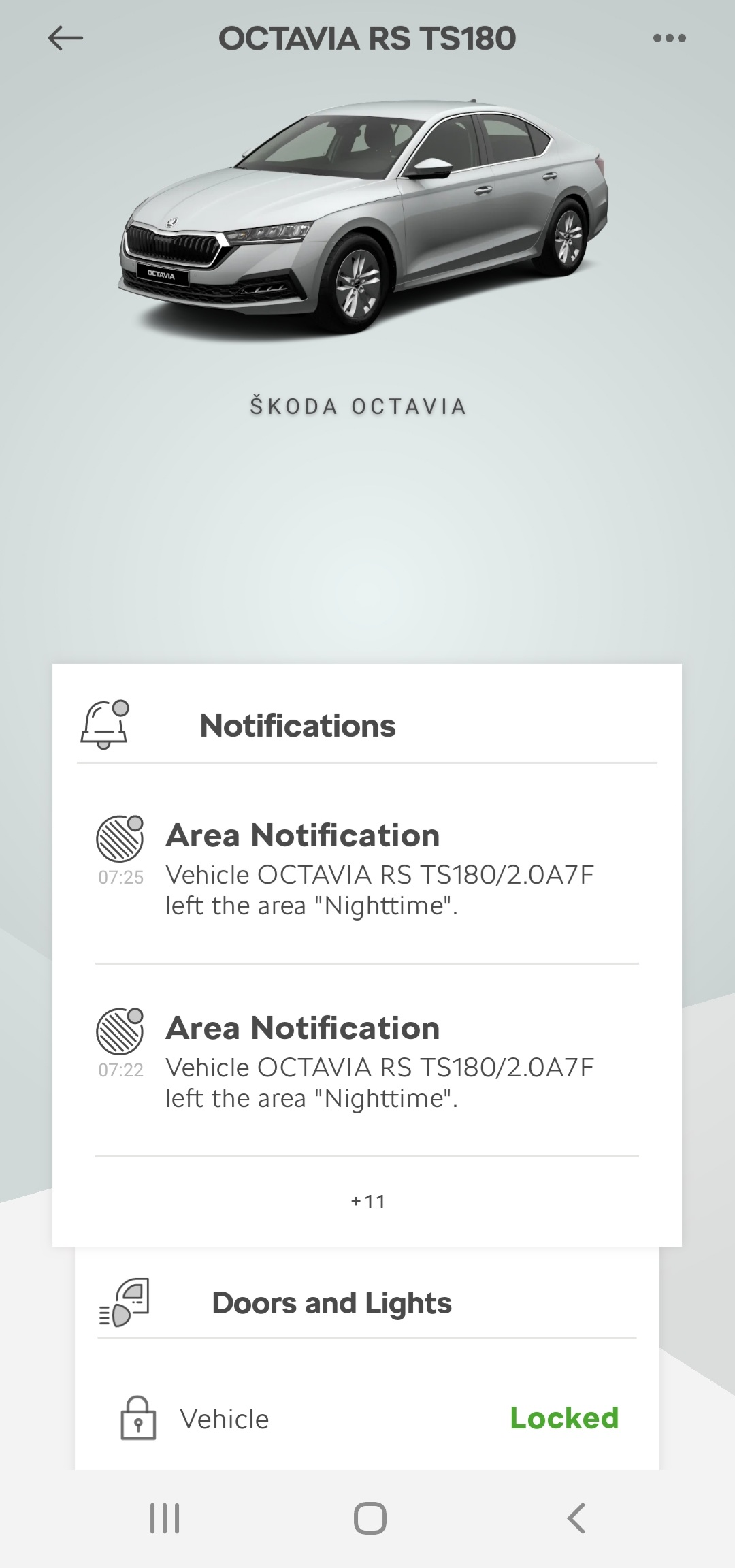
Works absolutely fine for me. I often leave for work earlier than my nighttime setting and my phone alerts in the car at the same point on the road every day. I get a notification on the phone and a separate email.
-
Skoda connnect on my vrs has a geofence option which I like. Can set a predefined gpcoordinate around the car and if it leaves that area you get a notification via your mobile. Gives piece of mind that if it were to be stolen I’d find out quite quickly.1. I’m convinced this is a thing but never seen it mentioned. In traffic when the engine has stopped, if the car in front moves off it seems to realise and starts the engine before you’ve even reacted on a pedal 2. DCC comfort mode is lovely. 3. Race Blue looks awesome after a car wash.mines a feb build and doesn’t have half the issues that have been reported on some of the earlier builds. Some annoying qlitches but they are pushing software updates out on the network so am assuming they will gradually get better

Important Information
Welcome to BRISKODA. Please note the following important links Terms of Use. We have a comprehensive Privacy Policy. We have placed cookies on your device to help make this website better. You can adjust your cookie settings, otherwise we'll assume you're okay to continue.