Acher
Finding my way
-
Joined
-
Last visited
-
Sometimes the adaptive lane assist coding goes straight to Travel Assist mode, and you need a button on the steering wheel to turn it on.
-
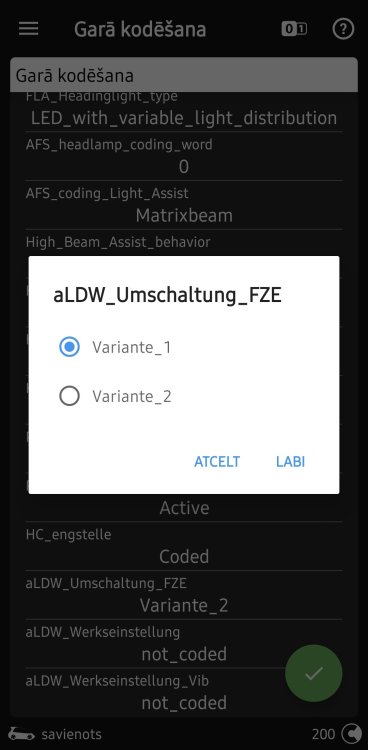
Hello. Has anyone managed to switch this to option 2 in the A5 Driver Assistance coding?
-
This is for the adaptive lane assist. The travel assist doesn't need it. If you change it, it will pull the steering wheel more aggressively in the middle of the lane. That's all. It's been tested and works better by default.
-
If everything works for you with the installed steering wheel through the travel assistant button. Then set Point_of_intervention to late_setting_over_menu - Current. With these settings, the Travel assistant will work much more pleasantly. The car will still stay beautifully in the center of the lane. And the steering wheel will twitch less. Without the button with the adaptive lane maintainer (fake travel assistant) Point_of_intervention still remains -early. Have a nice day.
-
However, this auxiliary system is not active in the Gateway 19 module and will remain inactive until it is activated by the factory. The factory told me to contact the dealer to enter the activation code, but the dealer refused, leaving the task unfinished. They do not want to take responsibility for the modification. Ultimately, it is a waste of money and time, resulting in the feature not actually working.
-
If these features cannot be purchased through the Skoda infotainment store, then any additional hardware integration must be done exclusively through the factory by enabling the equipment in the Gateway 19 module. Nothing will function until an activation code is entered into the Gateway 19 block. You can only 'bypass' or trick the system for functions that are officially available in the store. The same applies to traffic sign recognition and other safety features. The only alternative is extensive software modification and reinstallation; however, this will result in losing all factory updates and blocking dealer access via official factory diagnostics.
-
Hello. The new 2020 Skoda is pleasant in terms of appearance and driving. Especially if you own a 2.0 diesel. The engine is incredibly responsive and economical. But the bodywork disappoints. The paintwork is terribly thin and rust cannot be avoided in the first 4 years. At least in the Nordic countries with a moderately harsh climate. Fortunately, there is a 12-year warranty against rust from the inside out. Which I have successfully used. Hopefully, they will fix the paintwork error in future models. There have been some software problems. But they have been fixed under warranty. In general, after purchase, I recommend taking care of anti-rust treatment. Even if the paintwork is terrible. I really like this car.
-
Nothing will work without a service center. So that you don't have to replace the entire display. Tell them what you did so they can reinstall the entire system. You may have to pay, but not as much as for the display. If the dealer has normal guys, then maybe you won't even have to pay anything, just for diagnostics. Good luck!
-
Well, can't those hidden Boot settings be launched too? By holding both buttons on the screen for a long time.
-
If the update process is interrupted due to a power outage, specialist intervention is required via dealer service.
-
Hello. Update with the engine running. No need to open or close anything. Just plug in the external drive and update. I didn't even turn off the air conditioning, and everything worked perfectly after the update. Have a nice day.
-
-
-
-