cbalard31
Finding my way
-
Joined
-
Last visited
-
My Octavia Combi order in April 2021 was order with the park assist option, but it has arrived without. They have suppress the option this autumn in the catalog but also on non produced car for customer who have taken the option. This option has only disappear for Octavia, still existing on Supeb, Fabia , Karoq, Kodiaq....
-
My Octavia car was delivered to my local retailer end of December with a defectuous COLUMBUS system. The screen still black. The default is the calculator of the Columbus MIB3. The retailer could not order directly this parts, because it's a new calculator version that is only available at factory level. This new calculator unit for MIB3 Columbus are mounted on all new car produced after the 27 November 2021. For my Octavia, I am waiting the spare parts since more than one month. The retailer has received many Octavia with the same issue. My other question, it's what the difference between the old and new calculator unit ?
-
This subject to follow the delivery of many car with a non working COLUMBUS 3. And also to discuss the delay of correction and specificities of this calculator. This car are all produced after the 27 November with a new calculator unit reference not compatible with previous one.
-
Yes on the site it's possible to download, I have downloaded the workshop manual on my Mac with SAFARI (which normally don't work) but the download don't work with my google chrome version.
-
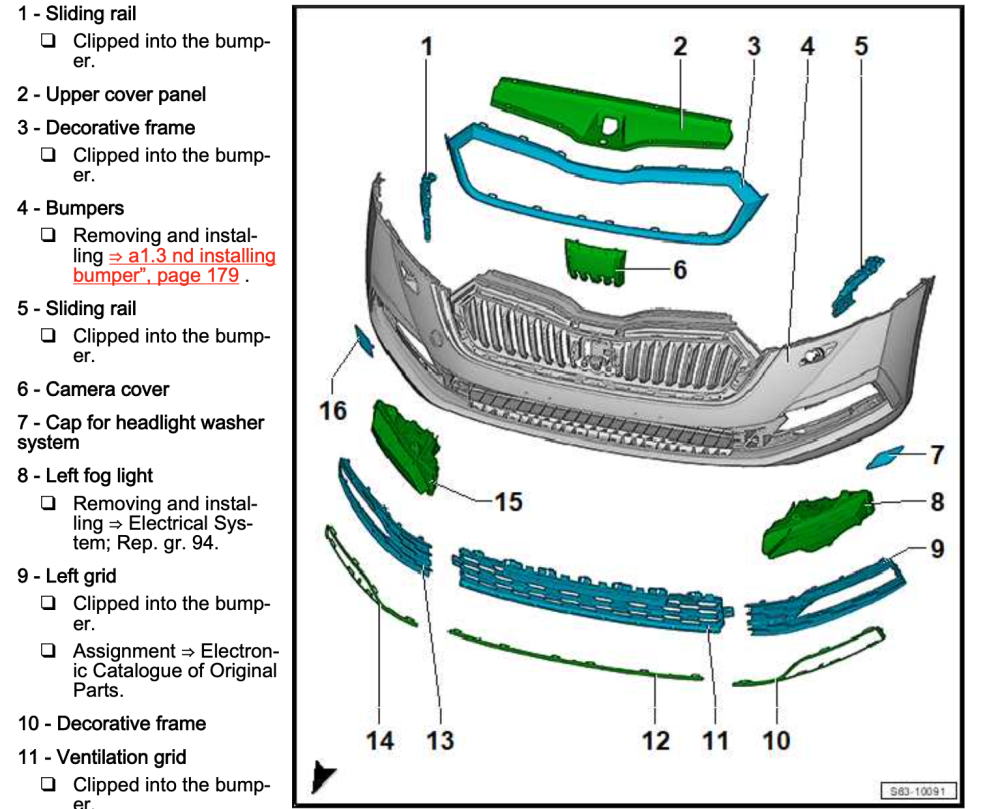
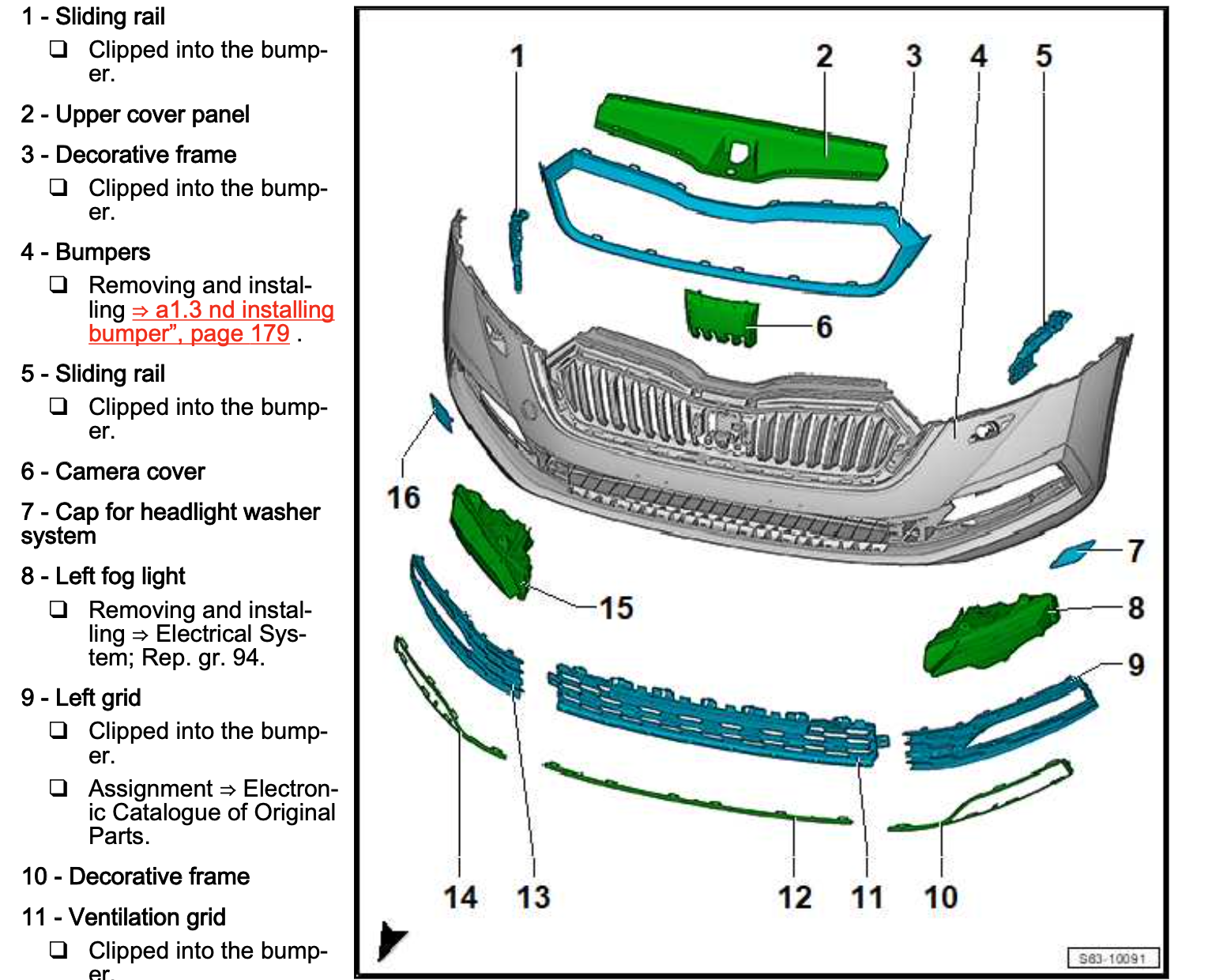
In the workshop manual, you have the screw localisation to remove the numper, but regarding the drawing perhaps it's not necessary.
-
Hello, You could download this workshop manual on the sfollowing site : Body Repair Exterior, page 175 you have the detail of the front Bumper unmounting and parts. https://cardiagn.com/2020-2022-skoda-octavia-mk4-workshop-manual-wiring-owners/ Page 176, you have the confirmation that the cap for radar is a separate part, not included in the grid: