Jugaroo
Members
-
Joined
-
Last visited
Everything posted by Jugaroo
-
Actually, you do need to have both WiFi and BT connected so that AA starts working. On your Bolero, select Settings. Then look for the WiFi options - you must have the hotspot on and visible (not hidden). In the same WiFi settings you should be having the option to fast connect to the WLan using the QR code, which needs to be scanned by your phone. The QR shouldnt send you to a website, but to attempt to connect to a wifi connection.
-
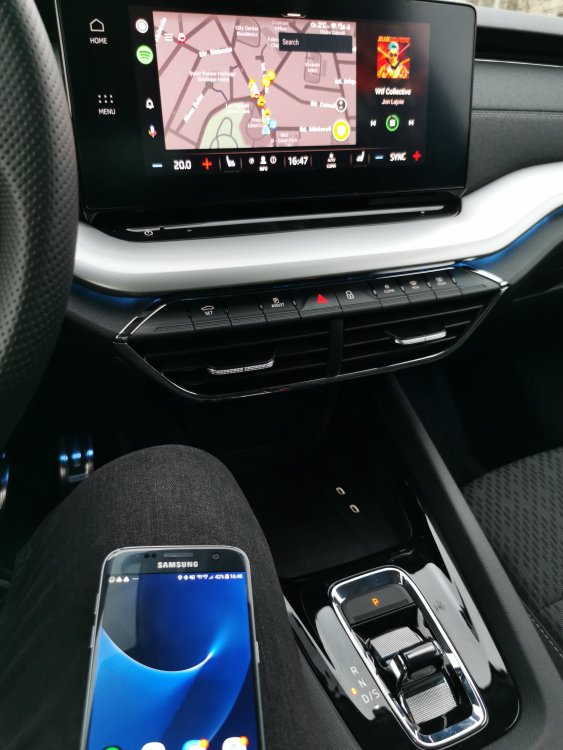
Make sure the Hotspot is on in the car and you are connecting to it using the QR code. Then try and connwct using the phone. It should work. I am using Samsung S7 wirelessly on Bolero 10" It is possible.
-
I'm having a similar issue with the sync of contacts on my Huawei P30 Pro. I cannot get them to be synced no matter what. My wife has a P30 (not Pro, not Lite) and it syncs all of the contacts. My work phone is. Samsung S7 and syncs the contacts. Difference between my phone and my wife's phone is the Emui version (she has an older version). For my P30 Pro it's impossible. I will test with another P30 Pro from a friend and see if the issue is happening on the same level of Emui. If it fails there also, the issue. Is clearly lying at the end of the phone.
-
Yes, I have read about the fact that the cars are coming off ships in UK and it imposes a bigger risk of damage during the shipment. However, in Romania they are arriving by train. I'm going to wait until the factory resumes it's work and 2-3 more days after. If the car isn't reaching the customs until then, I will ask my dealer if he can engage someone from factory/shipments dept to provide at least some info about the whereabouts of the car. I just hope it remained somewhere in Nymburk and awaited for additional carriages from Kvasiny on it's way to Romania through Slovakia and Hungary.
-
In both scenarios (minor/major accident during transport) I would expect Skoda to resolve the issue by replacing the car, not repairing it. I am paying a lot of money for the car and I am not accepting a repaired junk as a good to go car. Might as well buy pre-owned one with less mileage and same configuration. The price would be less and probably the car wouldn't have a repair history.
-
That's what worries me the most with these waiting times. I have waited for six months for it to be built, not planning in waiting 6 more. Especially given the fact that I have sold my former car a few weeks ago to make room for this one.
-
Hello all, let me tell you the story in regards to my order. Order placed in 28th of June 2021, romanian dealership. Style 1.5 TSI DSG config with 12 optional stuff. According to the dealer, the car is finished and it shows up as shipped from 2nd of December. However, the car hasn't reached the countries customs until today. Sales rep has no idea where the car is at this stage, and given the fact that the Skoda factory is closed until January 3rd / 10th, he cannot get ahold of additional information about the shipment. What he told me is that he is sure is that the car got build completely and it was shipped. VIN exists, I have added it to the Skoda Connect app based on it. I can see the car there but cannot activate it (normally, as I am not having the keys and the car ) One think I need to understand is: the train shipment to the destination countries is owned by Skoda or 3rd party? Also, could there be a human error and the car got shipped by mistake in a different destination? 2 other folks that have had their cars shipped about the same time are having their cars in our country's customs, Mine hasn't and it worries me a bit, given the fact that the car has been already paid fully. Has someone experienced similar experience so far?