przybora
New here
-
Joined
-
Last visited
-
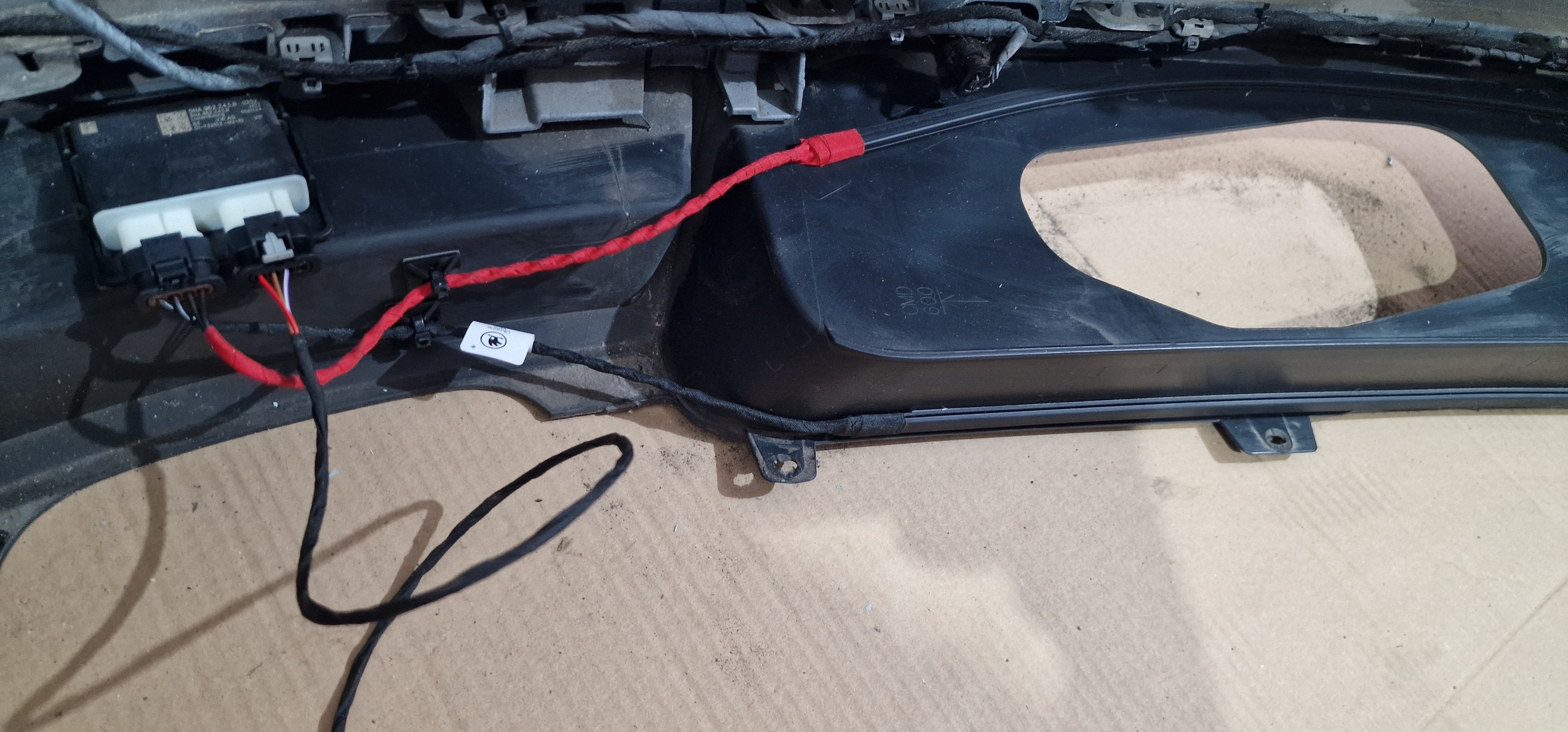
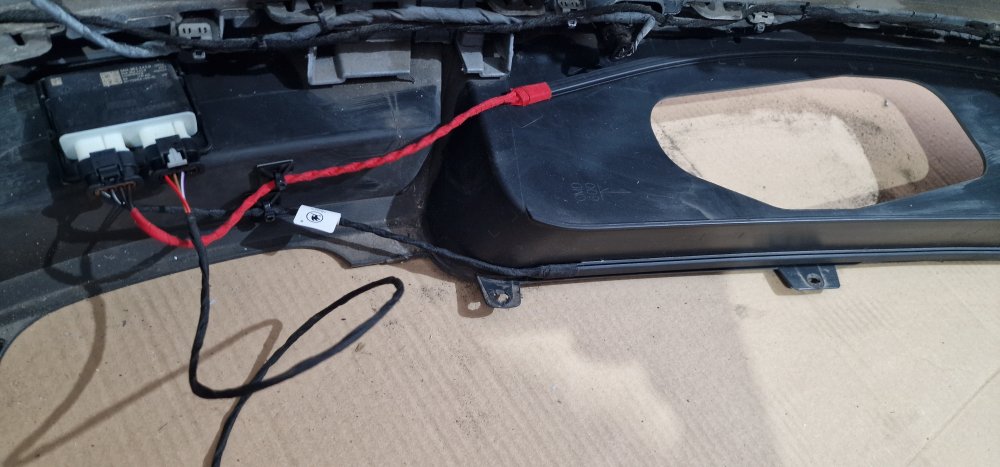
I have this error, everything is connected correctly, I've checked it twice. The sensor module in the bumper is new. Address 05: Start Permission (J518) Label file:| 5Q0-959-435.clb Component code SW: 3Q0 959 435 N HW: 3Q0 959 435 N Component: VWKESSYMQB 037 1307 .... 1 error found: 221700 - Rear cover opening sensor B1303 31 [10001001] - No signal MIL on - Confirmed - Tested since error codes were cleared Freeze frame: Error priority: 2 Error frequency: 1 Internal error counter: 79 Mileage: 178847 km Date: 2025.06.09 Time: 18:31:49 Terminal_15_Kessy_specified_value: ON Terminal_15_Kessy_actual_value: ON Terminal_15_central electric_actual_value: ON Terminal_15red_Kessy_specified_value: ON Terminal_15red_Kessy_actual_value: ON Terminal_S_Kessy_specified_value: ON Terminal_S_central electric_actual_value: ON Terminal_50_Kessy_specified_value: OFF Terminal_50_Kessy_actual_value: OFF ZAT_pressed: OFF Range lever position: park: Unlocked and locked Query active: Condition not met Steering column lock unlock: Condition not met Immobilizer unlock: Condition not met No active fault mode: Condition met Key signature validity: Condition met Control Module Voltage: 12.136 V Driver Information: Key Position Recall: Service: Disabled Driver Information: Vehicle Rollback Warning: Disabled Driver Information: Emergency Stop: Disabled Internal_key_position: no_message Driver Information: Comfort System Disabled: Disabled Vehicle Speed: 0.0 km/h Engine Speed: 0.0 /min Vehicle Lock Status: Vehicle Unlocked Inside Zoom: Disabled Inside Start: Disabled Outside Zoom: Disabled Outside Start: Disabled Outside Door Handle Actuator: Disabled Code Information: Coded Inside Zoom: Disabled Inside Start: Disabled Outside Zoom: Disabled Outside Door Handle Actuator: Disabled Code Information: Coded Inside Zoom: Disabled Inside Start: Disabled inactive External zoom: inactive External start: inactive Exterior door handle linkage mechanism: inactive Code information: Coded Interior zoom: inactive Interior start: inactive Exterior zoom: inactive Exterior start: inactive Exterior door handle linkage mechanism: inactive Code information: Coded Driver door: Closed Passenger door: Closed Rear left door: Closed Rear right door: Closed Active_LF_scans: Init. Sensor ID 1 identification: status: No response Sensor ID 2 identification: status: No response Sensor ID 3 identification: status: No response Sensor ID 4 identification: status: No response SPN_Byte 0: 00 SPN_Byte 1: 00 SPN_Byte 2: 00
-
hi guys! I'm struggling to start Easy Go! My trunk lid controller is: SW: 5Q0 959 107 AB HW: 5Q0 959 107 J Component: HDSG-Modul H13 0272 I bought the entire set 565 962 235 E which included the 5NA962243B controller plus two glued-in antennas. I installed everything and connected it to the Kessy PIN 2 and 16 I did the coding (Kick-to-Open/Kick-to-Close Active etc.) in the 5th module! I tested: ENG246994-Verdecksteuergerät-virtuells_pedal_version version_1_2 - For most older installations (up to approx. 2020) version_3 - For newer models/sensors after 2020 - a different way of communication I activated all Virtual Pedal - Active options It doesn't work and I have no errors and it doesn't open the flap with my foot! Colleagues, can someone help with this topic? Please, help me guys!
-
Robijn does travel assist work correctly for you, have you coded yet? Can you send a few photos? I would like to buy this module from this person [email protected], what is the price of this module?