




Grady
Finding my way
-
Joined
-
Last visited
-
As you say, the glovebox does not appear to be listed separately. All I can suggest is try fuses: Interior lighting. Alternatively Interior lighting in front, microphone, operation of the sliding/tilting sunroof. Hope this helps.
-
It will open the boot, (even if locked) so long as you have your keys with you. I.e. in your pocket The middle button is usedto open the boot, even if away from the car. So long as you're within range of the cars sensor it will open. Personally, I've managed to open my boot within around 15-20m. Good luck.
-
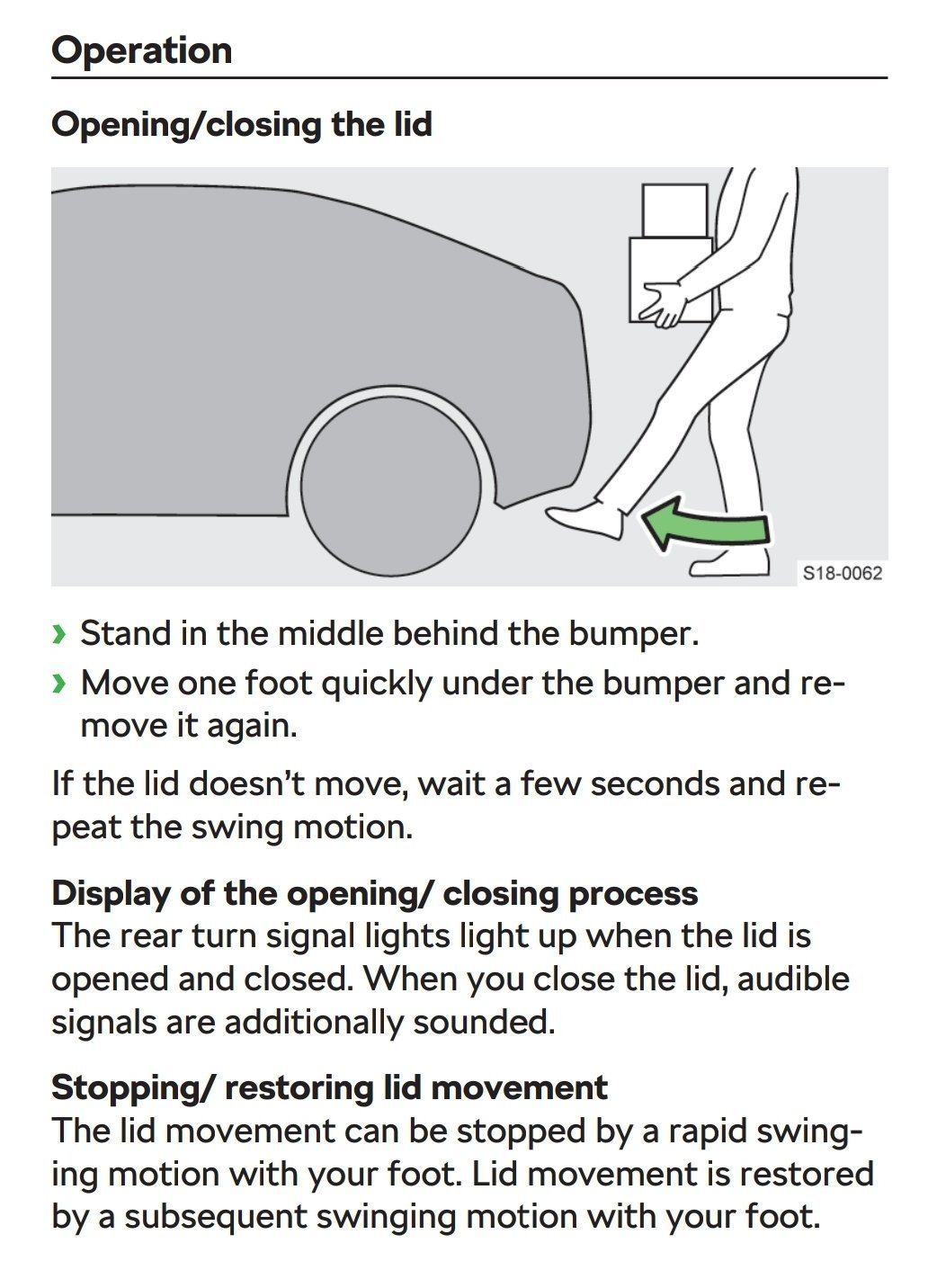
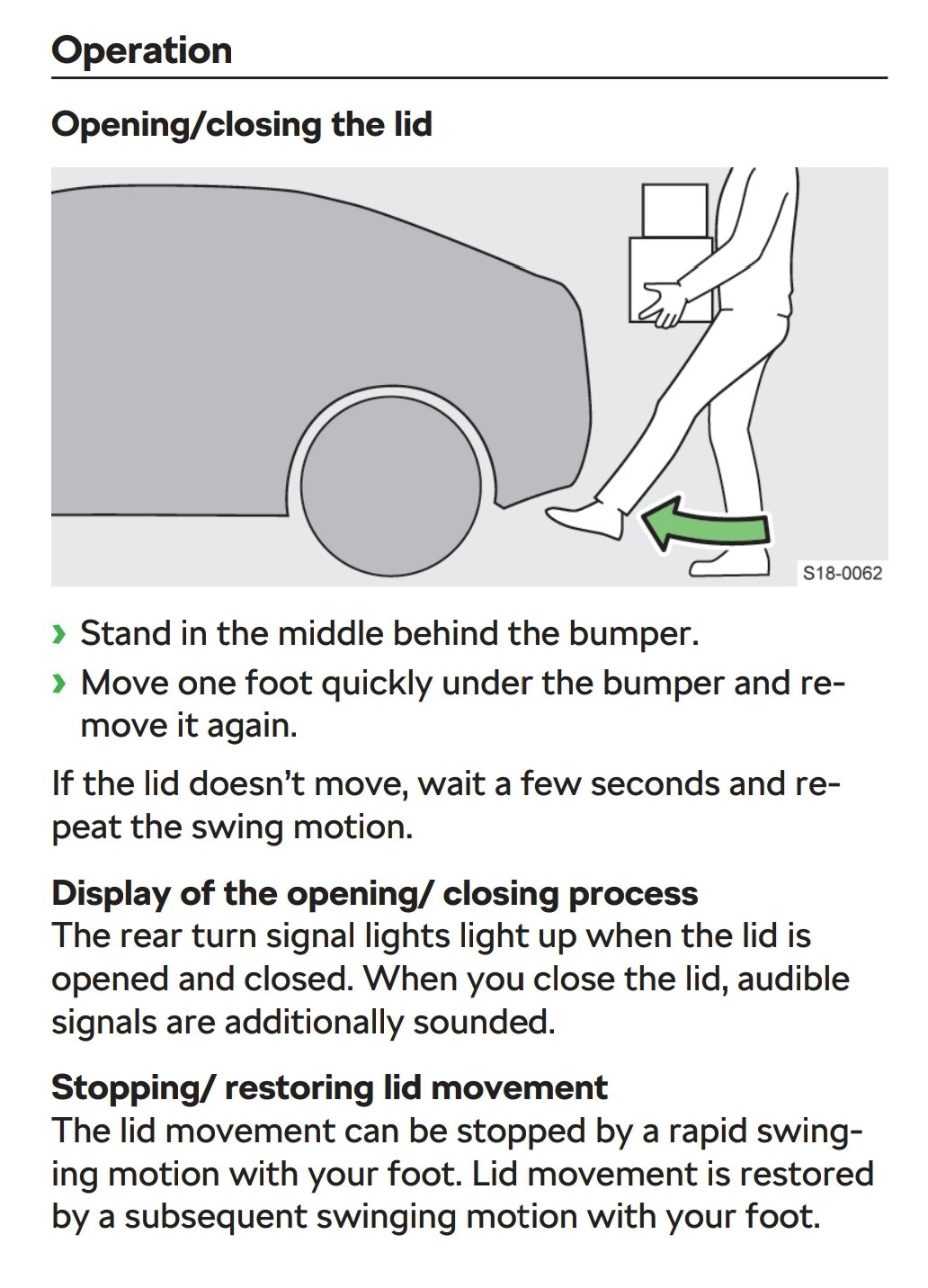
It took me a while to understand what you needed to do, just don't wave your leg around. As that won't work. Just imagine you are simply drop kicking a ball. Good luck
-
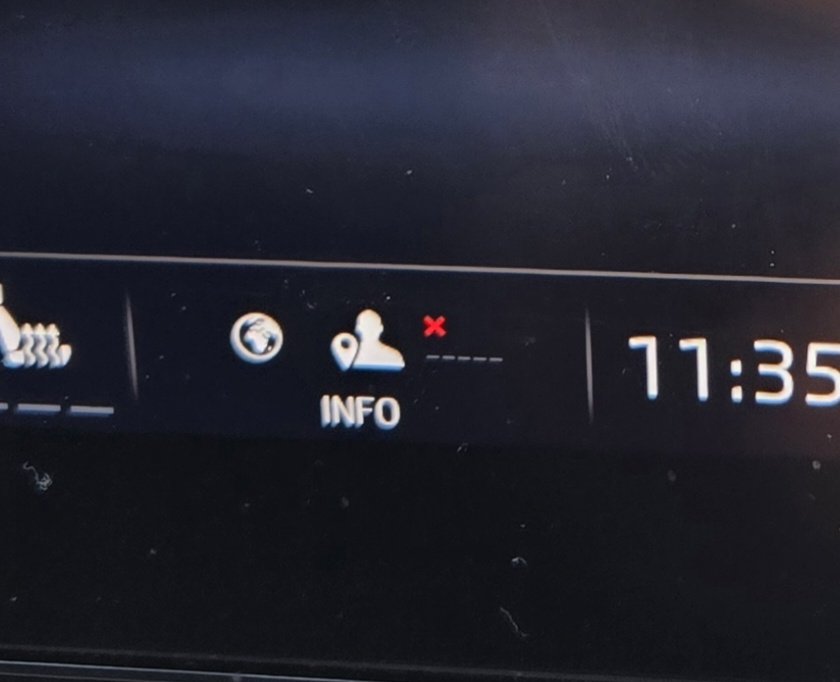
Have a look at this video. I think it explains the problem you may have and how to fix it 😘 https://www.youtube.com/watch?app=desktop&si=4zFIP0JndpT7hTB7&v=5H8nFH-IOUs&feature=youtu.beIs this the same red cross you're asking about ? https://www.briskoda.net/forums/topic/535232-what-does-this-small-red-cross-indicate/#comment-5970889Exactly that it appears. I just never saw the red cross until recently.So, as BeaverRS suggested earlier, the red cross only appears when there is no cell/ mobile signal. By choice, i have my phone info selected to show on the VC, which indicates which phone is active along with the signal strength. For some reason I don't receive a signal in some areas. Hence the red cross. But I've also noticed that I need to take my phone out of my trouser pocket, if I do the signal returns and the red cross dissappears !! Who knew !For the last few months I've noticed that as I drive, I'm noticing this small Red cross appearing in the Info tile. It's not there most of the time, it just comes and goes occasionally. I'm assuming it's something to do with a loss of Data signal, but the globe remains White throughout. I've looked through the manual and online, but it doesn't appear anywhere. Has anyone got an idea of what it indicates?
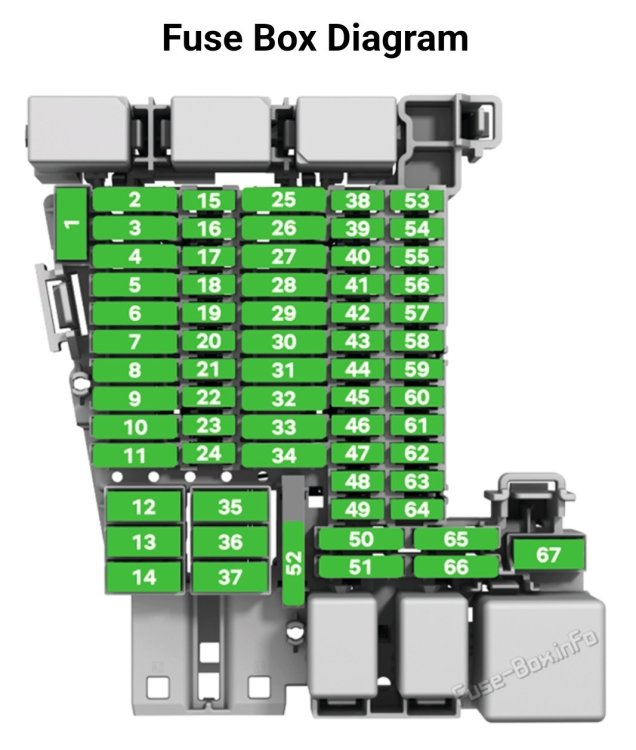
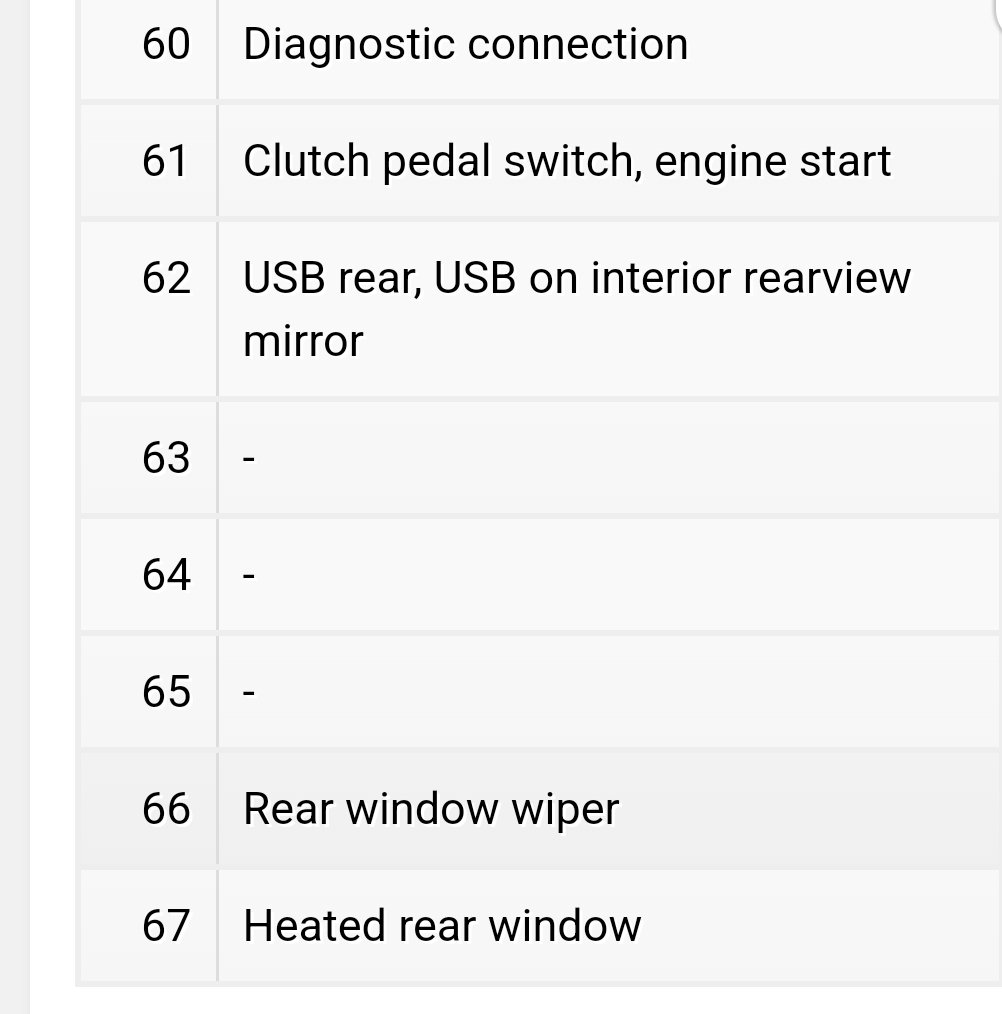
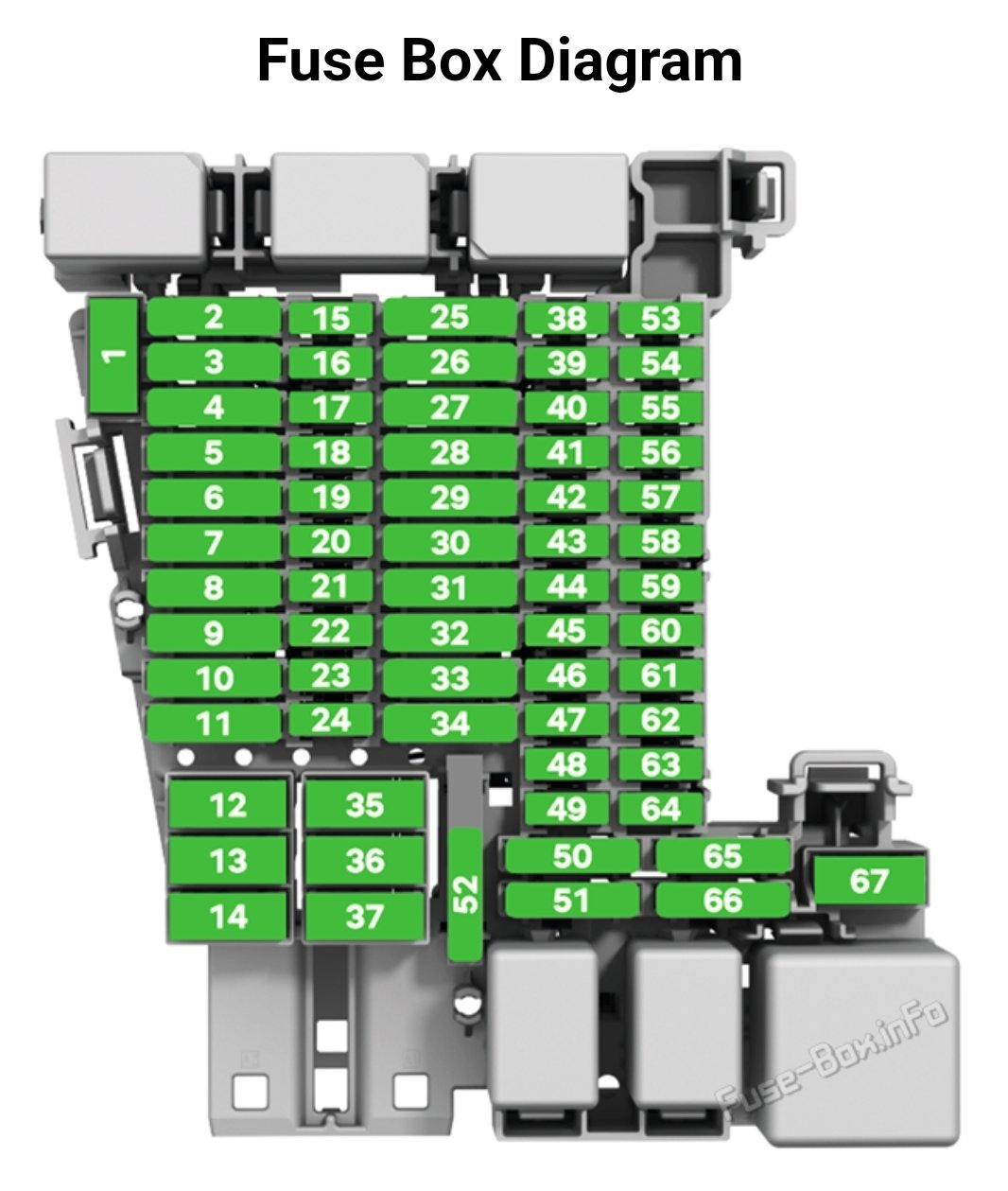
 When in queuing traffic and with the ACC in operation, I find that the radar only stays in operation for approx 10 secs. If the vehicle in front hasn't moved away by then, you can simply reactivate the ACC (radar) by either tapping the gas pedal or activating the ACC stalk again.According to my records, the Rear Wiper fuse is number 66. I would try looking at that first. Good luck.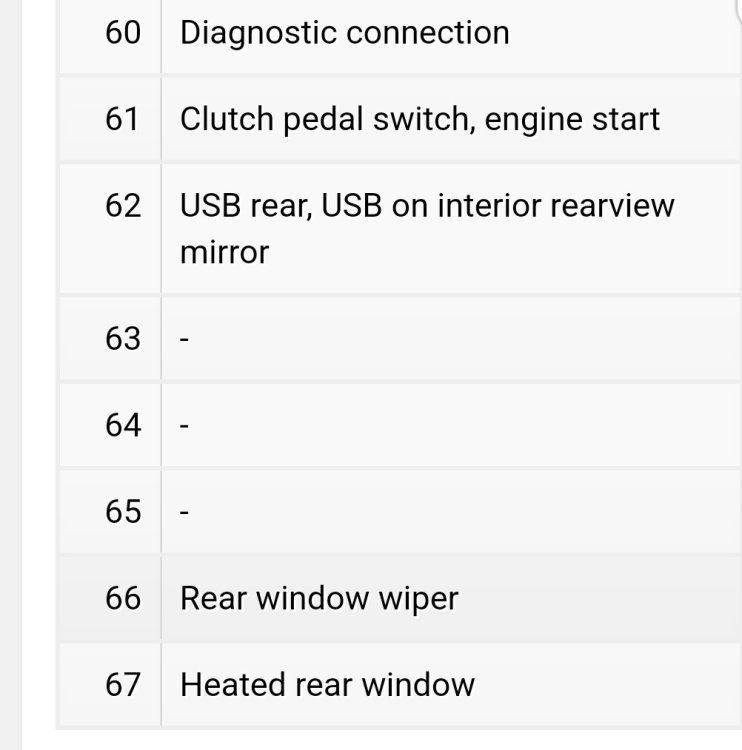
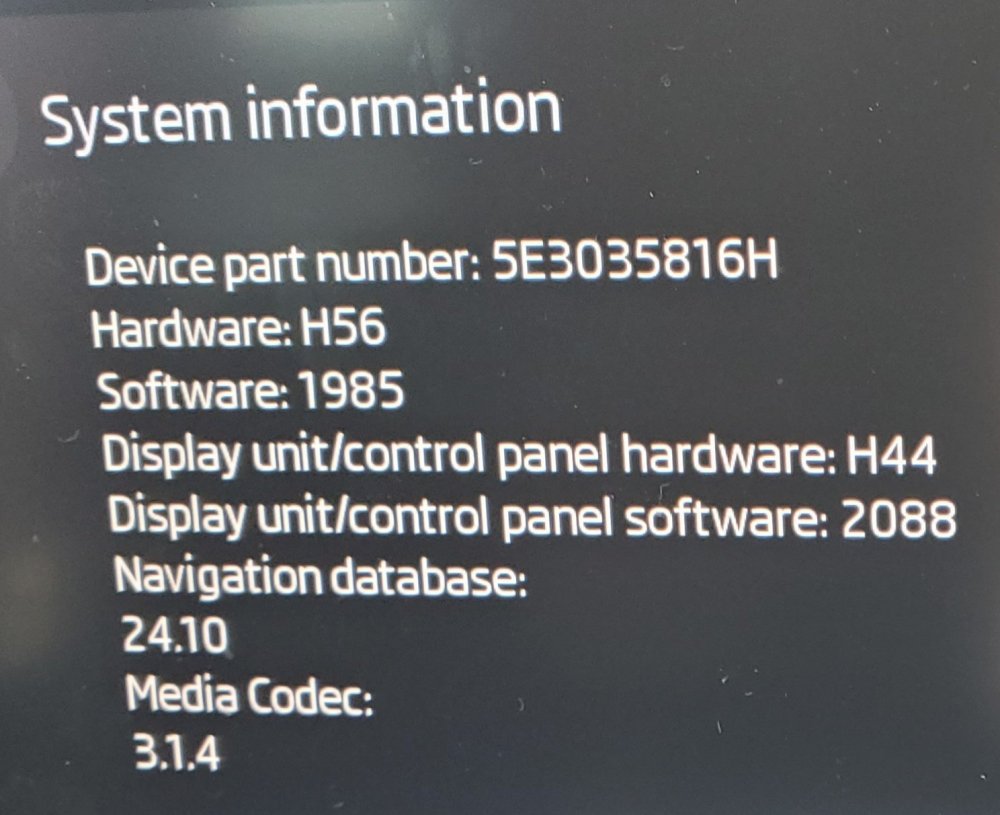
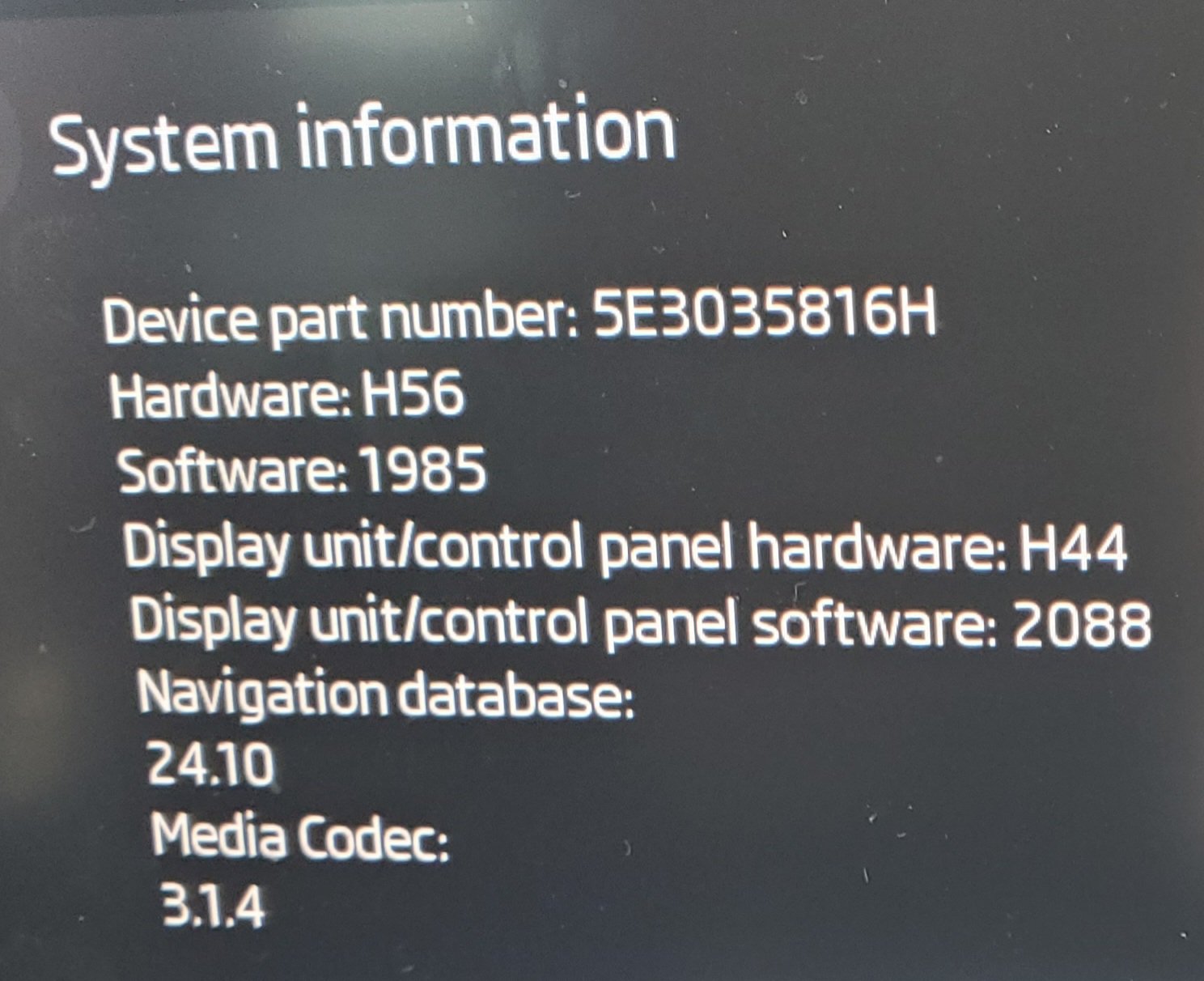
 2020 2.0 TDI 150 SE L First Edition. Finally took the decision to update my software from 1941 to 1985. Wasn't sure if my existing hardware would allow it, but it all went OK. Apart from a squeaky bum time as it took an age (5-6min) to finally update the CPU. I had the ignition on but engine off and also had the bonnet up. So an excuse to top up the Windscreen washer bottle. Despite it being a simple process, thanks to all for giving me the confidence to take this on and the steps required.
 Thanks SkOmk4, I think you've cracked it. I must admit I've heard the beep, but never joined up the dots. Too frustrated with it. Makes sense now you mention it. Another " Durrr " moment... ;-)I've commented on this system before and how to operate it correctly, in another thread. My issue is that when using the release catch on the drivers door, it releases the catch and fully lifts the tailgate 100% of the time. Unfortunately when I use the "Easy Open" method, (i.e. with my hands are full) using my foot under the bumper, it only seems to open fully around 30% of the time. All it does is release the catch, but no lift. I could understand it if I haven't opened it for a while and a little sticky due to the weather being too hot or cold, but it's happening too often now in normal conditions. I've tried cleaning the rubber seal and applying a very light dusting of talcum powder (no French chalk) to no avail. Has anyone else had this issue and/or any ideas on how to resolve it?This might help.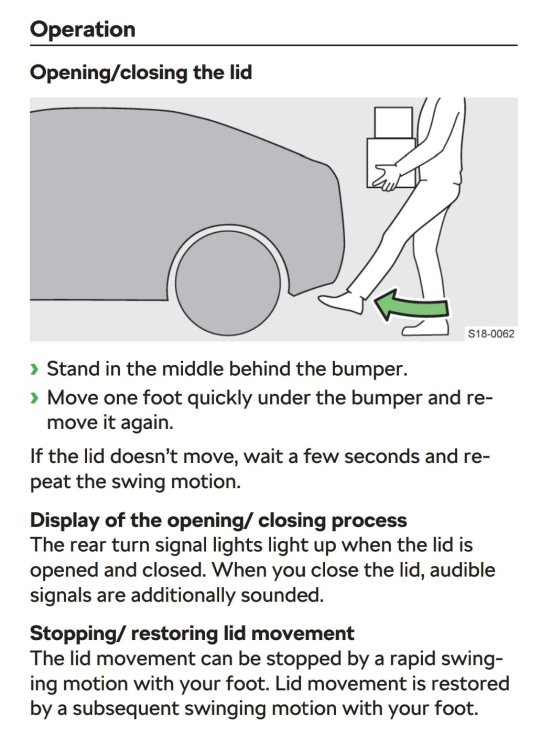

Important Information
Welcome to BRISKODA. Please note the following important links Terms of Use. We have a comprehensive Privacy Policy. We have placed cookies on your device to help make this website better. You can adjust your cookie settings, otherwise we'll assume you're okay to continue.