BooBoo124
Members
-
Joined
-
Last visited
Everything posted by BooBoo124
-
So I'm going to do the map update today. Do I need to sit with it which it does it. Or can I get it going and lock up and let it get on with it like OTA updates?
- 155 replies
-
- columbus
- discover pro
- maps
- mib
-
Tagged with:
-
-
I format the usb to NTFS g that sorted it. Cheers fellas
- 155 replies
-
-

-

- 2
-
-
- columbus
- discover pro
- maps
- mib
-
Tagged with:
-
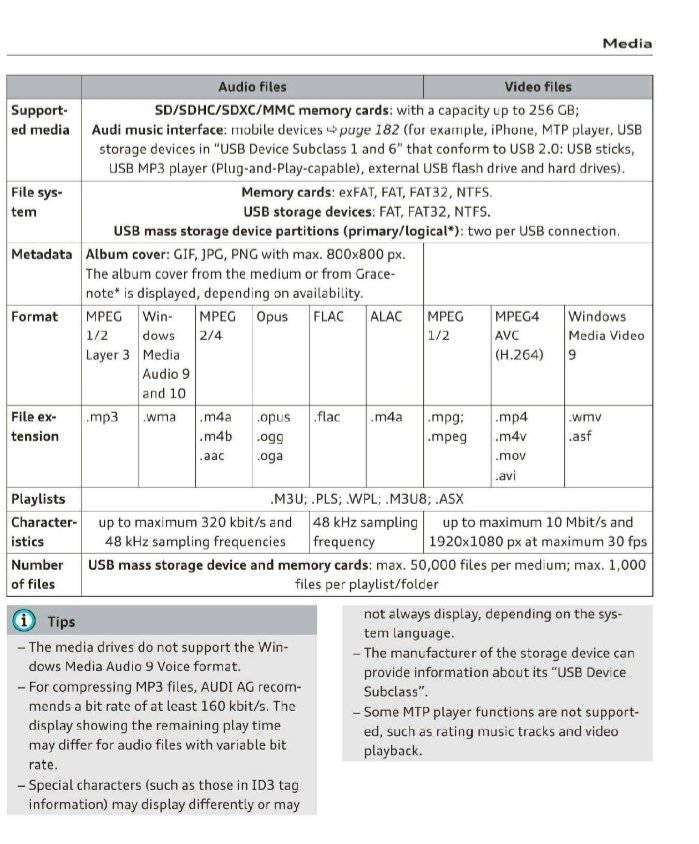
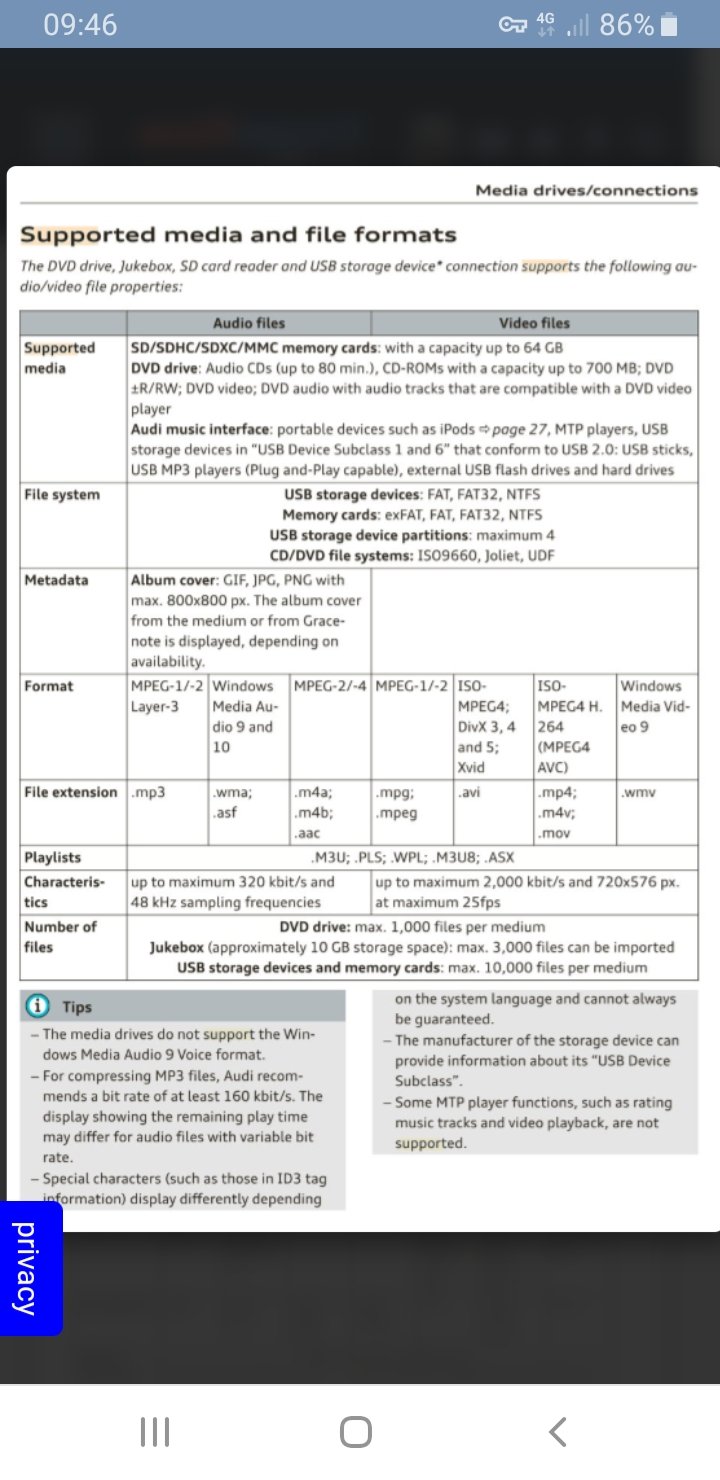
After looking at the manual the MMI will only read exfat via SD card & not USB. So above 32gb NTFS is indeed the go to format
- 155 replies
-
- columbus
- discover pro
- maps
- mib
-
Tagged with:
-
Mine is an Audi A4 that's why I used the Audi fec
- 155 replies
-
- columbus
- discover pro
- maps
- mib
-
Tagged with:
-
-
No Mac involved no. I removed all other media too. I'll have to try an SD. I used usb on my B8 A4 for my map update previously. I don't have to update any firmware do I? I'm cautious of doing due to the B&O amp. I shouldn't have thought so due to having the hacked fec code.
- 155 replies
-
- columbus
- discover pro
- maps
- mib
-
Tagged with:
-
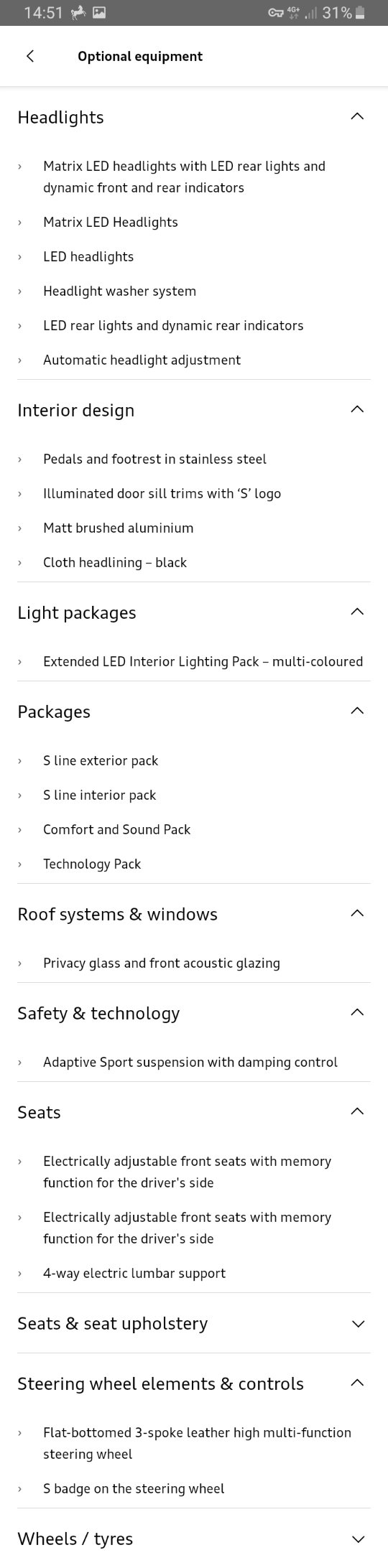
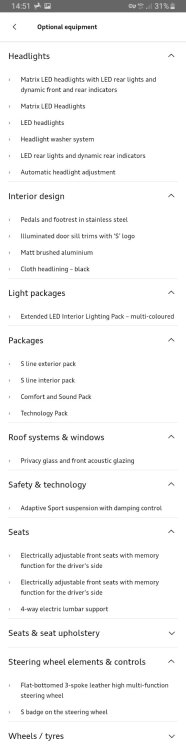
Hi all. As above I have an Audi A4 B9 with a host of extras on it. I've joined as I know we all share the same, well basically everything! I've from Burton on Trent in the UK. Attached is my car spec.
-
Hi I'm new here I've been following the map update threads for some time and I have to say @MartiniB your doing great work here. Any my to my issue. I have an Audi A4 B9 with the tech pack & MIB2qQ high. I've patched my fec container with 23000ee for life time map updates. I've downloaded to EU 2023 maps, extracted and put on the root of 64gb usb3 stick & it's formatted to exfat. However my unit can't see the update either on it own or via software update as usb is greyed out. Can any of you fellas put your finger on what I've done wrong? Cheers
- 155 replies
-
- columbus
- discover pro
- maps
- mib
-
Tagged with: