Aakayamy
Members
-
Joined
-
Last visited
-
If your getting cp protection coming up then you will still need someone with Odis to recheck and possibly reprogram the bcm unit again. Wher did you guy the replacement bcm unit from?
-
When you got your bcm installed did you get a matching bcm unit? And once you get a bcm unit replaced you need someone With Odis to reprogram it.
-
Hi everyone. Need some help. I’ve searched the forum and kind of have some answers I’m looking for but need some additional information. I’ve got VCDS & ODB11. I’m looking for part number for this coolant pump charge pressure cooler. Skoda weren’t helpful when I rang them to order the part as they said they need a part number. I’ve had my mechanic check the wiring and they seem to be good. Only problem is I never asked him for the part number when the car was on the ramp. Any help would be appreciated
-
-
I’d have helped you with vcds as I have my own cable but I’m based in Glasgow.
-
My guy used Odis. Do you have vcds? If yes you can get your bcm part number from there. If no then you will need someone with vcds or maybe odb11 and get you the part number so you can buy on eBay. Once you have that you will need to find an independent VW/skoda/audi/seat specialist who can install the new bcm unit and program this. by any chance has your stereo and speedometer lights gone dim? Also your interior lights won’t work?
-
I found a specialist in Glasgow. I bought a 2nd hand BCM with same part number off eBay for £40 and Took it to a specialist who charged me £280 for installing it and programming it. so total was £320. Skoda quoted me £1000. where is it you stay?
-
Hi guys I have a Skoda Octavia mk3 2019 1.6 diesel DSG. I am trying to activate cornering lights to come on and followed the instructions and changed the first two adaptions. I still can’t get cornering lights to work. I did have cornering lights activated two years ago but I recently had a replacement BCM UNIT installed and updated by a specialist and got component protection removed. Since I’ve not got the cornering lights activated anymore and really would like to have this on my car again. any help would be much appreciated.
-
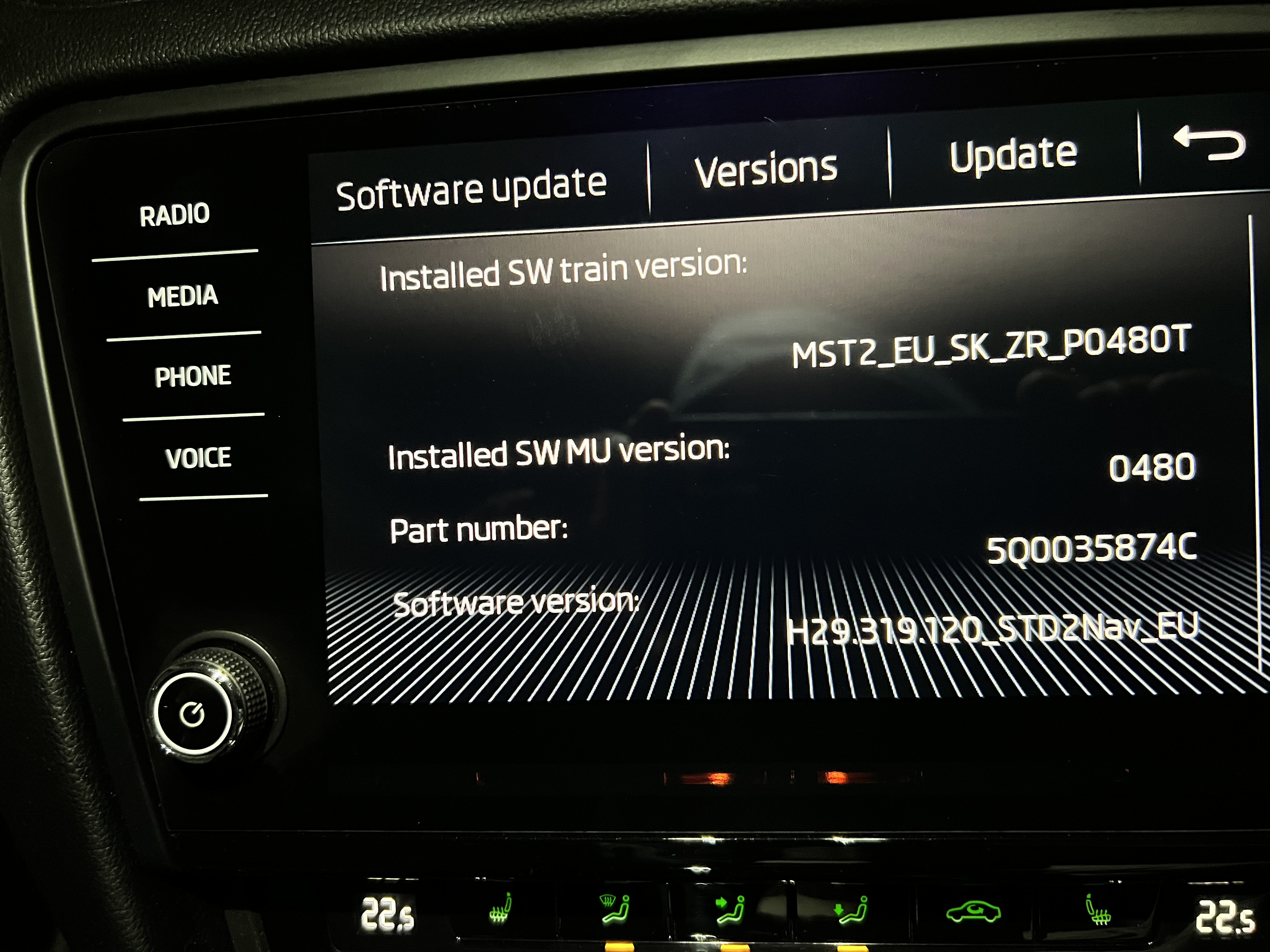
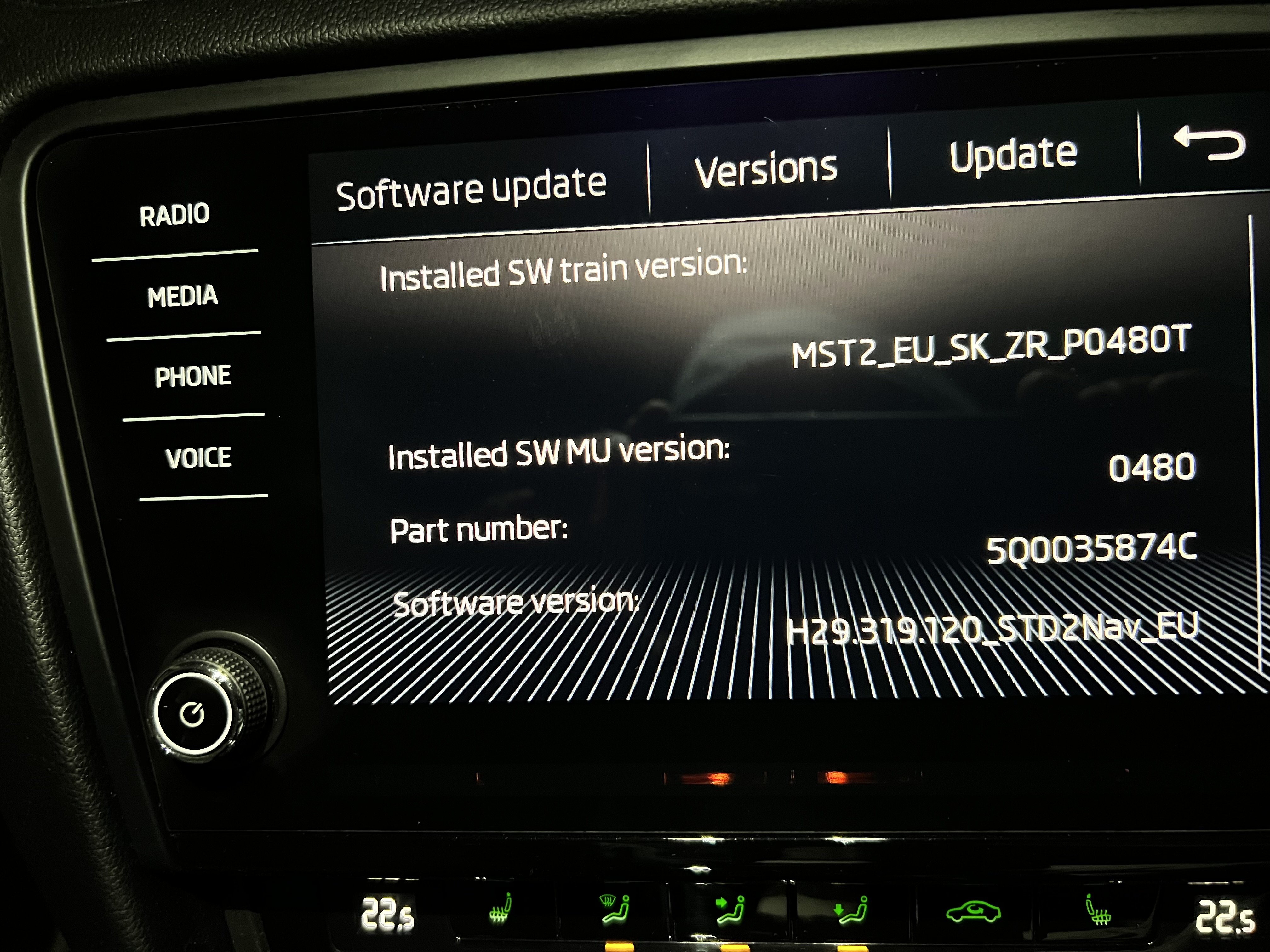
Hi can anyone tell me if I’m on latest firmware or if anything newer is available please thanks
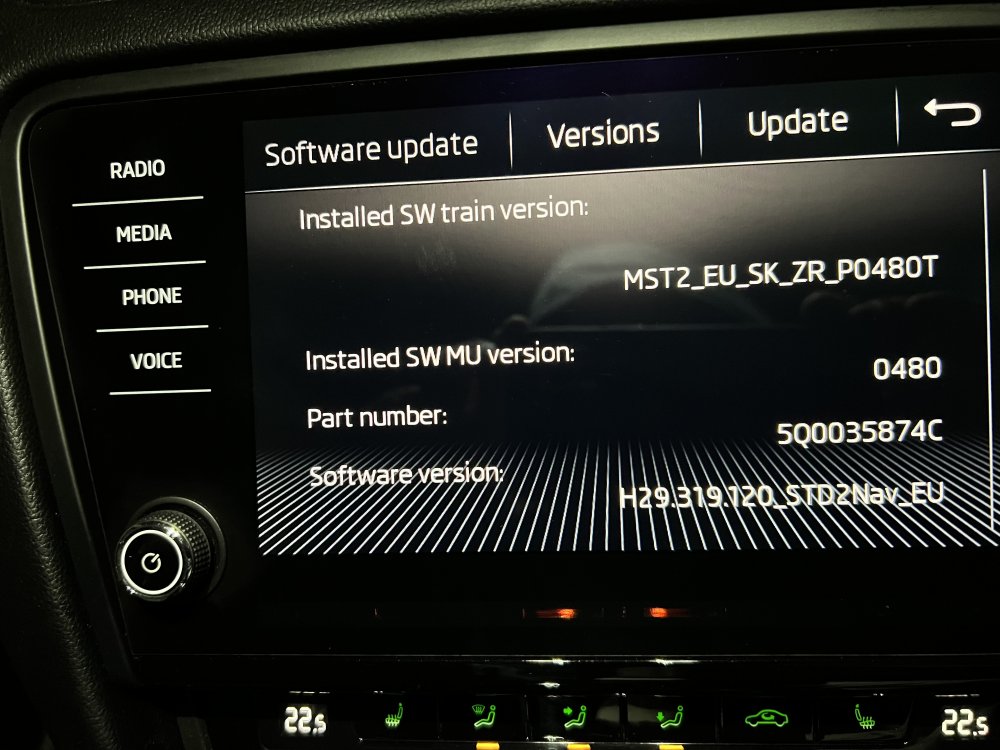
-
Hi is there any new updates than this current one I have if anyone can help. Thanks
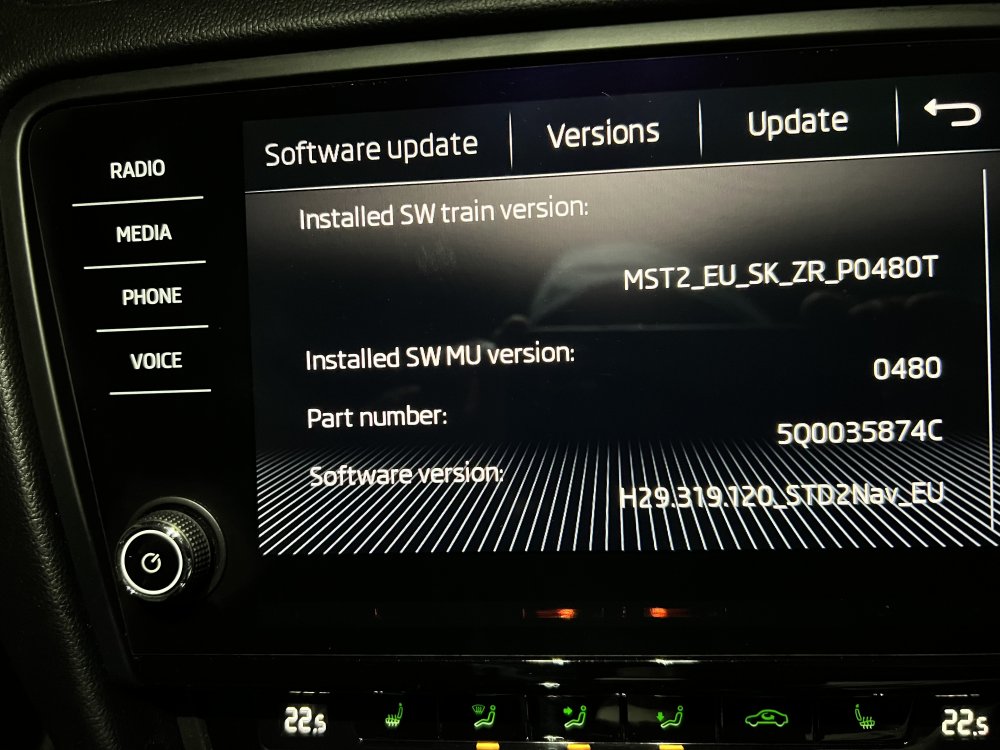
-
My older brother said he hasn’t had any further issues on the car since I removed the red wire and put the fuse back in as normal. Strange thing is that the red wire as showing in the picture above was also joined to the glovebox interior lights switch wire. I removed it completely from the switch so the fuse. that stopped the car from showing and beeping the check starter service message and ESC message.
-
I’ve managed to remove that red wire. Glovebox and all other interior lights were still working so just put the fuse back in and cleared all codes on vcds. Check starter service/beeps and ESC message no longer flash on the speedometer.
-
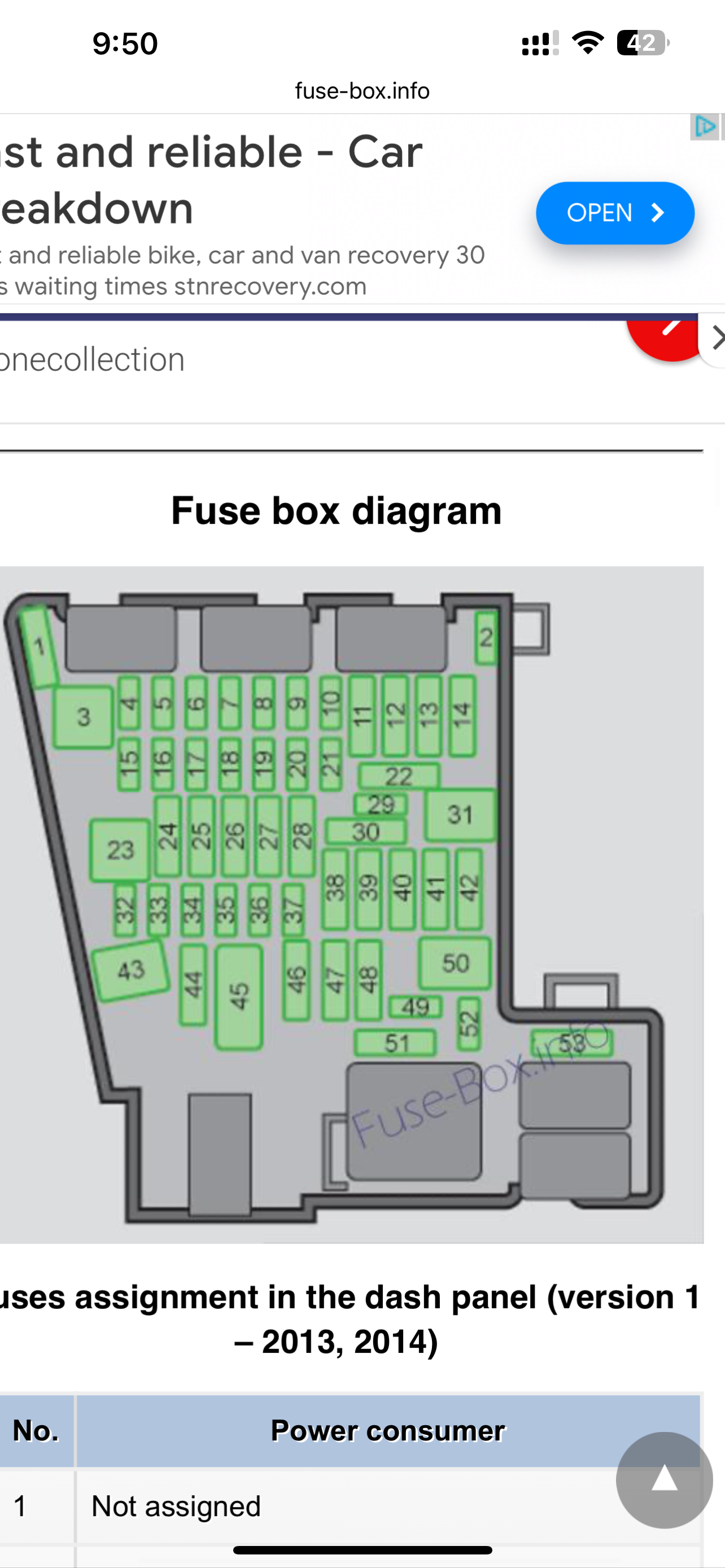
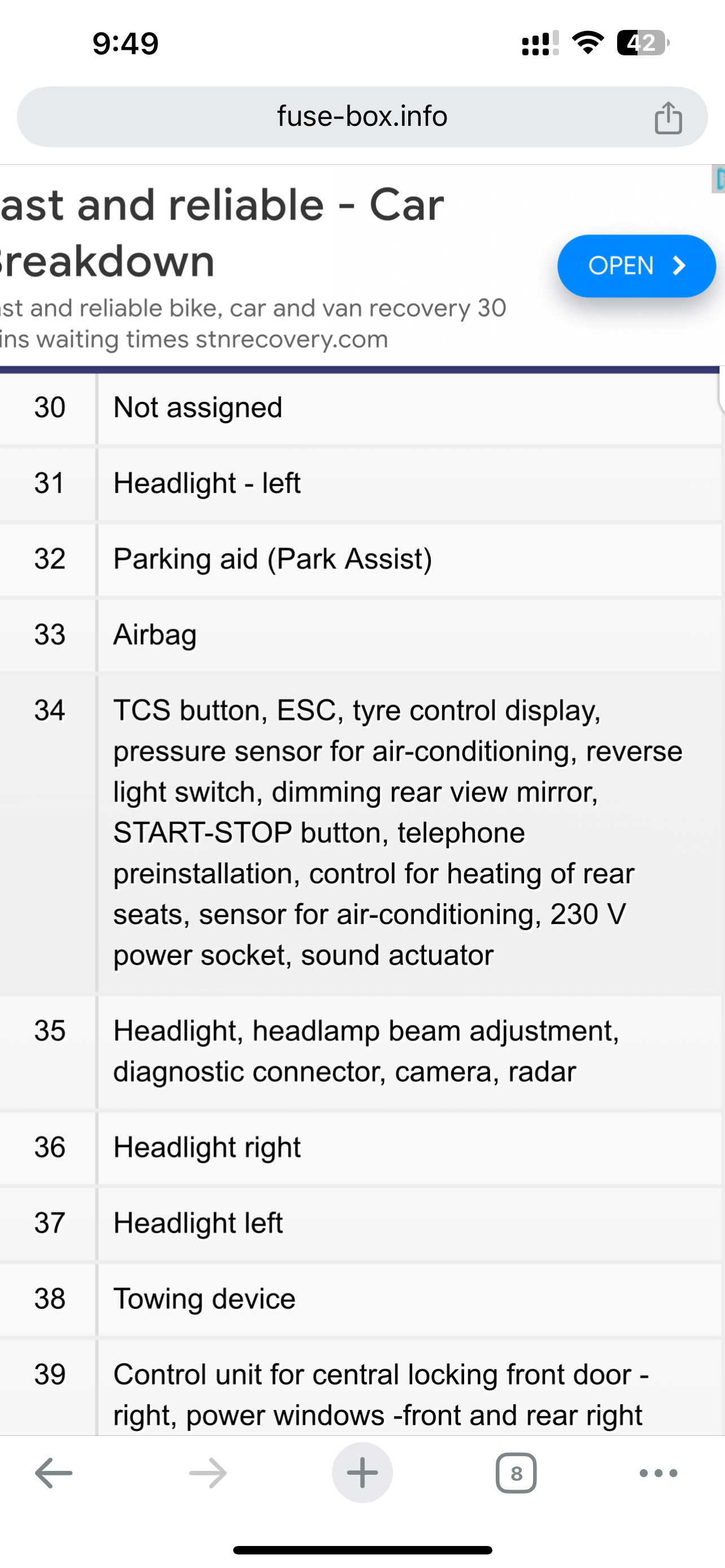
According to Skoda fuse box diagram it’s connected to fuse 34 I’ve also noticed car speedometer also flashes up saying Electronic Stability Control If i pull that fuse out I hope that wont blow the bcm unit as i had that issue on my own Skoda Octavia with interior lights and radio/speedometer going dim.
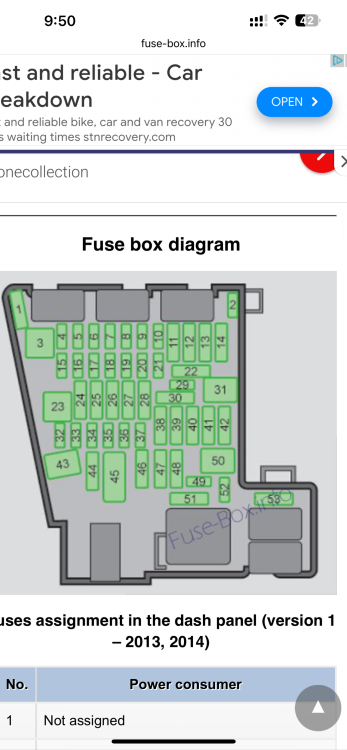
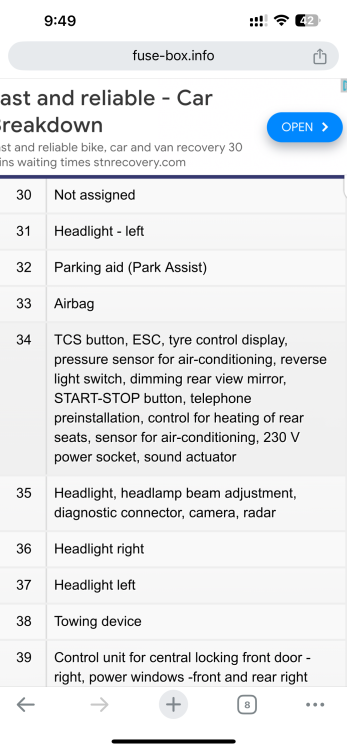
-
So I’ve inspected and followed the red wire and I’ve noticed the glovebox light switch has a black wire connecting to the red and that’s what is connected to the 7.5 fuse.
-
My question is what is that 7.5 fuse used for on the car?