SimplySwedish
Finding my way
-
Joined
-
Last visited
-
Your a hero. Thanks, i will send it to my dealer to back up the claim.
-
Thanks. I have contacted my dealer but they had no knowledge about the issue. Got booked in late August to look at it. Whats TPI? Is do i want a specific software version or just newest update?
-
I apologise in advance but i have the same issue but cant be bothered to read 30 pages... My cars has 1889 version. Can i flash/update myself or is this a warranty claim that needs me to go to a dealer? Not a big issue but its a bit annoying that they havent released an update in months that fixes it.
-
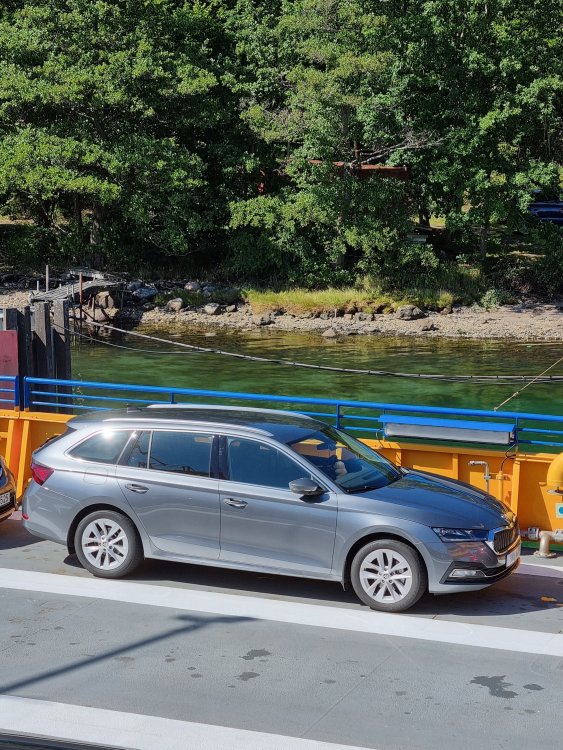
Looking for inspiration on bigger wheels for my Octavia mk IV. Currently on stock 17" wheels. Would love to see some regular Octavia (not RS) on bigger wheels to see how it looks without lowering springs. Please share, i dont care if its a "bad" image as i'm mostly looking to see if i need to lower my car or if it can look good stock height. Thanks
-
Hey buddy that looks nice. OEM+ What wheel is it? The polished 19" Trinity wheel with 235/40 tires?
-
Has anyone else had the same issue? My new Octavia keeps auto connecting to my phone. I pressed "don't auto connect to this wifi" for Skoda on my phone but it still auto connected. I tried connecting to my dash cams WIFI but after 10s the car took over the wireless connection. How can i stop the car from connecting to my phone? Sincerely J
-
My new octavia iv has the socket covered by plastic. Is it possible that the usb c plug is there, just behind a plastic cover? If so, how did you remove the mirror housing easiest?
-
Looks good! Gonna get the same one fitted by my dealer
-
Hi ya'll! Wondering if anyone has some decent equalizer settings for the stock sound system? Not expecting any miracles though... Found the following on TotallyEV's review Bass: +3 Mid: +0 Treble: +1 Balance & Fader: Centre Sound focus: All Bluetooth audio: Medium