




daddio65
Finding my way
-
Joined
-
Last visited
-
Stuff warranty (it's my car) and eu rules (we're not in the eu), I'll drive with whatever functions on or off as I see fit. I've got seatbelt warning, stop-start and lane assist off full-time because I'm conscious, know how to drive, and not a namby-pamby.
-
Thanks SuperbTWM, might have that done at the dealer as it's due an MOT soon. I'm not doing any miles atm.
-
So good people, what to do with an 84k 2018 2 litre diesel thats been run on VW 507 and recently non-approved tesco gunk? What's missing? Fairy tears? Are Skoda gonna tell me off?
-
Morning all, do I need to 'register' the key back to the car? Not sure how long it's had a (presumably) flat battery in it, but I've changed 3 now and the fob isn't having any effect on the status of the car. Thanks
-
I didnt say I wasn't lazy. 😁 But it is mine, honest guv.
-
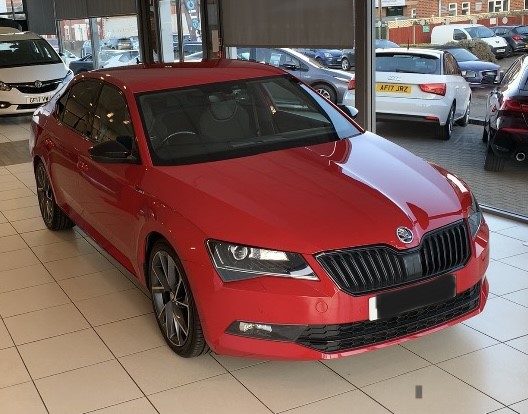
Ok, I cheated, found one from collection day. Tidy!!
-
Hi everyone, just wanted to shout out to members, being new myself. Bought my first Skoda a few weeks back, a 2018 Superb 2.0 tdi auto sportline saloon. Looks nice with the velvet red and black accents, I might post a pic when I can reclean it.
-
Hi, and thanks to Langers2k, the information regarding voice amplification was spot on. Still don't know how I managed to turn it up though 'cos it wasn't doing that when I picked it up. Now I can sing and not upset people outside the car!! Thanks again
-
Thanks for the reply, I'll have a fiddle in a bit and advise on the outcome. Not sure what infotainment system I have but assume fairly generic operation. Thanks
-
Morning all, new member having just purchased a 2018 2 litre sportline superb. Having some issues with the mic. It's fine for voice control things but when the radio/cd are on it picks up my singing and plays it over the speakers, which is not good. Is that something I can turn off or a problem I need someone to fix? TVM Andy


