cudalbgeo
Finding my way
-
Joined
-
Last visited
Everything posted by cudalbgeo
-
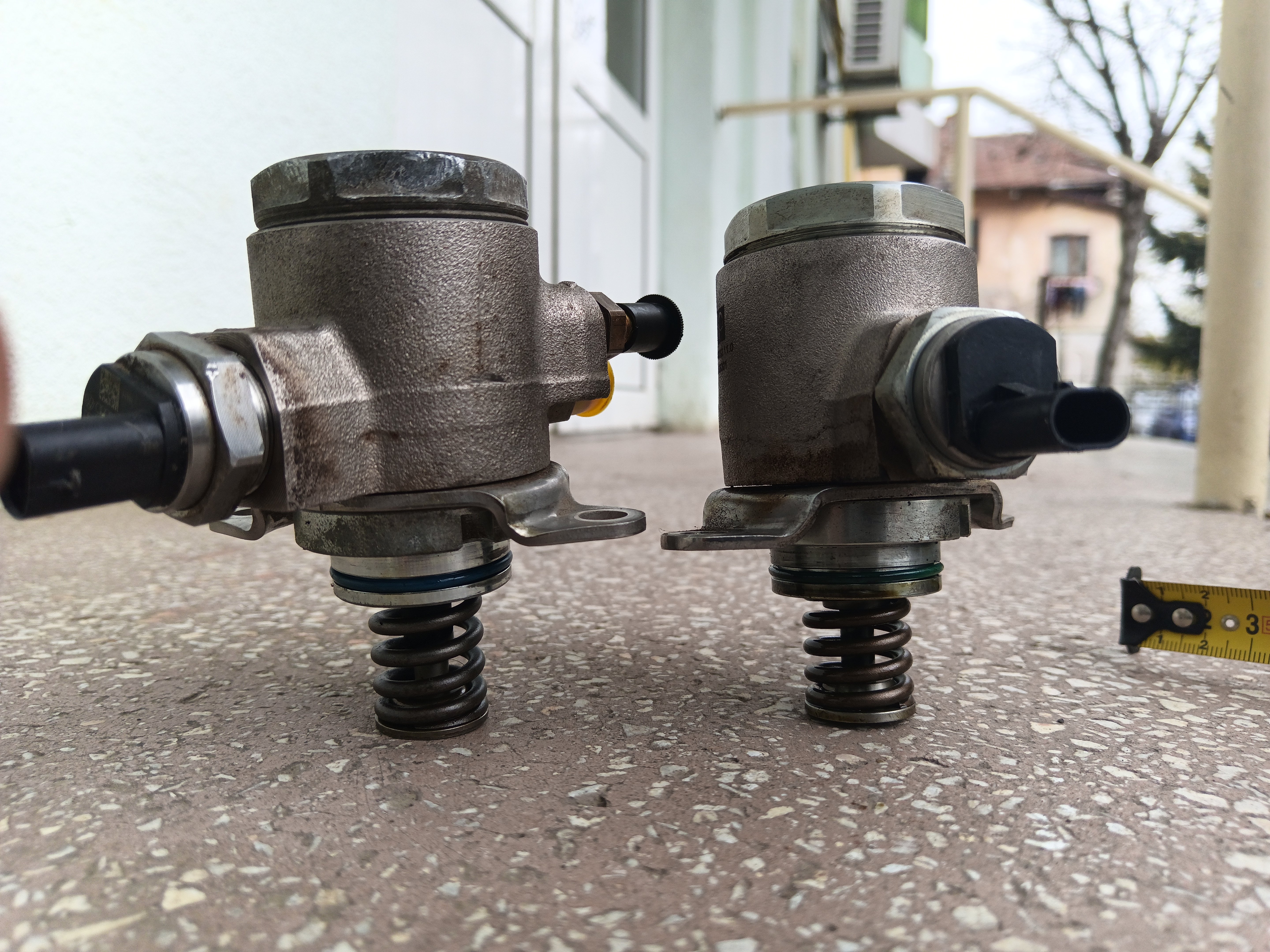
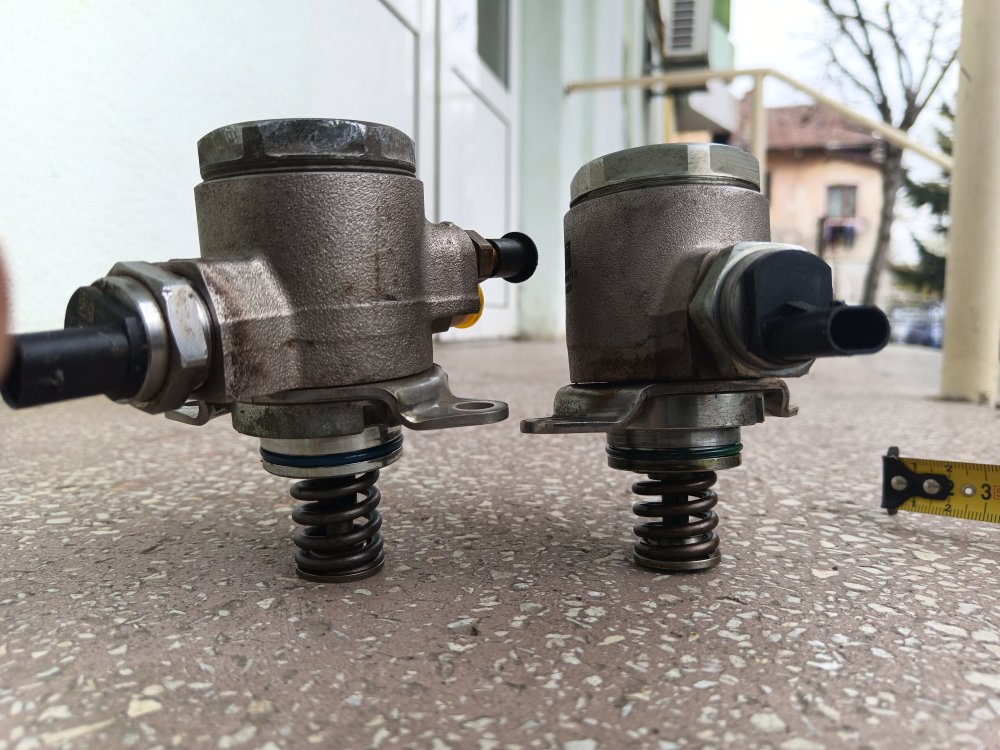
Hi. I found the source of the noise on my engine. I put back the old HPFP, and the noise disappeared. The pump PIERBURG has a different rod length than the original pump, with ~4 mm, so the spring and cam follower jump inside, creating this noise. https://youtube.com/shorts/j69FljyDDhw
-
I have also this noise and I dicovered that is from HPFP. I compare the piston height of PIERBURG pump with original one and there is ~ 5 mm differences. It didn't have to be the same!? For sure the spring jumping inside and create this noise. I change also the came follower with new one but I notice that the noise is less with the old one.
-
I have this knocking sound also at my Skoda 1.4TSi 2012 ( see bellow link) . What could be the source of this bad sound? The time chain kit was changed recently and the HFPP pump is also new.
-
What is the security code for Skoda Mk2 1.4 TSI CAXA ? 12233 is not working and I get error 35.
-
Hello. I have a SKoda 1.4 TSI and I have a noise from the fuel pump. What could be the cause? Fuel filter was replaced recently. https://youtu.be/aDuBeFw7DKo
-
Hi. I get a very strange noise after chain time replacement....in special when I push the throttle. Is it normal? https://youtube.com/shorts/Htd5dYP3WYc?feature=share
-
Hello. A few months ago, I changed the entire chain transmission for my Skoda MK2 ( all genuine parts) and I get a very strange noise when I push the throttle. Where could the problem be? Is this noise normal? See that noise in the below link: https://youtube.com/shorts/Htd5dYP3WYc?feature=share Sorry for my bad english.