




Baliii
Finding my way
-
Joined
-
Last visited
-
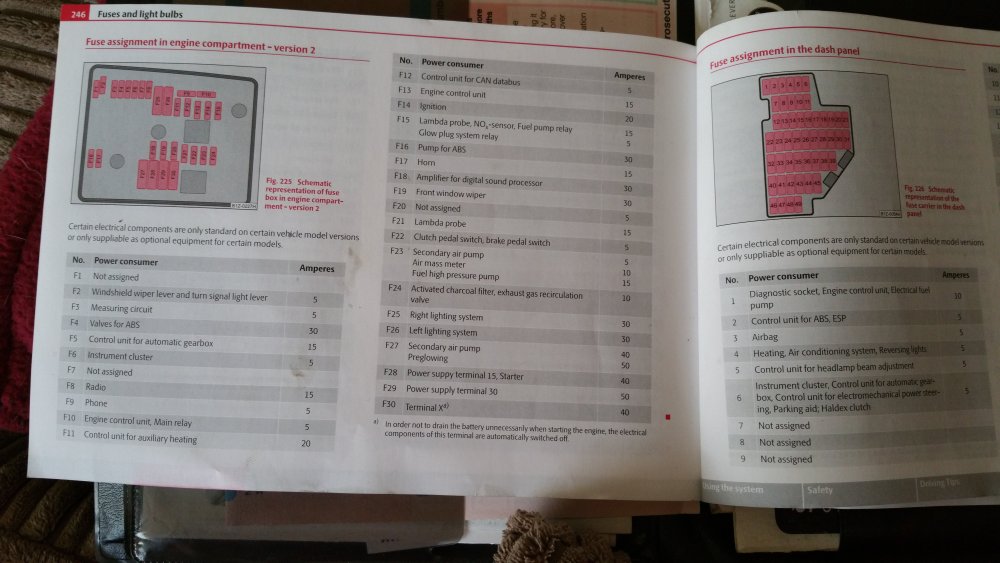
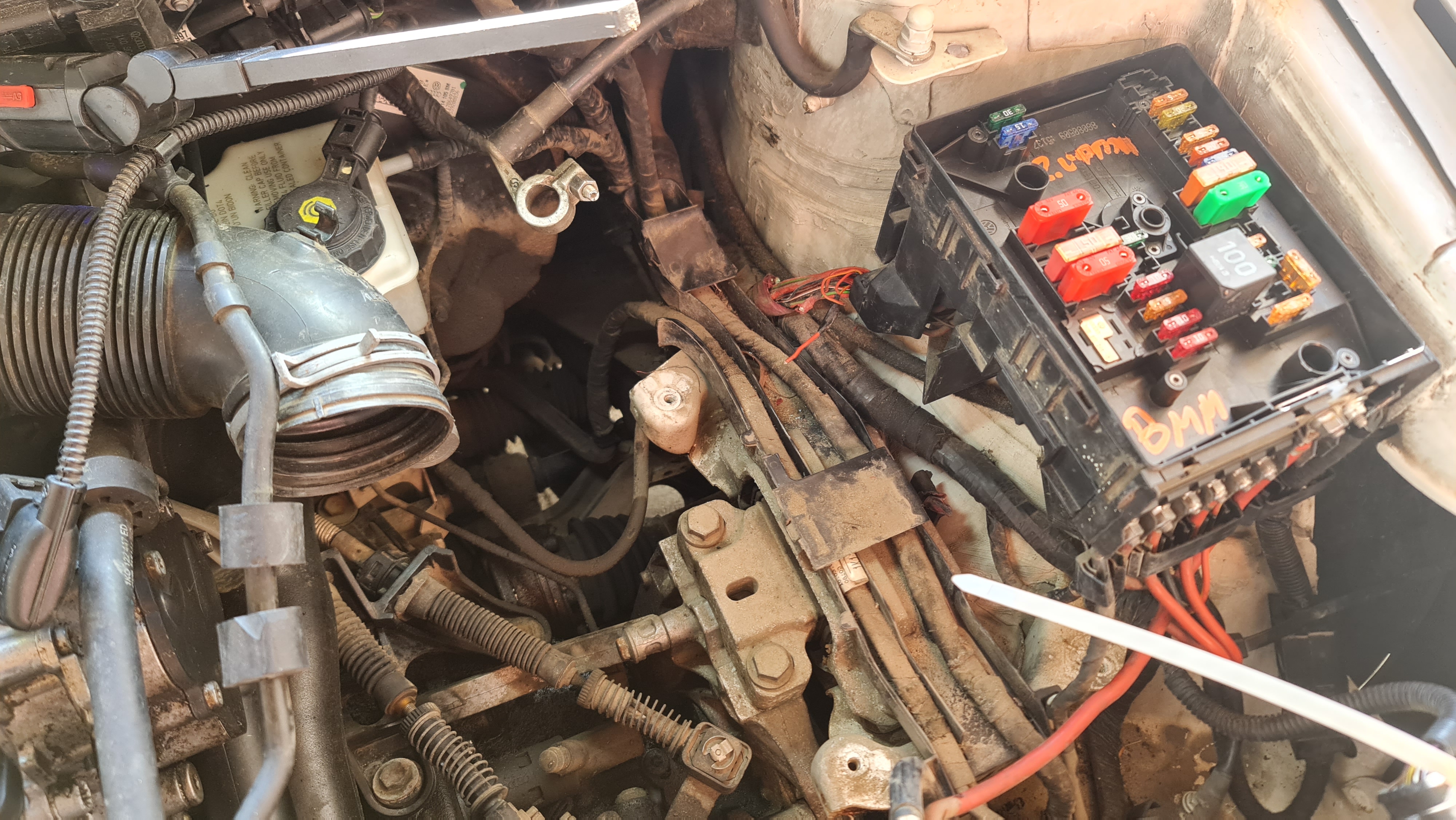
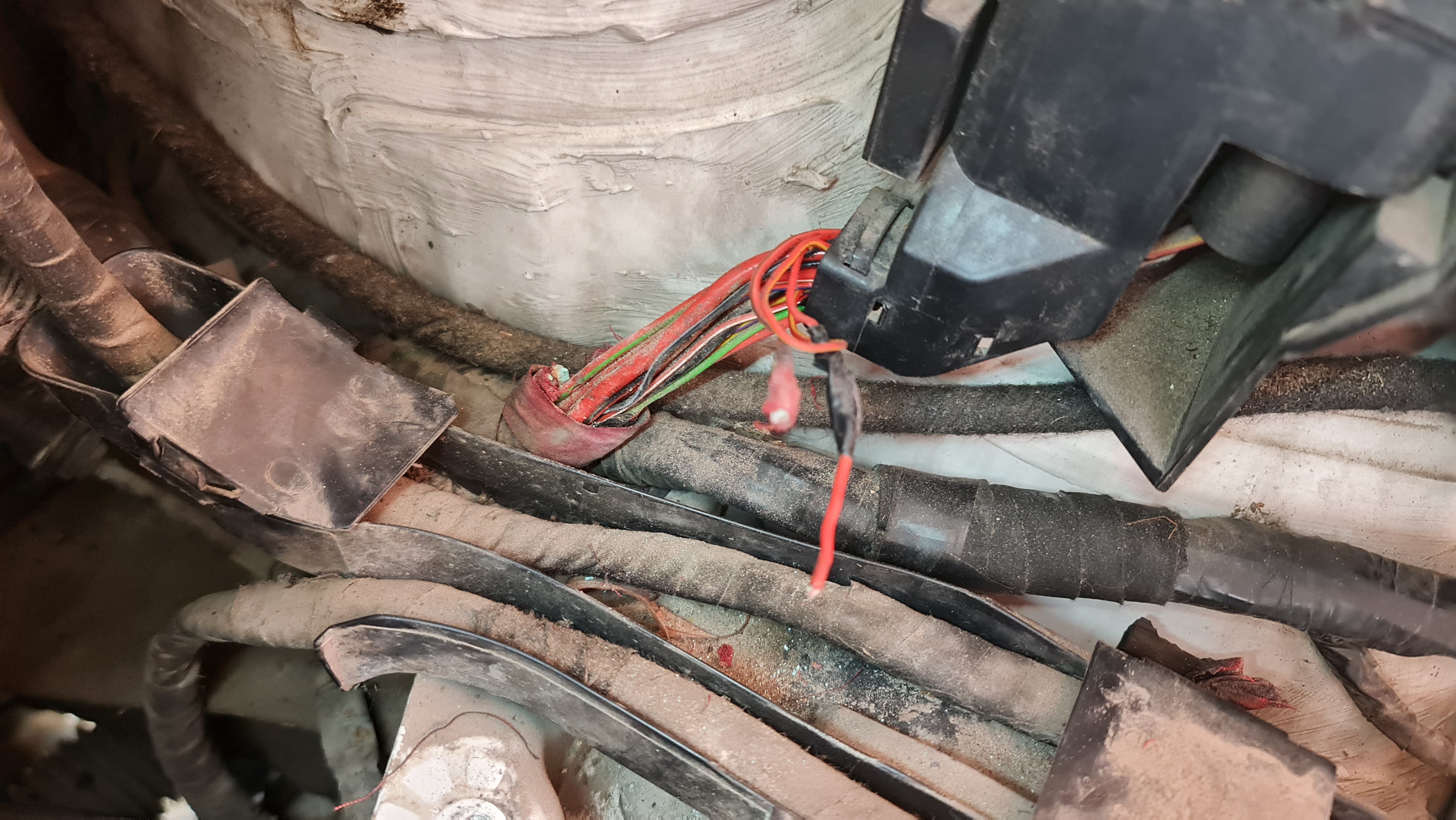
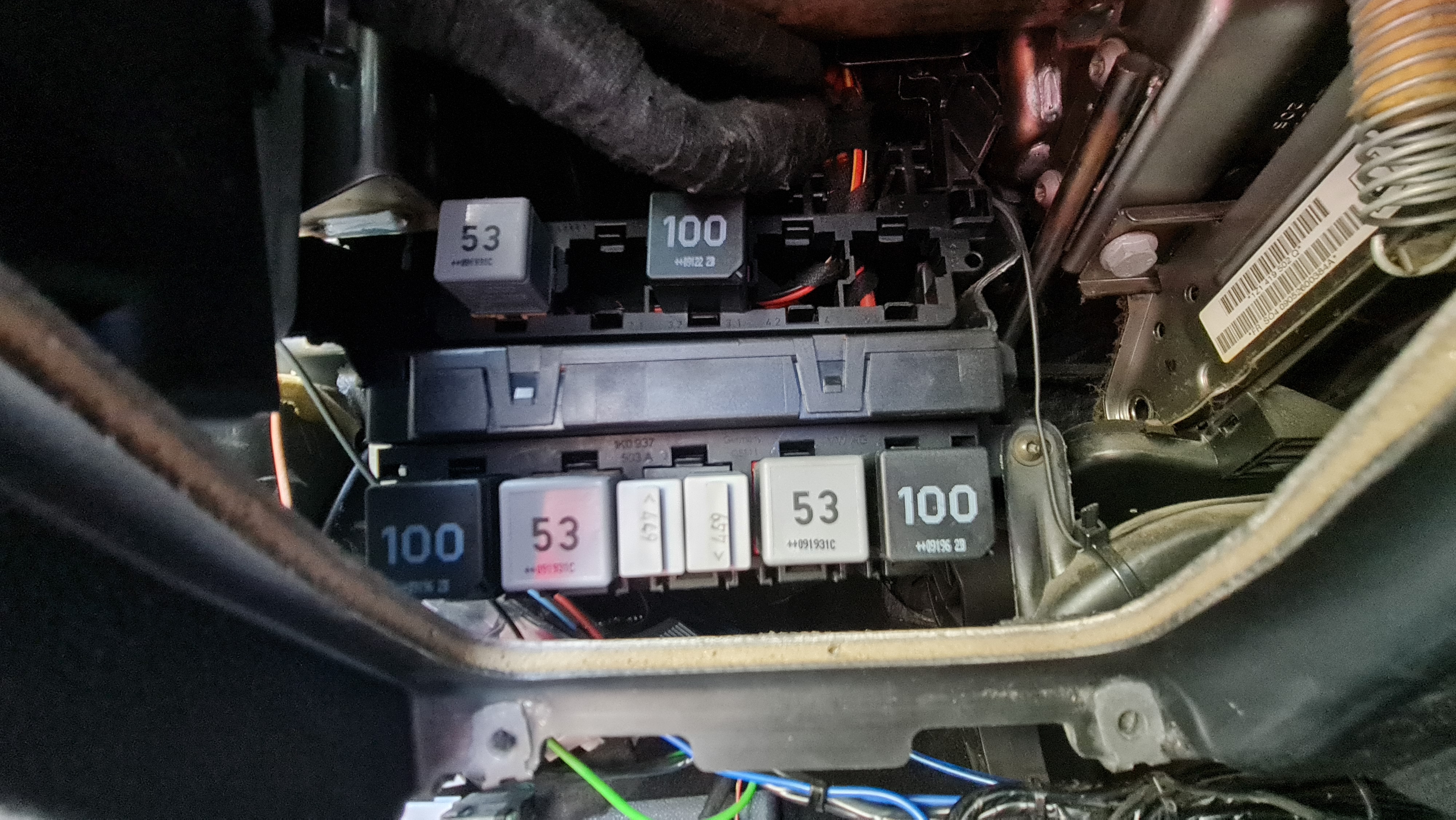
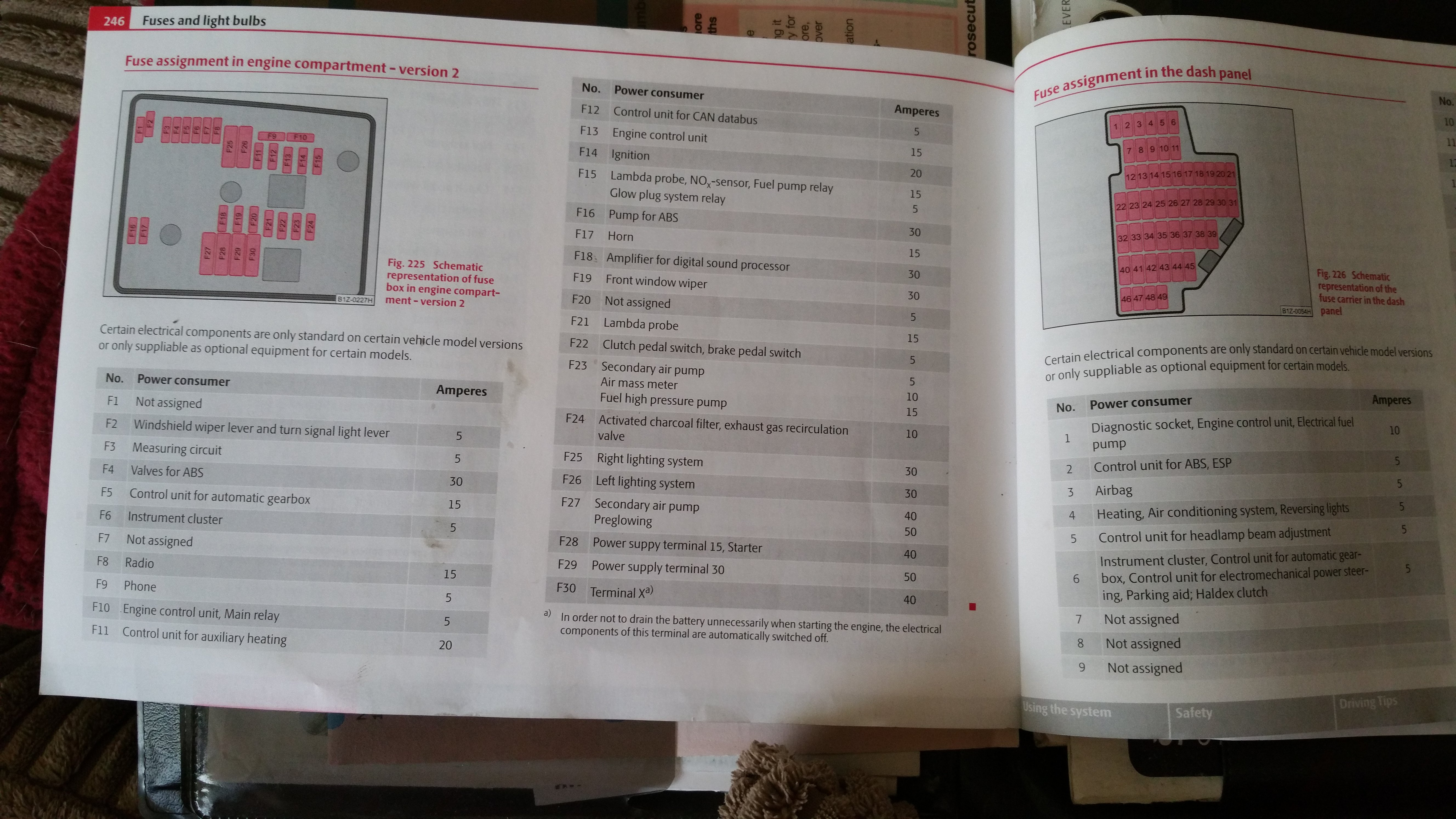
Battery voltage is good. It was already tested with another battery. When it is faulty, there is no voltage from SC1 to SC6 marked in the drawing at the internal fuse board.Hello, There is no electricity in the cluster. I checked the fuses, they are good. The radio also asks for a code, which is not usual. The windows do not work, but the central locking, interior lighting and cigarette lighter work. Does anyone have experience with this, where to look for the problem? I have attached a couple of wiring diagrams. Reléhely- és biztosíték-elrendezés.pdf Kapcsolási rajz 1.pdf Kapcsolási rajz 2.pdf Kapcsolási rajz 3.pdf A vezérlőegységek beépítési helyei, a többpólusú csatlakozók érintkező.pdf@Nesna93 Hello, did you solve the problem? Do you know what was wrong?@DivineGift Hello, do you know which cable was at fault? I have the same error.@mac_fabia_vrs Did you solve the problem? Can you tell me what was wrong? I have the same problem.Hello, I have this problem too. Unfortunately for me, the power sometimes goes out while driving and comes back after a while. Did this problem come back to you? Don't know what was wrong?2009 1.9 PDTDI BLSDo you mean the relays that are under the steering wheel? Could you sometime look at the drawing to see which one I should replace? Or is it all worth it?Hello, The car makes such a mistake that even while driving, the power supply in the cluster stops and therefore the car stops. The radio also asks for a code and the turn signals and windshield wipers don't work either. After a while, the power comes back on and everything works again. I can simulate the error by removing the F6 fuse in the engine compartment, then the car does the same thing. Has anyone been there before and maybe know what the problem might be?

Important Information
Welcome to BRISKODA. Please note the following important links Terms of Use. We have a comprehensive Privacy Policy. We have placed cookies on your device to help make this website better. You can adjust your cookie settings, otherwise we'll assume you're okay to continue.