humaxman
Finding my way
-
Joined
-
Last visited
-
Hi i have an problem with Fuel Flap Actuator when i locked my car the Flap Tank Door no Lock when i unlock my car and open the rear lid port .....the Fuel Flap tank door is closed.... can you help me if is problem with coding My Long Coding: 40980A68901708C040080080150083E44 56000AE424D89205C0560000000 and the information module Address 09: cent. Elect. (J519) Part No Sw: 1K0 937 087 D Component: BCM PQ35 H 103 0575
-
Ok im sorry
-
Ho i have skoda octavia combi 2010 1z5 This is my module Address 44: Steering Assist Part No:1K0 909 144 J Component: EPS ZFLS Kl. 68 Revision: 00H17000 shop #:wSC 73430 790 00000 VCID:3169A0C3A8295305FC-8064 This is information for module with version EPS_ZFLS Kl. 000 3001 Is the same settings;;;;;; Control Module Replacement Address 44: Steering Assist Part No: 1KO 909 144 J Component: EPS_ZFLS Kl. 000 3001 Channel 002: Malfunction Indicator Lamp (MIL) Possible Settings: ■2-Color Lamp (Standard) ■1-Color Lamp Channel 003: Driver Steering Recommendation (DSR) Possible Settings: ■Driver Steering Recommendation (DSR) active (only ESP MK60 & MK60-AT) ■Driver Steering Recommendation (DSR) inactive (only ASR MK70) ■Driver Steering Recommendation (DSR) active (only ESP MK60EC1 & MK60 AWD/4X4) Channel 004: Installation Park Steer Assist Possible Settings: ■Park Steer Assist (PR-7X5/7X6) installed (< MY 2009)■Park Steer Assist (PR-7X5/7X6) installed (MY 2010>)■Park Steer Assist (PR-7X0/7X1/7X2) NOT installed Channel 005: Torque Steer Compensation (TSC) The Torque Steer Compensation (TSC) is only being activated for Front-Wheel-Drive (FWD) Models which I Function prevents the Car from leaning into one Direction while Accelerating in Combination with powerfu Shafts. Possible Settings: ■ Torque Steer Compensation (TSC) inactive (Standard) ■Torque Steer Compensation (TSC) active Channel 006: Installation Lane Assist Possible Settings: ■Lane Assist (PR-7Y0) NOT installed Lane Assist (PR-7Y2/7Y4) installed Channel 008: Installation Adaptive/Dynamic Chassis Control (DCC) Possible Settings: ■Adaptive/Dynamic Chassis Control (PR-2H0) NOT installed ■Adaptive/Dynamic Chassis Control (PR-2H1) installed Channel 009: Steering Angle Sensor The Adaptation Channel determined the Functionality of the internal Steering Angle Sensor. Depending on Brake Electronics the internal Steering Angle Sensor needs to be deactivated. Possible Settings: ■Internal Steering Angle Sensor active Internal Steering Angle Sensor inactive ■Internal Steering Angle Sensor inactive (only ASR MK70)
-
Hi i have skoda octavia combi 2010 1z5 With this module Address 03: ABS Brakes Part No sw: 1k0 907 379 AK Labels:. 1K0-907-379-MK70M.clb Hw: 1K0 907 379 AK 0105 Component: MK70 M MASR Revision: 00H35001 shop #: WSC 73430 790 00000 VCID: 7BF542EB3AE5695516-802E I have see on ather forums vcds Coding: 0020737 Coding: 0001281 I test and the 2 codes and i dont have faults What coding is the really??? Or something people's have an another coding;;; Help me for coding number Thanks
-
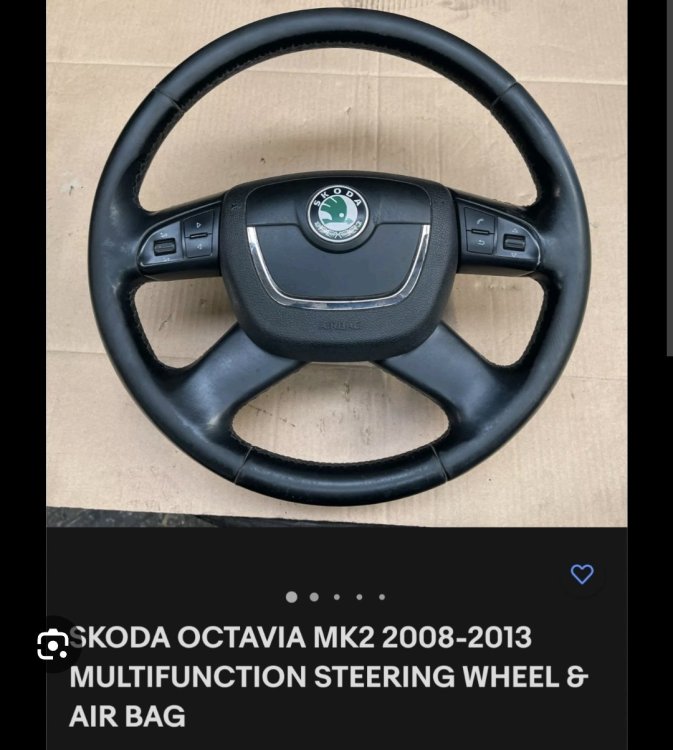
I sent photo for my car

-
Hi i have skoda octavia combi 2010 1z5 with this module address 16 steering wheel 1K0 953 549 CF Component: J0537 056 0111 Coding:Shop #:73430 790 00000 VCID: 78FF5DE70BD3424D7B-802C This is information for my module Control Module Part Number = 1K0-953-549-CF Slip Ring = Type 2 Software Level = SW 0111 Variant = Highline Steering Angle Sensor = NO LIN Version = 2.0 Notrs =#2 Steering Wheel Control Module Versions for Volkswagen (Ross Tech information) A hyphen or "-" means No TBD: We do not have information on the configuration at the present time. Slip Rings o Type 1: 1K0-959-653 and 1K0-959-653-A o Type 2: 1K0-959-653-C and 1K0-959-653-D Software Level o This can be checked in the Component Field of the Open Controller Screen Variant o Lowline: No additional Options/Features o Midline: Cruise Control, Board Computer o Highline: Cruise Control, Board Computer, Multi-Function Steering Wheel Steering Angle Sensor o Yes: The Steering Angle Sensor (G85) is installed directly at the Steering Wheel/Slip Ring. o No: The Steering Angle Sensor (G85) is part of the Electro Mechanical Steering Assist. LIN Version o The LIN version number should be shown o - means that LIN is not supported by this controller Notes: o #1: Does NOT allow Cruise Control Retrofitting, in such a Case you need to replace the Steering Wheel Control Module. o #2: Manual Transmission only, does NOT support Ignition Key Lock. This is for vcds coding What vcds coding is for my module 0?xxxxx: Driver-Assistance-Systems 0 = Driver-Assistance-Systems not installed 0x?xxxx: Vehicle Type 0 = Normal 1 = Special Purpose with Multi-Function Control Module (Steer. Column. Contr. Mod. as Master) 2 = Special Purpose with Multi-Function Control Module (Multi-Function Contr. Mod. as Master) 0xx?xxx: Transmission 0 = Manual Transmission 1 = Automatic Transmission 0xxx?xx: Multi-Function Steering Wheel (1-4 LIN1.3 / 5-8 for LIN2.0) 0 = Multi-Function Steering Wheel not installed 1 or 5 = Multi-Function Steering Wheel w/o Tiptronic and w/o Push-To-Talk (PTT) installed 2 or 6 = Multi-Function Steering Wheel with Tiptronic and no Push-To-Talk (PTT) installed 3 or 7 = Multi-Function Steering Wheel w/o Tiptronic and with Push-To-Talk (PTT) installed 4 or 8 = Multi-Function Steering Wheel with Tiptronic and with Push-To-Talk (PTT) installed 0xxxx?x: Cruise Control System (CCS) and Adaptive Cruise Control (ACC) 0 = Cruise Control System (CCS) not installed 1 = Cruise Control System (CCS) with 6 Positions via separate Stalk installed 2 = Adaptive Cruise Control (ACC) with 6 Positions via separate Stalk installed 3 = Cruise Control System (CCS) with 4 Positions via Blinker Stalk installed 0xxxxx?: Rear Wiper and Board Computer 1 = Rear Wiper not installed / Board Computer via Wiper Stalk not installed 2 = Rear Wiper installed / Board Computer via Wiper Stalk not installed 3 = Rear Wiper not installed / Board Computer via Wiper Stalk not installed 4 = Rear Wiper installed / Board Computer via Wiper Stalk installed Help me for coding number Thanks
-
Ok thanks pikpilot
-
Here is the symbols and i dont have light when i enable the DRL https://dashboardsymbols.com/2010/11/daytime-running-lamps-symbol/
-
I have VCDS and I have activation to open and close the DRL lights on the maxidot DRL ON/OFF, but the light does not indicate to me that the DRLs are active
-
Hi i have enable and disable the DRL from Maxdot all is ok The problem is when i enable the DRL the symbol from DRL warning light not open How to coding with vcds and fix it;;;; Thanks
-
Hi i have enable and disable the DRL from Maxdot all is ok The problem is when i enable the DRL the symbol from DRL warning light not open How to coding with vcds and fix it;;;; Thanks