kiter76
Finding my way
-
Joined
-
Last visited
-
-
-
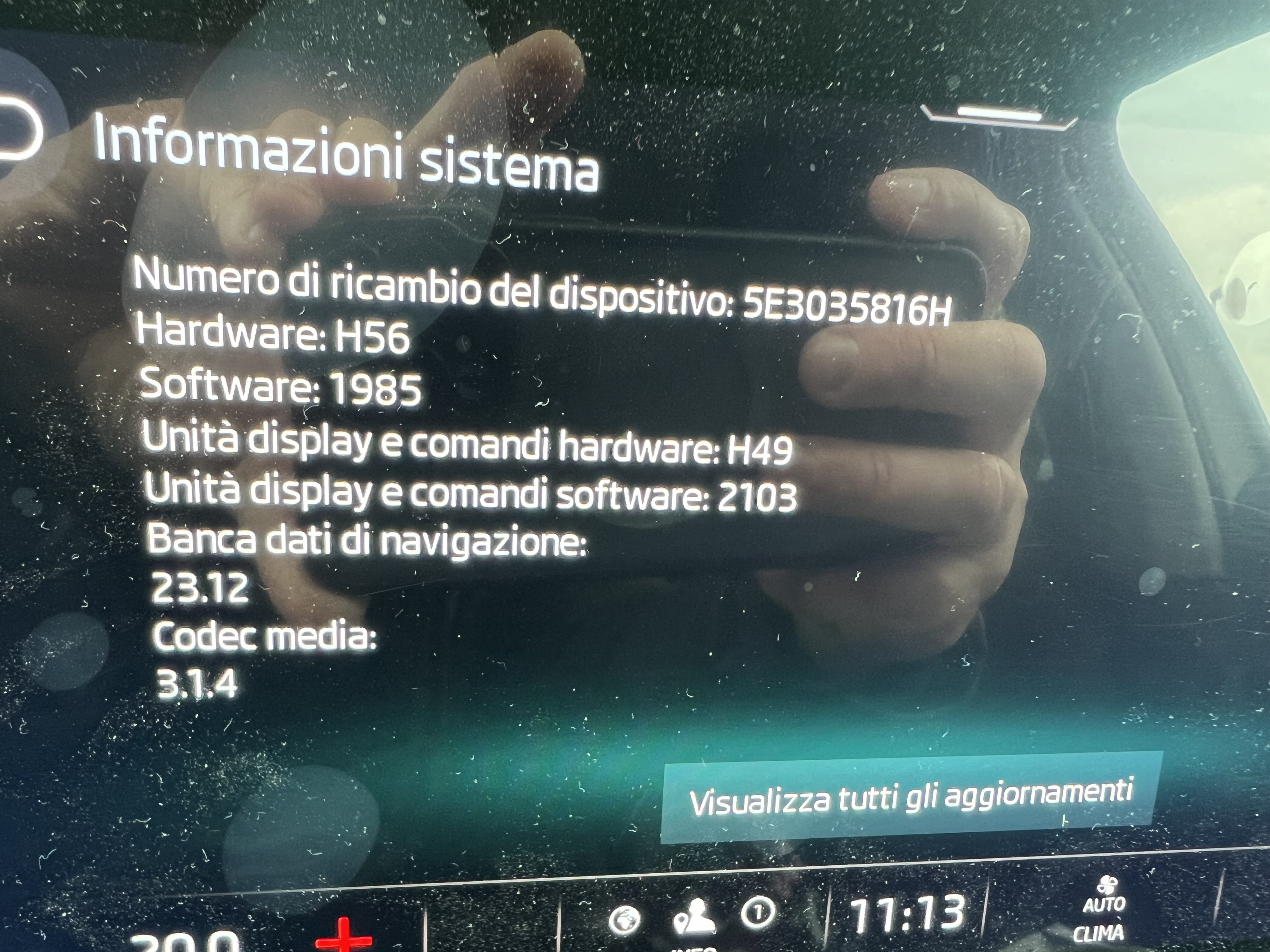
The only way is to substitute the display unit. Mine substituted under guarantee yesterday changed its version from: Unit display hardware version from H44 to H49 Unit display software version from 2088 to 2103 It seems this display unit is the one from 2023 that solved this annoying problem At the moment all is fine.
-
A little update to my situation: Yesterday I went to the service and the company accepted the substitution of the Infotainment display under guarantee. Hope this will finally solve. A question for who knows: When they substitute the display unit what will exactly change on the system info version? Actually mine are: 5E3035816H / H56 / 1969 "Unit display command hardware: H44" "Unit display command hardware: 2088" I suppose will be a difference in the last 2 lines, right? Thank you
-
Thank you very much @inspectorman and sorry but on my manual was not explained. I need to change the battery for sure.
-
Hello, sometimes I see a blinking red led in the top right of the key (keyss system), sometimes not. I tried to find some explanations but failed. Can someone explain me what the led means and when and why it starts to blink? Thank you.
-
Would be interesting to know if those problems are also present to Apple Car play users, because for what I saw during the last days, it seems the situation falls when AA starts to have problems. For example some days ago after continuous reboots with AA connected I went on a supermarket and paying with Google Wallet it also had problems. Once restarted my phone everything went ok and also resetting infotainment to factory and reconnecting the phone solved the problem. I'm software designer and cyber security expert in life, so will not be a surprise to discover some kind of issues between infotainment hardware firmware and AA, that makes unusable both... infotainment and phone
-
Me the same even if upgraded to 1969 since one week
-
After One week from updating to 1969 I can say it doesn't resolve the reboot infotainment issue, I'm still with it especially in hot days. I'm going to book an appointment to the service. I think the only way is to substitute something or upgrade some kind of firmware.
-
Beyond that recommended by @TheWanderer also try to access the car without automatic connecting to Android Auto, BT and Wifi switched off, starts the car, then enable BT and Wifi. I had the same issue and after upgraded to 1969 on my own I had a little improvement, but not solved definitively.
-
A little update, but maybe this benefit has been encountered also from other users (honestly don't remember where I read about it), accessing the car without connecting to Android Auto, seems the reboot does not start. After running a while, I've enabled BT and Wifi to access AA and after connected no reboots happened. I'm going to try this trick for some days in different temperature conditions.
-
I took the car after 5 hours from upgrade and no reboot, also went to a shopping center and parked the car underground and after close the car also the Home and Menu icon switched off. Once back home, no reboot during the way, but icon Home and Menu once again switched on with car closed. It seems this happen when I left the car in a parking with some lights around at the moment of closure, but it's only my assumption. Another interesting point of analysis could be the Display hardware/software unit number: mine is H44/2088 and I found people on an Italian telegram channel who solved their problem once substituted with higher number units, but don't know if could be considered right. Tomorrow I'll have a long day usage with the car and weather forecast will be very warm/hot, so I'll test also the temperature failures encountered in the past days and common for many users.
-
I just updated to 1969 following the guide, all fine no problem during update. After finished had also some addition upgrade from Infotainment and also some reboot as the known "continuos reboot" problem. Hope they were only adjustment to the code. Home & Menù icon still random on when closing the car. Let's see in the next days
-
Yet it is, so the double key is needed onyl to become main user via MySkoda app if I understood well
-
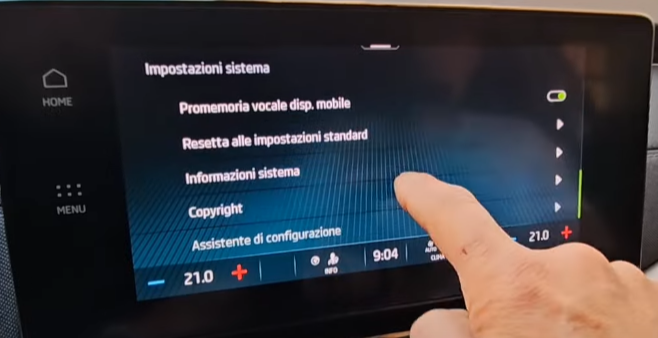
Is this one? "Resetta alle impostazioni standard" I know it's in Italian but the same position should be in the English menu. Thank you