Old_Dave
Finding my way
-
Joined
-
Last visited
-
Yes, method posted by Quyinfin worked 100%, UK spec 2024
-
Thank you, that worked 💪
-
Thank you ducu I didn't know that would work.... I thought it was all encrypted, but times have moved on 😄
-
Hi all I also have a premature 'oil service is due'... is there a method of resetting it my self without a dealer visit ?
-
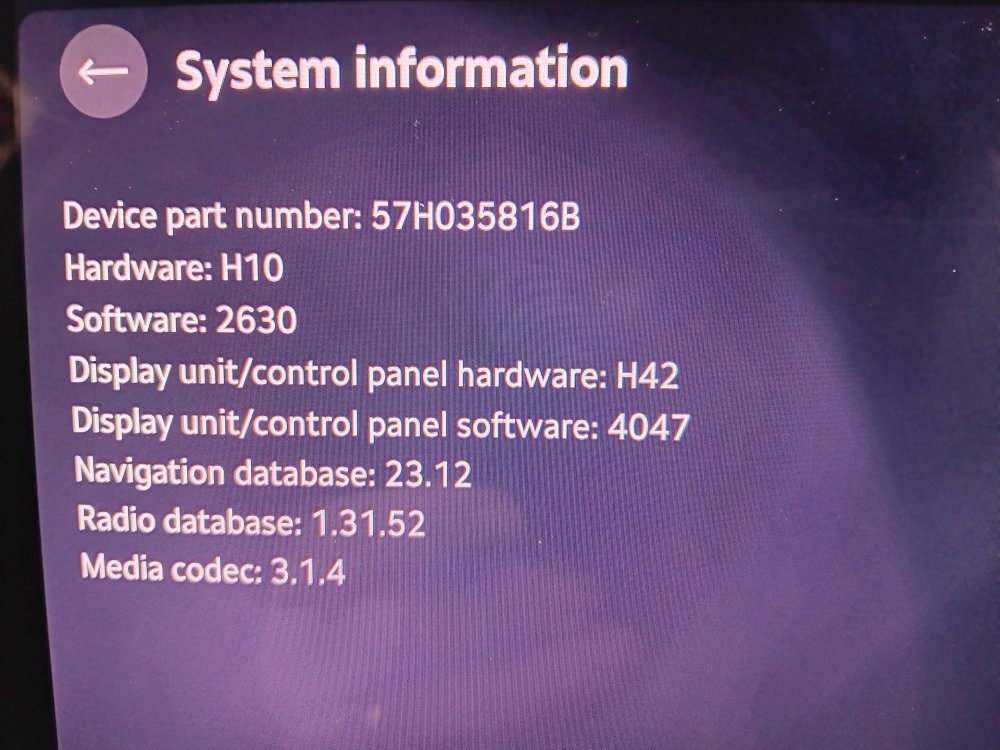
Collected today, here are the system details
-
Modem times ... The bean counters (Accountants) rule the world, no doubt it was way cheaper to let the dealers do the update.
-
I've been told the same, so mine may be on the same boat ... dealer has assured me that the software update will be checked
-
Superb estate 2.0 TDI SE L DSG with factory tow bar Ordered 21st Sept Accepted by factory 4th October Expected build date week 48 (28th November) I anticipated delivery delays due to happy Christmas and jolly new years singing & dancing 🤢 Hopefully the hardware / software fixes will all be sorted by the time it arrives.
-
I'm still convinced that the 'software fix' is a desperate attempt to avoid a recall to replace hardware
-
Hi all, long time lurker and following the thread with interest , I'm currently awaiting my build date (2.0tdi 150hp SE L estate with added tow bar) After a great deal of deep thought / reasoning, I think that its one or more processers being 'out of spec' / quality control issue, which would explain the procrastinated attempt to try and correct the issue via software Maybe 🤔