metabacalhau
Finding my way
-
Joined
-
Last visited
Everything posted by metabacalhau
-
-
Just to mention that I bought the 5Q0 radars on ebay from Austria which were from a similar Skoda Octavia mk3 2017 and both units cost me 252€. The original used mirrors with dimming from ebay cost me 136€ (one was chipped), the cables I bought from aliexpress for around 50-60€, the radar mounting brackets I bought from skoda-parts.com for 24€/both, also needed to buy a couple of cables, pins and connectors from aliexpress for around 10-20€ max. So everything cost me around 500€
-
That's an excellent project and thanks for providing so much valuable info, I didn't know the mirrors from mk4 could be installed on the mounting bracket of the mk3! I also love that the LEDs will be integrated in the mirror casing instead of mirror elements since they are incredibly expensive and can easily be stolen I also heard that the 2Q0 radars are better than the 5Q0 ones because their range is bigger. I have just finished installing BSD/RTA myself this week on my Skoda Octavia mk3 1.4 TSI 2017 using the 5Q0 radars and original mirror elements with BSD LEDs and dimming and I am happy how the system works: I will follow your topic @Cairus to see how your work evolves! Good luck!
-
-
Thanks! Nice catch! Sorry, what is the Ground Blade?
-
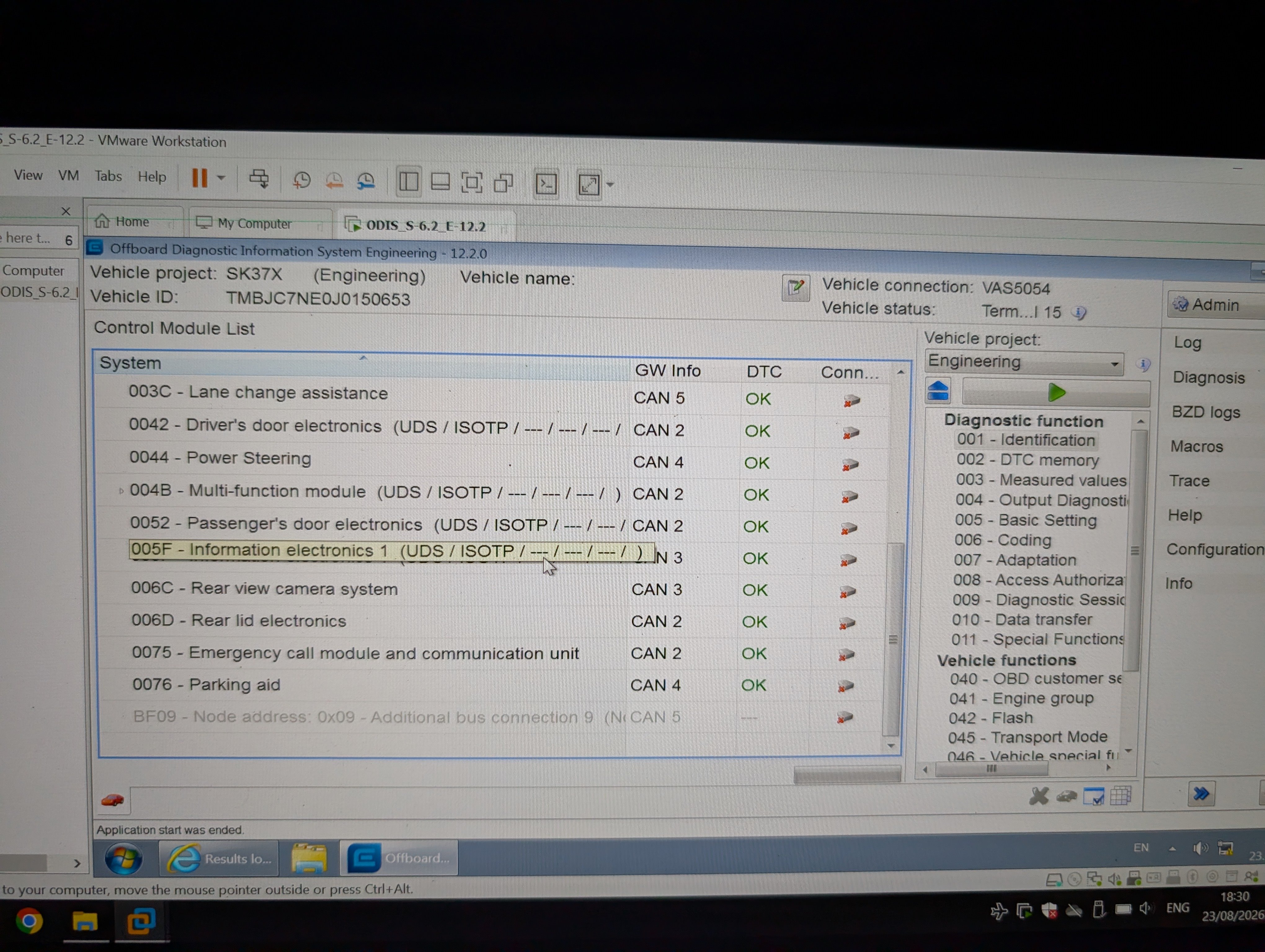
I own Skoda Octavia mk3 1.4 TSI August 2017 with MIB 2.5 (5Q0 035 874 C) and I was experimenting with Car Scanner and decided to improve the sound using it. After experimenting, I decided not to change anything and selected the original value and saved it… But I overlooked the fact that I should have reverted the changes using the special button. In that case, the original coding would have been preserved instead of whatever coding Car Scanner generated for me. But ultimately, it was my fault. So, I currently have incorrect coding, and there is one and only one error stored in the 5F module and it's an eyesore: Address 5F: Information Electr. (J794) Labels:| 3V0-035-MIB-STD2.clb Part No SW: 5Q0 035 874 C HW: 5Q0 035 874 C Component: MU-S-ND-ER H41 0480 Serial number: SKZAZ2T5328145 Dataset Number: V03935267DK 0001 Coding: 03730201FF00000051111201008802232F0208D401200500CE Shop #: WSC 73430 790 00063 ASAM Dataset: EV_MUStd4CTSAT 001022 ROD: EV_MUStd4CTSAT_VW26.rod VCID: 34311CCD3EB8917A8B3-8060 Display and control head 1 for information electronics: Subsystem 1 — Part No SW: 5E0 919 605 M HW: 5E0 919 605 M Component: ABT_Std-2_Nav H50 8130 Serial number: SKZ6ZHT2374035 Data carrier: Subsystem 2 — Part No SW: V03 959 821 BJ HW: ----------- Component: ECE1 2024/25 --- 2210 Serial number: -------------------- 1 Fault Found 1590 — invalid data record B2005 00 [00001001] — — [Control module (data record download) — invalid data record for sound audio parameters] Confirmed — Tested Since Memory Clear Freeze Frame: Fault Priority: 2 Fault Frequency: 1 Reset counter: 22 Mileage: 89079 km Date: 2026.08.18 Time: 21:14:53 Voltage terminal 30: 11.9 VDoes anyone know how to determine the correct coding so that this error disappears?
-
I didn't get what mirrors you had installed. Do you have reference number or what car they were from?
-
I can't flash the camera. Does anybody know why the VCP won't allow me to use the frf file and throws the following error "File "FL_5Q0980556B__0231.odx" not found - Native error: 00015"?
.thumb.png.a3e6d0b8315ce7608b27cf5ca378a671.png)
-
I'm having the same issues with the camera, can you please share the FL_5Q0980556B__0231.frf file?
-
Thanks! I talked to the seller and he gave me these two files to flash the camera and I hope I can flash it with ODIS + VAS5054A, once I do that I will update. Cheers. FL_5Q0980556B__0231 (5).frf 速派 5Q0980556B (3).xml
-
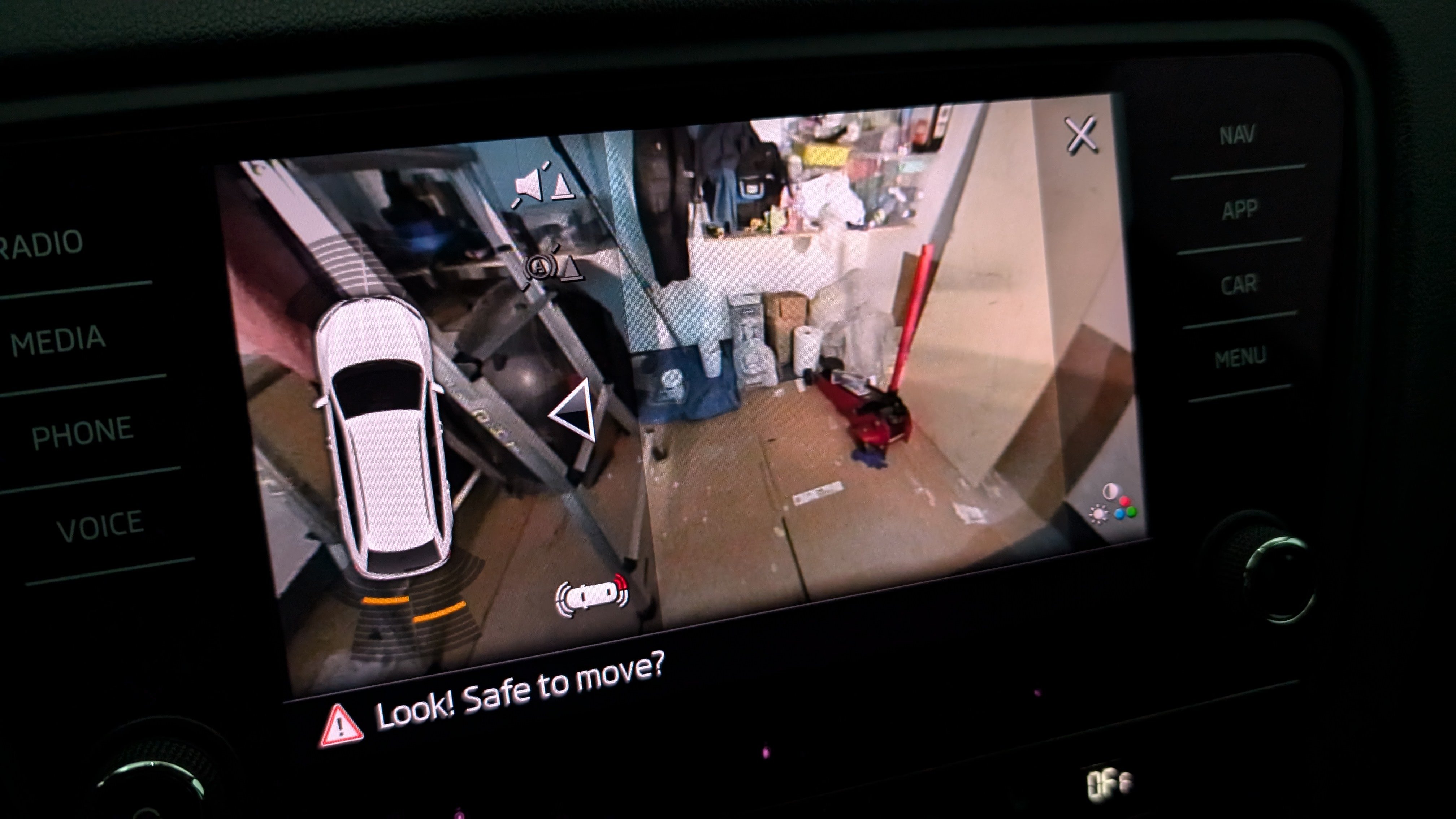
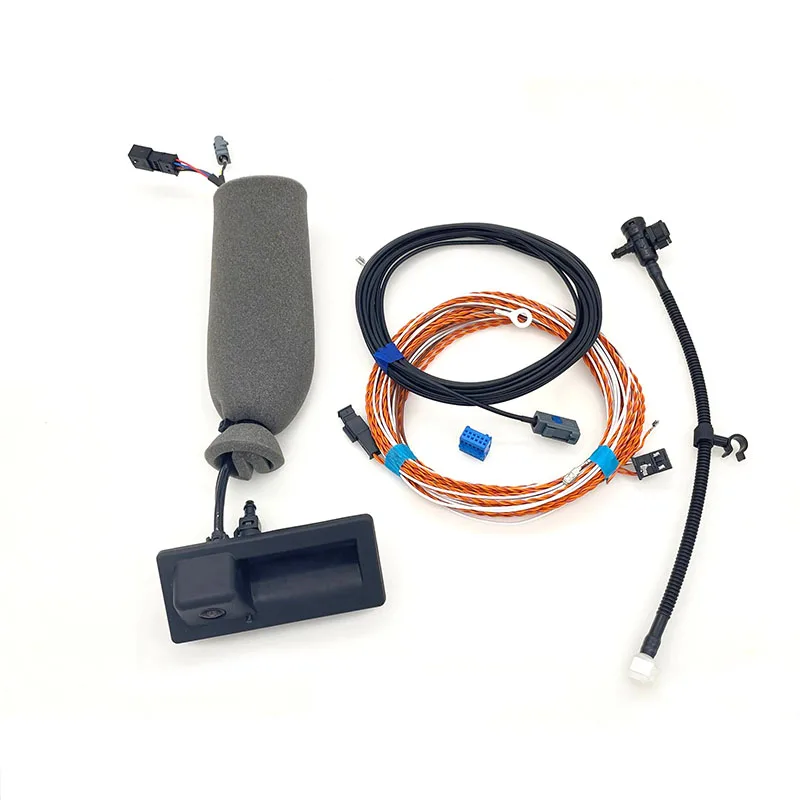
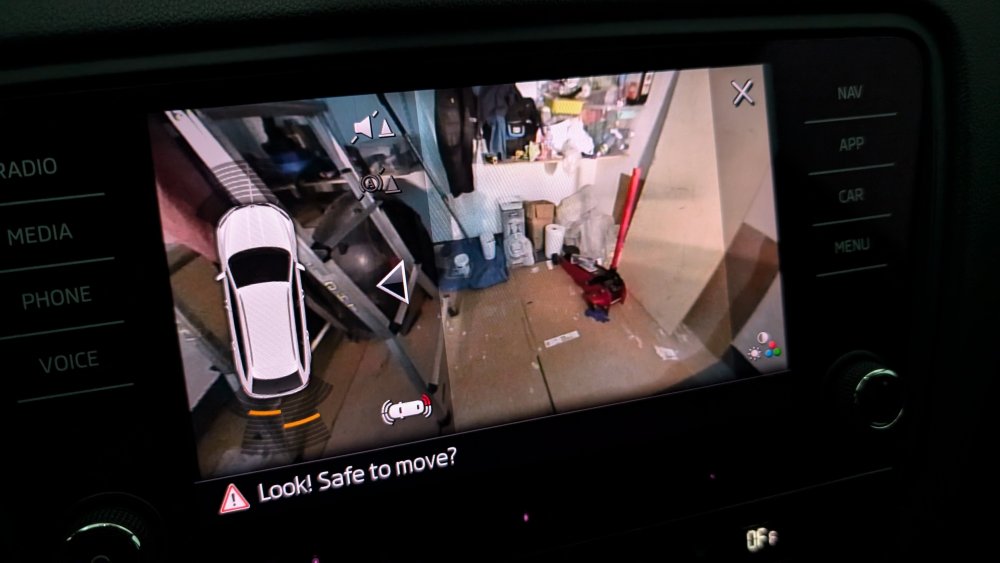
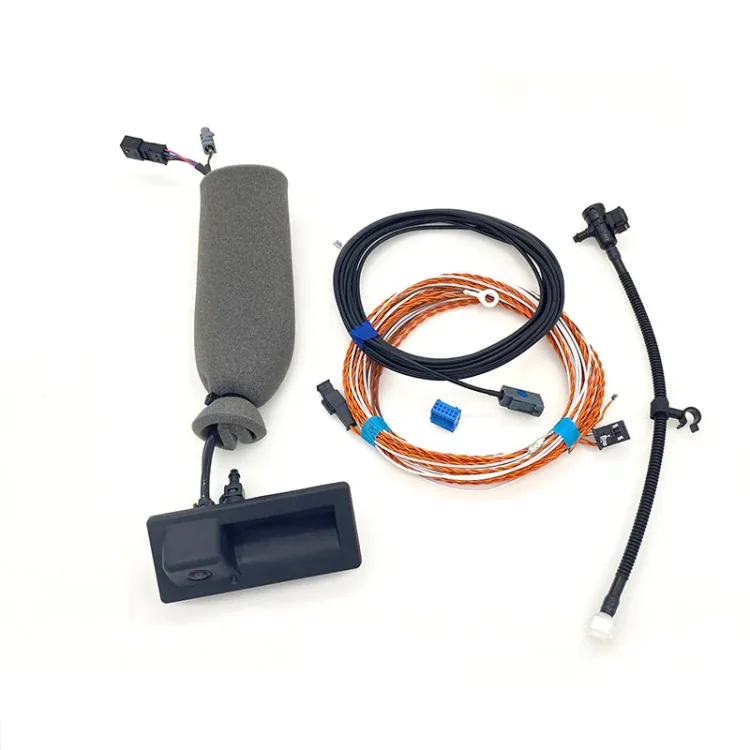
I've installed recently a camera on my Skoda Octavia Estate mk3 (09.2017), it works when I reverse, but I'm struggling to get the trajectory lanes and other camera modes to show up as I only have brightness and color settings also there are 4 errors in the ECU related to the 6C camera: My head unit is (I recon it's Amundsen) MIB STD2 ZR +/NAV 5Q0035874C The camera is from China with highline wiring harness 3V0827566N What I tried to do in VCDS: 1) Address 19, add 6C to the installation list 2) Address 10, coding, tick byte 2 bit 4 3) Address 5F, adaptions, change Car_Function_List_BAP_Gen2-VPS_0x0B to "activated" 4) Address 5F, adaptions, change Car_Function_List_BAP_Gen2-VPS_0x0B_msg_bus to "Infotainment data bus" Whenever I activate the 3) step the head unit stops showing the video and no parking graphics shows up, there is just the black screen with a warning "Trunk lid is open! Make sure it's safe to drive..." I tried a lot of other settings to no avai. Anyway, these are the errors related to the camera when I deactivate the third step: Address 6C: Rear View Camera System (J772) QML File:* Part Number SW: 4M0 980 556 A HW: 4M0 980 556 A Component: RVC Compact H18 0250 Data Packet End: 4KD909460A 0004 Coding: 0285110102002001C20040 Workshop #: WSC 79105 790 00001 ASAM/ODX File Label: EV_CamSysRVRVCPANAMLBEv 005010 ODX: EV_CamSysRVRVCPANAMLBEv_005.odx 4 Faults Found: 13705503 - Data Bus U1121 00 [00001001] - no message [message Klima_Sensor_02 not received] Confirmed - tested after deleting records Freeze frame: Priority: 6 Error occurrence counter: 1 Forgetting index: 8 Mileage: 61527 km Date: 2024.11.20 Time: 19:08:44 passive 13705501 - Data Bus U1121 00 [00001001] - No Message [message LH_EPS_04 not received] Confirmed - tested after deleting records Freeze Frame: Priority: 6 Error Occurrence Counter: 1 Forgetting Index: 8 Mileage: 61527 km Date: 2024.11.20 Time: 19:08:42 passive: waiting for response signal 13705481 - Data Bus U1121 00 [00001001] - No Message [message SMLS_01 not received] Confirmed - tested after deleting records Freeze Frame: Priority: 6 Error Occurrence Counter: 1 Forgetting Index: 8 Mileage: 61527 km Date: 2024.11.20 Time: 19:08:44 passive 13705482 - Data bus U1121 00 [00001001] - no message [message ZV_02 not received] Confirmed - tested after deleting records Freeze frame: Priority: 6 Error occurrence counter: 1 Forgetting index: 8 Mileage: 61527 km Date: 2024.11.20 Time: 19:08:44 passive
.png.278850c5d7db0abc24894c2020adce78.png)